How do I enable the articles tab in the chat window?
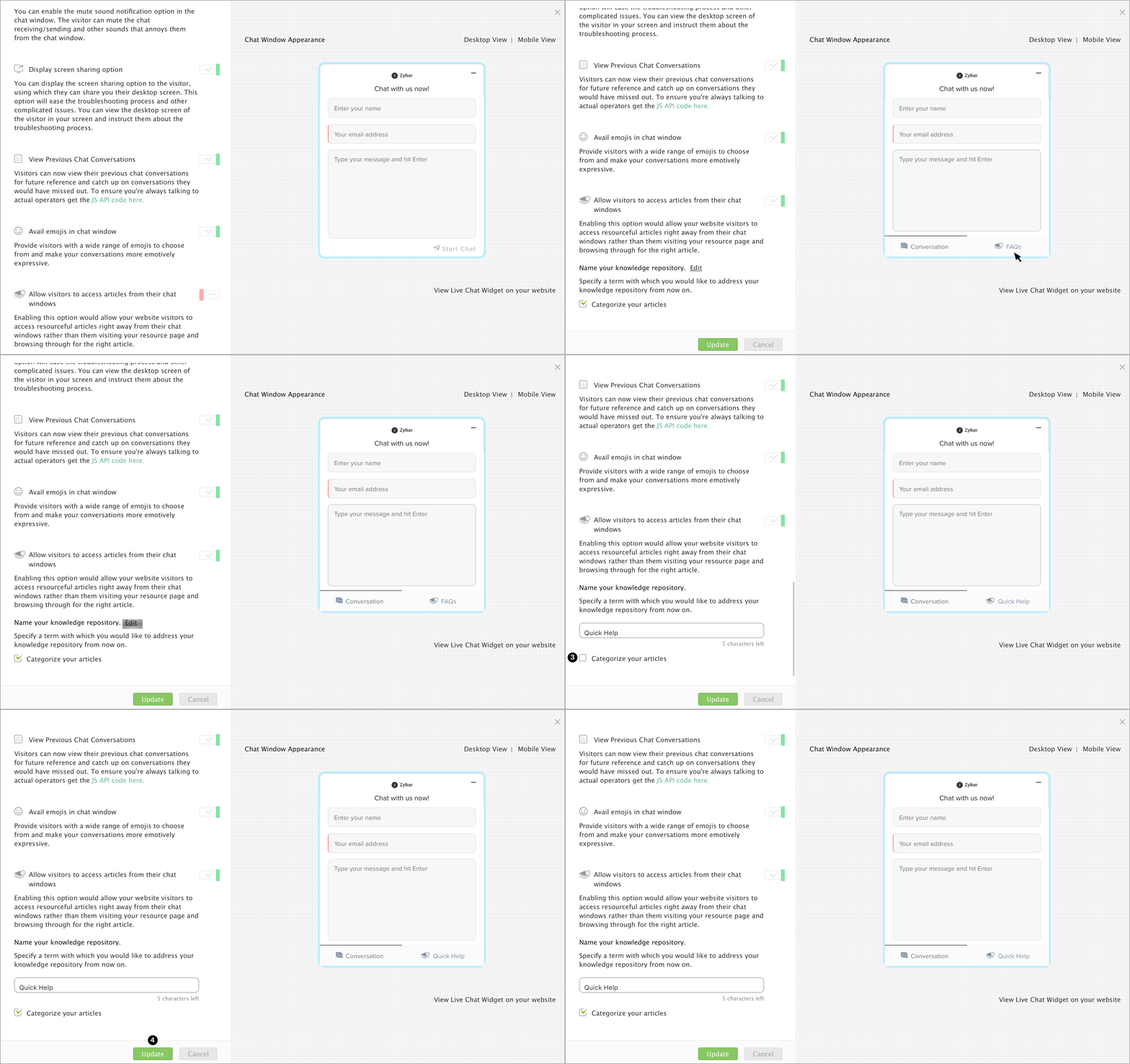
- Navigate to Settings -> Websites -> Your website name -> live Chat widget -> Chat window -> Configurations, and enable the Allow visitors to access articles from their chat windows option.
- You can also edit the name of your knowledge repository, by default, it is named as FAQs.
- If you wish to categorize the articles, you can check the Categorize your articles box.
- Update changes.