Categorizing the Articles
You can create categories in your Articles, so when you have multiple articles, your customers can navigate and find the article they need more quickly.
How do I categorize the articles?
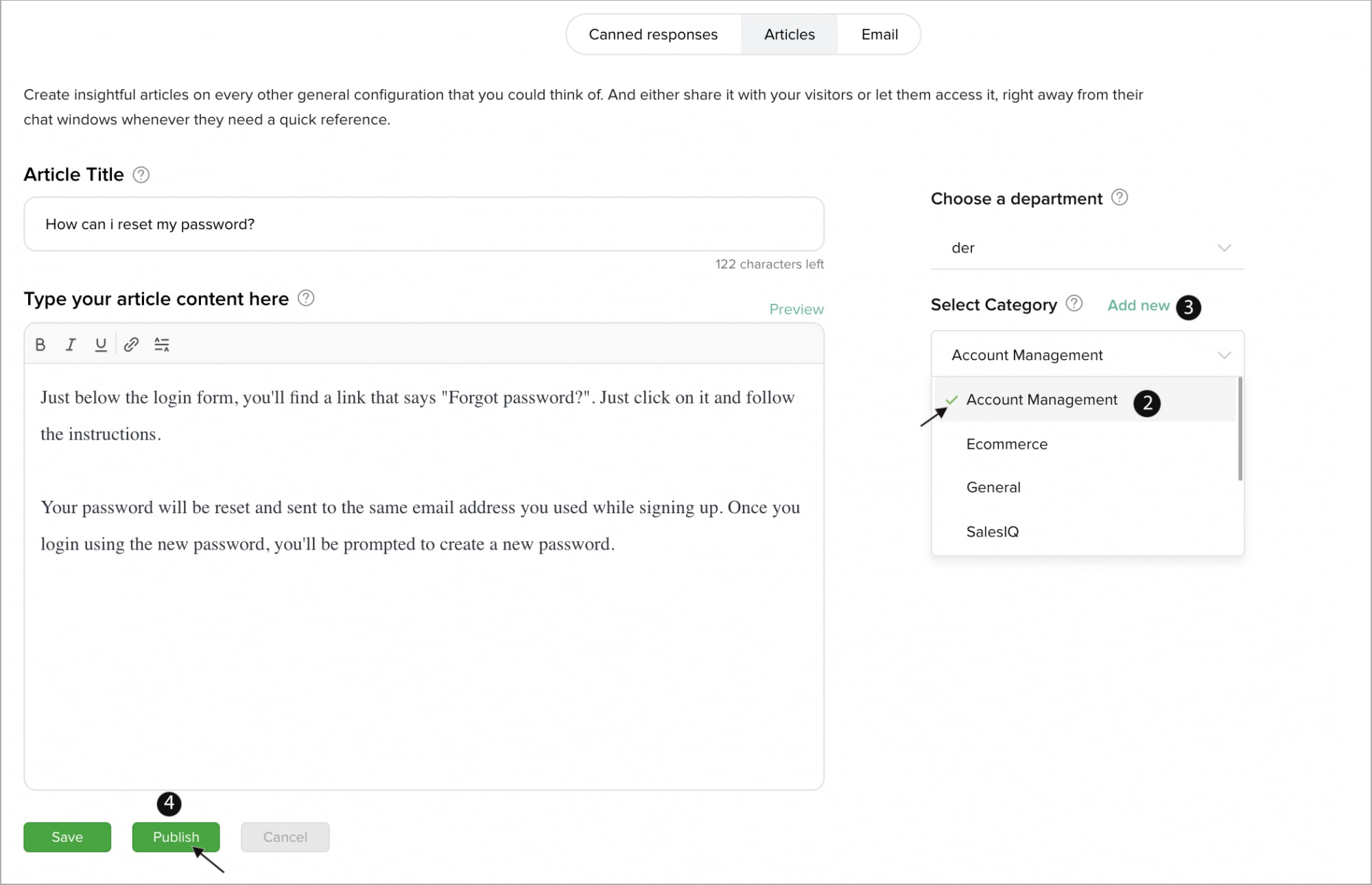
- Click the particular article you would like to categorize from the list.
- In the right side you can find the Choose a Category option, choose one from the drop-down.
- You can also create a new category by clicking Add New and entering a name.
- Finally, click Publish.
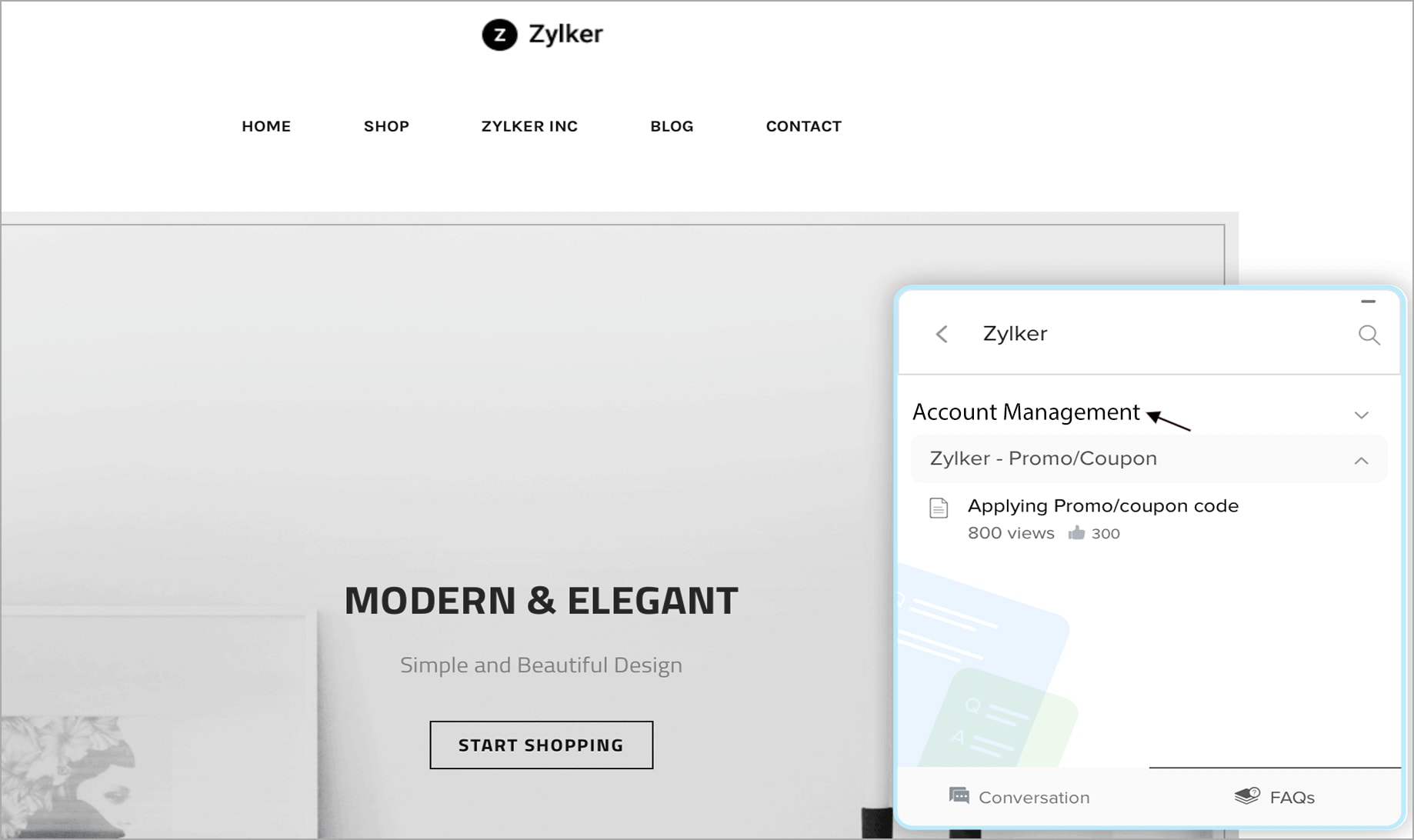
You can view the articles displayed under the new category in the chat window.