Set Filter
 This page is applicable to all report types except pivot chart and pivot table.
To add filter criteria:
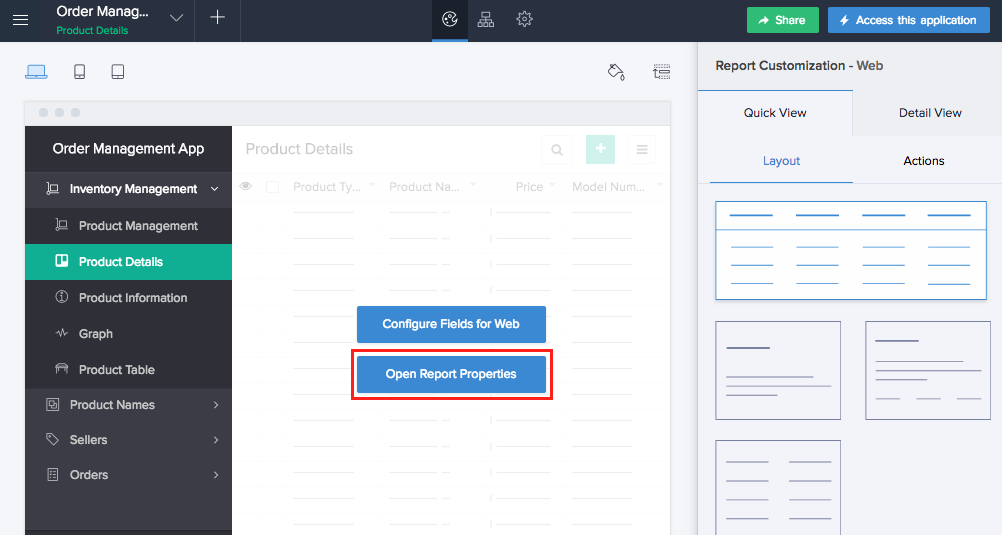
- Navigate to the Design page.
- Hover on the preview of the report.
- Click the Open Report Properties button.
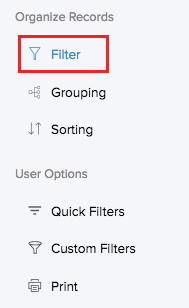
- Select the Filter section.
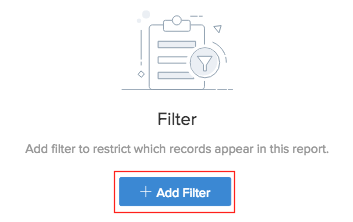
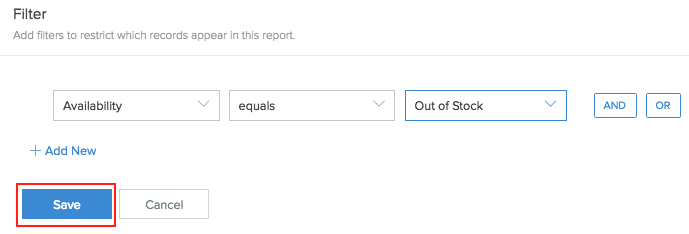
- Click Add Criteria.
- Select the field that the criteria is based on.
- Select the operator that determines the criteria.
- Enter the value for the criteria.
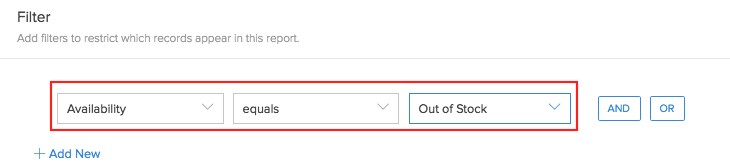
- Click Save. The created criteria will be added.
- Click Done to exit the report builder.
You can create a combination of criteria with an AND or OR condition. Click the Add New to add more than one condition to the criteria.
Related Topics
Zoho CRM Training Programs
Learn how to use the best tools for sales force automation and better customer engagement from Zoho's implementation specialists.
Zoho DataPrep Personalized Demo
If you'd like a personalized walk-through of our data preparation tool, please request a demo and we'll be happy to show you how to get the best out of Zoho DataPrep.
- Zoho Workerly Home
- Forums
- Connect With Us:


- Zoho Recruit Home
- Forums
- Connect With Us:
You are currently viewing the help pages of Qntrl’s earlier version. Click here to view our latest version—Qntrl 3.0's help articles.





Zoho Sheet Resources
Zoho Forms Resources
Zoho Sign Resources
Sign, Paperless!
Zoho TeamInbox Resources
Zoho DataPrep Resources
Design. Discuss. Deliver.
Related Articles
Manage filter
You can configure your lookup field to display specific data - data that satisfies certain conditions. For this you need to set a filter on it. Refer to the following sections: Set filter for a lookup field Modify a lookup field's filter Remove a ...Filter report using dynamic values from a function
Requirement When a user accesses a report, data is filtered based on the logged-in user's role so that only the required details are visible to the user. Use Case An employee management system has two forms, Department and Employees. The Department ...Understand Predefined Filter
This page is applicable to all report types except pivot chart and pivot table. Sifting the voluminous data to retain particular information is what filtering is all about. It is often essential to selectively display and view data. For instance, you ...Dynamically Filter Lookup Options Based on Another Lookup Field's Selection
Requirement Automate the creation of portal user accounts based on the email entered in the Zoho Creator form. Use Case Consider an IT asset management application on which an organization relies to register and monitor assets assigned to employees. ...Filter users
To filter users: Click the Users option under the Manage section in the left pane. A list of users will be displayed. Click the Filter button. The Filter Users pane will appear from the left. Under the Application field, choose the required ...