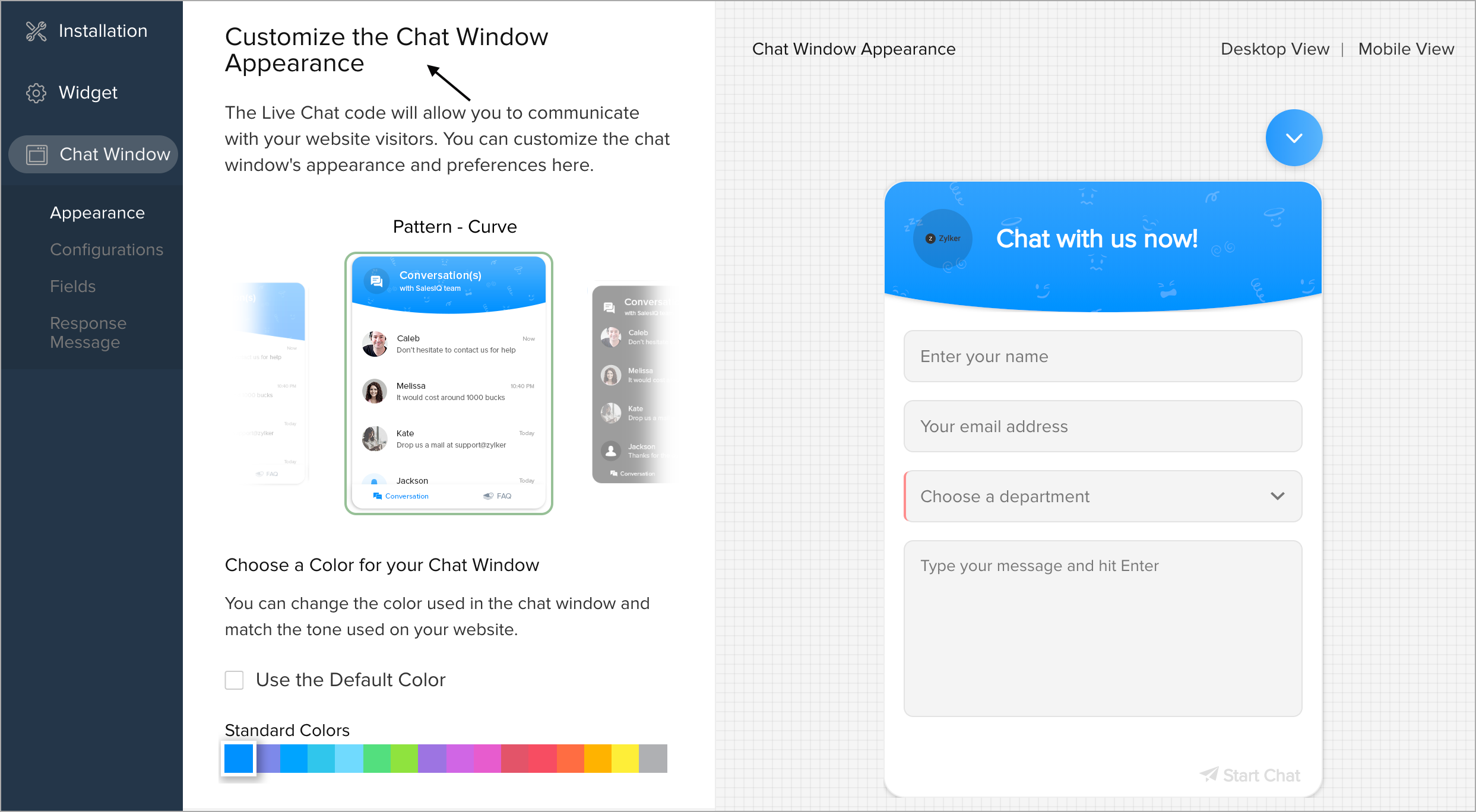
Customizing the Chat Window Appearance
You can do the following customizations to your chat window:
- Choose the appearance of the chat window according to website needs.
- Hand-pick a color of your choice for the chat window that suits your website.
- Display your company logo in the chat window.
- Show the profile picture of the operator while connecting with the visitor on chat.
- Redesign the window appearance completely with your Custom CSS File.
Where do I Customize the Appearance of the Live Chat Window?
- In Settings > Websites > Website Name, choose Live chat widget.
- Then, navigate to Chat Window > Appearance, and customize the default window according to your needs.
Where do I Customize the Appearance of the Proactive Chat Window?
- In Settings > Websites > Website Name, choose Visitor Tracking.
- Then, navigate to Chat Window > Appearance, and customize the default window according to your needs.