


Zoho Payroll - Axis Bank Integration

Zoho Payroll has partnered with Axis Bank, one of India’s leading private sector banks, to streamline salary payments. With this integration, you can directly deposit your employees’ salaries into their Axis Bank accounts from Zoho Payroll without switching platforms.
Note:
- This integration is currently available only in Early Access. Contact support@zohopayroll.com to request access.
- This integration is available only for users in the India edition of Zoho Payroll created under the zoho.in domain.
- This is a user-level integration. Only the user who sets up the integration can initiate payments using this connection.
Connect to Axis Bank
PREREQUISITES
- You must have an Axis Bank current account.
- Multi-Factor Authentication (MFA), excluding Security Key and Passkey, must be enabled for your Zoho account. Learn more about MFA in Zoho Accounts Help.
To connect your Axis Bank account:
- Log in to Zoho Payroll.
- Click Settings on the left sidebar.
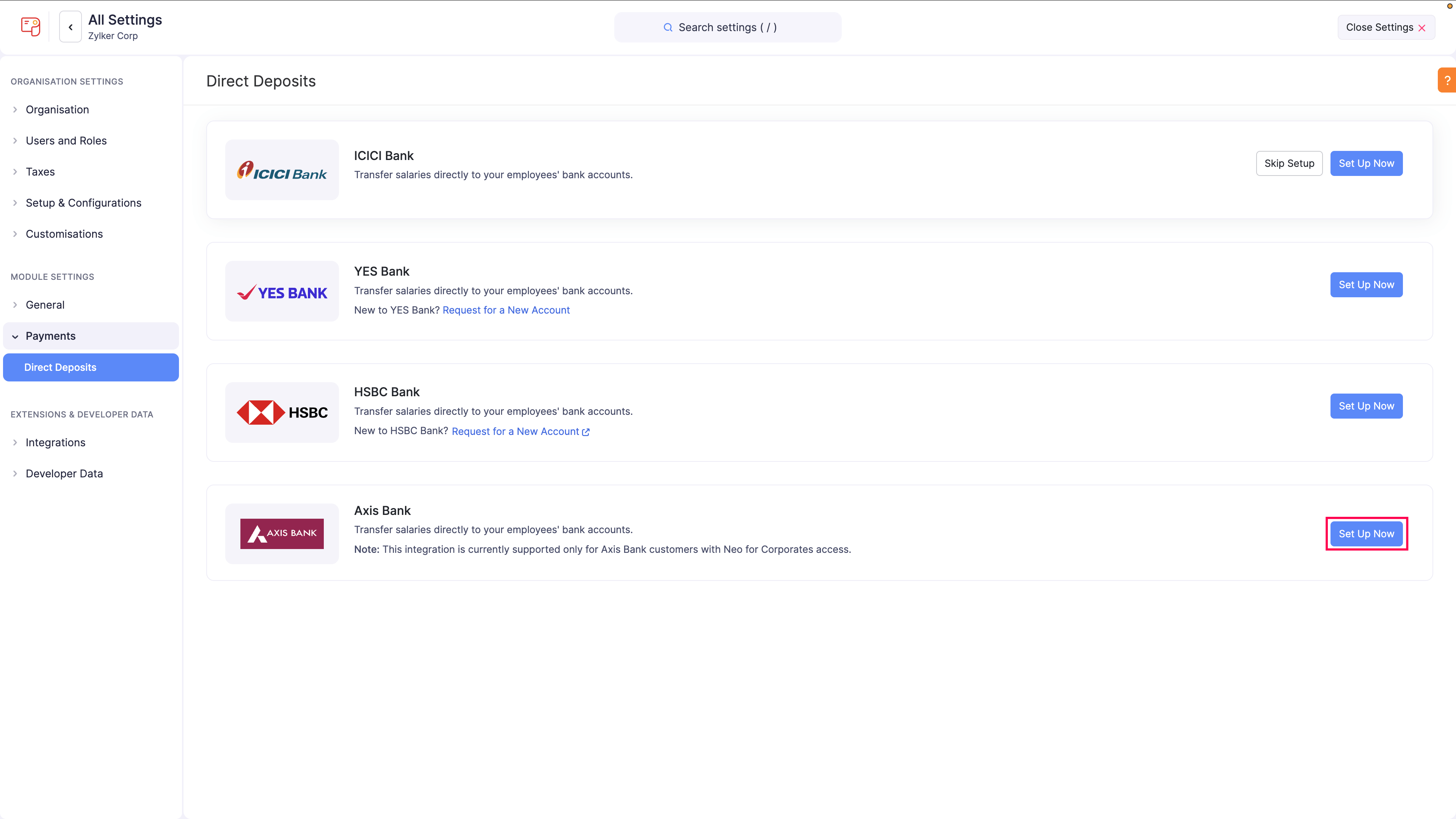
- Click Direct Deposits under Payments.
- Click Set Up Now next to Axis Bank.
- In the Connect with Axis Bank pop-up, review the setup instructions.
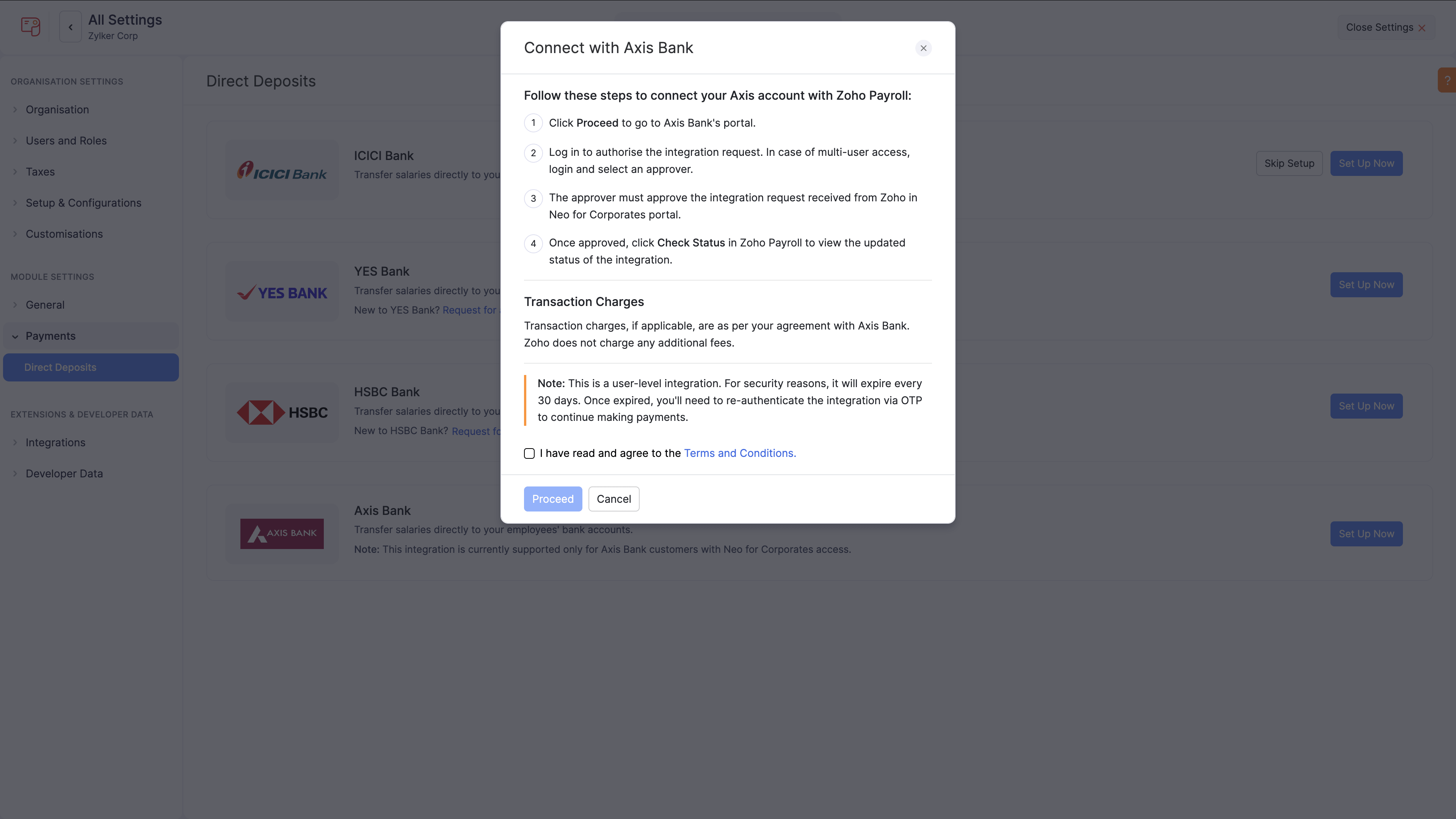
- Select I have read and agree to the Terms and Conditions.
- Click Proceed.
The integration status is updated to Initiated, and you are redirected to the Axis Bank portal to approve the connection.
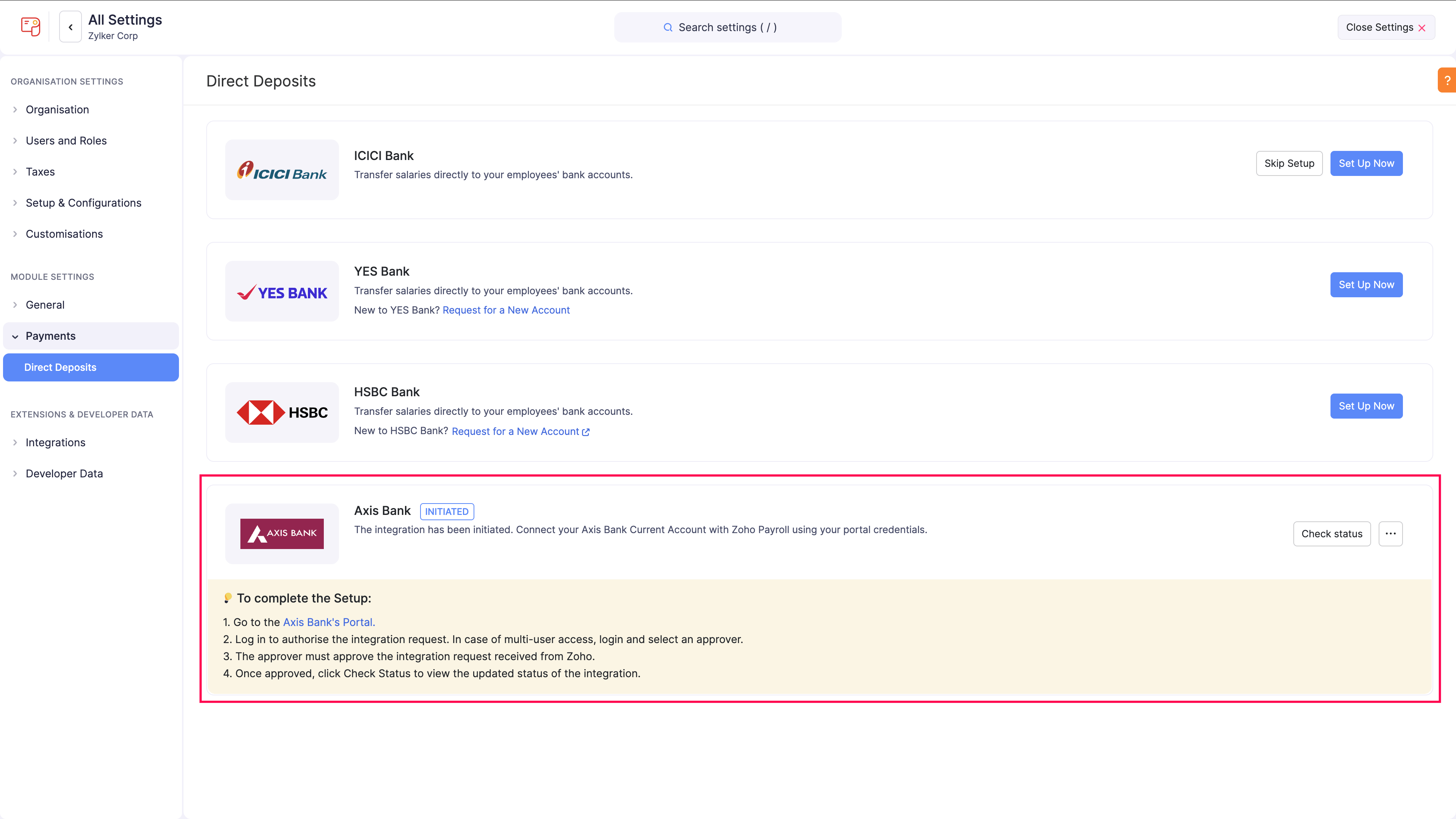
Approve Integration in Axis Bank Portal
You can approve the integration based on your corporate banking access type.
Single-User Login
- Enter your Corporate ID, Login ID, and Password in the Axis Bank portal.
- Click Proceed.
- Enter the OTP sent to your registered mobile number.
- Click Submit.
Return to Zoho Payroll and click Check Status to update the integration status to Active.
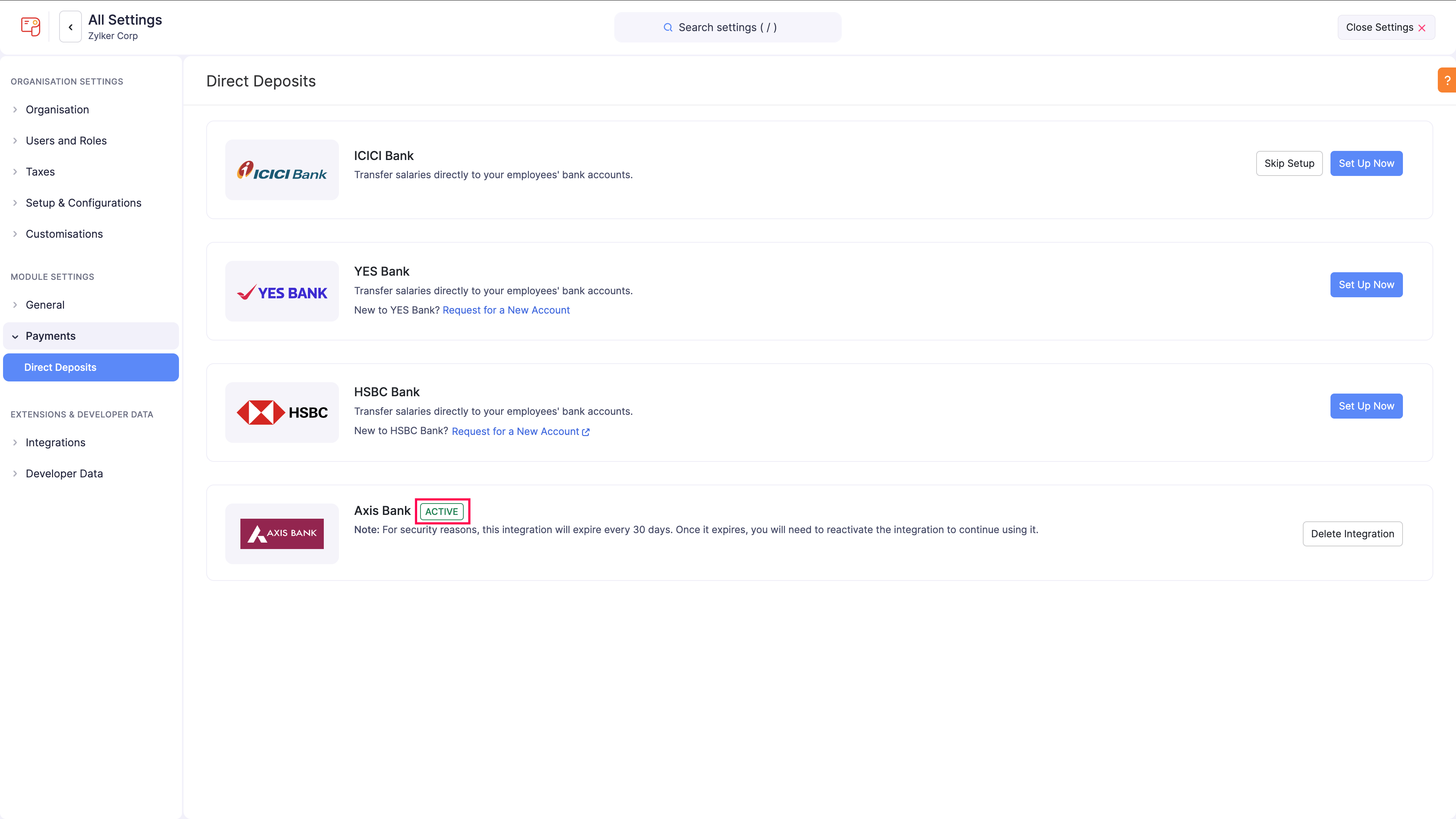
Multi-User Login
If your Axis Bank portal uses maker-checker approval:
- Enter your Corporate ID, Login ID, and Password.
- Click Proceed.
- Enter the OTP sent to your registered mobile number.
- Select the profile and approver, then click Proceed.
- Accept the terms and conditions and continue.
The selected approver must log in to the Axis Bank portal and approve the registration request. After approval, return to Zoho Payroll and click Check Status to refresh the status.
Insight: For multi-user access, the user who connects Axis Bank from Zoho Payroll must have maker privileges in the bank portal.
Add Employee Bank Account Details
Before initiating salary payments, ensure each employee has valid bank details and Direct Deposit as the payment mode.
To do this:
- Click Employees on the left sidebar.
- Open an employee profile, or create a new employee.
- In Payment Info, select Direct Deposit as the payment mode.
- Enter the employee bank account details.
- Click Save and Continue.
For existing employees, edit and update the payment mode to Direct Deposit.
Note: If there is an approved pay run for an employee, Zoho Payroll can temporarily prevent payment mode edits until the pay run state is resolved.
Initiate Salary Payments
After your Axis Bank integration is active and employee bank details are configured, you can initiate salary payments.
- Click Pay Runs on the left sidebar.
- Generate and approve a pay run for the required period.
- Click Initiate Payment.
- In Select Payment Account, select Axis Bank and choose the bank account to debit.
Insight: If your organisation is integrated with Zoho Books, Axis Bank accounts configured in the Zoho Books Banking module are also listed here.
- Review the payment details.
- Enter the OTP sent to your registered mobile number.
- Click Make Payment.
The payment request is sent to Axis Bank for processing.
Notes:
- Only employees with Direct Deposit enabled in their profile are included when you initiate payment.
- You have 5 attempts to enter the correct OTP. If you exceed this limit, the integration can become inactive and must be set up again.
- The default payment mode for payments initiated from Zoho Payroll using the Axis Bank integration is NEFT. Payments initiated during non-business hours are processed on the next business day.
- The cut-off time to initiate payment is 6:45 PM. If you initiate payment within this cut-off time, salaries are processed on the same day. If you initiate payment after this cut-off time, salaries are processed on the next day.
Re-initiate Failed Payments
If a payment fails, you can re-initiate it from the Pay Runs page using Re-initiate Payment. Alternatively, you can make the payment offline and record it in the pay run.
Reactivate Integration
For security reasons, the Axis Bank integration expires every 30 days. Reauthenticate the integration to continue processing salary payments.
To reactivate:
- Click Direct Deposits under Payments.
- Click Reactivate or Check Status for Axis Bank.
- Complete authentication in the Axis Bank portal using your credentials and OTP.
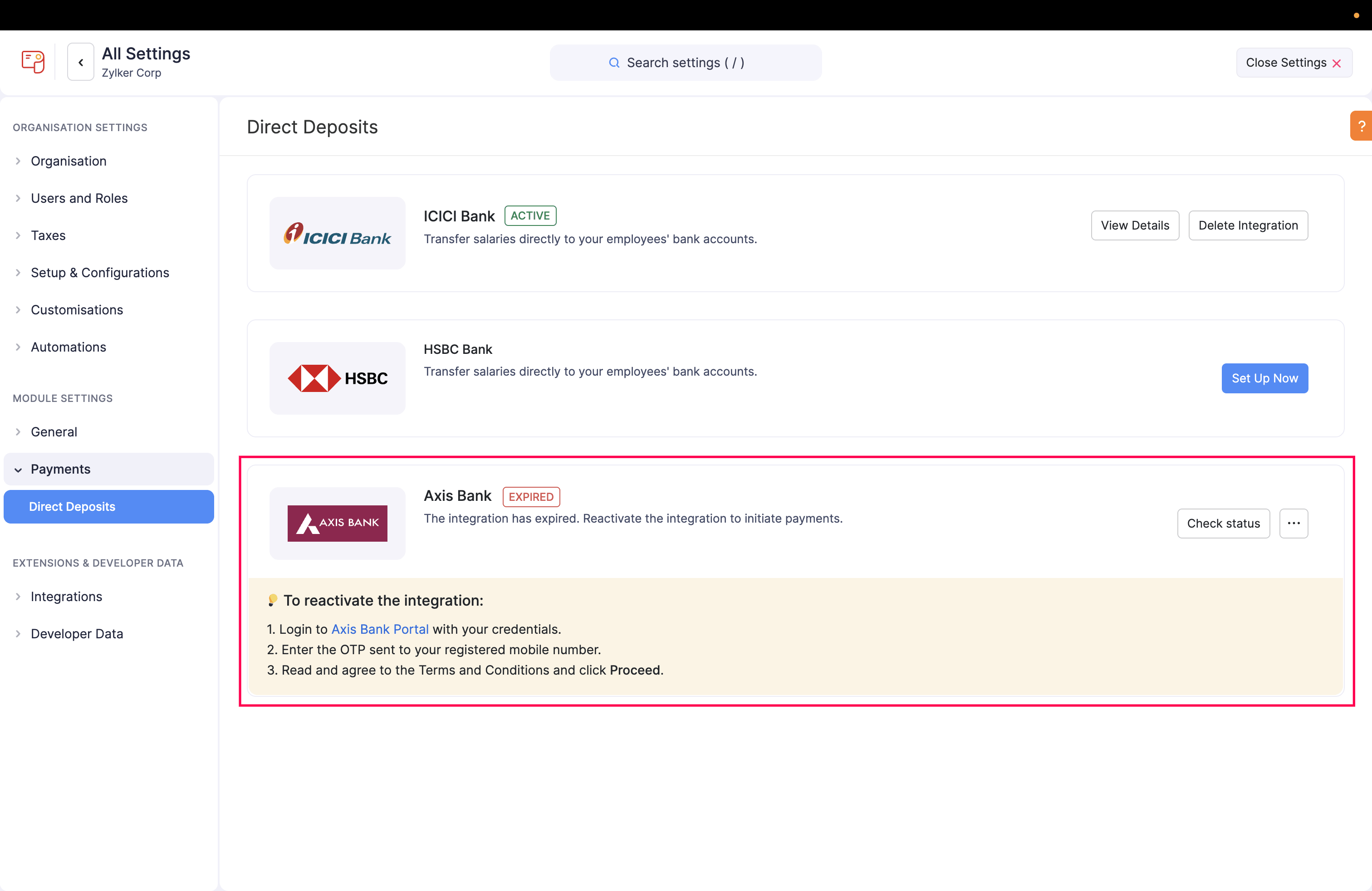
After successful authentication, the status changes back to Active.
Delete the Integration
If you want to stop using Axis Bank direct deposit in Zoho Payroll, you can delete the integration.
- Click Settings on the left sidebar.
- Click Direct Deposits under Payments.
- If the integration is in Initiated status, click the Show dropdown menu next to Axis Bank and select Delete Integration.
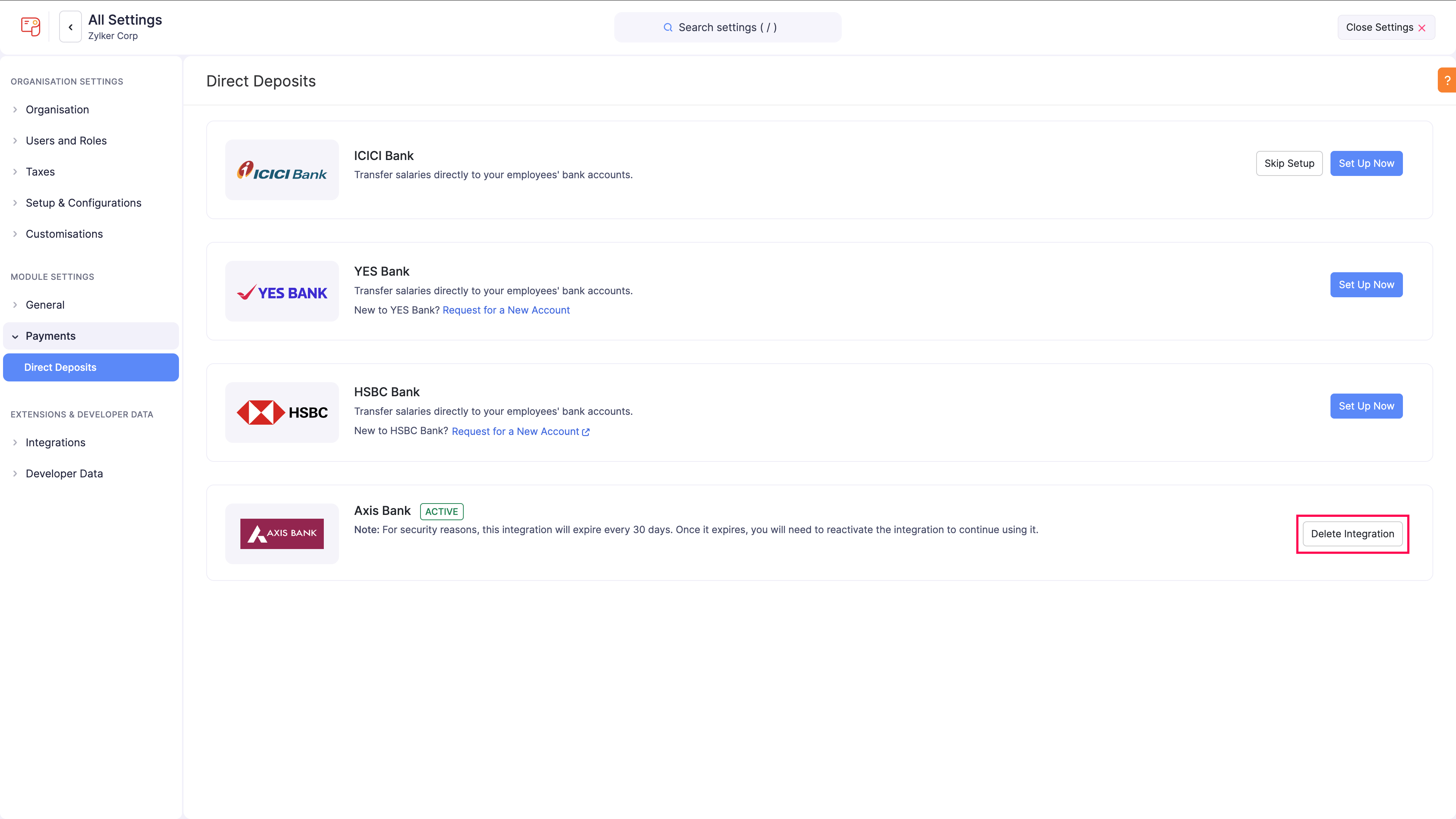
- If the integration is Active, click Delete Integration directly on the Axis Bank card.
- Confirm the action.
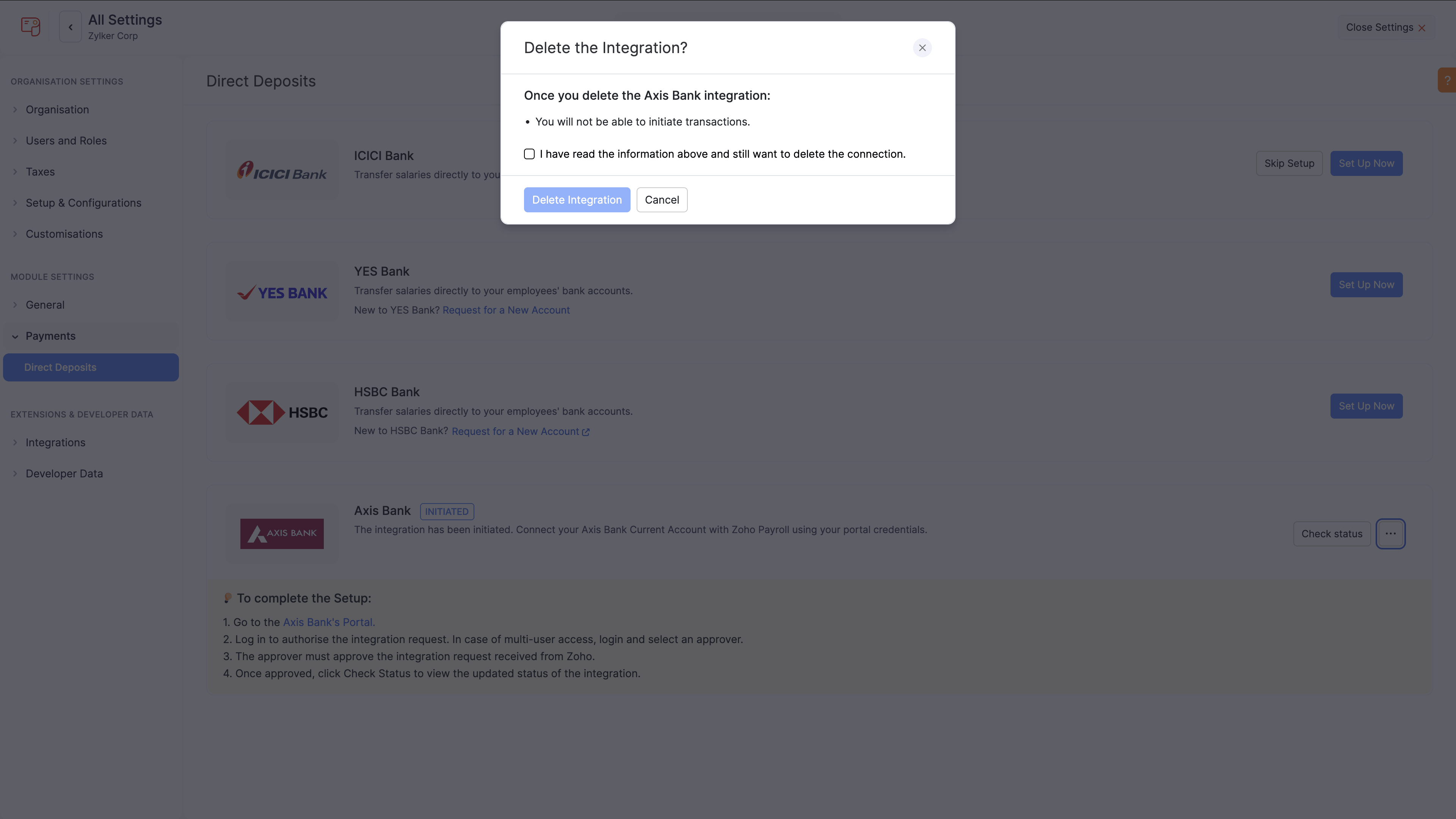
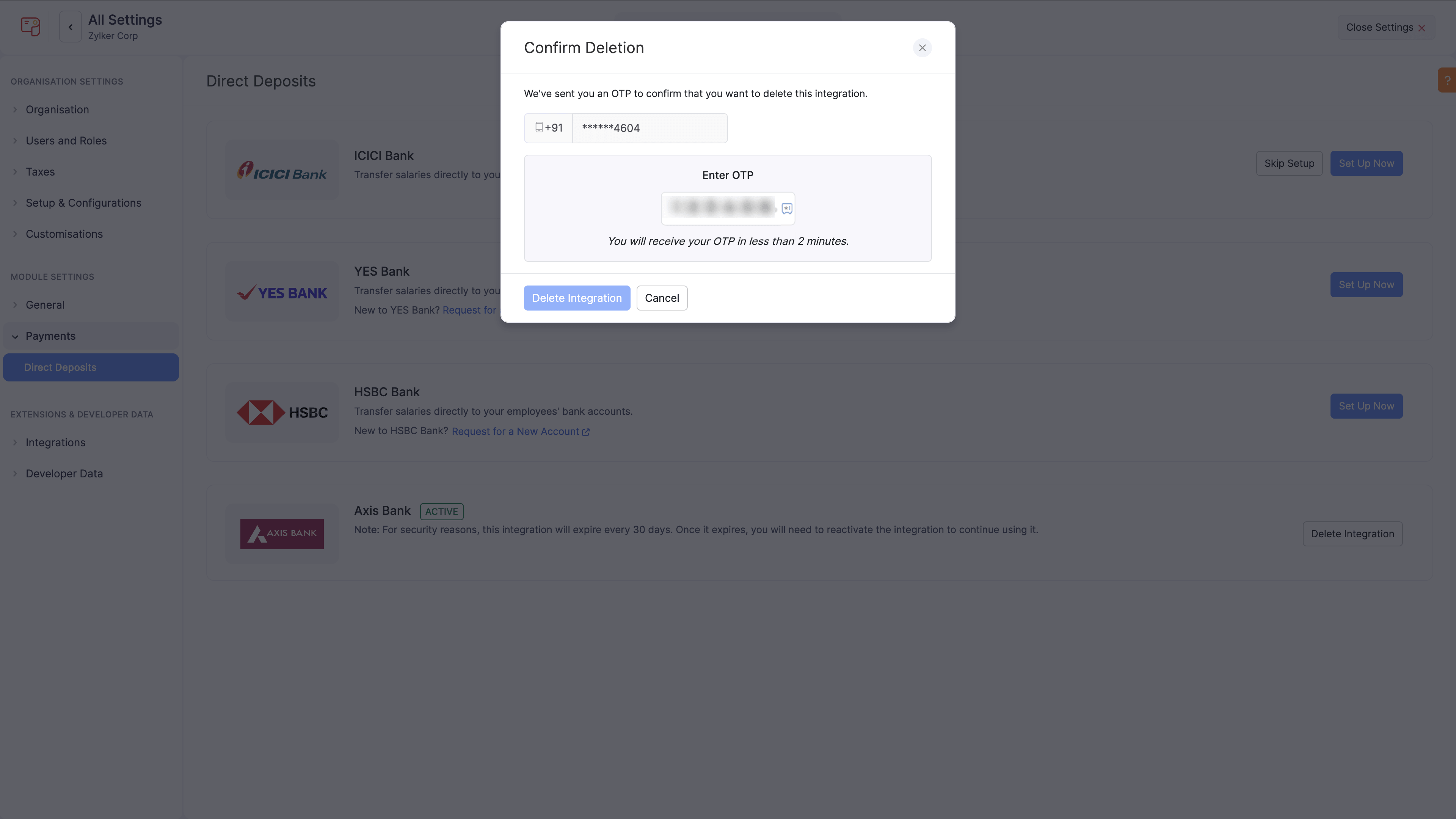
- If prompted, enter the OTP and verify.
Warning:
- If you delete this integration, you cannot track the status of transactions already initiated through this connection.
- If Axis Bank direct deposit is used in other integrated Zoho Finance applications under the same connected banking setup, deleting it can affect those applications.
Support
If you need help with this integration, contact bankintegrations@zohofinance.com