
Adding visitor input fields in the Pre-Chat Window
- In Settings -> Websites -> Website Name, choose Live chat widget.
- Then, navigate to Chat Window -> Fields, and customize the default window according to your needs.
- In the Fields section, Choose the Pre-Chat option in Chat Survey.
- In the Choose Input Fields to Display in the Chat Window, click on the Add button adjacent to the fields you would like to add in the chat window.
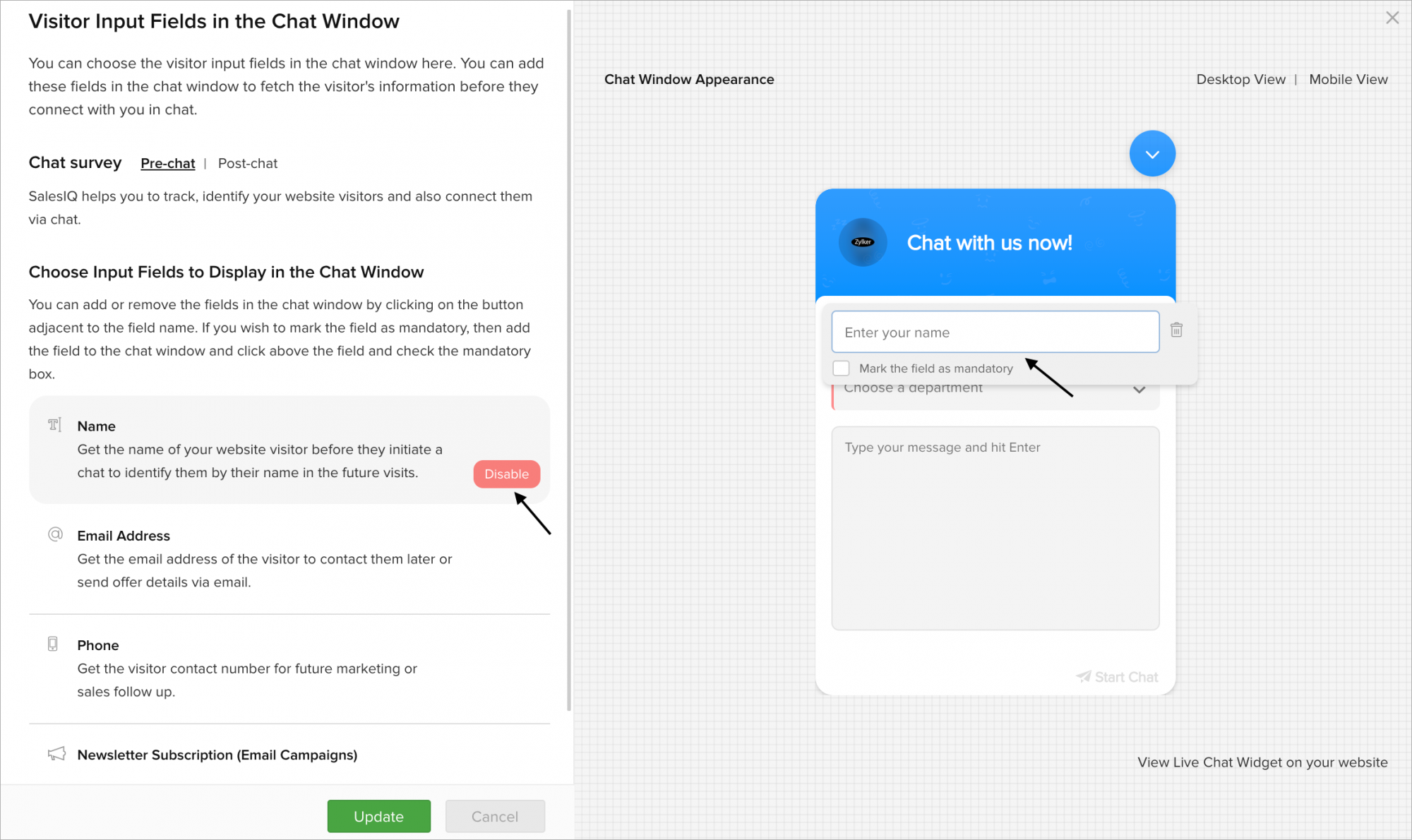
- If you wish to make the input field as mandatory, then hover over the chat window pre-view displayed in the left side.
- The Mark the field as mandatory option appears, check the field.
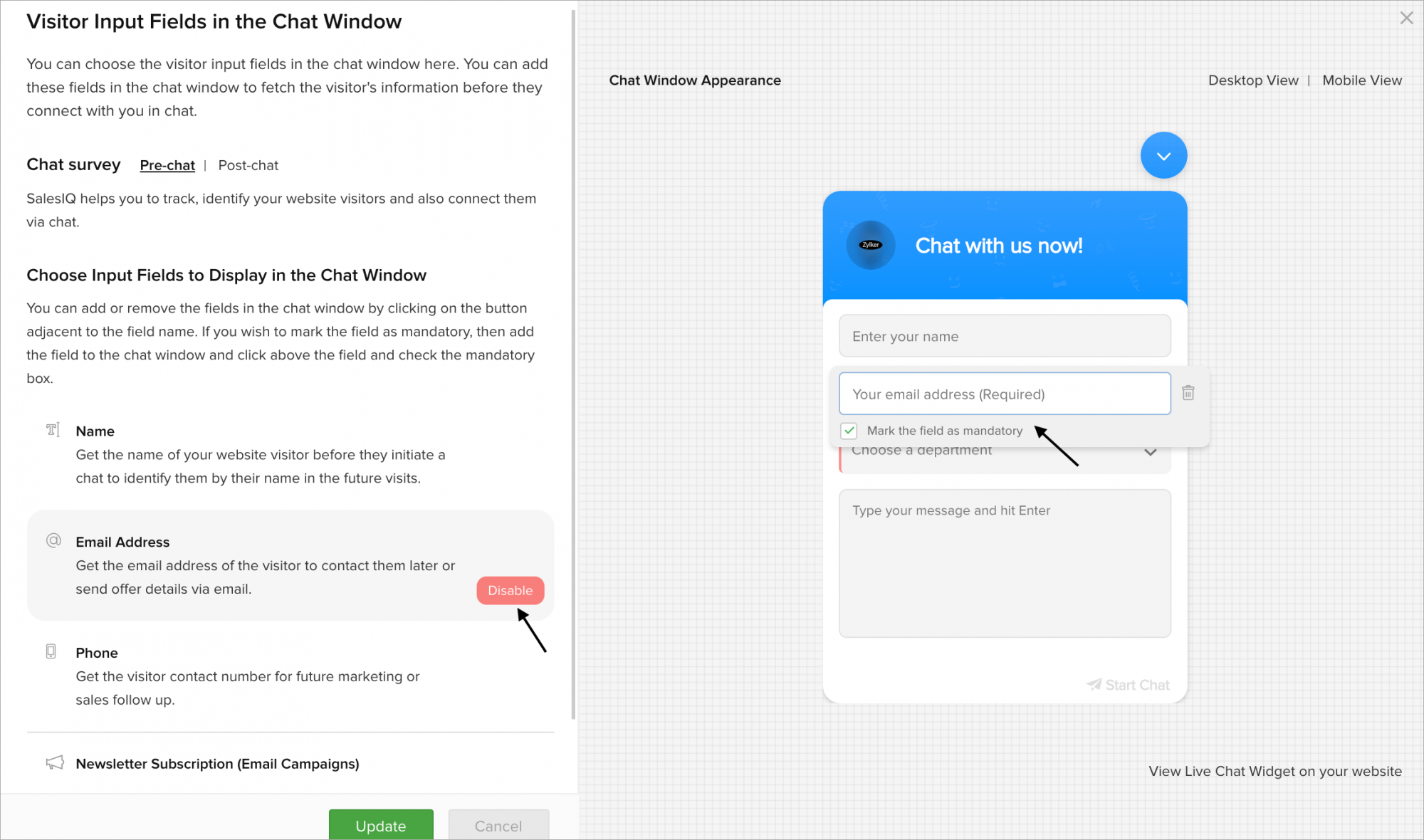
- If you wish to delete/remove the input field in the chat window, click on the Disable button adjacent to the fields.