
How do I block spammers directly from the chat window?
- In the specific live chat window, Click More Actions and select the Block IP.
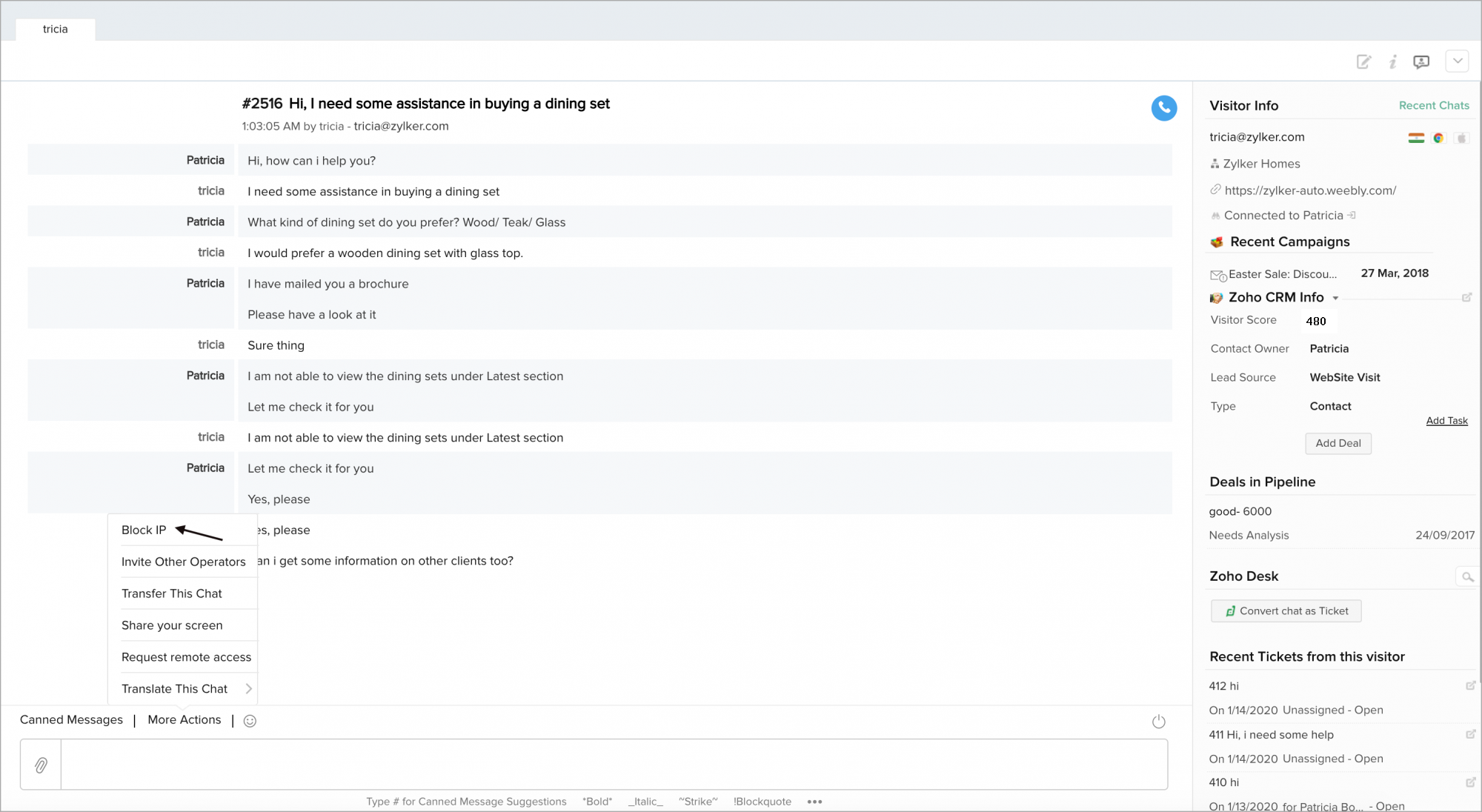
2.Then, click Yes, Add to blocked IP list.

3.Now the given Visitor IP address has been blocked successfully.

Approve Block Requests
You will receive requests from your operators when they block IPs. Click on Approve to block the IP successfully and Reject to avoid blocking the IP.
