Adding Signature Chat to Zoho Desk
Add Zoho SalesIQ Signature chat in your reply emails sent from Zoho Desk, and get connected with your customers in real time.
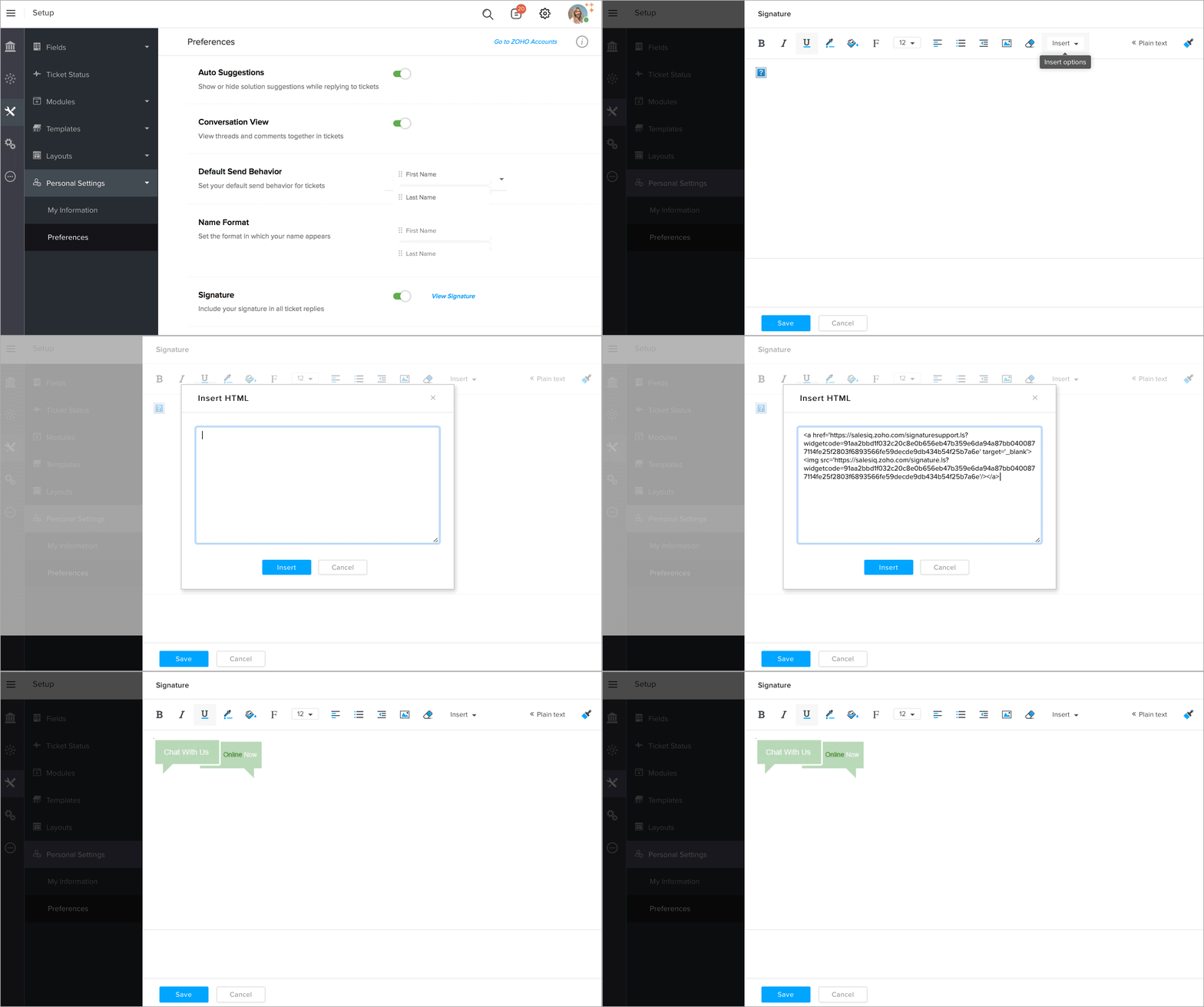
- In Zoho Desk, goto Setup -> Customize -> Personal Settings -> Preferences -> Signatures -> View Signature.
- In the adding email signature page, select Insert HTML from the Insert drop-down.
- Now, copy the signature chat code from the Zoho SalesIQ -> Settings -> Websites -> Live chat for emails -> signature chat code section.
- Then, paste it in the Insert HTML window of Zoho Desk and click Insert.
- Now you can view the chat signature displayed in the body section, click Save.