

Live Chat and Visitor Tracking Software for Shopify
Engage prospects, track visitors and enhance customer service through SalesIQ. Assign rules and route hot leads to top reps.
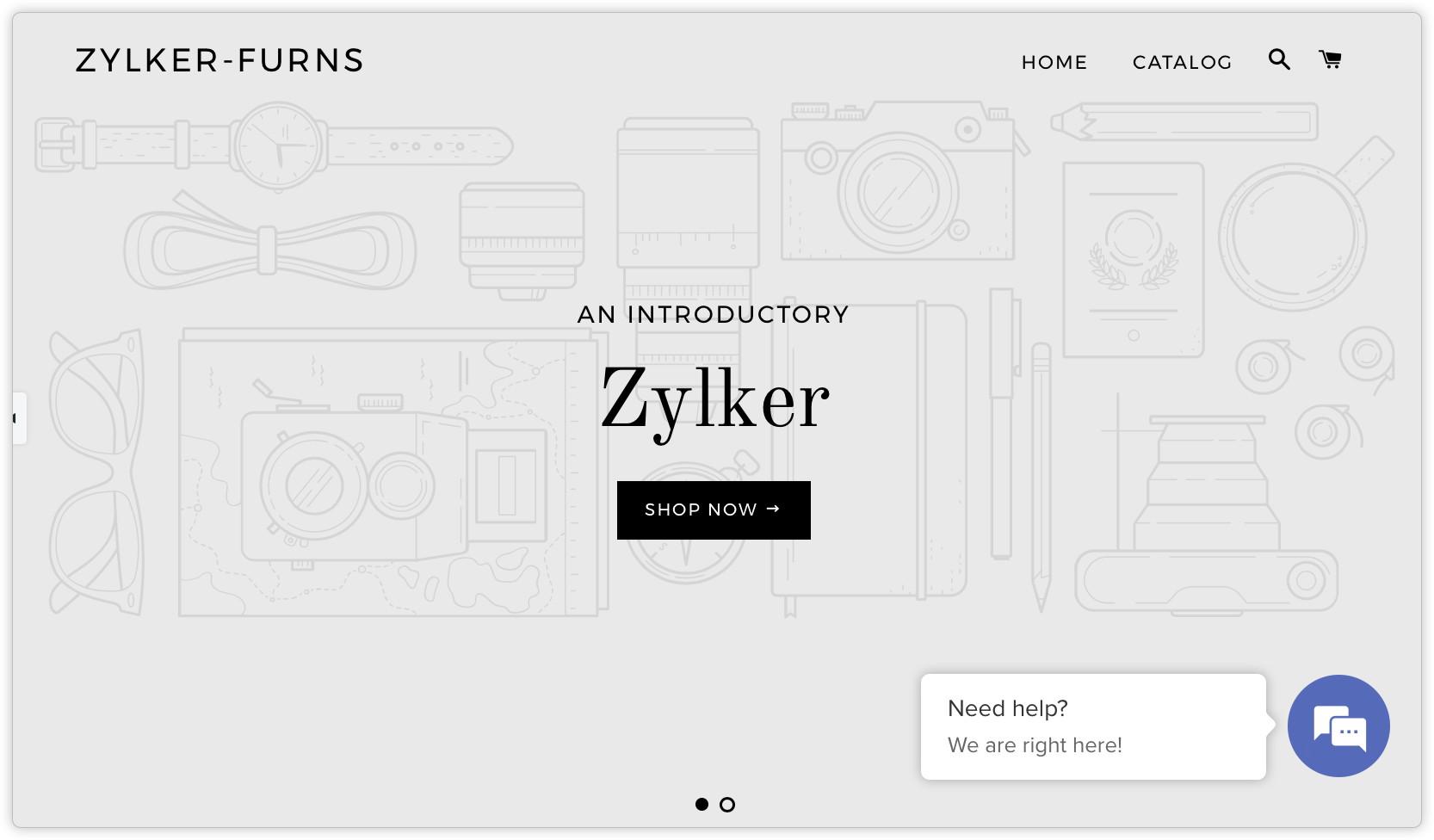
Shopify Installation through admin page
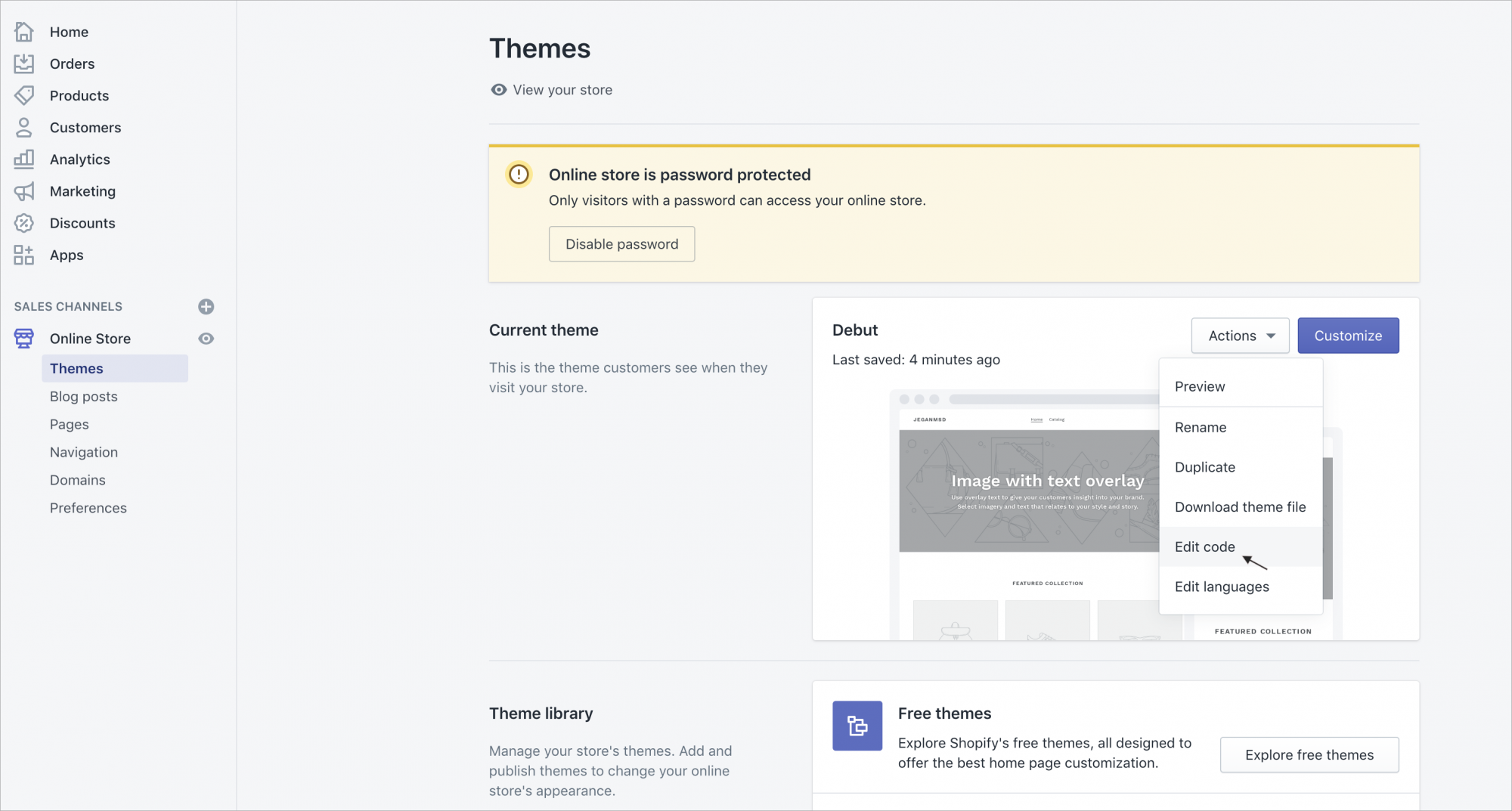
- Log into your shopify administration area.
- Click on "Themes"
- Navigate to Actions > Edit Code.
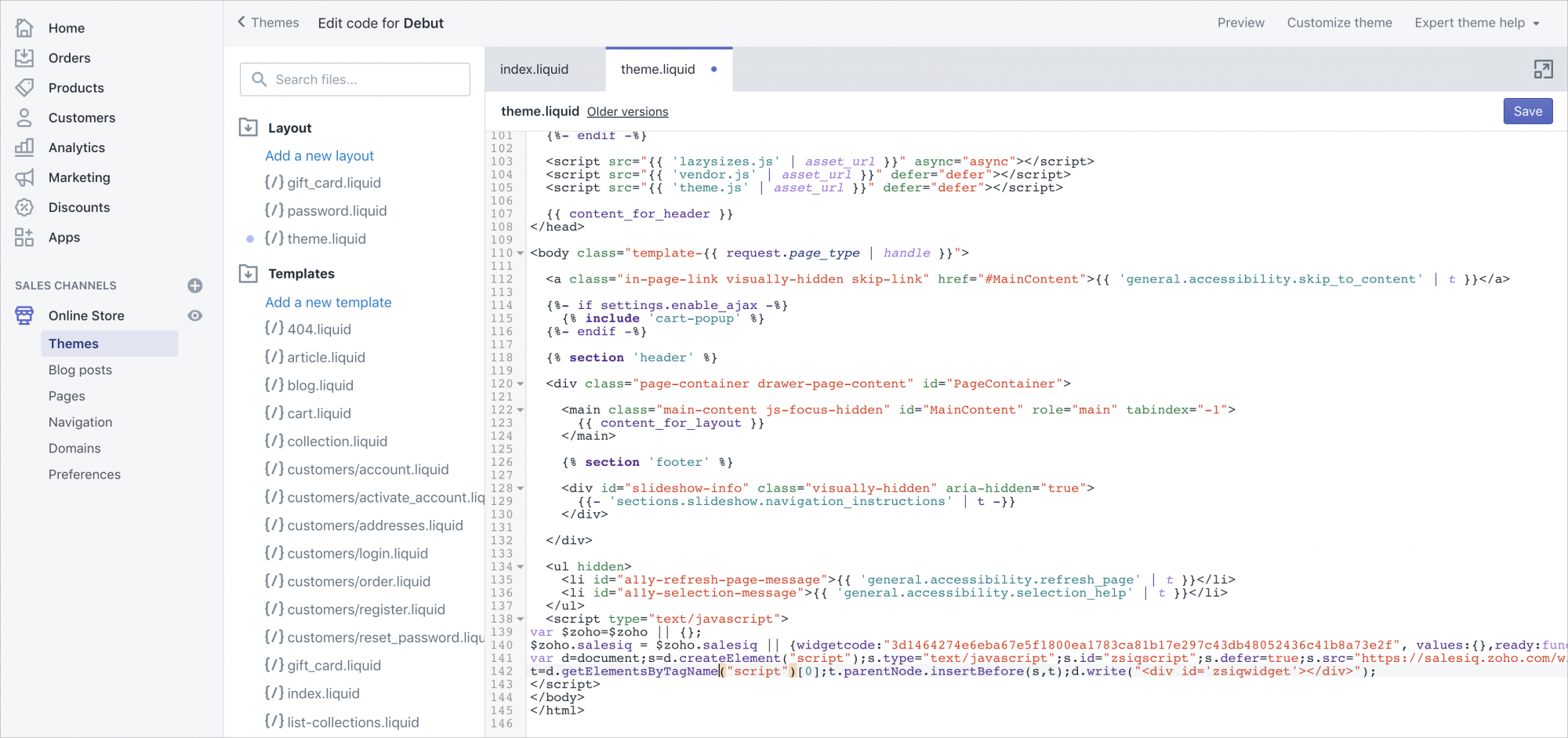
- Click on "Theme.liquid" under Layouts.
- Scroll to the bottom of the editor panel and "paste" Zoho SalesIQ code between the body tags. Then click "save".
Getting your Zoho SalesIQ Code Snippet
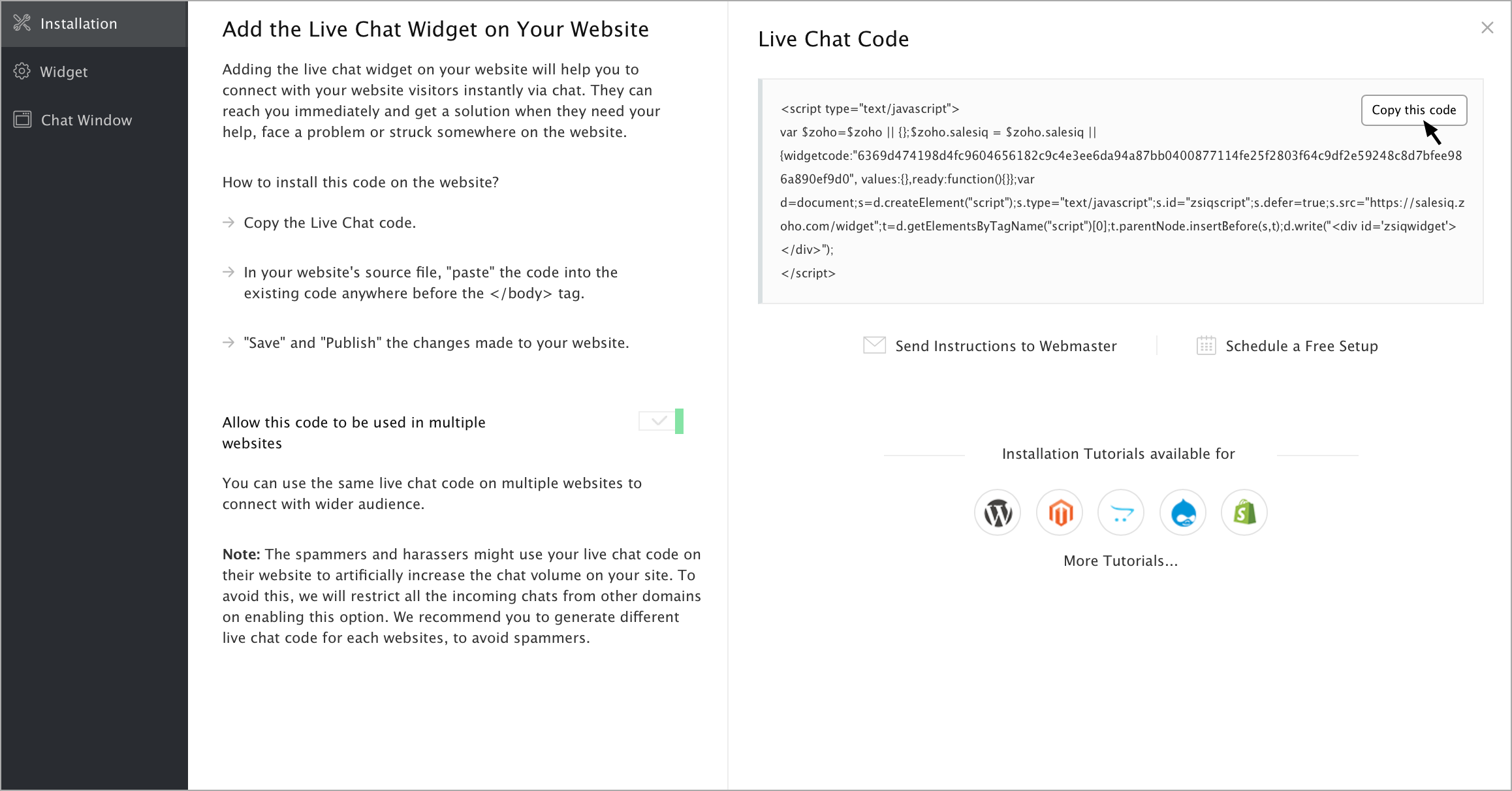
- Login to your Zoho SalesIQ Operator console.
- Navigate to Settings -> Websites, click on the name of the website you are attempting to include in a page.
- Select Live Chat. In the Installation section, click Copy this code to copy the code snippet.
Note: To receive live chat notifications you should be logged in to https://www.zoho.com/salesiq/