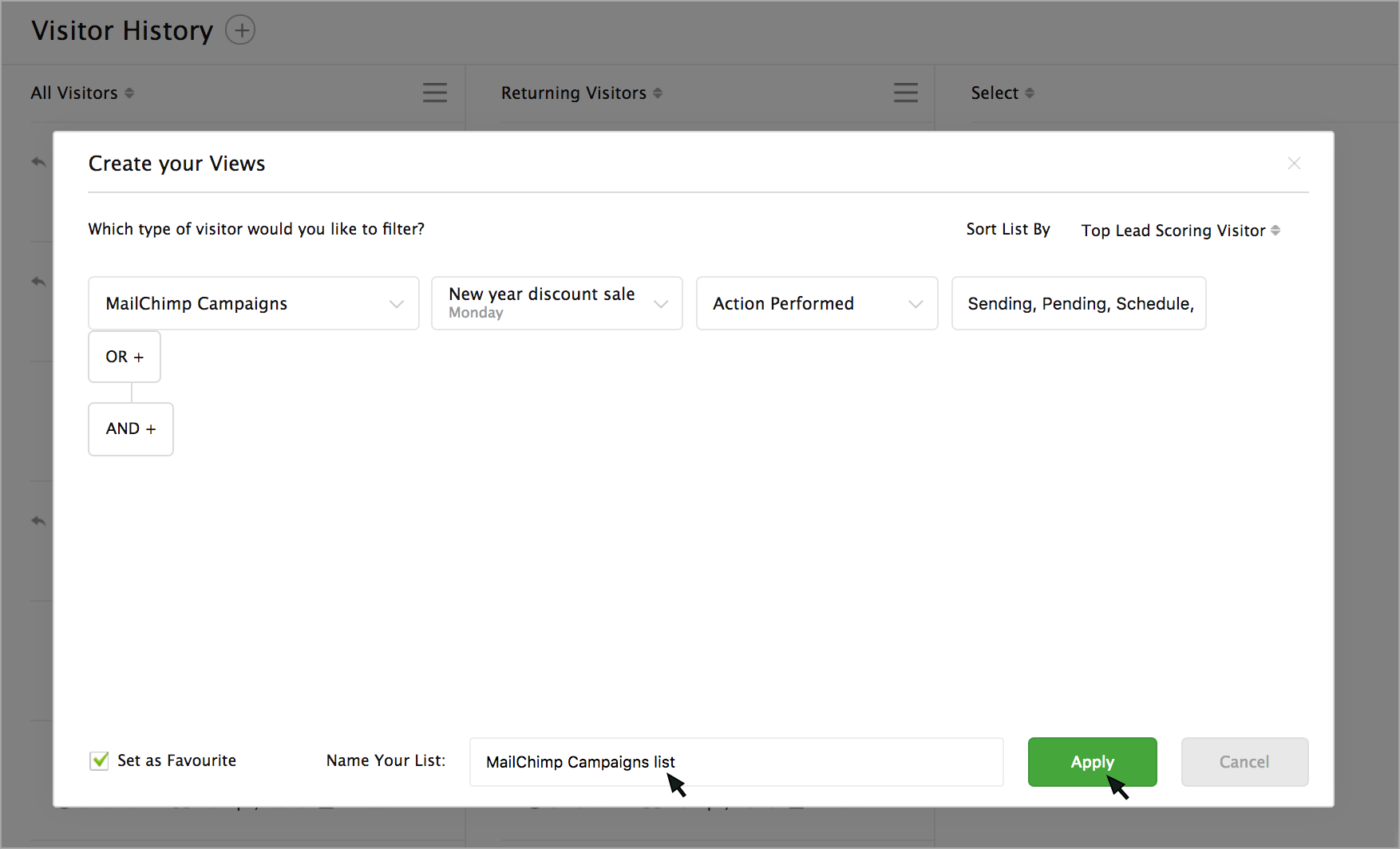
How to filter the website visitors in visitor history based on the email campaigns sent via MailChimp Campaigns?
You can apply a filter to list the visitor visited your website from a specific email campaign.
- Go to Visitor History -> Add symbol (+) -> Create your views.
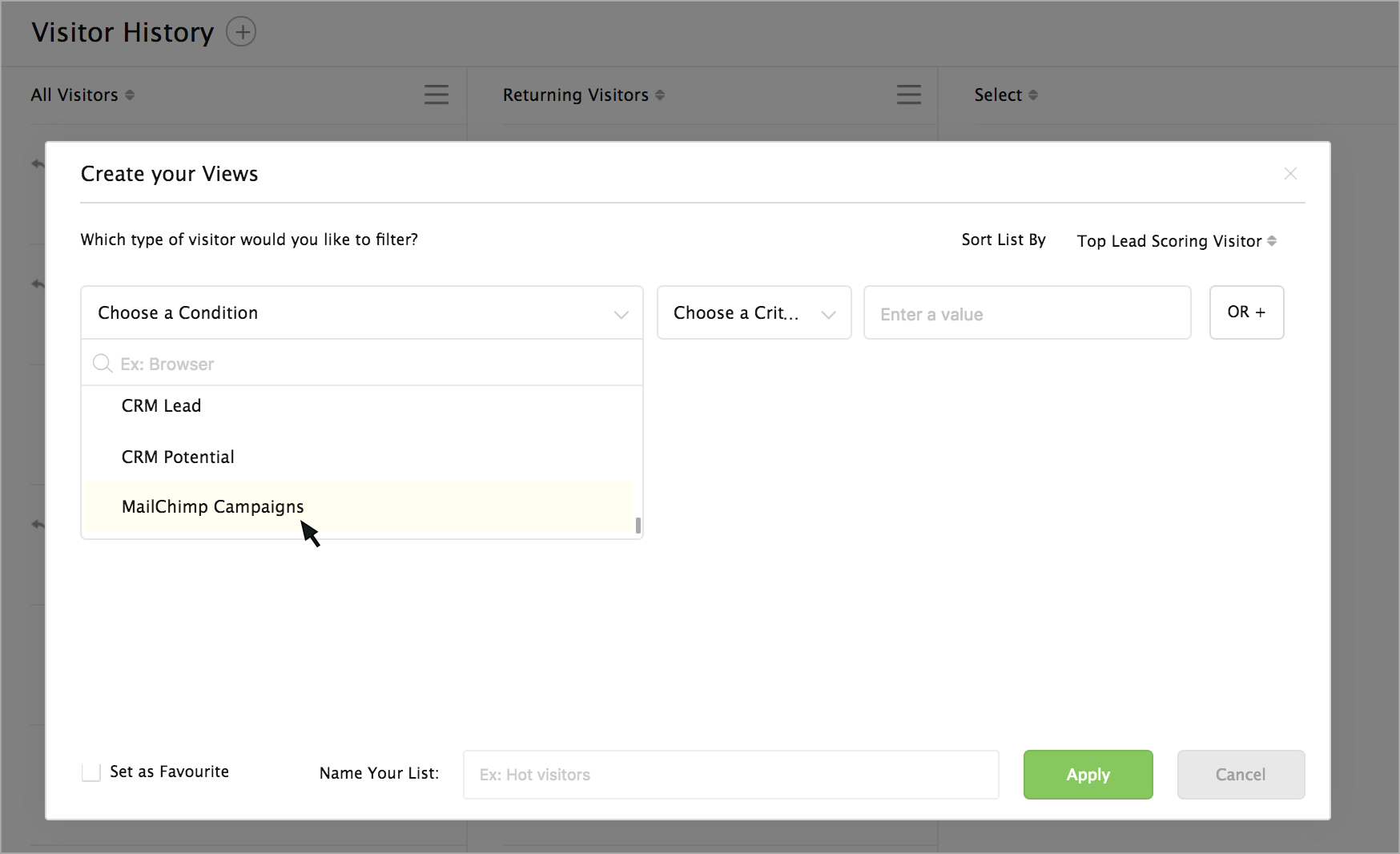
- Now select "MailChimp Campaigns" in the conditions drop down.
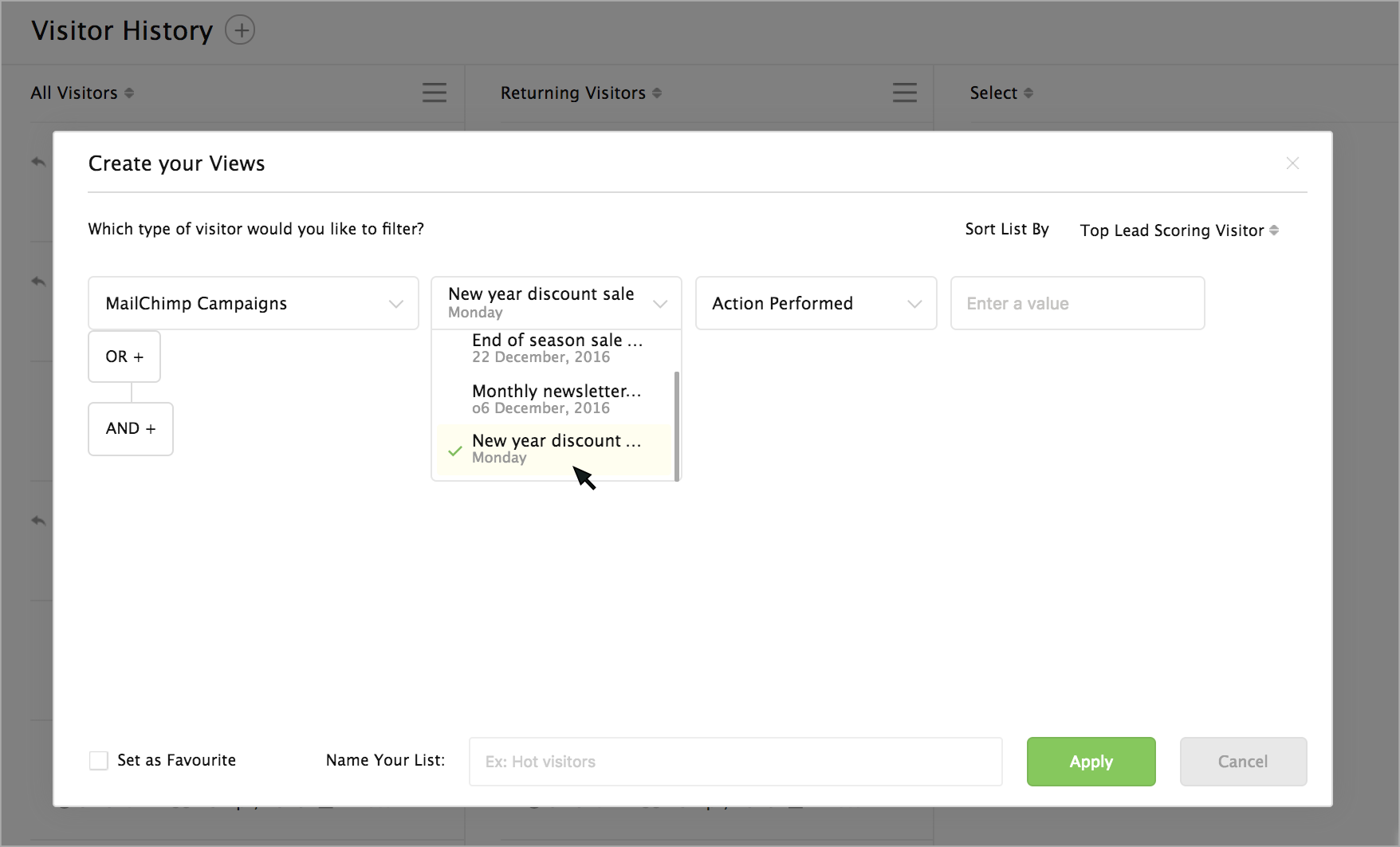
- The emails campaigns sent from your MailChimp Campaigns will be listed in the next drop-down. Choose an email campaign.
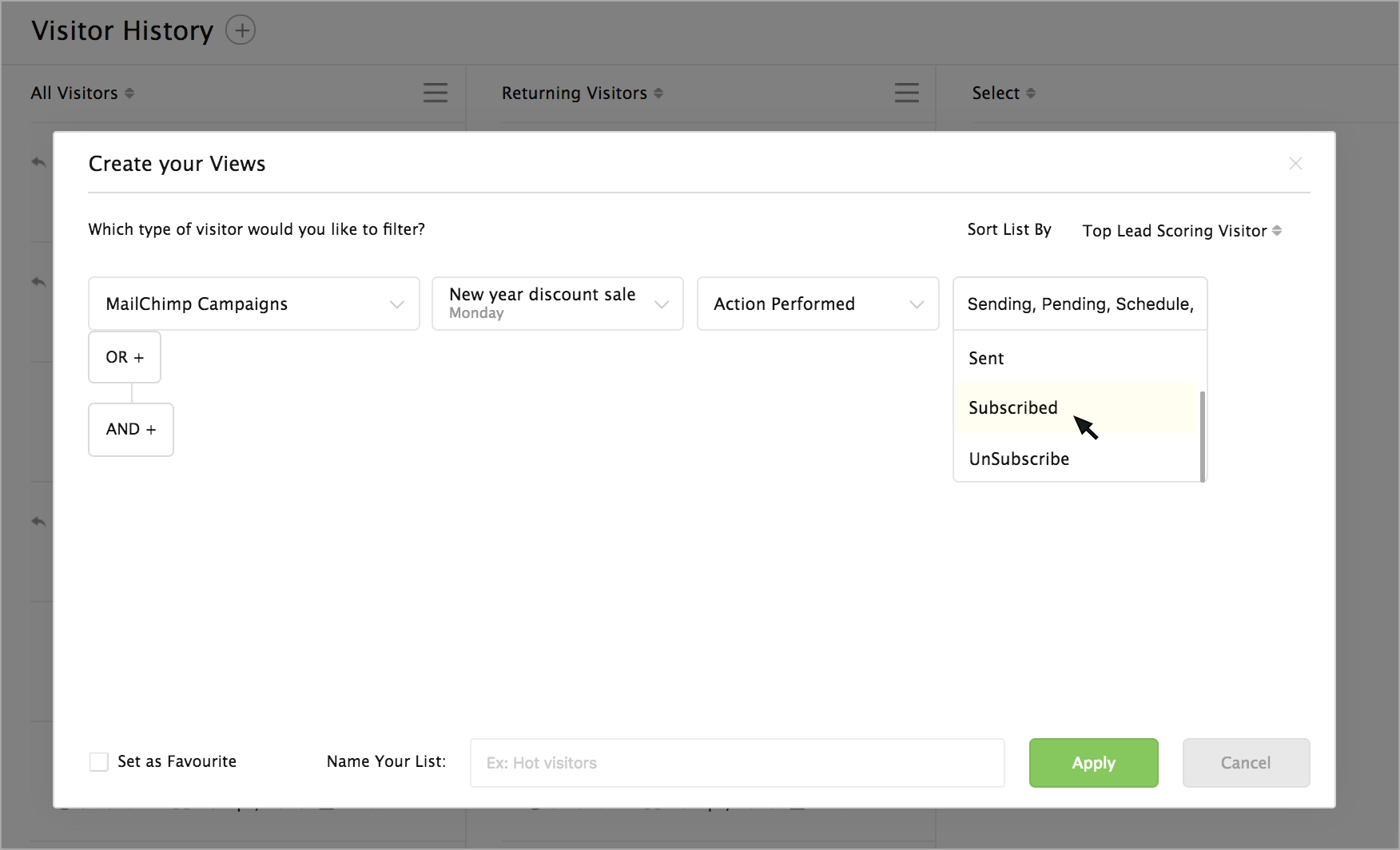
- Then, select an action based on which you would like to get the visitor list.
- Then, provide a name for your list and click on the Apply button.
- The visitors visiting the website via the specified email campaign will be listed in a separate column.