
How to score the website visitors based on the email campaigns sent via MailChimp Campaigns?
You can now score the visitors visiting your website from the specific email campaigns sent via MailChimp Campaigns.
- Go to Settings -> Lead Scoring -> Add in Zoho SalesIQ.
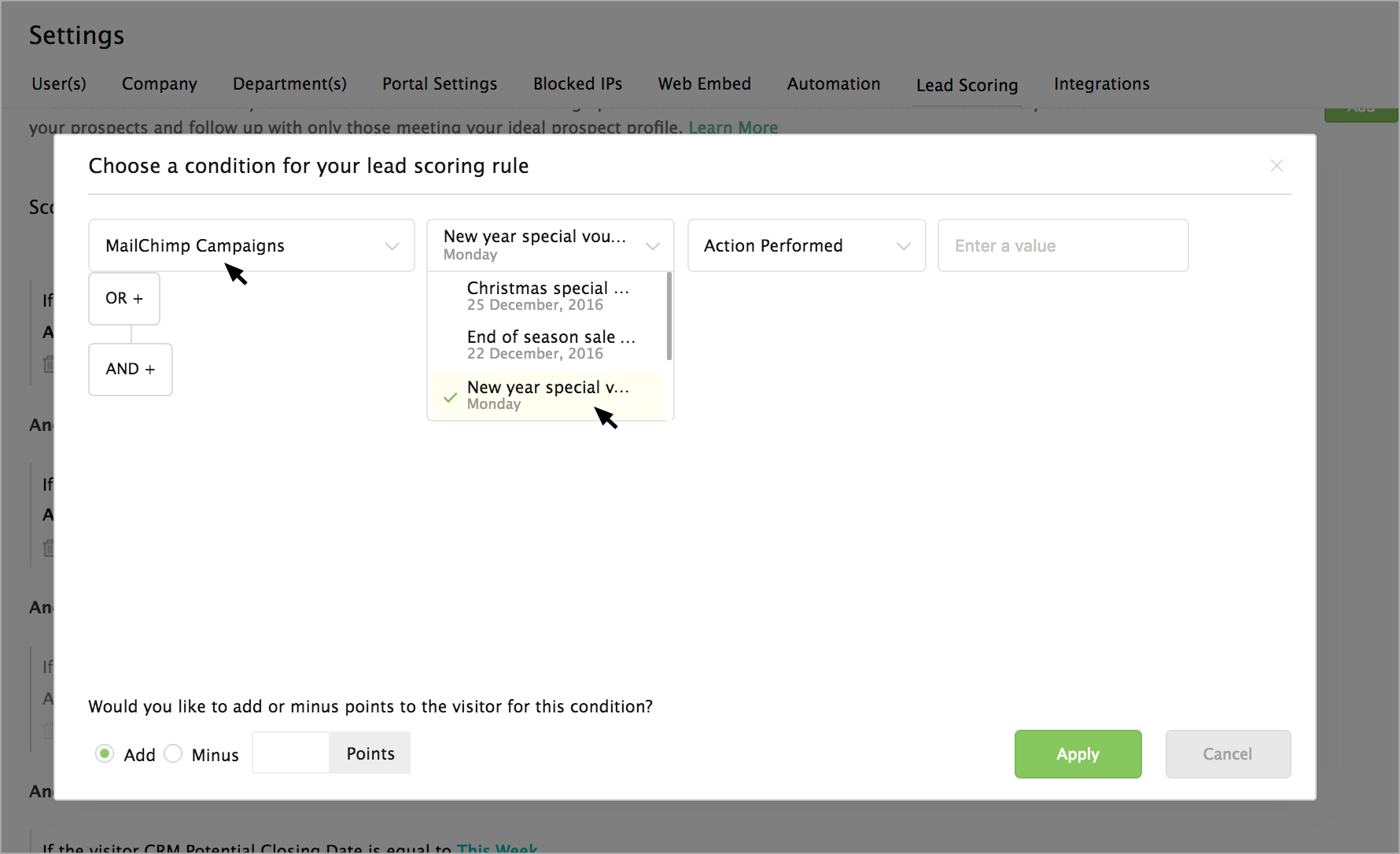
- Select MailChimp campaigns in the condition drop-down.
- The emails campaigns sent from your MailChimp Campaigns will be listed in the next drop-down. Choose an email campaign.
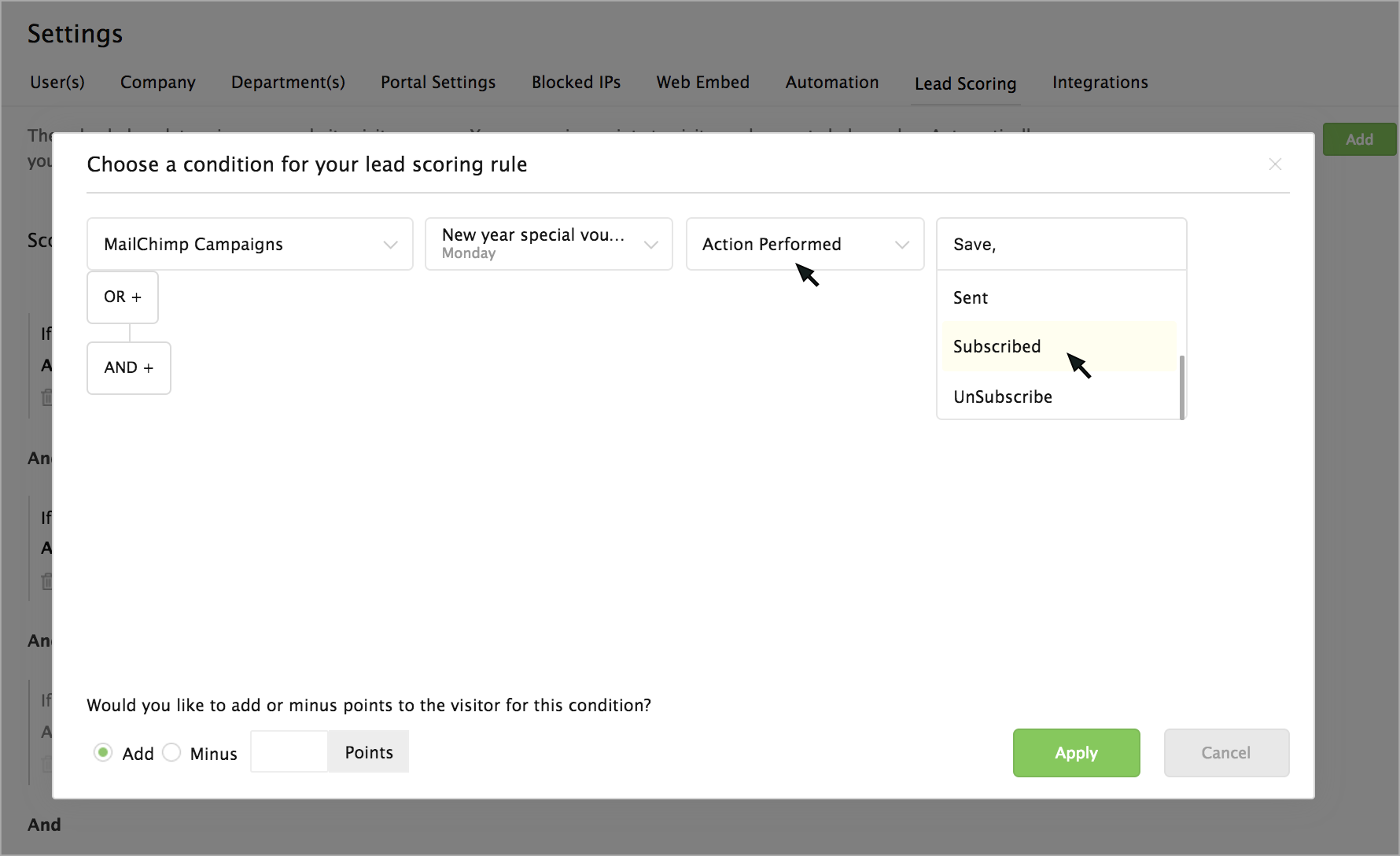
- Then choose an action based on which you would like to score the visitor.
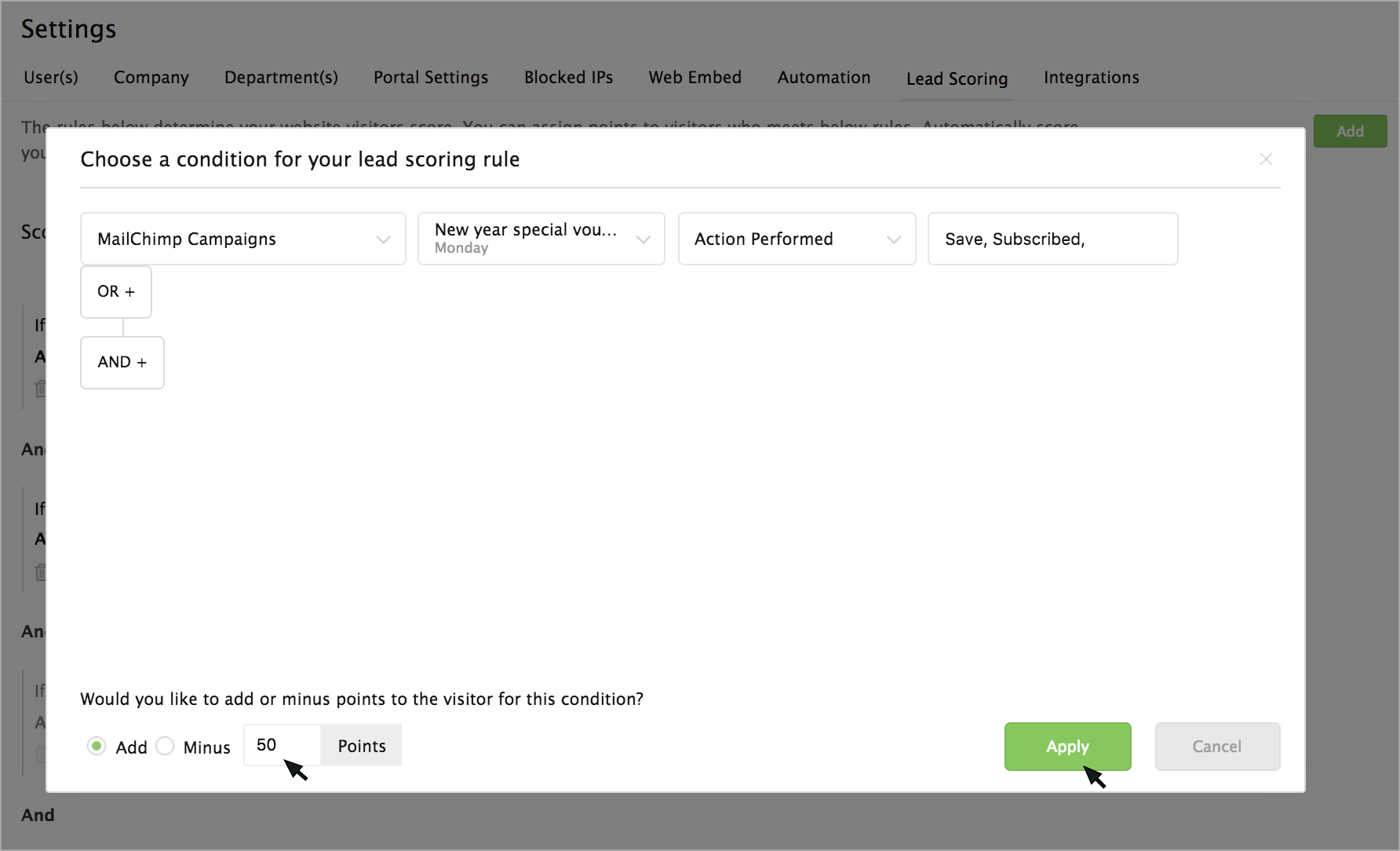
- Now select the points you would like to award for the specific action.
- Then, click on the Apply button.
Now when each time, the visitor visit your website from the specified email campaign, then the points you have chosen will be added/reduced to the visitor's score.