
How to route visitors to the required users based on the Campaign UTM variables?
To route the tracked visitor to the specific agent and to personalize the visitor tracking according to your business needs, do the following:
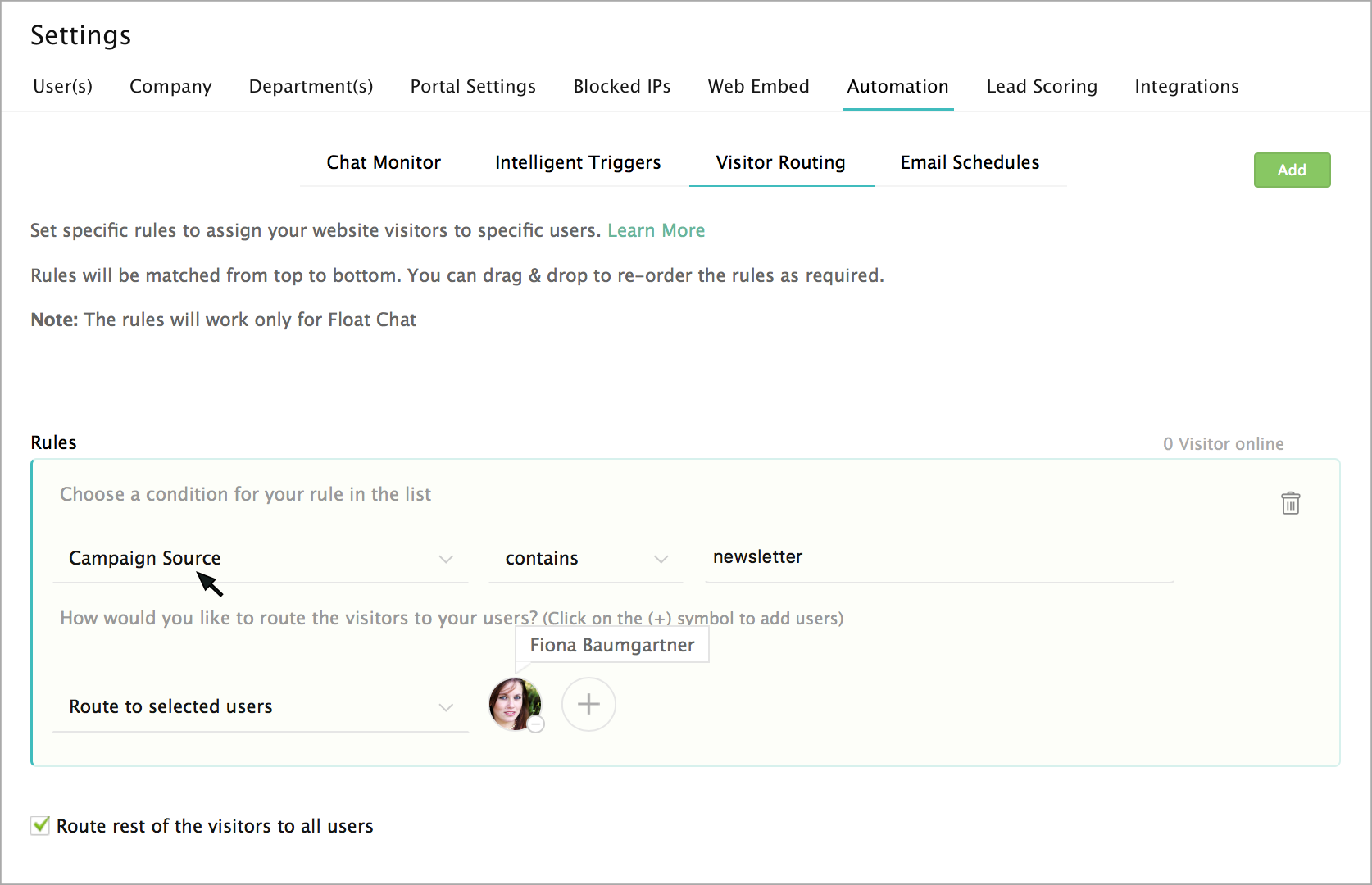
- In the Settings, select the “Automation” tab, and click on the "Visitor Routing" to set your required Campaign UTM filters.
- Select the required "condition" from the list, followed by setting up your "criteria" for your conditions.
- Enter a value for the set condition.
- To add the agent's name in the “route to agents” section, click on the "+" symbol and enter the agent name in the textbox.
- To remove the added agents, hover over the agents and click "-" symbol.
Is it possible to add click on chat button in my campaign emails?
Yes, it is possible. Zoho SalesIQ is well equipped that you can add a chat button in your campaign emails and get chats directed into your SalesIQ. To know more about Signature Chat, click here.