
How to prioritize the website visitors in the tracking rings based on the email campaigns sent via MailChimp Campaigns?
You can prioritize the website visitors on your tracking rings based on their email campaign.
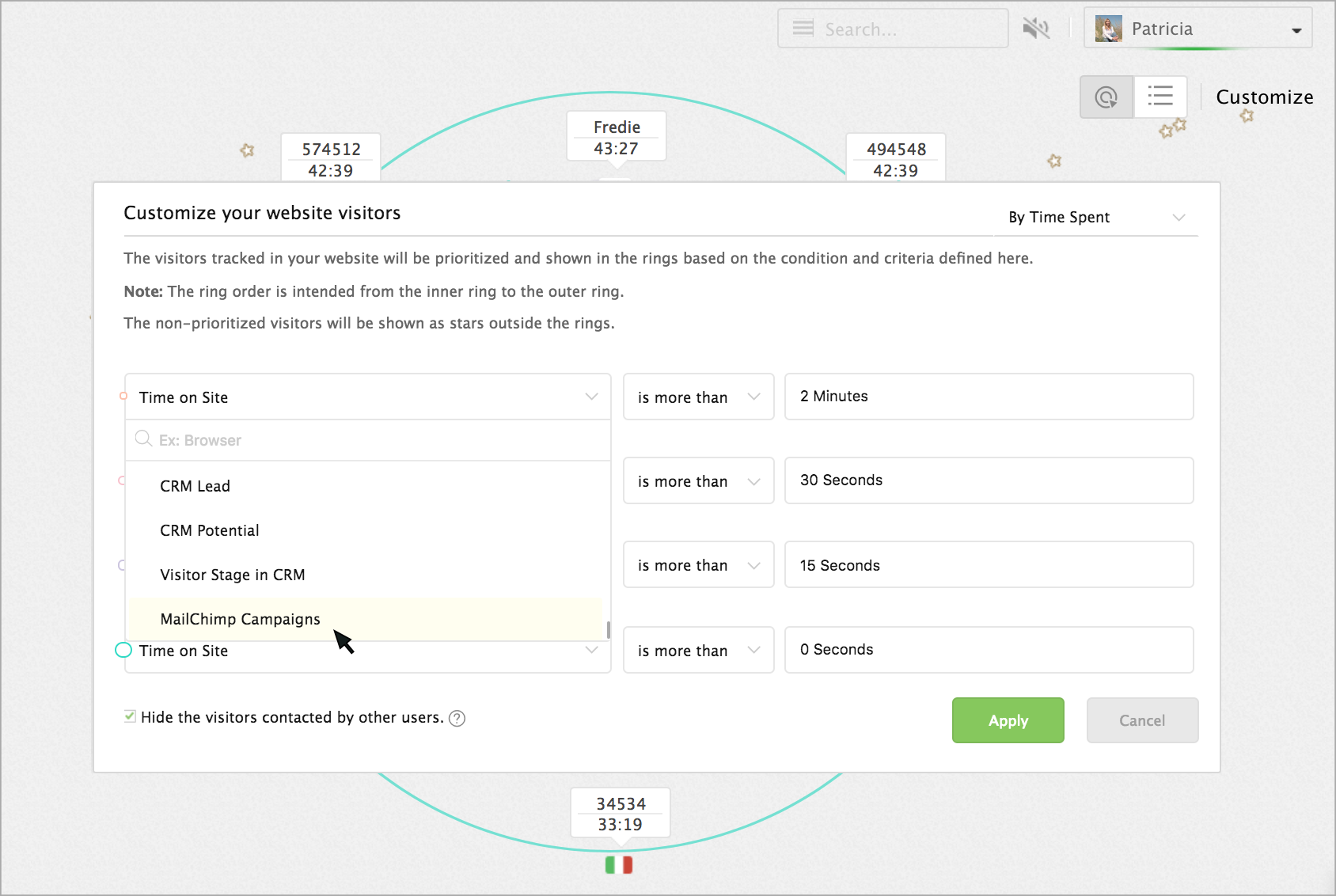
- In tracking rings -> customization, select MailChimp Campaigns in the condition drop-down.
- The emails campaigns sent from your MailChimp Campaigns will be listed in the next drop-down. Choose an email campaign.
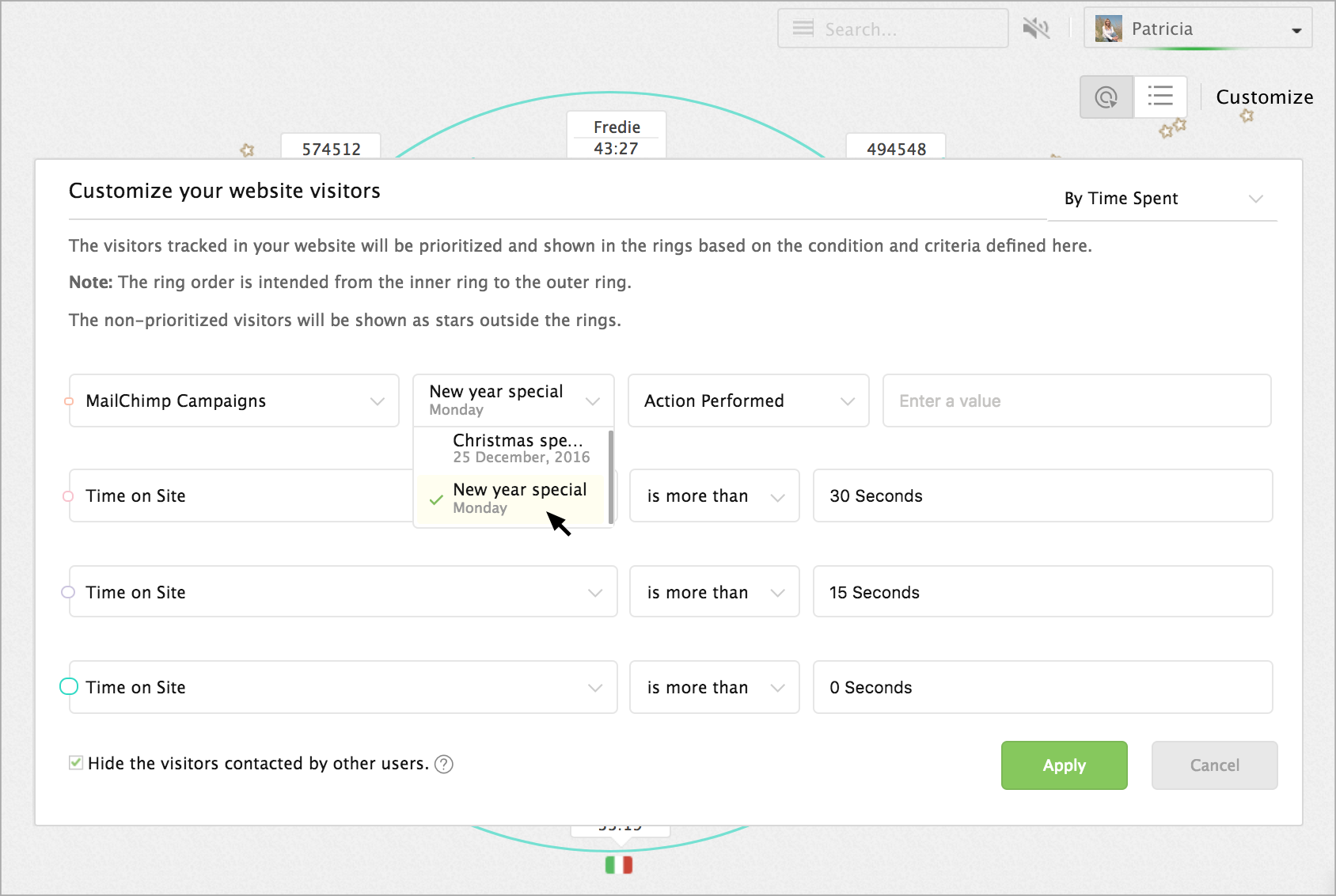
- Then choose an action based on which you would like to prioritize the visitor in the tracking rings.
- Click on the Apply button.
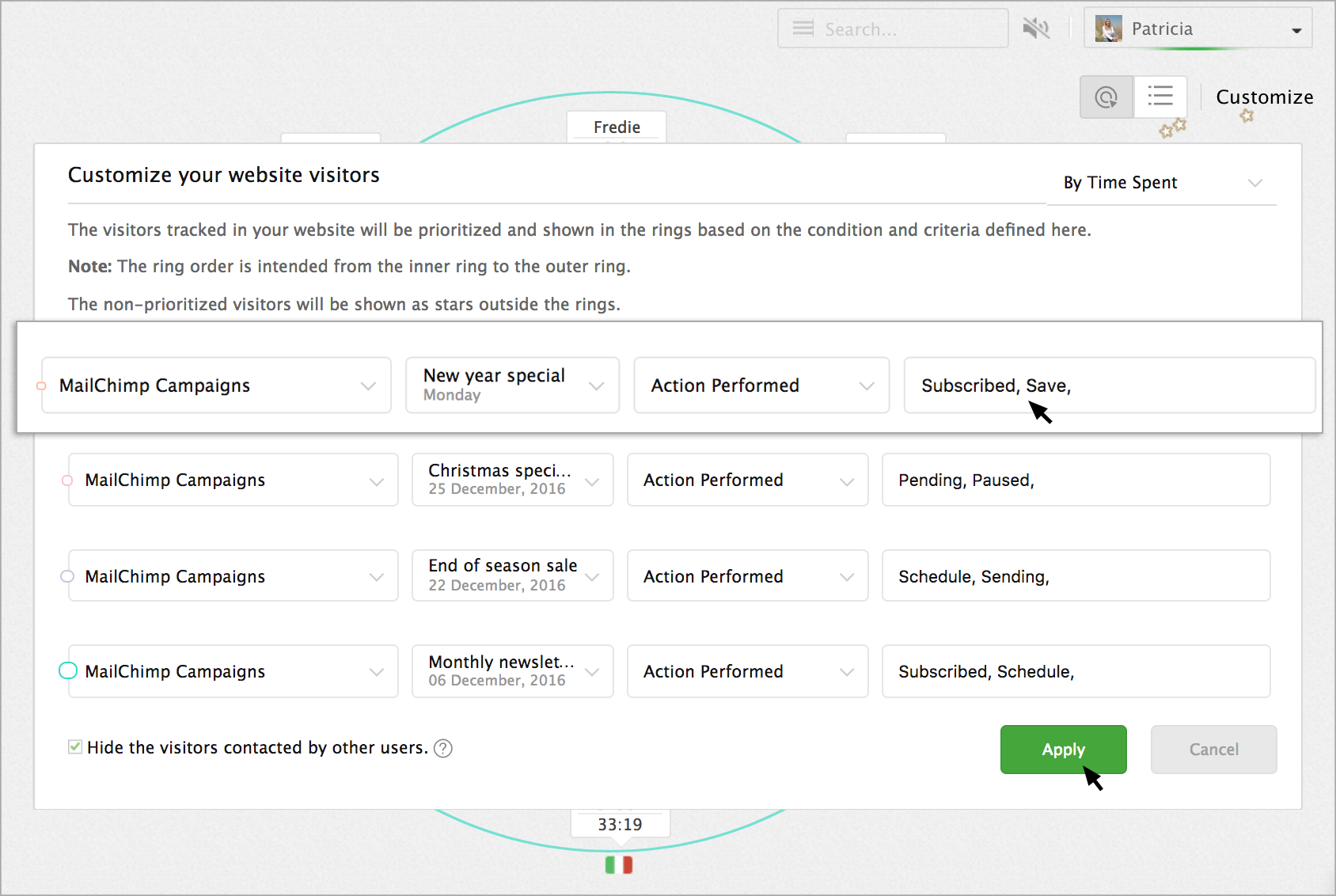
Now, the visitor visiting your website from the email campaign will be prioritized in the specified tracking ring.