
How do I prioritize visitors based on the Clearbit info?
You can prioritize and filter the website visitors based on the Clearbit comapany information in the visitor tracking screen.
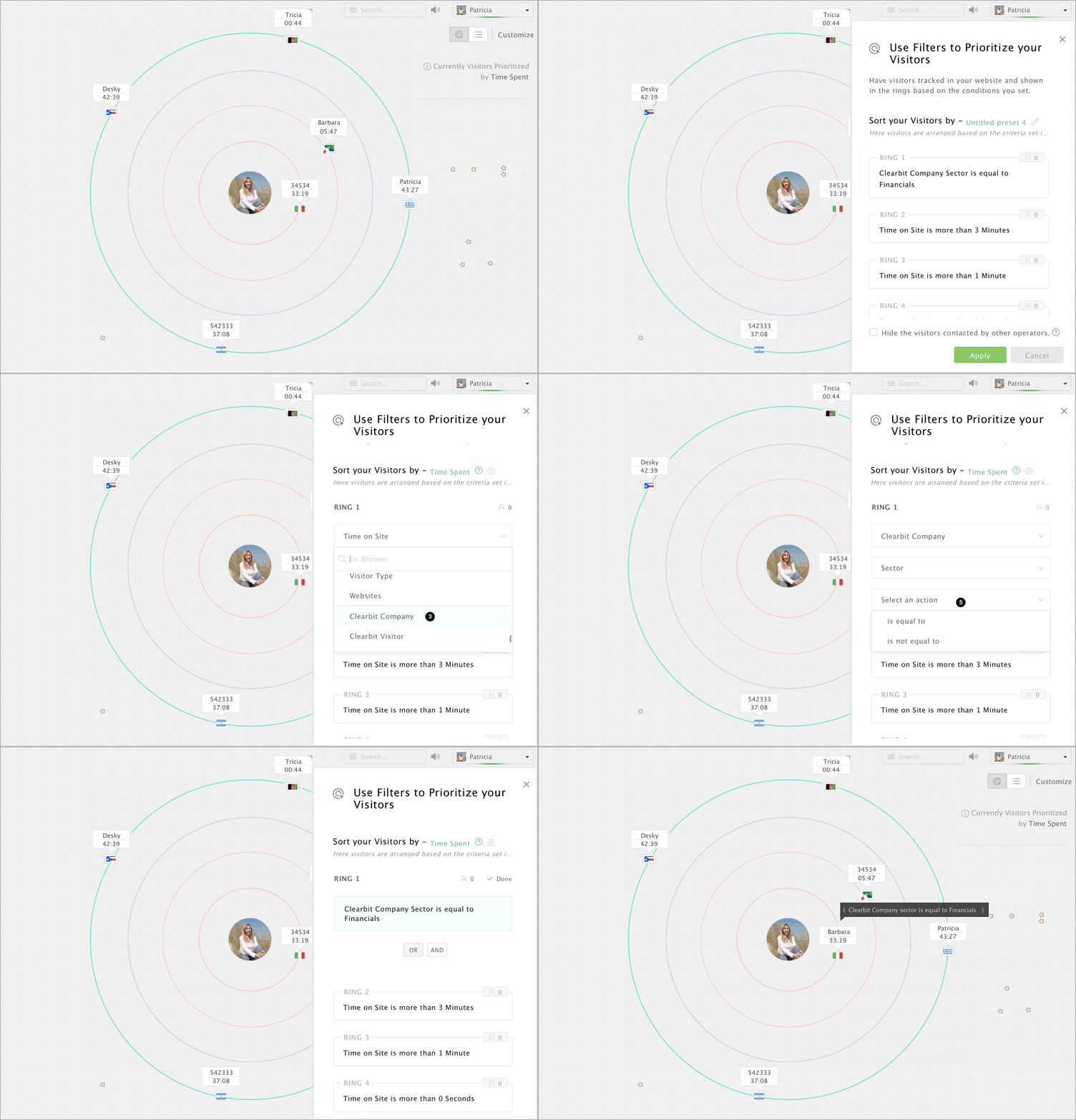
- In the Visitors Online tab, click Customize, which you can find in the top right corner of the window.
- Select and click on the ring you would like to change the condition and criteria.
- Now, choose a criteria between Clearbit company and Clearbit visitors.
- Then, choose an action for the criteria
- Choose a pre-defined condition for the same.
- Then, select the value for the condition set.
- After setting a rule for the specific ring, click done that appears above the rule to save.
- Finally, click Apply.
Note:
You can club two or more conditions (up to 5) on the same ring by clicking on the And/Or button that appears when you click the ring once. If you wish to set one condition per ring, then double tap the condition.