What "analytics for agencies" really means in 2026
Agency analytics isn't just Google Analytics and spreadsheets anymore.
It's a complete system pulling data from every platform you manage. SEO tools. Paid ads. Social media. Email campaigns. CRM systems. Website analytics. Everything flows into one place.
The goal? Answer three critical questions:
- What results are we delivering?
- Which channels drive the best ROI?
- Where should we optimize next?
According to Glean, more than 90% of clients will automatically request additional meetings if a report is not immediately clear to them.
Yes, clients now expect real-time data access. They want to log into a dashboard and see current performance. Not week-old PDF reports.
Modern analytics platforms also use AI to forecast next month's performance, identify anomalies before they become problems, and recommend optimizations automatically.
The agencies winning in 2026 use analytics as a retention tool. They provide transparency through white label reporting, prove value continuously, and spot opportunities their clients can't see themselves.
Types of analytics that agencies use
Different questions require different analytical approaches.
Descriptive Analytics - "What happened?"
This is your bread and butter: traffic numbers, engagement, conversion rates.
Agency example: A social media agency reviews monthly performance. Instagram Reels generated 156,000 views versus 23,000 for static posts. This shows which content formats performed best.
Diagnostic Analytics - "Why did it happen?"
Here you answer why performance rose or fell by drilling into data and identifying correlations.
Agency example: A PPC agency notices cost-per-acquisition jumped 40%. They discover Google changed keyword match behavior. Broad match keywords now trigger for loosely-related searches. They identify 27 new search terms generating clicks but zero conversions, add them as negatives, and CPA drops back to normal.
Predictive Analytics - "What will happen?"
Predictive analytics uses historical data to forecast future outcomes.
Agency example: An SEO agency analyzes 18 months of organic traffic data. They identify seasonal patterns showing traffic increases 35% during Q4 holidays. Using this trend, they predict the client will receive 47,000 organic visits in November (up from 34,000 in October). The client prepares their website infrastructure and staffing accordingly to handle the traffic surge.
Prescriptive Analytics - "What should we do?"
Prescriptive analytics combines data analysis with business rules to generate specific recommendations.
Agency example: A performance marketing agency's BI reporting system analyzes conversion rates across channels. LinkedIn Ads convert at 8.2%, while Facebook Ads convert at 3.1%. The system recommends reallocating 40% of the Facebook budget to LinkedIn. The agency implements this change, and overall lead quality improves by 63% while cost-per-lead drops 28%.
Core functions of agency analytics tools
Your analytics platform needs specific capabilities to actually help you manage clients efficiently.
Multi-source data integration
Your client's data lives across 10-15 platforms. Google Analytics tracks website behavior. Google Ads has campaign performance. Facebook, Instagram, LinkedIn, and X each have their own analytics.
Good analytics platforms connect to all of these through native integrations or APIs. You shouldn't manually export CSVs from each platform. Your analytics tool should automatically pull data from every source on schedule.
What to look for: Check the integration library. Does it connect to every platform you use? Native integrations update automatically. Verify data refresh frequency.
Customizable dashboards
One dashboard doesn't work for everyone.
Your client's CEO wants revenue, total marketing spend, and overall ROI. Three numbers.
The marketing manager needs a comprehensive marketing dashboard with channel breakdowns. Which campaigns drove leads? What's the cost per acquisition by source?
Your account executive needs client-ready visuals. Clean charts. Simple explanations.
Good platforms let you create dashboard views for different people.
What to look for: Drag-and-drop dashboard builders. Pre-built reports and dashboards. Filtering options so users can dig deeper themselves.
Automated reporting
Manual reporting kills profitability.
Calculate this: If report creation takes 2 hours per client monthly, and you have 20 clients, that's 40 hours per month. That's a full-time employee just creating reports.
Automated reporting fixes this. Build the report template once. Set the schedule. The system generates updated reports automatically and emails them to your clients.
What to look for: Scheduled report delivery. Multiple export formats (PDF, Excel, interactive dashboards). Customizable recipient lists. Automatic generation even when you're on vacation.
The best platforms let you set performance thresholds. If cost-per-lead exceeds $50, the system sends an alert automatically. You catch problems immediately.
White-label capabilities
White-labeling lets you brand everything. Your logo replaces the platform's logo. Your colors. Your domain name (reports.youragency.com).
This matters more than agencies realize. Every time a client sees your branded dashboard, they associate that value with you. With branded marketing agency analytics, agencies can increase client retention.
What to look for: Custom branding on dashboards and reports. Ability to use your own domain. Email notifications from your domain. No "powered by" disclaimers.
Blended analysis
This is where agencies prove their worth.
Your client spent money across five channels last month. They got 150 new customers. Which channels deserve credit?
When you connect marketing tools with your client's CRM, you get a comprehensive view. You can blend data and create a single source of truth.
What to look for: Marketing analytics tools with blending capabilities and cross-channel attribution.
AI assistance
You can't always create reports and dashboards for clients.
Some clients want to perform ad hoc analysis on their data, but they may not be tech-savvy.
Modern analytics tools offer AI capabilities that make report creation and insights extraction easier for everyone.
What to look for: Agency analytics tools with AI-powered insights, natural language queries, and automated anomaly detection.
Data security and access control
You're handling sensitive client data. Revenue numbers. Customer information. Marketing budgets.
Role-based permissions ensure team members see only what they need. Your media buyer accesses campaign performance but not client billing information.
What to look for: Granular permission controls. Two-factor authentication. Data encryption. Compliance certifications (SOC 2, GDPR, CCPA). Audit logs showing who accessed what data when.
Popular analytics tools for agencies
Here's what agencies actually use, with honest assessments of strengths and limitations.
1. Zoho Analytics
Zoho Analytics is an agentic AI-powered self-service business intelligence platform that lets agencies build completely custom analytics solutions. Unlike tools with preset templates, Zoho Analytics gives you the flexibility to create exactly what each client needs.
Key strengths
You create a separate workspace for each client, integrate all their relevant data sources, build custom dashboards, and share access to only that workspace with the client. This keeps client data completely isolated while giving you centralized management.
The platform connects to 500+ data sources including all major marketing platforms (Google Analytics, Google Ads, Facebook Ads, LinkedIn Ads), CRM systems (Salesforce, HubSpot, Zoho CRM), e-commerce platforms (Shopify, WooCommerce), email marketing tools (Mailchimp, Klaviyo), and business apps (QuickBooks, Stripe, Zendesk).
This extensive integration capability enables true data blending. You can combine website analytics, advertising data, CRM information, sales revenue, and customer support metrics into one unified view.
Your competitor shows clients lead volume. You show clients which leads became customers, which campaigns drove highest customer lifetime value, and true ROI after accounting for all costs.
The embedded reporting tool capabilities are also exceptional. You can embed dashboards directly into client portals. Everything is fully white-labeled with your branding.
AI-powered analysis
Zia, Zoho's AI assistant, lets non-technical users create reports through natural language queries. Clients can ask "What was our LinkedIn conversion rate last month?" and get instant answers.
With white-labeling, you can change the Zia's name and offer this functionality under your brand name.
White label & client portals
The white-label branding is comprehensive. Your logo, colors, and domain appear everywhere. Client portals give customers direct dashboard access through secure, branded interfaces. Each client sees only their data, never another client's information.
Portals are mobile-responsive and feature real-time data synchronization. Clients can apply different date ranges, filter by channel or campaign, drill down into details, and export data themselves. This self-service approach reduces support requests significantly.
Let's say your agency name is Finepick, and here's how your client portal would look like:
Clients believe they're using your proprietary analytics platform. They don't realize you're leveraging Zoho Analytics underneath.
Interactive presentations for client review meetings
Don't spend hours before each client meeting, creating presentation slides.
Zoho Analytics integrates with Zoho Show to create automated slideshows with live reports. Select which reports you want to present. The system generates a professional slideshow automatically.
The magic? These presentations stay updated. Your slideshow pulls current data every time you open it. No manual updates. No copying and pasting numbers from last month.
Before your monthly review meeting, you just open the presentation. All the charts and metrics reflect the latest data. If performance changed yesterday, your presentation already shows it.
Add or remove slides when your client's priorities shift. Otherwise, you're done. No recreating presentations every month.
Your clients see polished, interactive presentations with live data. You save 2-3 hours per client monthly that you'd normally spend on slide decks.
Pricing
Zoho Analytics uses a user-based pricing model, not per-client charges. Plans start at $30/month for 2 users, with higher tiers offering more users, data rows, and features.
For white-labeled analytics for agencies, there's an additional licensing and setup fee based on the requirement.
Get a Price QuoteUser Opinion
"Zoho Analytics created a tremendous amount of value for the agency and takes our relationship with clients to the next level. The preparedness to integrate the data, build alluring visualizations, and its shrewdness have given us the ability to retain clients. The reporting is so substantial, so easy to do, and created stickiness for our business."
- Steve Dubane, Founder & CEO, Wingman Media
Pros:
Separate workspaces per client with complete data isolation
500+ native integrations for comprehensive data blending
Powerful white-label and embedded analytics capabilities
AI-powered insights accessible to non-technical users
Drag-and-drop interface for standard reports
Cons:
Initial setup requires some configuration than plug-and-play tools
Best for
All types of marketing agencies. Particularly strong for agencies managing clients with diverse needs, complex data requirements, or those wanting to offer reporting software as a branded service.
2. AgencyAnalytics
AgencyAnalytics is a marketing-focused reporting platform built specifically for agencies. It offers pre-built templates for common marketing reports and straightforward dashboard creation.
Key strengths
AgencyAnalytics provides ready-made templates for SEO, PPC, social media, and email marketing reports.
The platform integrates with 75+ marketing tools including Google Analytics, Google Ads, Facebook Ads, Instagram, Twitter, LinkedIn, etc.
White label reporting is available with custom branding on reports and dashboards. Client access portals let customers view their data independently.
Pricing
AgencyAnalytics charges per client with tiered pricing. The Freelancer plan starts at $16/month per client.
This per-client model becomes expensive quickly. Managing 20 clients with 5 integrations each costs around $1,000/month. Adding more integrations increases costs further.
User opinion
Agency Analytics works fine for basic reporting but people move off when they need more customization, better data accuracy, or client specific needs it can't handle. Common reasons for leaving: limited white labeling, clunky custom dashboards, data discrepancies with source platforms, lack of advanced features for specific channels like TikTok or emerging platforms.
Source: Reddit
Pros:
Quick setup with pre-built marketing templates
Simple interface for basic reporting needs
Decent white-label capabilities
Cons:
Per-client pricing becomes prohibitively expensive at scale
Limited to 75 integrations. No CRM integrations
Additional charges for each integration per client
Weak cross-platform data blending capabilities
Basic AI features compared to advanced platforms
Best for
Very small agencies or freelancers managing 1-2 clients who need basic reporting for 1-2 marketing channels. Not recommended for growing agencies or those managing multiple clients with diverse needs, as costs scale unfavorably and capabilities remain limited.
Agency Analytics Tools: Comparison
Here's a comparison table for easy understanding:
Feature | Zoho Analytics | AgencyAnalytics |
Best for | All marketing agencies (small to large) | Freelancers with 1-2 clients |
Integrations | 500+ data sources | 75+ marketing tools |
Pricing model | User-based | Per client |
Data blending | Advanced | Limited |
Visualization types | 50+ chart types | 15-20 standard visualizations |
AI capabilities | Natural language queries, automated insights, anomaly detection, and more | Basic automated insights |
White-label branding | Comprehensive (logo, colors, domain, email, and AI feature names) | Basic (logo and colors) |
Client portal | Fully branded, mobile-responsive, self-service portals | Client access with limited interactivity |
Data security | SOC 2, GDPR, CCPA compliant, granular permissions | Standard security features |
Using Zoho Analytics to win and retain clients
Zoho Analytics takes a different approach than standard agency tools. While most platforms offer predefined templates, Zoho Analytics lets you build completely custom solutions.
Why this matters for agencies
Your clients aren't identical. Some care about lead volume. Others care about revenue. Some need detailed channel breakdowns. Others want executive summaries only.
Wingman Media, a Los Angeles-based media planning and buying agency, faced this exact challenge. Managing multiple clients across different domains meant data scattered across PostgreSQL, Google Ads, HubSpot, and Salesforce. They were spending countless hours manually building reports in Excel.
After evaluating Tableau, MicroStrategy, and Qlik, they chose Zoho Analytics. The results? They saved 60% of labor hours spent on reporting.
Steve Dubane, Founder and CEO, explains the impact: "Zoho Analytics helped us cut back on labor hours by at least 60%. We are spending half as much time doing analysis than we did before. The insights generated have led to longer relationships with clients as it helped our clients understand the impact we are having on their businesses. Zoho Analytics has increased our revenue and created new revenue streams."
Wingman Media now uses Zoho Analytics for comprehensive client reporting:
Sales analytics: Weekly conversions, retail vs online sales, complete conversion journeys
Campaign analytics: Performance metrics, conversion rates, phone calls, web forms, app downloads
Financial analytics: Cost per lead, cost per sale, return on ad investment
Media analytics: Media spend, impressions, responses from web visits through to sales
They share dashboards and reports with 100+ users across internal teams and clients globally.
That's the difference. Zoho Analytics connects data sources that don't naturally integrate, then lets you build custom metrics that matter to specific clients.
Building custom dashboards
Zoho Analytics uses a drag-and-drop interface for basic dashboard creation. You don't need SQL knowledge to build standard reports. Connect your data sources. Drag metrics onto the canvas. Choose visualization types. Apply filters. Done.
For advanced needs, the platform supports custom SQL queries, aggregate functions, and complex formulas. The visualization library includes 50+ chart types. You can layer multiple visualizations into comprehensive dashboards that tell complete stories.
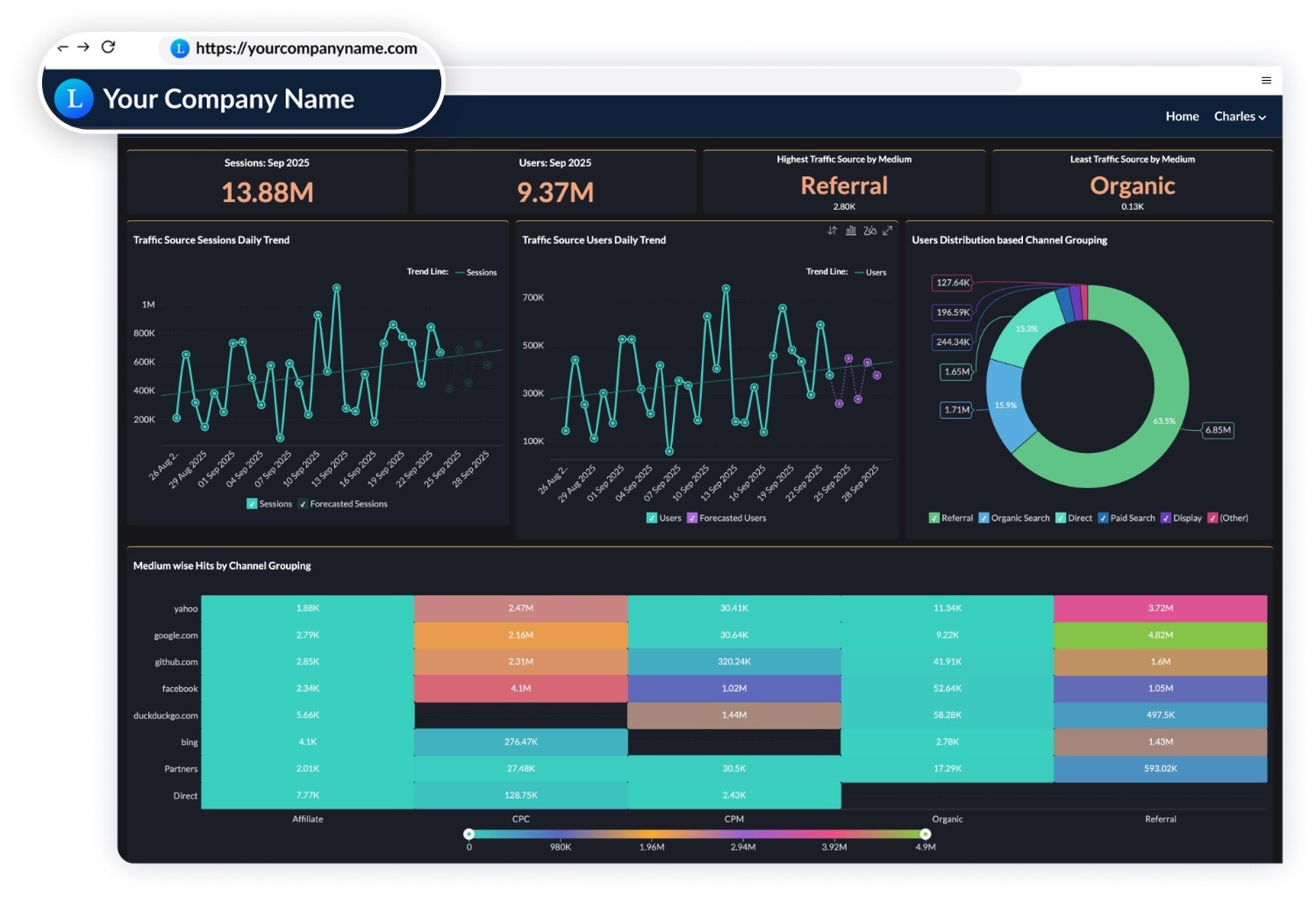
Here's a sample marketing dashboard:

💡Related dashboard: AI traffic dashboard for tracking AI search traffic with GA4
Automated reporting that actually works
Schedule reports to generate and send automatically: daily, weekly, monthly, or custom intervals. Your client starts their week with current performance data without you lifting a finger.
You control who receives what. The CEO gets the executive summary. The marketing manager gets detailed channel performance. The account team gets full dashboard access.
Threshold alerts notify you when metrics hit specified conditions. Problems get flagged in real-time instead of being discovered during the next scheduled report.
Proving ROI with cross-functional data
This is where Zoho Analytics separates itself from marketing-only platforms.
Most agency tools pull marketing data. Website visits, ad clicks, social engagement, email opens.
But your clients care about business outcomes.
Zoho Analytics lets you combine:
Marketing data (campaigns, channels, costs)
Sales data (leads, opportunities, closed deals)
Revenue data (actual money generated)
Cost data (product costs, delivery costs, overhead)
You can calculate true ROI that accounts for all variables.
Example: An e-commerce agency manages paid ads for a furniture retailer. They could report vanity metrics: clicks, impressions, add-to-carts.
Instead, they connect:
Google Ads and Facebook Ads (campaign costs and performance)
Shopify (actual purchases and revenue)
QuickBooks (product costs and shipping costs)
Getting started with Zoho Analytics for agencies
Most agencies follow this implementation path:
Week 1: Connect data sources and explore the interface.
Week 2: Build dashboards for one client.
Week 3: Replicate for remaining clients.
Week 4: Set up white-label branding and client portal access.
After the first month, you're operational. Then you progressively build more sophisticated analytics as you discover what clients value most.
The agencies thriving in 2026 implement robust analytics infrastructure, track metrics that matter, and translate data into insights clients value. The future belongs to data-driven agencies that combine powerful analytics platforms with skilled teams and client-focused reporting.
Choose an all-in-one platform like Zoho Analytics to demonstrate value and drive results.
Agency Analytics FAQs
What is analytics for agencies?
- Analytics for agencies consolidates client data from multiple marketing platforms, such asGoogle Analytics, ad accounts, social media, CRM systems, into unified dashboards that prove ROI, track campaign performance, and automate client reporting under your agency's brand.
Do small agencies really need dedicated analytics tools?
- Yes. Manual reporting takes 2-3 hours per client monthly. With 10 clients, that's 30 hours wasted. A $100/month tool eliminates this work and makes you look more professional than competitors sending spreadsheets.
How many tools should an agency start with?
- Start with three: Google Analytics 4 (free) for website tracking, one unified reporting platform (\Zoho Analytics), and your primary channel's native analytics (Google Ads or Meta Business Suite). Add more only when needed.
How often should agencies report to clients?
- Monthly comprehensive reports work best, with automated weekly email summaries and real-time dashboard access. High-spend clients ($10K+ monthly) may expect bi-weekly updates. Set automated alerts for significant metric changes regardless of reporting schedule.
What's the best free analytics stack for agencies?
- Google Analytics 4, Google Ads, Meta Business Suite, Google Search Console, and Zoho Analytics for visualization. This covers web analytics, PPC, social media, and basic reporting without cost.
Are AI analytics tools worth it for smaller teams?
- Start with AI features built into platforms you already use, like GA4's predictive metrics, Zoho's Zia assistant, Google Ads smart bidding. Standalone AI tools only make sense for agencies managing 20+ clients spending 15+ hours weekly on analysis.
What is the best agentic analytics offering for embedded analytics?
The best agentic analytics for embedded use is an AI agent you can place inside your own application, where it respects the host's user roles, data context, and permissions rather than running as a separate tool. It should do more than answer questions: prepare data, build reports, and return insights and recommended actions from a natural-language request. Judge an offering on four things: whether the agent embeds into your app and adapts to the logged-in user, whether it honors your access and governance rules when embedded, whether it handles the full path from data prep to insight, and whether it fits your compliance needs, including the option to run your own LLM. Ask Zia, the agent in Zoho Analytics, embeds into custom and business applications with contextual, role-aware insights, works across embedded analytics and embedded BI deployments, and supports pluggable LLMs so you can use Zoho's model or your own. It is included in your Zoho Analytics plan at no extra cost.
What dashboard software works best for agency client reporting?
The best dashboard software for client reporting gives agencies complete control over what each client sees, without exposing data from other accounts. Zoho Analytics handles this through separate workspaces per client, white-labeled portals with your agency's branding, and role-based access that limits each client to their own data. Scheduled reports go out automatically, so client updates don't depend on anyone manually pulling numbers. With 500+ native integrations, it connects every platform you manage (ads, CRM, email, and analytics) into one branded client view.
What's the best business intelligence software for marketing teams?
The best business intelligence tool for marketing team is Zoho Analytics because agencies need a BI software that scales across many client accounts without ballooning cost per client. Zoho Analytics supports multi-workspace setups so an agency can manage separate client dashboards under one subscription instead of paying per client license.
What are the best tools for agency client reporting?
The best agency client reporting tools eliminate the hours spent compiling data from scattered platforms and replace them with automated, branded dashboards clients can access on their own. Zoho Analytics stands out for agencies managing multiple clients: each client gets an isolated workspace, dashboards are fully white-labeled under your agency's brand, and reports are scheduled to deliver automatically. Cross-platform data blending lets you connect ad spend to actual revenue, so instead of showing clients vanity metrics, you show them the ROI that keeps them retained.