


More Actions in Direct Deposit

In Zoho Payroll, you can perform several additional actions related to your Direct Deposit setup.
Download Authorization Forms
Prerequisites: You should have already configured Direct Deposit and authorized your payment service provider.
To download the payment authorization forms:
- Go to Settings and click Direct Deposit.
- Click Access Form in the banner below Direct Deposit.
- In the popup that appears, click Download next to the authorization form.
The form will be downloaded to your device.
Update Bank Account Details
To update the bank account details:
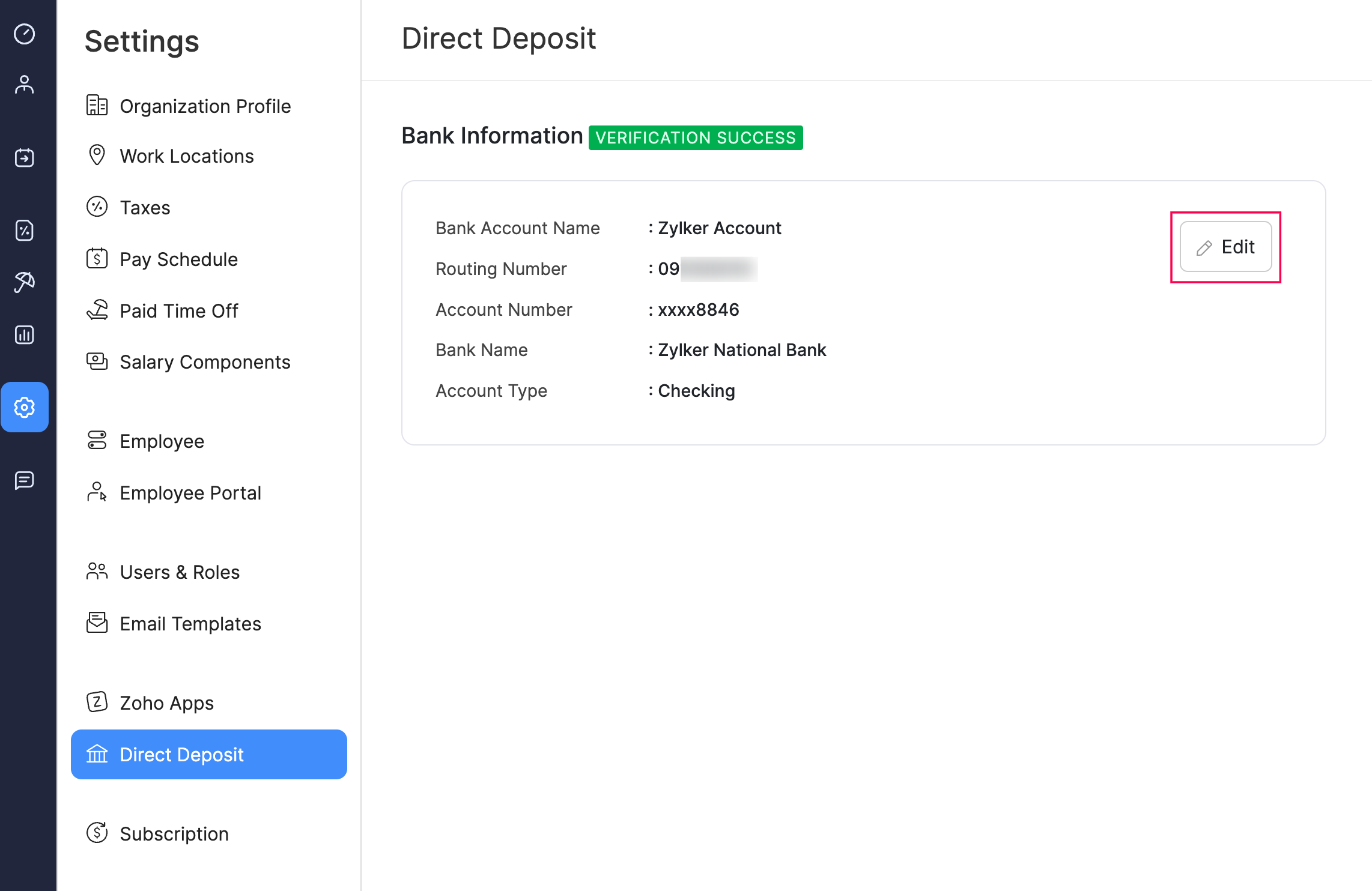
- Go to Settings and click Direct Deposit.
- Click Edit.
- In the popup that appears, make the necessary changes.
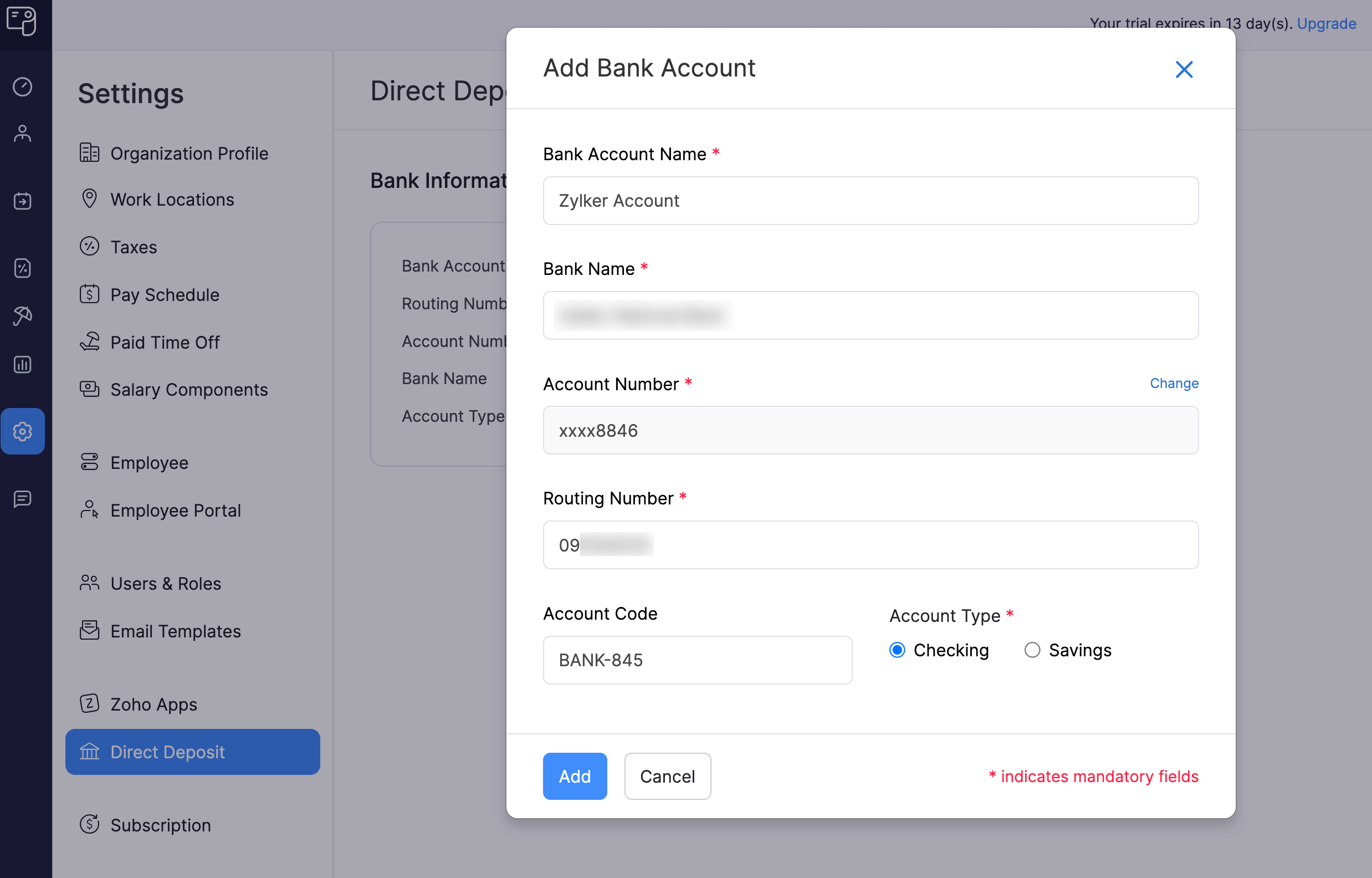
- Click Add.
Your bank account details will be updated.
Note: Zoho Payroll will not initiate the bank verification process unless you change your bank account number.