


Complete Service Terms and Authorization Steps

To begin processing payroll, you’ll need to complete a few mandatory steps that ensure compliance and enable secure payroll operations.
In this step, you will:
- Read and accept the Payroll User Service Terms
- Authorize the payment service provider
- Authorize the tax reporting agent
These steps are required to comply with regulatory standards and facilitate core payroll functions like direct deposit and automated tax filings.
Read and Accept the Payroll User Service Terms
In this step, you will review and agree to the terms that govern payroll processing and payment services.
Add Signatory Details
- Enter the required signatory details.
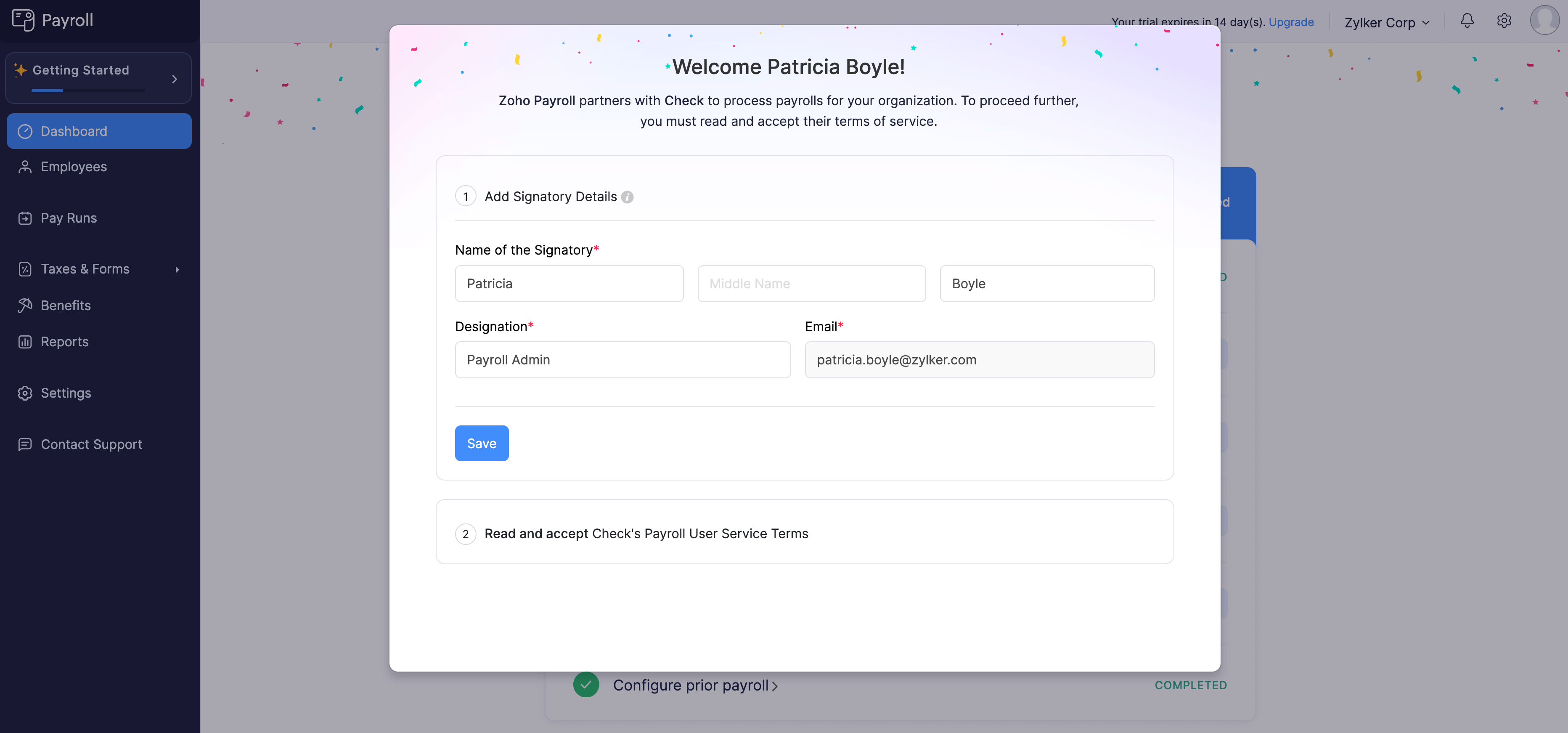
| Field | Description |
|---|---|
| Signatory Name | Enter the first, middle, and last name of the signatory. |
| Designation | Enter the job title of the signatory. |
| The email address of the signatory, auto-populated from the previous screen. |
- Click Save Signatory.
- Read through the Check Payroll User Service Terms. Once you understand and agree to them, click Agree and Get Started.
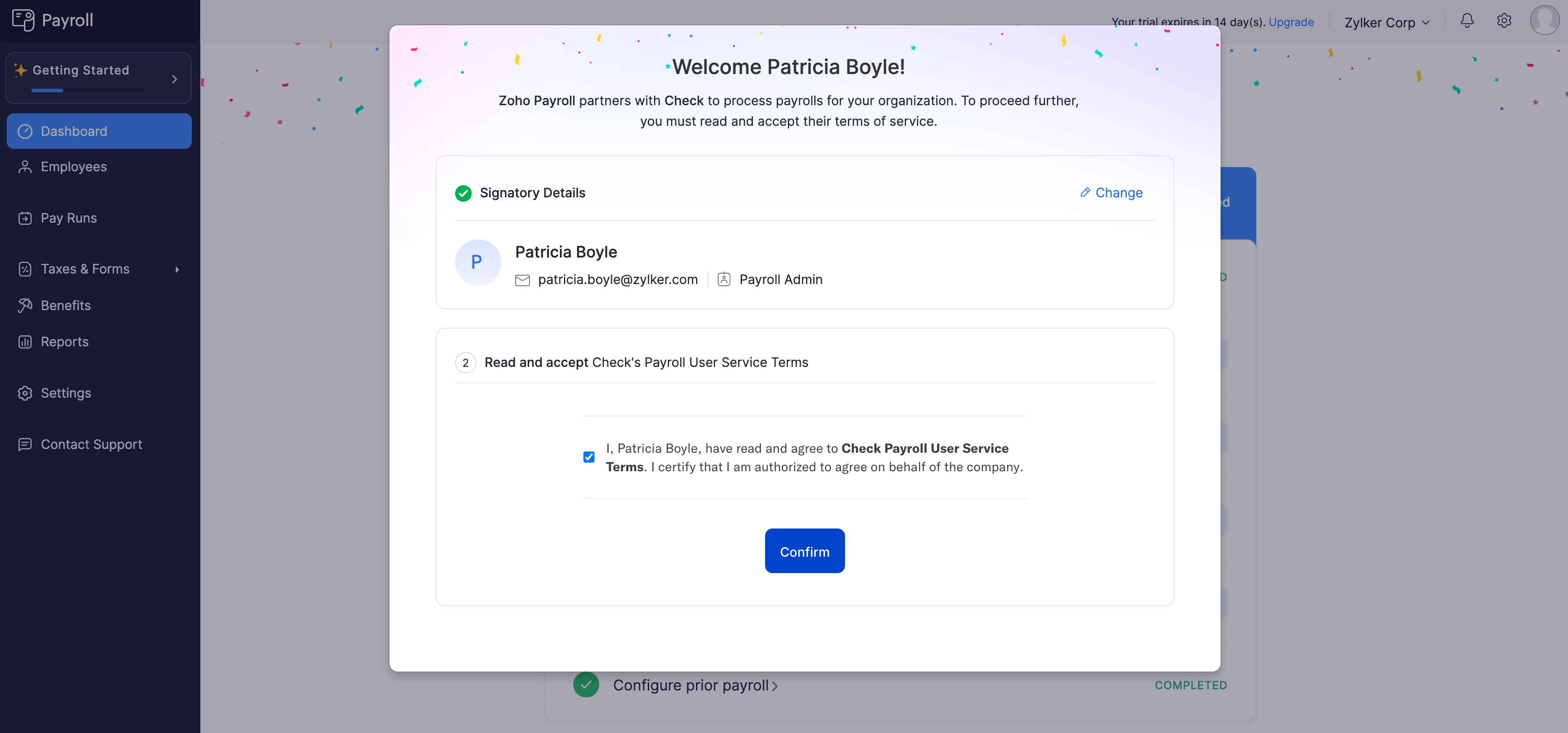
Your Zoho Payroll organization will be created, and you’ll be on a 14-day free trial.
Once the trial period ends, or even during the trial period, you can subscribe to a paid plan that suits your requirements.
Authorize the Payment Service Provider
This authorization enables us to initiate direct deposit transfers on your behalf.
Authorize the Tax Reporting Agent
This allows us to file federal, state, and local payroll taxes for your organization.