- HOME
- Best practices
- A comprehensive guide to Inbox Zero
A comprehensive guide to Inbox Zero
- Published : March 30, 2026
- Last Updated : March 30, 2026
- 361 Views
- 7 Min Read

It’s been two decades since Merlin Mann introduced the idea of Inbox Zero in 2006. Yet many teams still treat it as unrealistic or impractical.
Much of that perception stems from a persistent misunderstanding. The “zero” in Inbox Zero has long been interpreted as the number of emails sitting in an inbox. It actually represents the cognitive load an inbox demands from a person.
The goal is to reduce that attention to zero through consistent discipline and habit, processing messages promptly and moving them to the appropriate place for action, reference, or closure.
Here, we’ll discuss what Inbox Zero really means and how best to make this discipline sustainable for modern teams to focus on productive work.
What is Inbox Zero?
Inbox Zero is a productivity method for managing email communications so that the inbox stays empty most of the time. It vouches for a system where messages are sorted into predefined categories based on priority for quicker processing, so teams can focus on core activities and critical work.
For example, an inbox contains 250 emails, many of which have been read but remain there, making important messages harder to spot.
With Inbox Zero, the mailbox usually contains 0–10 emails as messages are quickly deleted, archived, or scheduled for action. This way, the inbox only shows work that still needs attention.
The core idea of Inbox Zero
In the simplest terms, every email should move out of the inbox after a decision is made. Common actions include:
Delete: Remove messages that are irrelevant or unnecessary.
Delegate: Forward the message to the responsible person.
Respond: Reply if the request requires a quick answer.
Defer: Schedule time to handle it later.
Archive: Store the message for records, but remove it from the inbox.
Why Inbox Zero matters for teams beyond being organized
About 78% of workers say that collaboration overload makes it a lot harder to get real work done. By systematically managing emails and reducing a cluttered inbox, teams can focus on priorities without being overwhelmed by messages.
The operational benefits of Inbox Zero
When every conversation has a clear owner and a defined state, teams execute faster because work no longer sits in ambiguous inbox queues.
This creates several improvements:
Earlier first responses and smoother resolution: The right person sees and handles the message immediately. TeamInbox supports that directly by letting teams automate assignments based on subject/content or other conditions.
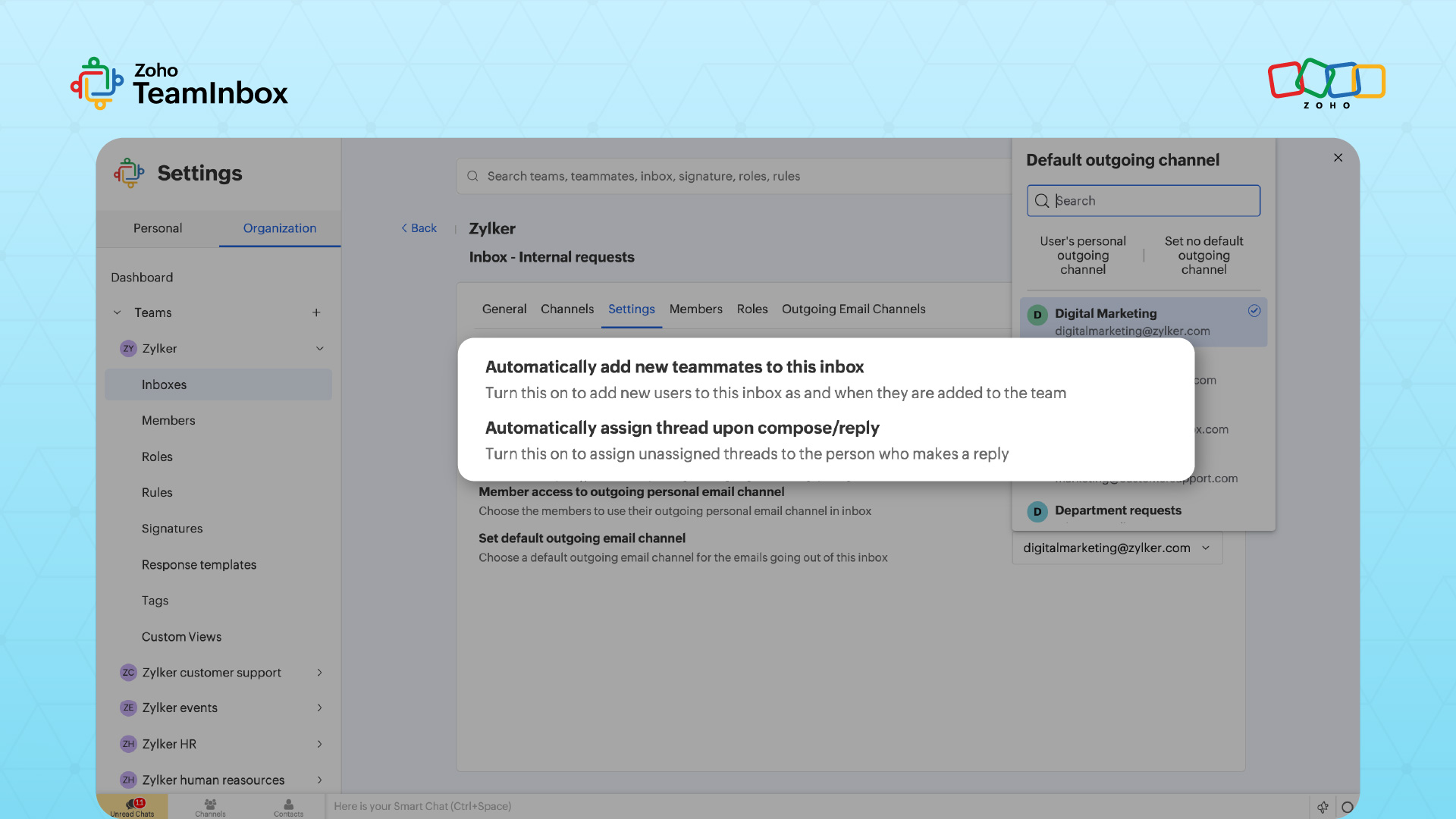
Less time spent searching for context: Shared conversation history reduces internal messages asking “who is handling this” or “what happened here.”
TeamInbox is built around shared visibility so teams can see thread-level internal discussions, mentions, and context. Its activity log also supports traceability by showing when an action was taken and by whom.
Fewer duplicated replies and fewer missed threads: Teams avoid situations where multiple people respond to the same request.
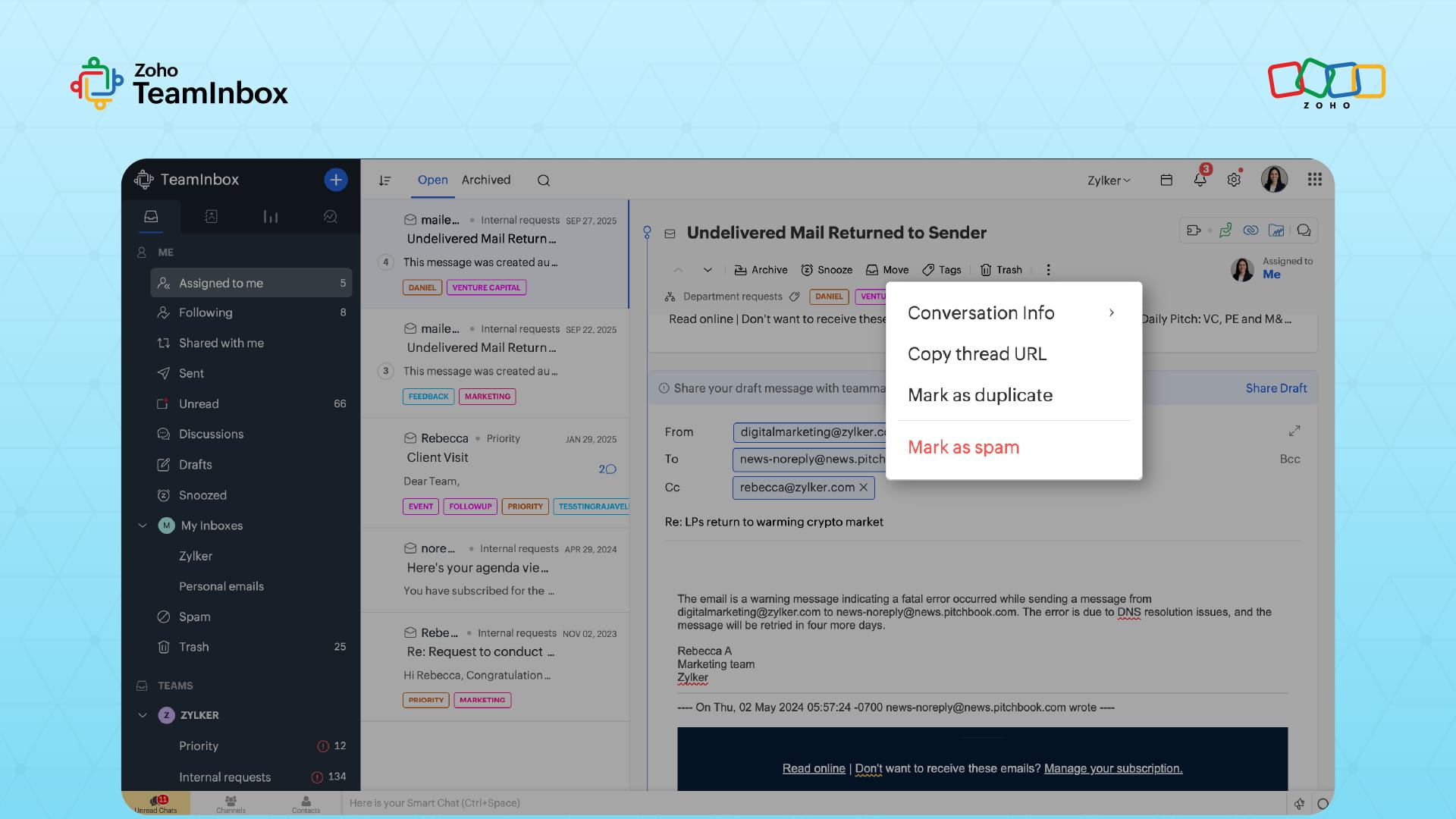
For example, if a client sends an email to two different email addresses, the message would appear in both inboxes, encouraging duplication.
In Zoho TeamInbox, you can flag related emails as duplicates so everyone can identify that the message has already been received and responded to.
Team and business impact
Inbox Zero improves how teams make decisions and move work towards outcome-driven goals. Improvements here include:
Reduced decision fatigue: A smaller working inbox allows people to focus on clear next actions instead of constantly re-evaluating the same threads.
Less internal back-and-forth: With fewer active emails competing for attention, teams avoid unnecessary status checks and clarification messages
Better customer and stakeholder experience: Stakeholders receive timely replies instead of queueing up behind unresolved or overlooked messages.
With internal notes and shared conversation views, teams using Zoho TeamInbox can clarify, escalate, and align important emails without fragmenting context.
The cost of not fixing your inbox
Unmanaged inboxes create operational drag, taking up space while remaining unactionable. This can ripple into:
Missed opportunities: A sales inquiry is buried under dozens of unresolved emails. By the time someone notices it, the customer has already moved to a competitor.
SLA failures: Support teams often miss response targets when important messages remain mixed with routine emails. A ticket that should receive a two-hour reply can go unnoticed for half the day.
Burnout from constant catch-up mode: When the inbox keeps growing, teams start every day reacting instead of progressing on other work. People spend more time clearing “compose/reply/escalate” backlogs instead of solving the problems inside the emails.
The four pillars of Inbox Zero for teams
Inbox Zero becomes practical for teams when it’s anchored to a framework that’s built on these four key elements.
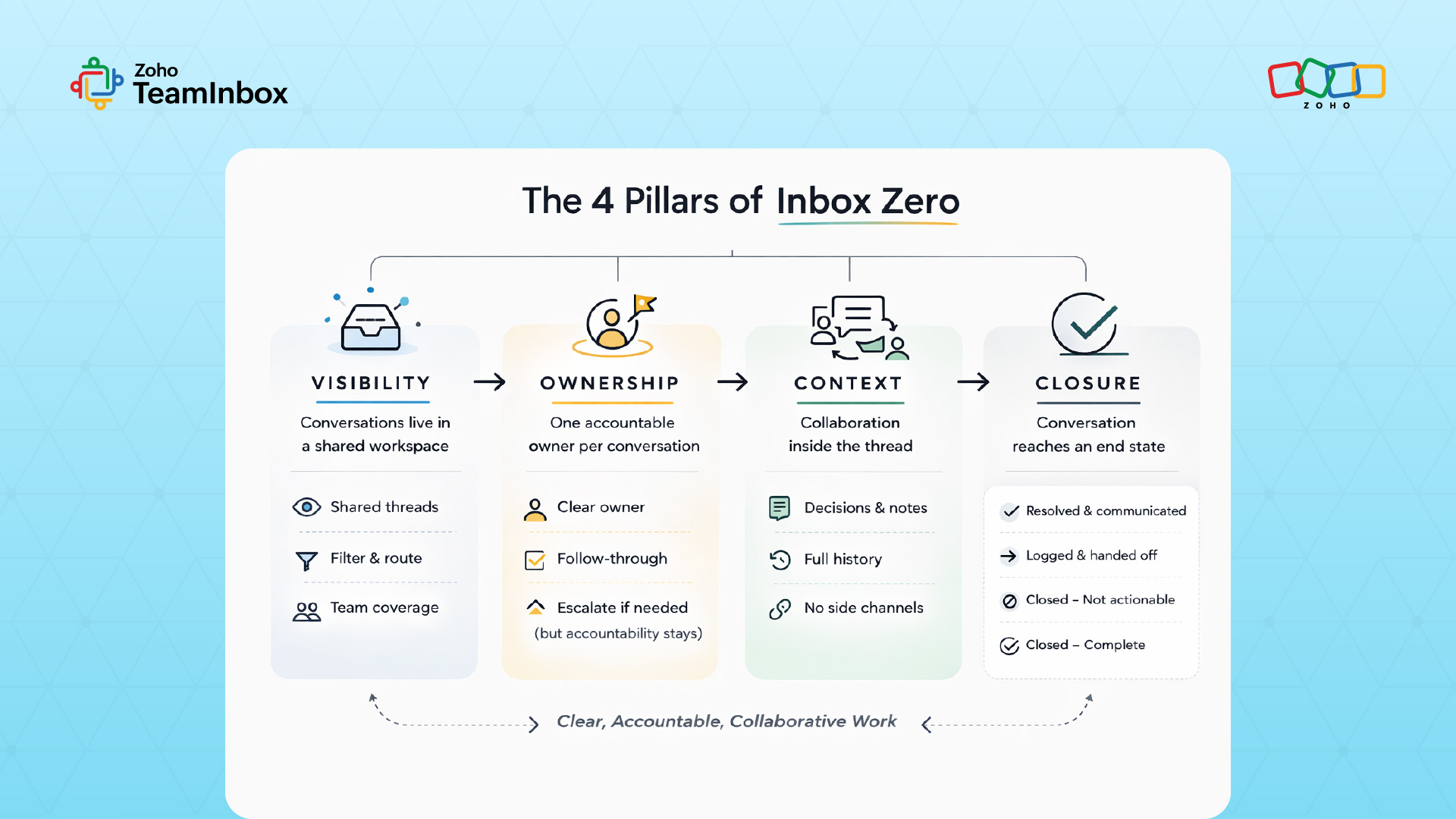
1. Visibility
Visibility doesn’t mean copying everyone involved, but rather ensuring that conversations live in a shared workspace where the team can filter, route, and cover work together.
TeamInbox supports this by keeping shared email conversations in one place where the team can monitor and manage them collectively.
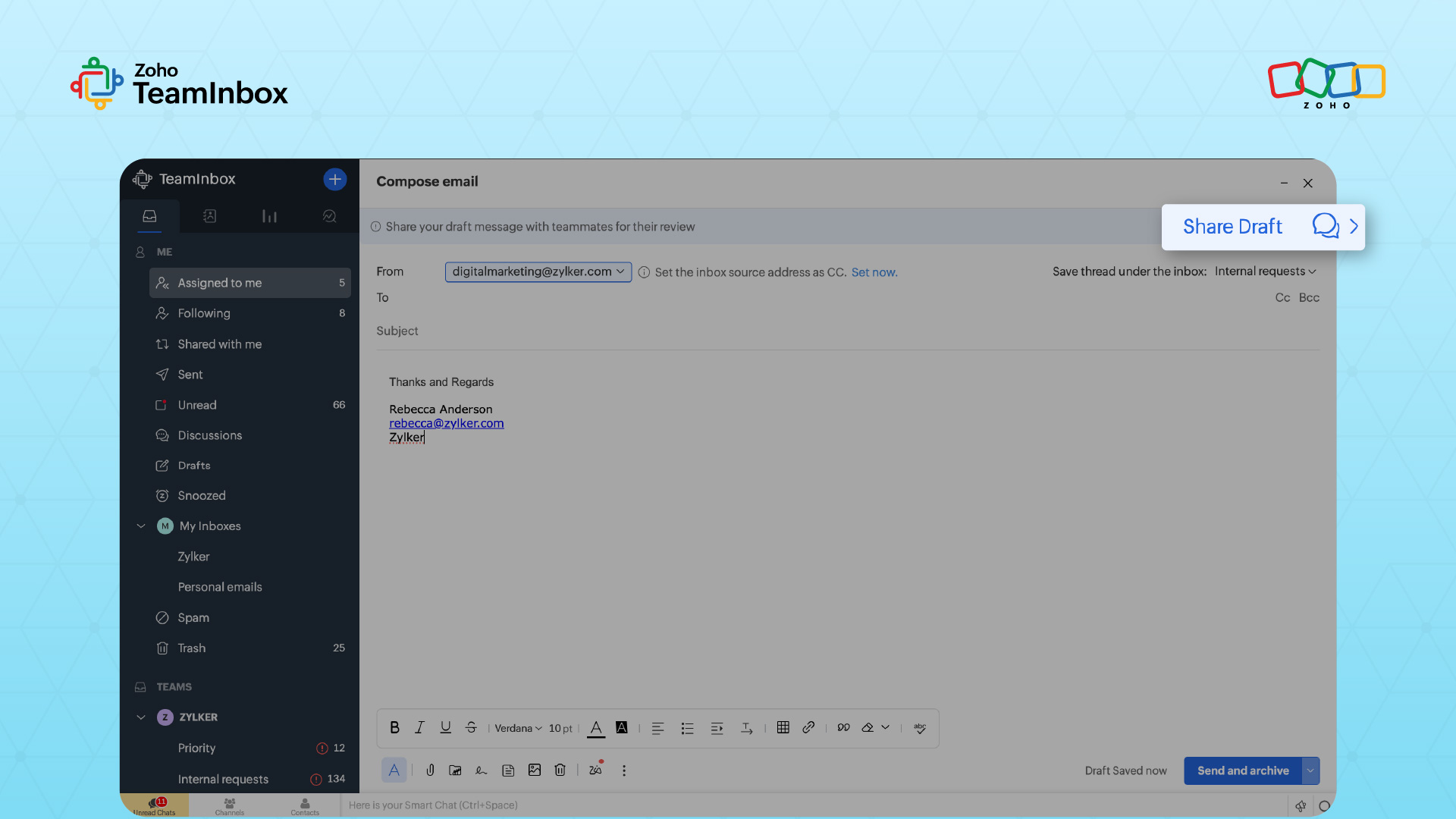
You can draft a reply and share it with your team for review. Just click Share Draft, and your teammates can view it and request edits before responses are sent.
2. Ownership
Inbox Zero requires every email to move toward a decision. Assigning one accountable owner to each thread ensures that someone is responsible for deciding the next action.
If the owner cannot resolve it, they can route the message to a specialist, while accountability remains clear.
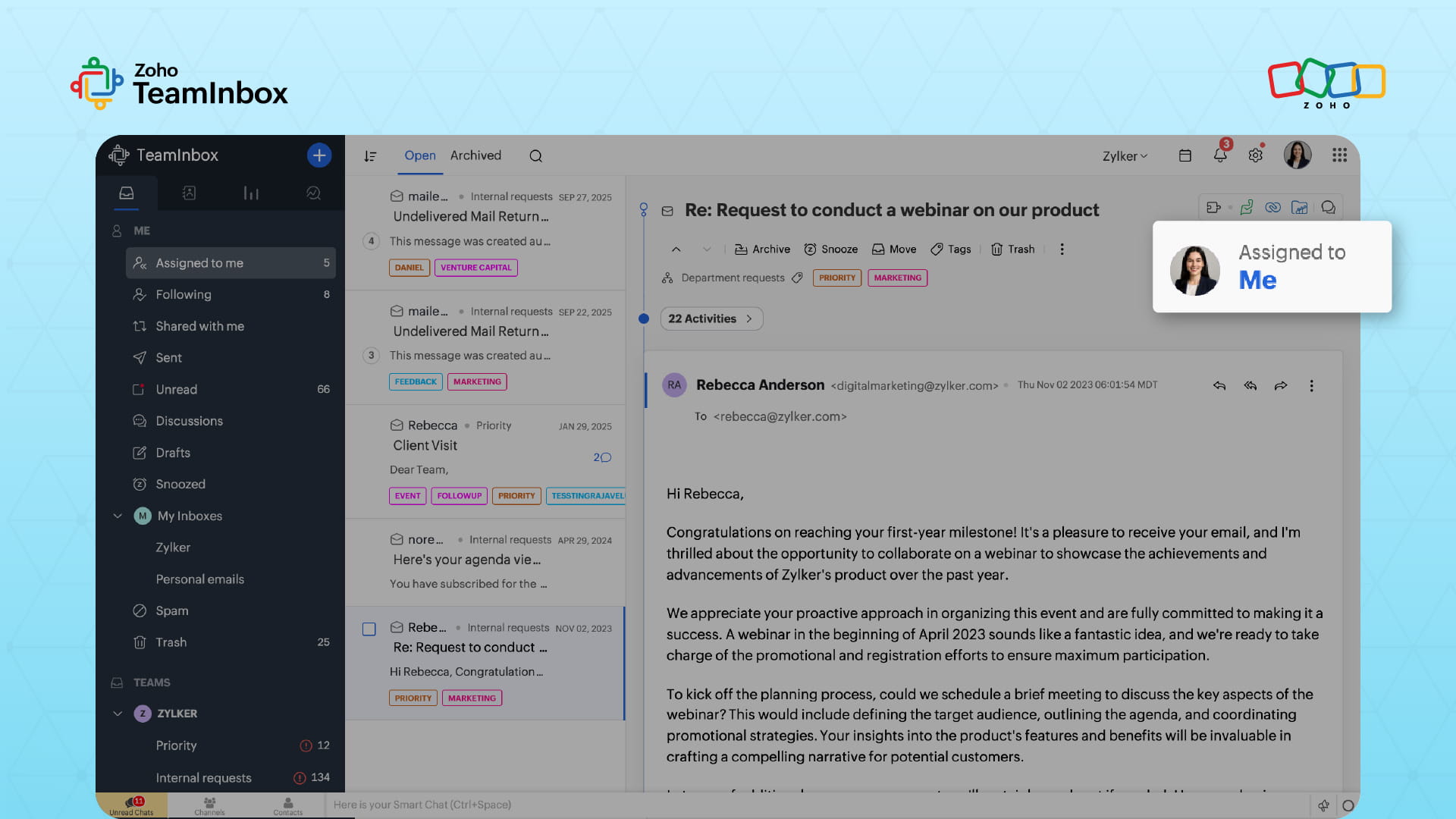
TeamInbox makes this easier by allowing teams to assign conversations to a specific member so messages don’t sit idle in the inbox.
3. Context
Internal collaboration belongs inside the conversation. If your team debates inside channels, you lose the audit trail and create rework.
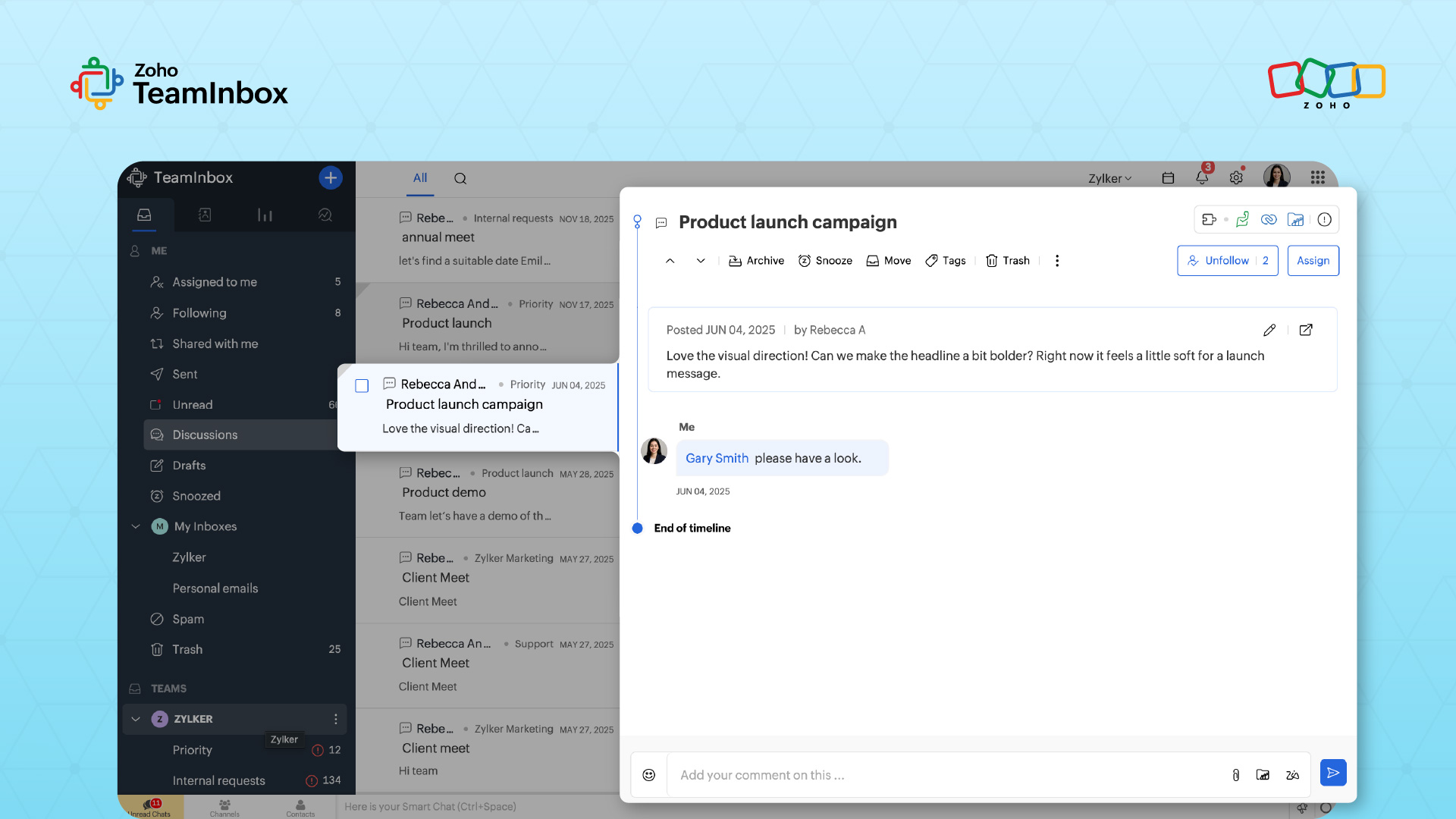
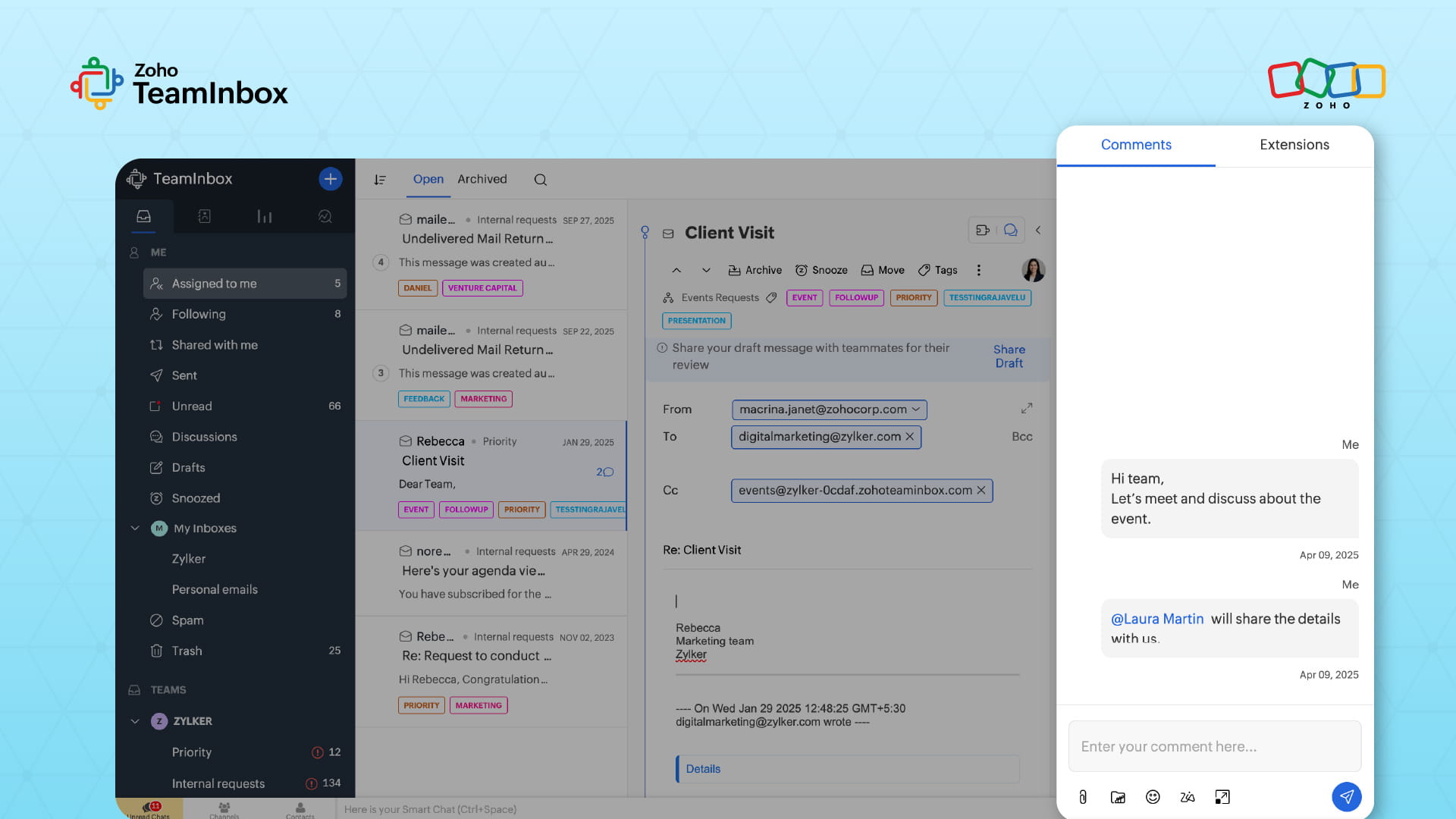
TeamInbox prevents this by allowing teammates to discuss and clarify responses directly within the conversation before replying externally.
Just @mention the person you want to include in the conversation, and that’s it.
4. Closure
Closure is a defined process outcome. It means that the conversation reaches an end state that your team agrees on, such as:
Resolved and communicated.
Logged and handed off to another system.
Closed because it isn’t actionable.
Closed because it’s complete.
With TeamInbox, you can attach and automate clear end-state labels that can be tagged on emails once the required action is complete.
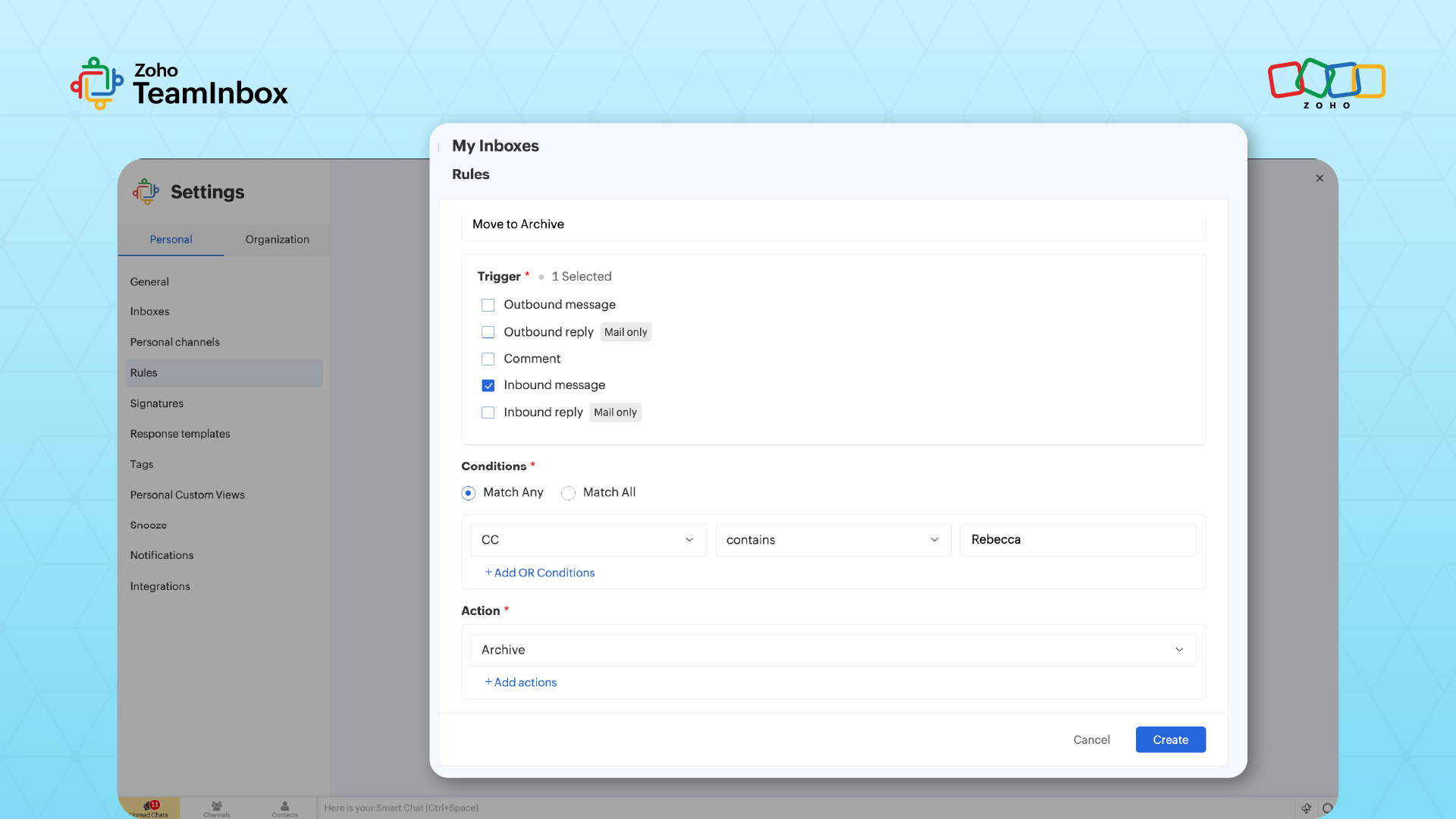
You can also automatically archive emails where your name appears in the Cc or Bcc field by creating a rule that defines the condition and the action.
Best practices to make Inbox Zero stick in real team workflows
1. Start by unsubscribing from unwanted emails
Unsubscribing ruthlessly from newsletters and mailing lists you never read can significantly reduce inbox clutter.
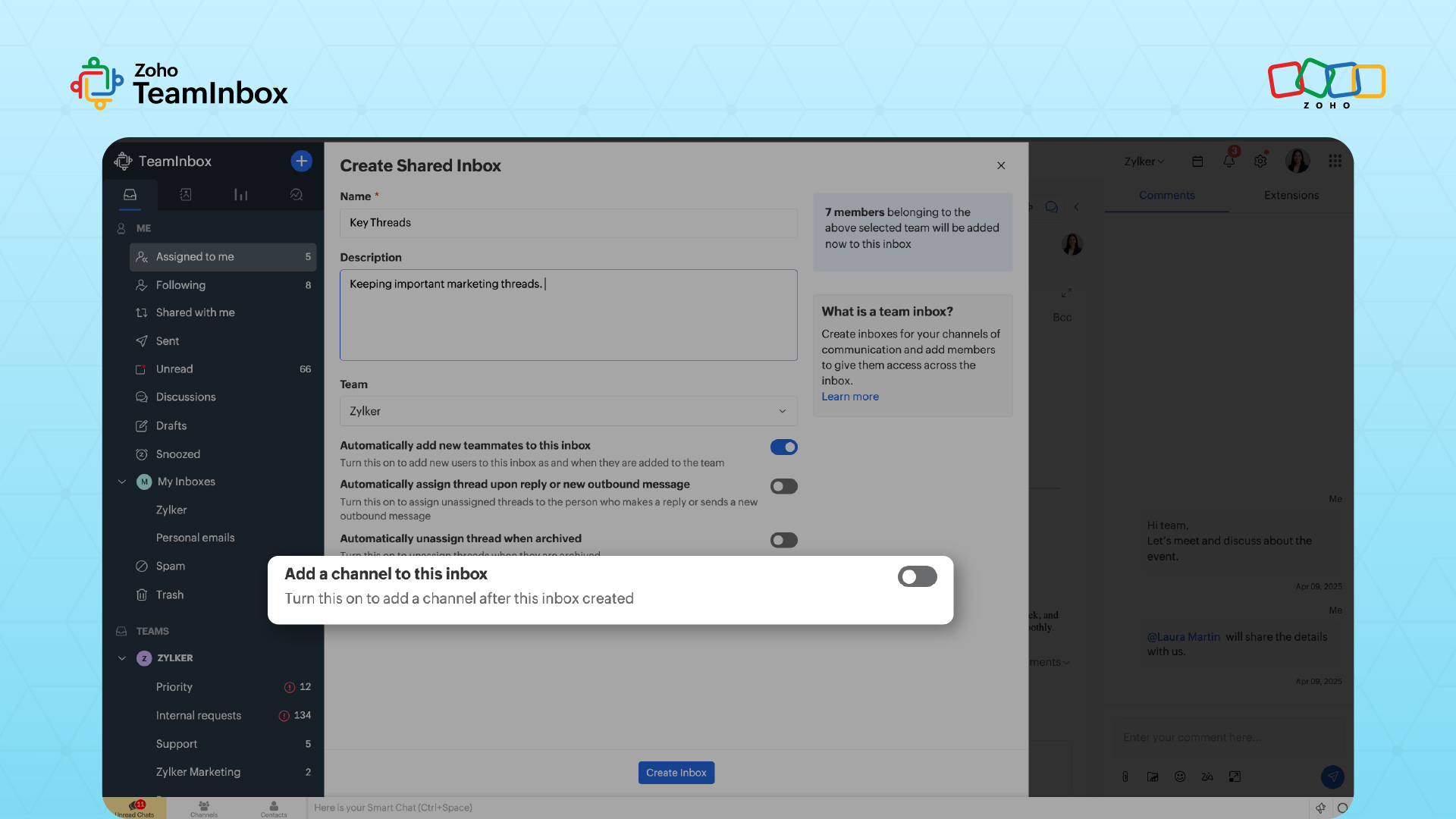
To avoid being overwhelmed, TeamInbox provides an antispam feature to protect your shared mailbox from unwanted emails that can put the organization at risk.
With TeamInbox, you can also sort emails into their respective folders automatically using filters or rules.
2. Map your inbound sources and shared addresses
List every incoming email that creates work:
Shared addresses such as support, sales, and billing.
Channel inboxes tied to customer communication.
Vendor threads that drive operational dependencies.
Then separate sources into two categories:
Customer-facing threads where response quality and consistency affect trust.
Internal coordination threads that shouldn’t live in customer-facing inboxes.
3. Define your conversation states and what “done” means
Agree on a small set of states. Keep it simple:
Open: Needs action now.
Waiting: Pending customer, vendor, or internal dependency.
Snoozed: Time-sensitive revisits.
Closed: Completed, archived, or logged.
Then define what qualifies as closure. For example, a team closes a customer request when the customer confirms resolution or when the team documents the outcome and schedules the next step.
4. Set ownership rules and escalation paths
Ownership must be assigned. Some rules to adopt include:
Only one owner per conversation—always.
Reassignment to the appropriate person must be explicit.
Specialists can contribute without owning the thread, unless escalation rules say otherwise.
Define escalation paths, for example, when a conversation touches compliance, pricing exceptions, or risk, escalate.
5. Fix Cc and forwarding habits
Carbon copy and forwarding are legacy coordination habits. They create problems like hidden ownership and often split context across inboxes.
Replace carbon copy chains with two behaviors:
Assign one “voice of record” for the customer-facing reply.
Keep internal clarification inside the conversation using internal notes or internal comments.
6. Standardize templates and response patterns
Create templates for common questions, triage responses, handoff explanations, and closure confirmations.
Add guardrails:
Tone guidelines for customer-facing replies.
Accuracy checks for pricing, timelines, and policy statements.
A standard way to ask for missing information.
7. Instrument the system and refine
Run short reviews every week to check aged conversations, reassignment patterns, and recurring causes of backlog. Use email analytics to gain insights into who emails you most and what’s clogging your inbox. When you’re done, make the appropriate changes to adjust rules, refine views, or tighten templates.
How to measure Inbox Zero success
These metrics show whether your Inbox Zero system is actually working:
Ownership coverage: Track the percentage of conversations with a named owner. High ownership coverage means responsibility is clear from start to finish.
Speed metrics: Measure the average first-response time and the average time to resolution. A consistent resolution time indicates that your workflow is well-controlled.
Backlog health: Monitor how many open threads exceed your defined time thresholds. Also, compare “waiting” versus “open” conversations to spot work that is stuck rather than progressing.
Coordination drag: Look for fewer internal messages asking for status and fewer overlapping replies in the same thread.
Making Inbox Zero sustainable for modern teams
The real advantage of Inbox Zero is to reclaim your team’s attention, reduce stress, and increase productivity.
A clear strategy gives teams a shared operating language so they stop reacting to messages and start managing outcomes. But strategy alone isn’t enough to know how to get to Inbox Zero. Modern teams need a system that enforces visibility, ownership, context, and closure consistently across conversations.
Zoho TeamInbox helps teams operationalize Inbox Zero by building this system into the workplace itself to reduce the mental load common with managing email communications.
Try Zoho TeamInbox to better structure your team’s conversations and keep the inbox clean.
FAQs
1. Is Inbox Zero realistic for teams with high email volume?
Yes, if you redefine Inbox Zero as zero ambiguity. High volume makes the method more necessary, not less. The goal is clear statuses, owners, and predictable closure.
2. What is the most common reason Inbox Zero fails after a strong start?
Undefined closure. Many teams agree on states and even ownership, but they never define what “done” means. Threads remain open loops, and the backlog returns. Closure rules are what make Inbox Zero stable.
3. Can Inbox Zero work without a shared inbox tool?
An individual can maintain Inbox Zero using folders, rules, and disciplined habits. However, once email becomes shared work across a team, personal organization systems break down. Without a shared workspace, Inbox Zero relies heavily on manual coordination and memory.
 Ganeshkiran Arasu
Ganeshkiran is a Growth and Digital Marketing manager at Zoho. He's passionate about writing content that actually helps — breaking down how products solve real, complex problems and what genuine collaboration looks like in practice. When he's not crafting strategies with his team, he's keeping tabs on the latest industry trends — always with a cup of tea in hand.