
- HOME
- Know Your Tech
- Enterprise case management software: A complete guide
Enterprise case management software: A complete guide
- Last Updated : August 4, 2026
- 39 Views
- 10 Min Read
Highlights
- Enterprise case management software centralizes case data, assignments, and communication in one system to replace scattered emails and spreadsheets.
- Automated workflows handle routine steps like case routing, approvals, and notifications so teams focus on resolution instead of coordination.
- Real-time dashboards give managers visibility into case status, team workload, and overdue items without manual check-ins.
- Departments like HR, IT, compliance, and customer service all benefit from structured case handling tailored to their specific processes.
- Common adoption failures come from ineffective onboarding and unclear ownership, not from the software itself.
A customer raises a complaint, but it isn’t picked up immediately. By the time it gets assigned, they’ve already sent a follow-up. The team responds, but the delay is noticeable.
These delays usually come down to how information is handled. When case details sit across emails, spreadsheets, and separate tools, it becomes harder to track ownership, timelines, and status. Enterprise case management software addresses this by bringing everything into a single, structured system.
In this blog post, we break down what enterprise case management software actually does, the capabilities that make a real difference in day-to-day operations, and how to evaluate a platform against your team’s workflow. We’ll also look at where implementations tend to fall short and what you can do differently.
What is enterprise case management software?
Enterprise case management software is a centralized platform that helps organizations track, manage, and resolve cases across departments. A "case" can be anything that needs structured handling: a customer complaint, an employee grievance, an IT service request, a compliance investigation, or an insurance claim.
The software gives each case a defined lifecycle. It captures intake details, assigns the case to the right person or team, tracks every action taken, and records the final resolution. Instead of relying on emails, shared folders, or spreadsheets, everything lives in one place where it's searchable, auditable, and visible to the people who need it.
For instance, when a customer submits a warranty claim, the software can automatically route it to the service team, set a review deadline, log every update, and flag the case if it's been idle too long. The manager sees the case status on a dashboard without sending a single follow-up email.
Why your business needs enterprise case management software
Most teams don't start with a broken process—they start with spreadsheets and emails that work fine when volume is low. The problems show up later, when the team grows, case counts increase, and no one can confidently answer how many cases are open, what's overdue, or who owns what.
Here's what typically goes wrong without a dedicated system, and why enterprise case management software becomes necessary:
Scattered data slows everything down
When case details live in inboxes, chat threads, and shared drives, finding the right information takes longer than it should. A support agent searching for a customer's previous complaint history might check three tools before finding it. An HR coordinator looking for the status of an open request might need to message multiple people just to get an update.
Enterprise case management software keeps all case records, attachments, and communications in a single, searchable location so your team spends time resolving cases, not looking for information.
Manual processes create inconsistency
Without defined workflows, every team member handles cases slightly differently. One person escalates after 24 hours. Another waits a week. Some document every step; others don't.
Enterprise case management software applies the same rules to every case. It routes assignments based on criteria you set, triggers notifications at the right time, and ensures every case follows the same steps from intake to closure.
Lack of visibility keeps leadership in the dark
If your only way to check case status is to ask someone, you don't have visibility—you have a bottleneck. Enterprise case management software gives managers real-time dashboards that show open cases, average resolution time, workload distribution, and overdue items. You can spot problems early, reallocate resources, and report to leadership with data instead of guesses.
Compliance risks grow with scale
For organizations handling sensitive data, like employee complaints, patient records, or regulatory filings, compliance isn't optional. Spreadsheets don't offer audit trails, and emails don't restrict access by role. Enterprise case management software includes access controls, encryption, and full activity logs that help you meet requirements like General Data Protection Regulation (GDPR), Health Insurance Portability and Accountability Act (HIPAA), and SOC 2.
Each of these problems compounds as your organization scales. Enterprise case management software gives your operation the structure it needs to handle growing case volumes without adding proportional overhead.
Key capabilities to look for in enterprise case management software
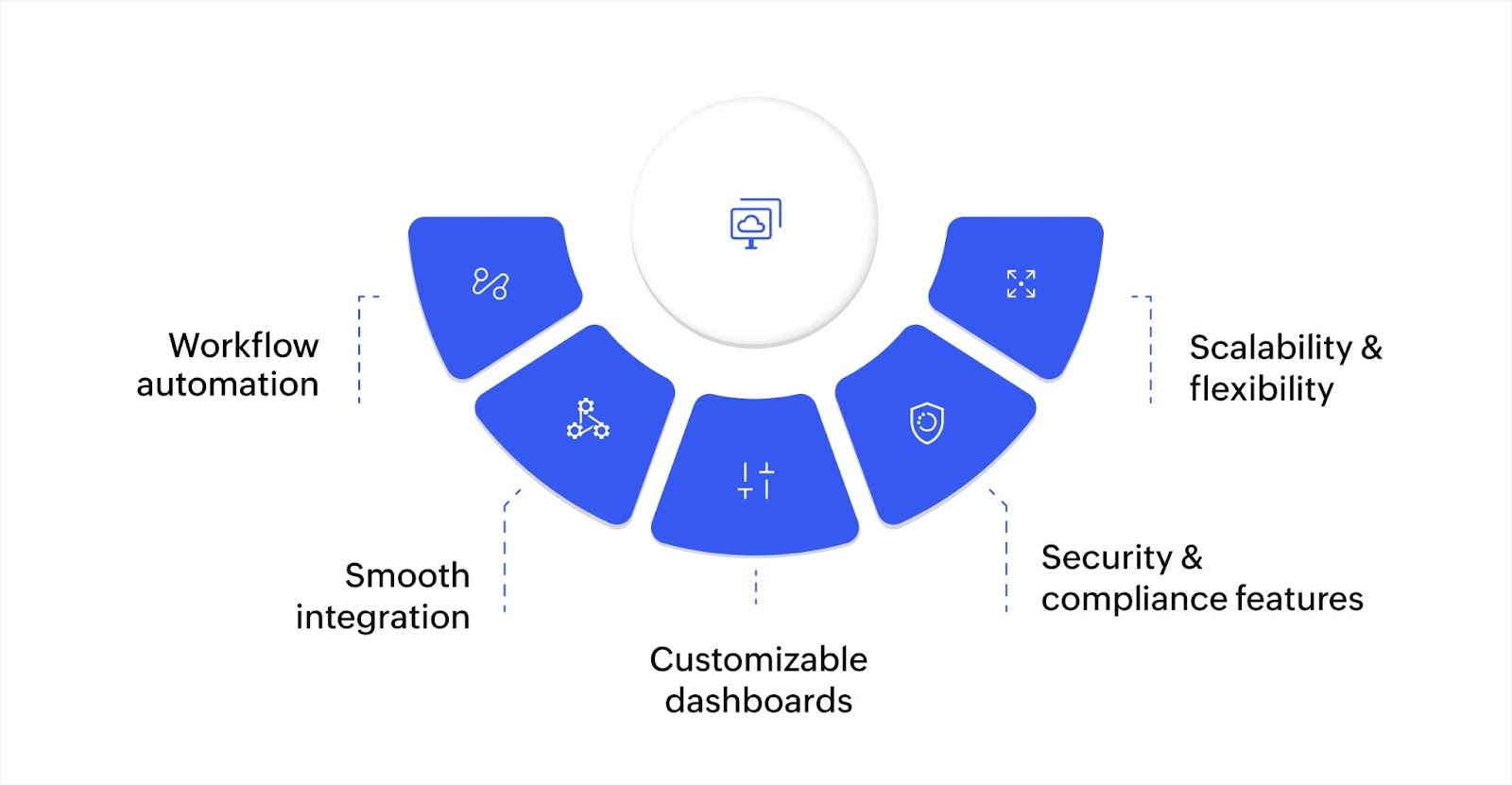
When evaluating enterprise case management software, focus on the capabilities that directly affect how your team works day to day. Here's what matters most:
Workflow automation
Manual case handling means someone has to assign each case, send each follow-up, and check each deadline. That works at 20 cases a month, but at 200 or 2,000, it falls apart.
Workflow automation handles the repetitive steps for you. It can route new cases to the right team based on type or priority, send reminders when deadlines approach, escalate cases that have been idle, and trigger approval requests automatically.
For example, an IT department receiving 50 hardware replacement requests a week can have the software sort them by urgency, assign each to the right technician based on availability, and send the requester a status update at every stage without anyone doing it manually.
Integration with existing tools
Your team already uses a CRM, an ERP, a helpdesk tool, or a communication platform. Enterprise case management software should connect with those systems through ready-made connectors or APIs. This ensures case data flows between platforms without manual re-entry.
For instance, when a customer files a support ticket in your CRM, that data can automatically create a case in your case management system. When the case is resolved, the CRM record updates too, without any version mismatches.
Customizable dashboards and reporting
Dashboards aren't just about visuals—they're about getting answers fast. Look for platforms that let you customize views by role. A department head might want to see resolution time trends and overdue cases. A case worker might want a queue sorted by priority.
The best platforms let each user configure their own view while pulling from the same live data. Reporting is equally important. You should be able to generate reports on resolution time, case volume by category, team workload, and compliance metrics without needing IT support to build them.
Security and compliance features
Enterprise case management involves sensitive data. Employee records, customer complaints, regulatory filings, and healthcare records all require strict access controls. Look for platforms that offer role-based permissions (so a case worker sees only their assigned cases), end-to-end encryption, and detailed audit trails that log every action taken on a case.
If your organization operates across regions, check whether the platform supports data security residency requirements and compliance with regulations like GDPR, HIPAA, and industry-specific standards.
Scalability and multi-device access
A platform that works well for 50 users needs to work just as well for 5,000. Cloud-based enterprise case management software typically scales without requiring you to manage infrastructure. If you're replacing an older system, look for platforms that support legacy modernization and multi-region deployment for distributed teams.
Mobile access is another practical requirement. Field teams, remote workers, and managers on the go need to view and update cases from their phones or tablets. If your case management software only works on desktop, you're limiting who can participate in the process.
The right combination of these capabilities determines whether the software actually improves your operation or just replaces one set of problems with another.
How enterprise case management software works across departments
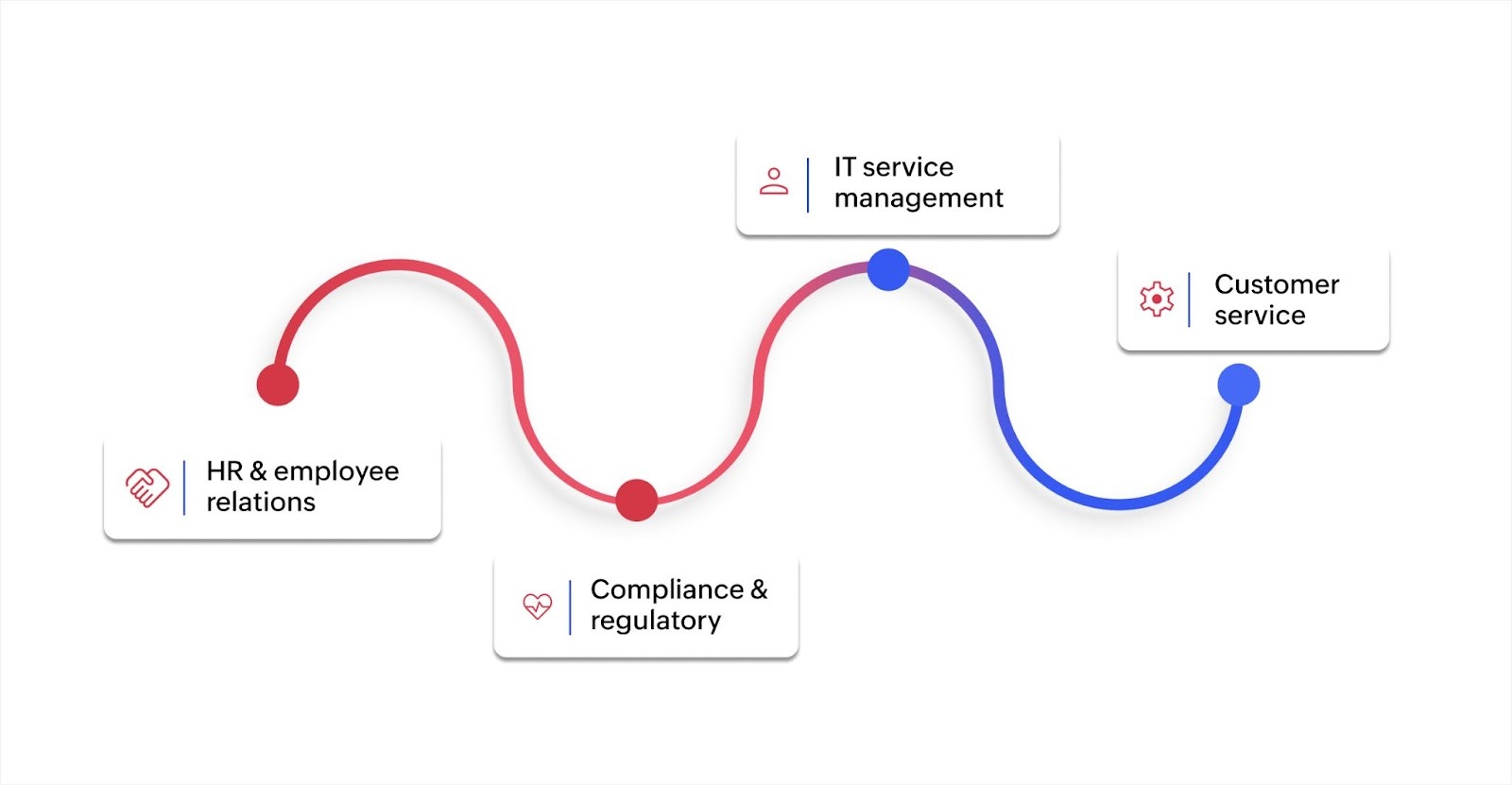
Enterprise case management software isn't built for just one team. Its value shows up across departments where structured case handling directly affects outcomes. Here's how it applies in practice:
HR and employee relations
HR teams handle cases that range from onboarding issues to policy clarification requests. Each case type follows different steps, involves different stakeholders, and carries different levels of sensitivity.
Enterprise case management software lets HR teams define separate workflows for each case type, assign reviewers, track notes, and maintain a complete record for every case. If a case requires escalation or additional review, the system routes it automatically based on rules you define.
IT service management
IT departments deal with a constant flow of service requests, incident reports, and change management tickets. Enterprise case management software organizes these into structured queues with clear ownership and priority levels.
When a server goes down, the system can automatically create a high-priority case, assign it to the on-call engineer, and notify affected stakeholders. Resolution timelines, root cause notes, and related incidents are all tracked in one record.
Compliance and regulatory
Compliance teams need to document every action taken on a case and prove that processes were followed. Enterprise case management software supports this with audit trails, time-stamped activity logs, and automated reminders for regulatory deadlines.
For instance, if a financial institution receives a suspicious activity report, the software can route it to the compliance officer, log every review step, and generate the required documentation for regulatory submission.
Customer service
Customer service teams benefit from faster case routing and better visibility into case history. When a customer contacts support about a recurring issue, the agent can see every previous interaction, what was tried, and what was promised.
The software can also track satisfaction scores, flag escalated cases, and generate reports on resolution times by category or agent. Some platforms even let you set up a customer portal where customers can submit and track their own cases without contacting support directly.
The key benefits across all these departments are the structural enhancements. Enterprise case management software replaces informal, ad-hoc processes with defined workflows that make sure every case gets handled consistently, on time, and with full accountability.
Common mistakes to avoid when adopting enterprise case management software
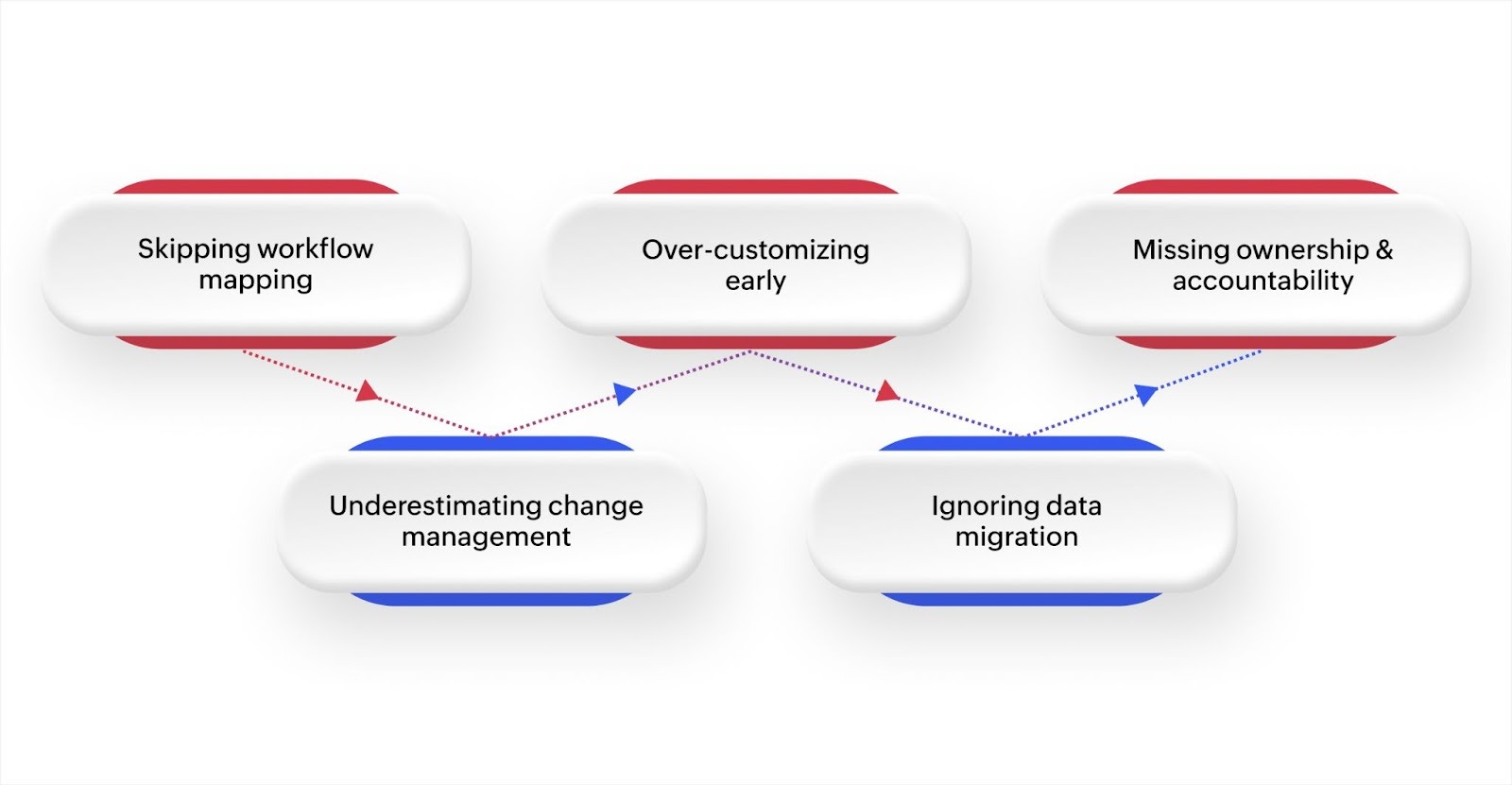
Choosing the right platform is good, but the way you implement and roll it out determines whether your team actually uses it. Here are some of the common mistakes that derail adoption and how you can avoid them:
Skipping workflow mapping before implementation
Many teams jump straight into configuring the software without first documenting how their cases actually flow today. The result is a system that doesn't match real-world processes, forcing teams to work around it instead of with it.
Before you configure anything, map out each case type's lifecycle. Identify who's involved at each step, what triggers the next step, and where delays currently happen.
Underestimating change management
Teams that have used spreadsheets or email for years won't switch overnight just because a new tool is available. Resistance usually comes from uncertainty, not stubbornness. People want to know how the new system affects their daily routine, whether their existing data will migrate, and what happens if something goes wrong.
Plan for structured onboarding sessions, assign internal champions who can answer questions, and give teams time to adjust before making the old process unavailable.
Over-customizing from day one
It's tempting to build every possible workflow, field, and automation before launch. This often backfires. Complex setups take longer to deploy, are harder to test, and overwhelm users on day one.
Start with your highest-volume case type, get that workflow running smoothly, and then expand. You'll also learn from real usage what you actually need versus what you thought you'd need.
Ignoring data migration planning
If you're moving from spreadsheets or a legacy system, data migration needs its own plan. Inconsistent formats, duplicate records, and missing fields can create problems in the new system that take weeks to clean up.
Audit your existing data before migration, define what gets carried over and what gets archived, and run a test migration before going live.
Not defining ownership and accountability
A new system without clear ownership quickly becomes another underused tool. Assign a system administrator who's responsible for configuration, user management, and ongoing optimization. Make sure every case type has a defined owner, and build accountability into the workflow with automatic escalation rules for idle or overdue cases.
The organizations that get the most value from enterprise case management software are the ones that implement it with proper upfront planning.
Build a case management system that fits your workflow with Zoho Creator
Most case management tools force your team into rigid workflows that don't match how you actually work. You end up adapting your process to the software instead of the other way around. That's a compromise you shouldn't have to make.
Zoho Creator is an AI-powered low-code application development platform that lets you build custom business applications without heavy coding. You can generate a working case management application from a simple prompt.
You can also explore prebuilt app templates, then customize them to fit your workflow. Add your own intake forms, set up automated workflows for routing and approvals, and configure dashboards to match what each team needs to see.
The platform connects with your existing CRM, ERP, and communication tools through its integration capabilities, so case data stays consistent across systems. Role-based access controls, encryption, and audit trails help you meet compliance requirements for essential data.
Sign up for free today and build a case management application that matches the way your organization actually works.
FAQ
1. What types of cases can enterprise case management software handle?
Enterprise case management software can handle any structured process that needs tracking from start to finish. This includes customer complaints, employee investigations, IT incidents, compliance filings, insurance claims, and internal audits.
2. How long does implementation typically take?
Implementation timelines vary based on complexity. A single-department rollout with one case type can take a few weeks, while a multi-department deployment with custom workflows may take two to three months.
3. Can it replace my existing ticketing system?
In most situations, yes. Enterprise case management software includes ticketing functionality along with deeper workflow automation, reporting, and compliance features that basic ticketing tools don't offer.
4. What's the difference between case management and project management software?
Project management software tracks planned tasks with defined timelines. Case management software handles unplanned, incoming items that need structured resolution, like complaints, incidents, or requests.
5. How do you measure success after adoption?
Track metrics like average resolution time, case volume per team member, overdue case rates, and first-response time. Compare these numbers against your baseline from before implementation.
 Merlin
Merlin is our in-house digital workplace content specialist. She spends part of her days combining her passion for writing with marketing. The rest of her time is spent reading manga, battling friends in online games, and discovering new music.