- HOME
- Know Your Tech
- Business application platforms: What they are and why they matter
Business application platforms: What they are and why they matter
- Last Updated : July 2, 2026
- 180 Views
- 7 Min Read
Highlights:
- A business application platform is a software foundation that lets you build, connect, and manage custom apps for your business without starting from scratch.
- Key features that make a platform effective include workflow automation, integration capabilities, low-code development, and role-based access controls.
- Platform types like ERP, CRM, project management, and BI tools each solve specific operational challenges.
- Businesses invest in these platforms to improve productivity, reduce costs, and make faster, data-backed decisions.
- Choosing the right platform requires matching features to your team's skills, industry needs, and growth plans.
What happens when your business grows faster than your tools? Teams build their own spreadsheets. Managers create workarounds. IT gets overwhelmed with requests they can't fulfill fast enough.
A business application platform solves this by giving you one place to build and manage custom apps for every department. Instead of waiting on IT for months, your teams can create the tools they need and keep operations moving.
This blog post covers what a business application platform is, the key features to look for, and how to choose one that's the right fit for your team.
What is a business application platform?
A business application platform is a software foundation that helps you build, run, and manage custom applications for your business. Instead of buying separate tools for every department, you use one platform to create apps that fit your exact processes.
For instance, a mid-sized logistics company can use a business application platform to build a shipment tracking app, an internal approval system, and a real-time dashboard for fleet performance. All three apps share the same data, follow the same security rules, and work together without manual data transfers.
The main benefit is that everything lives in one place. Instead of switching between five separate tools, your teams work within one connected system.
Why your business needs a business application platform
Approvals stuck in emails, reports that take hours to compile, and teams duplicating work across departments: A business application platform brings all of these into one connected environment. Here's what that looks like in practice:
- Centralized data: All departments pull from the same source, so reports are accurate and decisions are based on real-time information.
- Automated workflows: Repetitive tasks like approvals, notifications, and data entry happen automatically based on rules you set.
- Faster app delivery: Business application platforms let your team build and update apps in days, not months.
- Better coordination: Shared dashboards and real-time updates keep everyone on the same page without extra meetings or status emails.
- Scalable operations: As your business grows, the platform grows with it. You add new apps, users, and workflows without replacing the foundation.
When your tools work together, your teams work better. That's the practical case for adopting a business application platform.
What features make a business application platform effective
The platform you choose shapes how your team builds, connects, and manages apps every day. The right set of features depends on your business size, industry, and how much flexibility you need. Here's what consistently separates strong platforms from the rest.
Workflow automation
Manual processes slow teams down. A strong platform lets you design automated workflows visually, including multi-step approvals, conditional task assignments, and scheduled actions. For example, a purchase request can automatically route to the right manager, trigger a budget check, and send a notification once approved.
Integration capabilities
Your business already uses tools like CRMs, accounting software, and communication apps. The platform you choose should connect with them through prebuilt connectors, APIs, and webhooks. This keeps data flowing between systems without manual imports or exports.
Low-code and no-code development
Visual builders let business users design forms, dashboards, and workflows by dragging and dropping elements instead of writing code. Developers can still add custom scripts when needed, but the bulk of app creation happens visually.
For instance, platforms like Zoho Creator, an AI-powered, low-code app development platform, let teams go from idea to working app in days rather than months.
Real-time analytics and dashboards
Data is only useful if you can act on it quickly. Look for platforms that let you build custom dashboards pulling data from across your apps, so every team sees the metrics that matter to them in real time.
Security and access controls
Sensitive business data needs protection. Role-based access controls, data encryption, audit logs, and compliance with standards like system organization control 2 (SOC 2), General Data Protection Regulation (GDPR), and the Health Insurance Portability and Accountability Act (HIPAA) are non-negotiable for most businesses.
Multi-device support
Your team doesn't work from one location or one device. The platform should generate apps that work on web, mobile, and tablet without requiring separate development for each.
These features create a platform that's flexible, connected, and ready to grow with your business. The closer they match your day-to-day operations, the faster you'll see results.
How to choose the right business application platform
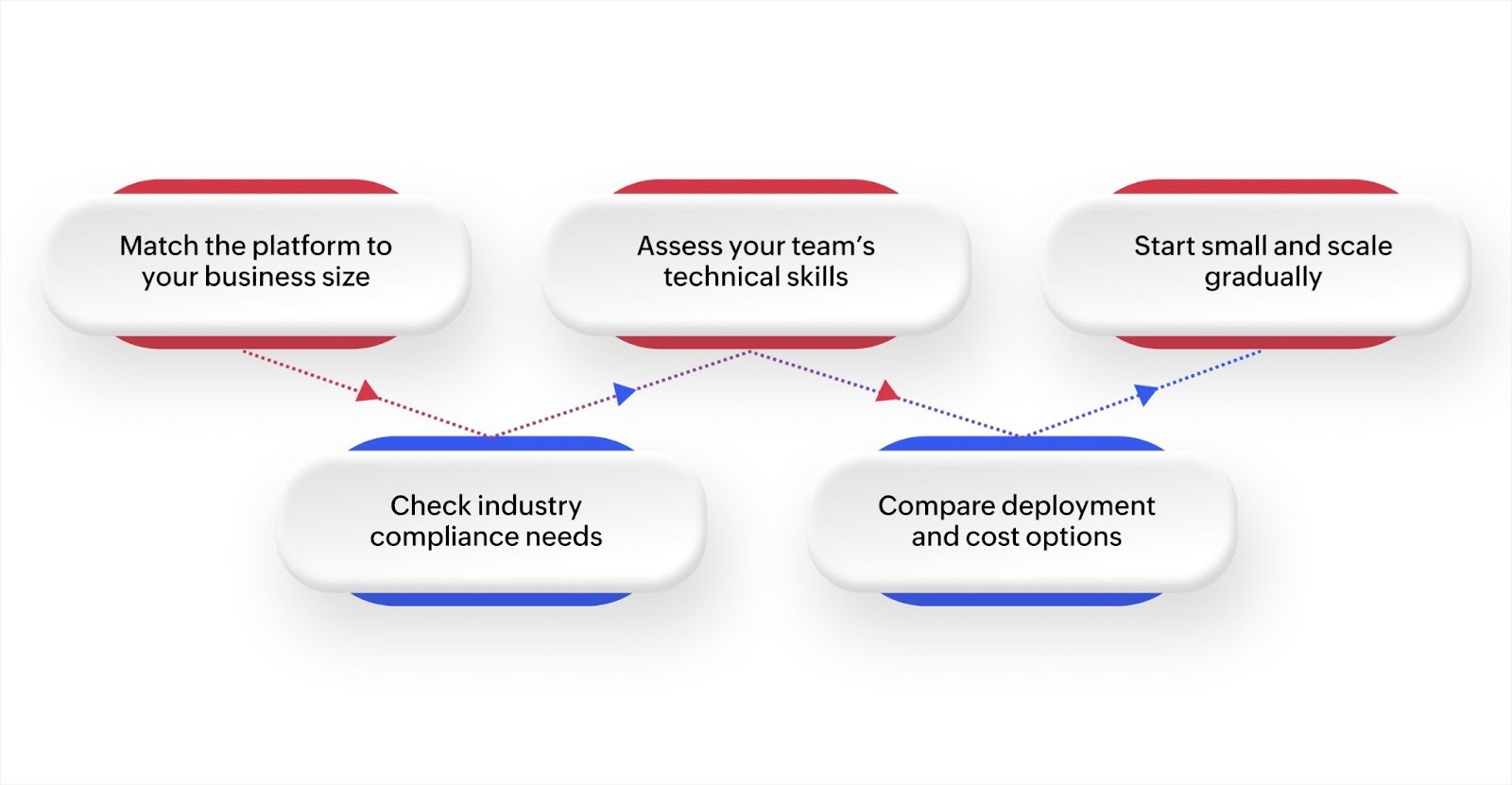
Picking a platform is a long-term decision. The wrong choice leads to underused software, frustrated teams, and wasted budget. Here's a practical framework to guide your evaluation.
Match it to your business size
A 50-person company and a 5,000-person enterprise have very different needs. Smaller teams benefit from platforms with quick setup and intuitive interfaces. Larger organizations need platforms that handle high data volumes, complex workflows, and role-based permissions for hundreds of users.
Check industry-specific needs
Some industries have strict compliance and reporting requirements. Healthcare organizations need HIPAA-ready platforms. Financial services need audit trails and data encryption. Choose a platform that supports your industry's standards so you don't have to build compliance from scratch.
Evaluate your team's technical skills
If your team includes experienced developers, a platform with deep customization and scripting options makes sense. If most users are non-technical, prioritize platforms with strong low-code capabilities and visual builders. The best platforms support both, so everyone on your team can contribute.
Consider deployment and cost
Cloud platforms offer flexibility and lower upfront costs. On-premise solutions give you more control over data. Hybrid setups offer a mix of both. Factor in total cost of ownership, including licensing, maintenance, training, and scaling costs—not just the sticker price.
Start small and expand
Don't try to roll out everything at once. Begin with one high-priority department or process. Gather feedback, refine your setup, and expand to other teams gradually. Platforms that support modular deployment make this approach much easier.
The right platform fits your business today and adapts as your needs change. Investing time in the evaluation process upfront saves you from costly migrations later.
Common challenges and how to handle them
Adopting a new platform comes with hurdles. Planning for them upfront keeps your rollout on track.
- Integration complexity: Connecting a new platform with existing tools can create data mismatches. Look for platforms with prebuilt connectors and standardized APIs to reduce friction.
- User adoption: A platform only works if people use it. Intuitive interfaces, role-specific dashboards, and built-in guidance help teams get comfortable faster without extensive training.
- Data security: Handling sensitive business data requires strong controls. Prioritize platforms with encryption, granular permissions, and audit logs that meet your compliance requirements.
- Ongoing maintenance: Regular updates and performance monitoring are essential. Platforms with automated updates and built-in diagnostics reduce the burden on your IT team.
- Scaling pressure: As your business grows, data volumes and user counts increase. Cloud-native platforms with auto-scaling capabilities handle this growth without manual intervention.
Handling these challenges early keeps your implementation smooth and ensures the platform delivers long-term value. The key is to choose a platform that handles these concerns natively rather than requiring custom workarounds.
Build custom business apps faster with Zoho Creator
You need a platform that lets your team start building quickly without a long setup process or heavy developer involvement. Zoho Creator is built exactly for that purpose, letting you design workflows, connect data sources, and deploy apps across web and mobile from a single environment.
With its visual workflow automation tools, you can set up multi-step approvals, task assignments, and notifications that trigger automatically based on your business rules. The platform also connects with 1,000+ tools through integration flows and APIs, so your existing systems stay connected without manual data transfers.
Real-time dashboards give every team visibility into the metrics that matter, and mobile app support ensures your people can access everything they need from any device. Role-based access controls and compliance-ready security features keep your data protected as you scale.
Sign up for free today and see how quickly your team can build apps that fit the way you work.
FAQ
1. How long does it take to build an app on a business application platform?
With low-code tools, simple apps can be ready in hours or days. More complex application systems with custom workflows and integration setups can take weeks.
2. Do you need coding skills to use a business application platform?
Most modern platforms offer visual builders that let non-technical users create apps. Developers can extend functionality with custom scripts when needed.
3. Can a business application platform replace existing software?
It can replace some tools, especially custom spreadsheets and standalone apps. For established systems like ERPs or CRMs, platforms often integrate with them rather than replace them.
4. What industries benefit most from business application platforms?
Every industry benefits, but logistics, healthcare, manufacturing, retail, and professional services see the fastest ROI because of their complex, multi-step processes.
5. Can business application platforms scale with a growing company?
Yes, cloud-based platforms auto-scale to handle increasing data volumes, users, and workflows. Choose a platform with modular architecture so you can expand features gradually.
 Bharathi Monika Venkatesan
Bharathi Monika Venkatesan is a content writer at Zoho Creator. Outside of work, she enjoys exploring history, reading short novels, and cherishing moments of personal introspection.