- HOME
- Know Your Tech
- AI-powered agile app development: A guide for modern teams
AI-powered agile app development: A guide for modern teams
- Last Updated : September 1, 2026
- 0 Views
- 8 Min Read
You planned the sprint carefully. Two weeks later, half the backlog is still open. Estimates were off, testing took longer than expected, and a last-minute scope change pushed the timeline back further.
AI-powered agile app development helps teams plan with better accuracy and respond to changes without losing momentum. It automates the manual work that slows down every sprint.
Highlights
- AI-powered agile app development adds automation and data-driven insights to existing agile workflows without replacing the methodology.
- AI improves sprint planning accuracy by analyzing past velocity, workload patterns, and historical data.
- Automated code review and testing catches bugs earlier in the cycle, reducing the cost of fixing issues in production.
- Teams using AI in agile workflows see faster release cycles because manual overhead in testing and deployment decreases.
- AI helps with resource allocation by matching task complexity with team availability and skill sets.
This article covers how AI fits into agile workflows, where it reduces friction the most, and what to keep in mind before adopting it.
What is AI-powered agile app development?
AI-powered agile app development is the practice of using artificial intelligence (AI) tools within agile workflows to automate repetitive tasks, improve decision-making, and speed up delivery. It doesn't replace agile—it makes the process work better by handling the manual parts that slow teams down.
In a typical agile setup, your team plans sprints, writes code, reviews it, tests it, and deploys. AI fits into each of these stages. It can estimate story points based on past sprint data, review code for common issues, run automated tests, and flag risks before they become obstacles.
For instance, a development team working on a customer-facing mobile app can use AI to auto-generate test cases every time new code is pushed. Instead of writing tests manually for each feature, the AI tool creates them based on the code changes, saving hours per sprint. The team still reviews and approves, but the repetitive work is handled.
The key distinction is that AI-powered agile keeps your team in control. AI handles pattern recognition, repetitive analysis, and data processing within your existing agile software development process. Your developers and product managers still make the strategic calls on what to build, how to prioritize, and when to ship.
How AI improves each stage of the agile development cycle
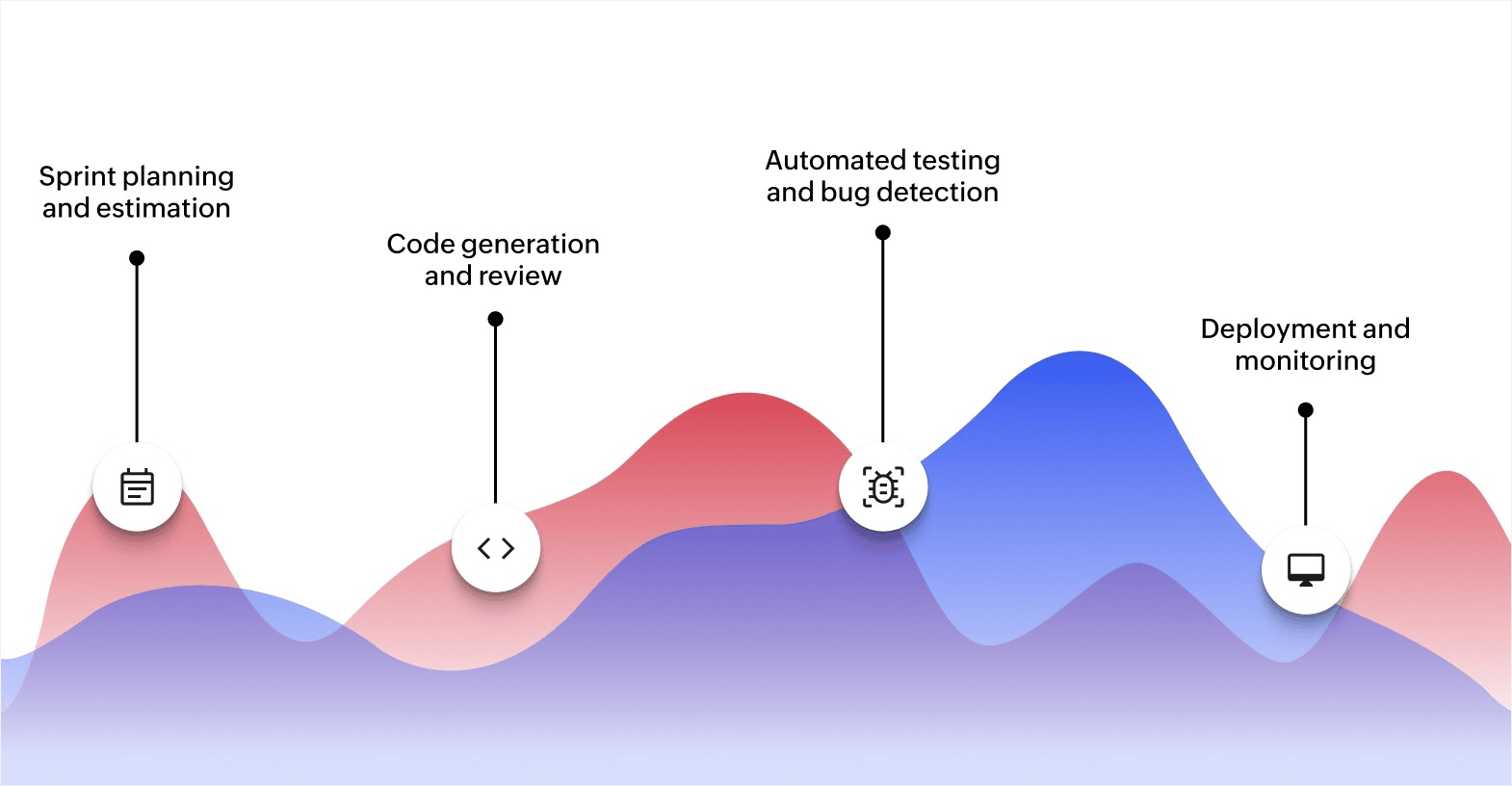
AI adds value across the full development life cycle, not just in one area. Each stage of an agile sprint, from planning through deployment, has tasks that AI can handle faster and more consistently than manual effort.
Sprint planning and estimation
Sprint planning often relies on team experience and gut feeling. AI changes that by analyzing historical sprint data, including completed stories, actual time spent, and past velocity trends to suggest more accurate estimates.
For example, if your team consistently underestimates back-end integration tasks, an AI tool can flag that pattern and adjust estimates accordingly. This means fewer unfinished stories at the end of a sprint and a backlog that reflects realistic capacity.
AI also helps with task prioritization. It can analyze dependencies, deadlines, and team availability to recommend which stories should go into the current sprint. Your product manager still makes the final call, but with better data to back it up.
Code generation and review
AI-assisted code generation tools help developers write code faster by suggesting completions, generating boilerplate, and even drafting functions based on natural language descriptions. This reduces the time spent on routine coding tasks.
On the review side, AI scans code for common vulnerabilities, style inconsistencies, and performance issues before a human reviewer looks at it. This means pull requests arrive cleaner, reviews go faster, and fewer issues make it to production. The developer still owns the logic and architecture, but AI handles the pattern-matching and quality checks.
Automated testing and bug detection
Manual testing is one of the biggest time drains in agile development. AI-powered tools create and run test cases automatically based on code changes. They identify which parts of the application are most likely to break and prioritize testing there.
For instance, if a team pushes a change to the payment module, AI can automatically run regression tests on related features like order processing and receipt generation. It catches issues that manual testing might miss because it can cover more ground in less time.
AI also learns from past bugs. It identifies patterns where defects tend to appear and flags high-risk areas early in the sprint. This shifts bug detection from reactive to proactive.
Deployment and monitoring
AI helps with deployment by automating continuous integration and delivery pipelines. It can decide when a build is stable enough to deploy, roll back automatically if issues arise, and monitor application performance in real time after release.
Post-deployment, AI tracks user behavior, error rates, and performance metrics. If something looks off, it flags it immediately so your team can respond before users are affected. This closes the feedback loop between what you build and how it performs in production.
Each stage benefits from AI in a different way, but the common thread is less manual work and more accurate information for your team to act on.
Where AI-powered agile makes the biggest difference
AI adds the most value in areas where manual effort creates bottlenecks or where human estimation is inconsistent. Here are the areas where teams see the clearest results:
- Faster release cycles: Automated testing, code review, and deployment pipelines reduce the time between writing code and shipping it. Teams can release more frequently without cutting corners on quality.
- More accurate sprint estimates: AI analyzes past sprint data to produce estimates grounded in actual performance, not optimistic guesses. This leads to better capacity planning and fewer incomplete sprints.
- Earlier bug detection: AI-powered testing catches issues during development, not after deployment. Fixing a bug during a sprint costs far less than fixing it in production.
- Reduced manual overhead: Tasks like writing test cases, reviewing boilerplate code, and updating documentation are time-consuming but low-complexity. AI handles these so developers spend time on higher-value work.
- Better team coordination: AI tracks progress, flags blockers, and suggests resource reallocation in real time. This helps distributed teams stay coordinated without adding more meetings.
- Data-backed decisions: Sprint retrospectives become more productive when AI provides data on what actually happened, including cycle times, defect rates, and velocity trends, rather than relying on memory alone.
The cumulative effect is a development process that moves faster, produces better results, and gives your team more time for the work that requires human creativity and judgment. If you're still building your agile workflows, getting the foundation right makes AI adoption even more effective.
What to watch out for when adopting AI in agile workflows
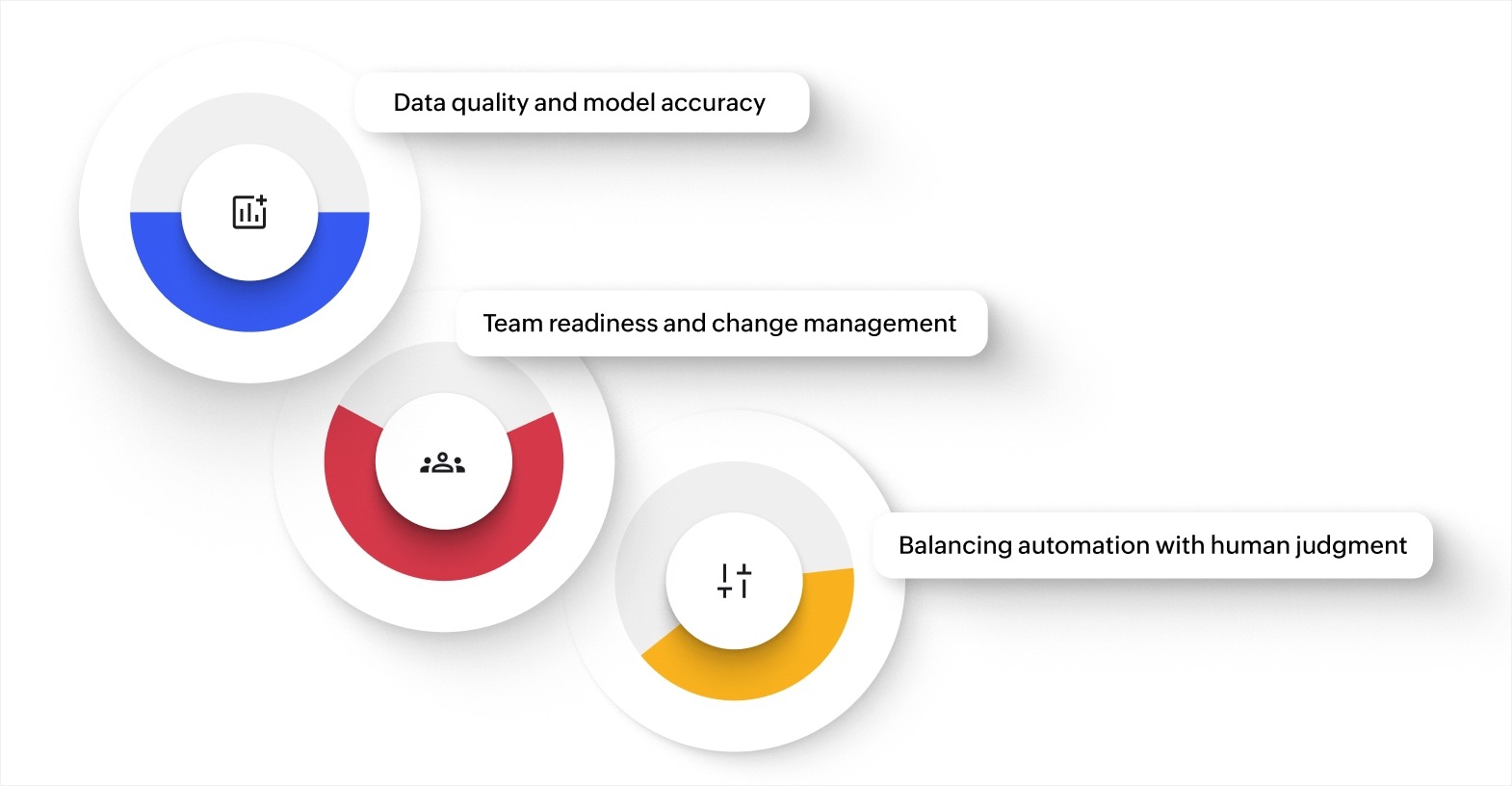
AI adoption in agile development isn't plug and play. Teams that rush into it without preparation often end up with tools that don't fit their workflow or produce unreliable results. Here's what to plan for:
Data quality and model accuracy
AI tools are only as good as the data they work with. If your project management data is incomplete, inconsistent, or outdated, AI predictions will be off. Sprint estimates based on bad historical data lead to worse planning, not better.
Before adopting AI tools, clean up your existing data. Make sure story points, time logs, and sprint outcomes are recorded consistently. Start with a small pilot, such as one team or one project, and validate AI suggestions against actual results before scaling.
Team readiness and change management
Introducing AI tools changes how your team works. Some developers may worry about AI replacing their role. Others may resist changing workflows they're comfortable with.
Address this early. Be clear that AI handles the repetitive parts of development, not the creative or strategic parts. Involve your team in selecting and configuring AI tools so they feel ownership over the change. Provide training focused on practical, day-to-day usage rather than abstract AI concepts.
Balancing automation with human judgment
AI can automate testing, flag code issues, and suggest sprint plans. It can't make judgment calls about product direction, user experience, or architectural trade-offs. The risk is leaning too heavily on AI for decisions that require context only humans have.
Set clear boundaries. Define which tasks AI handles autonomously (running tests, generating reports) and which tasks require human review (merging code, approving sprint scope, making design decisions). This keeps AI as a tool your team controls, not one that controls them.
Getting these three areas right determines whether AI integration improves your agile process or adds friction to it. Teams that understand the differences between traditional and agile methodologies are better positioned to introduce AI without disrupting what already works. For organizations pursuing broader digital transformation, getting these foundations right early pays off as you scale.
Build AI-powered agile apps faster with Zoho Creator
Adopting AI in your agile workflow often means stitching together separate tools for planning, building, testing, and deployment. That adds integration overhead and creates new coordination challenges—the opposite of what agile is supposed to deliver.
Zoho Creator is an AI-powered low-code application development platform that brings app building, automation, and AI capabilities into one environment. Your team can go from idea to working application within a single sprint, using drag-and-drop builders and prebuilt templates instead of writing everything from scratch.
Zoho Creator's AI-powered features help your team build smarter. You can set up automated workflows that handle task assignments, approvals, and notifications without manual intervention. Real-time dashboards give your team instant visibility into project progress and app performance. Plus, with 1,000+ integrations, you can connect Zoho Creator to the tools your team already uses.
Every app you build runs natively on web, iOS, and Android, so your team and users can access it from any device. Sign up for free today and see how quickly your team can build, test, and iterate on custom apps within your agile workflow.
FAQ
1. How does AI-powered agile differ from traditional agile?
Traditional agile relies on manual effort for estimation, testing, and coordination. AI-powered agile automates these repetitive tasks and provides data-backed recommendations, making each sprint more efficient and predictable.
2. What types of apps benefit most from AI-powered agile development?
Apps with frequent release cycles, complex testing needs, or large codebases benefit the most. Customer-facing apps, internal tools, and SaaS products all see improvements in speed and quality.
3. Do you need a large team to adopt AI-powered agile?
No. Smaller teams often benefit more because AI handles tasks they don't have enough people to cover manually. Automated testing and code review reduce the workload per developer.
4. How long does it take to see results after adopting AI in agile workflows?
Most teams see measurable improvements within two to three sprint cycles. Initial gains usually come from automated testing and better estimation accuracy.
5. What skills does a team need to start using AI in agile development?
Familiarity with agile practices and basic comfort with configuring software tools. You don't need machine learning expertise. Most AI development tools are designed for teams that want results without building models from scratch.
 Bharathi Monika Venkatesan
Bharathi Monika Venkatesan is a content writer at Zoho Creator. Outside of work, she enjoys exploring history, reading short novels, and cherishing moments of personal introspection.