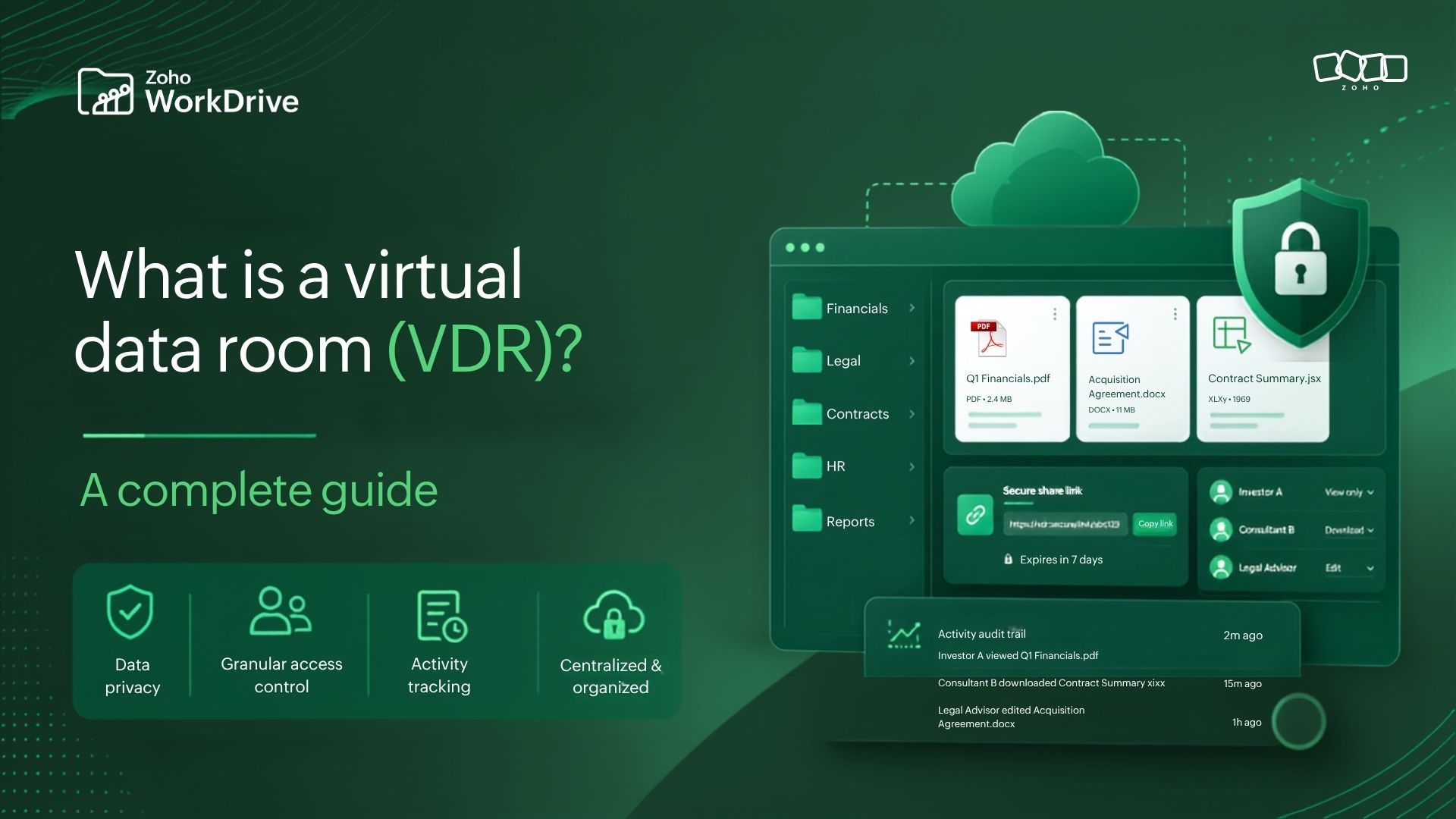
What is a virtual data room (VDR)? A complete guide
- Last Updated : August 3, 2026
- 158 Views
- 9 Min Read

The biggest risk in your next business transaction may not be the transaction itself.
It could be the financial spreadsheet sent as an email attachment. The confidential report downloaded to a personal device. Or the project folder shared using an unrestricted public link.
Mergers, acquisitions, fundraising rounds, audits, legal reviews, and other high-stakes business processes depend on organizations sharing sensitive information with multiple stakeholders. Yet many teams still rely on email and general-purpose file storage—creating security gaps, version confusion, limited oversight, and compliance risks.
A virtual data room provides a more controlled way to manage this exchange.
What is a virtual data room?
A virtual data room, or VDR, is a secure online workspace used to store, organize, and share confidential business documents. It gives organizations granular control over who can access information, what they can do with it, and how every interaction is tracked.
Unlike basic file-sharing tools, a virtual data room is designed for business processes in which confidentiality, governance, and accountability are critical. It enables internal teams and external stakeholders to collaborate on sensitive information without compromising visibility or control.
Why organizations use virtual data rooms
Sharing confidential information with external stakeholders creates questions that ordinary file storage does not always answer:
Who should have access?
Which documents can they view?
Can files be downloaded, printed, or reshared?
Has a stakeholder opened a particular document?
Can access be revoked immediately?
Is every interaction recorded for compliance or review?
A general cloud storage platform may address some of these requirements. A virtual data room is designed to address them together.
The value of a VDR is therefore not simply secure storage. It is the ability to create a governed environment around sensitive content—one in which access, collaboration, and document activity remain under the organization’s control.
Why organizations use virtual data rooms
Sharing confidential information with external stakeholders creates questions that ordinary file storage does not always answer:
Who should have access?
Which documents can they view?
Can files be downloaded, printed, or reshared?
Has a stakeholder opened a particular document?
Can access be revoked immediately?
Is every interaction recorded for compliance or review?
A general cloud storage platform may address some of these requirements. A virtual data room is designed to address them together.
The value of a VDR is therefore not simply secure storage. It is the ability to create a governed environment around sensitive content—one in which access, collaboration, and document activity remain under the organization’s control.
When do businesses need a virtual data room?
Virtual data rooms are most valuable when organizations must share sensitive information across business or organizational boundaries.
Mergers and acquisitions
During due diligence, businesses may need to share financial statements, contracts, intellectual property records, employee information, compliance documents, and operational data with potential buyers and advisors.
A VDR enables this information to be organized, released selectively, and monitored throughout the transaction.
Fundraising
Startups and growing companies use virtual data rooms to provide investors with controlled access to pitch decks, financial models, capitalization tables, contracts, corporate records, and compliance documentation.
This gives investors the information they need without exposing the company’s wider internal workspace.
Legal reviews
Law firms, legal departments, clients, and external counsel frequently exchange confidential case files, agreements, evidence, and supporting documentation.
A VDR helps maintain clear access boundaries while preserving an auditable record of activity.
Financial audits
Auditors often require access to accounting records, invoices, tax documents, financial statements, and compliance reports.
Rather than exchanging documents across lengthy email threads, organizations can provide structured, time-bound access to a central repository.
Board communications
Board papers, meeting minutes, strategic plans, financial projections, and other executive documents require a higher level of confidentiality than everyday business files.
A controlled workspace reduces the risk of accidental exposure while helping administrators maintain visibility over access.
Procurement and vendor onboarding
Procurement teams may need to exchange contracts, pricing documents, certifications, policies, and vendor information with multiple external parties.
A VDR-style workspace keeps this process organized while limiting each participant’s access to relevant information.
Virtual data room vs cloud storage
Cloud storage and virtual data rooms both allow organizations to store and share files. Their purpose, however, is different.
Cloud Storage | Virtual Data Room |
Designed for general file storage and collaboration | Purpose-built for confidential document sharing |
Provides standard access permissions | Provides granular, transaction-specific controls |
Offers varying levels of activity visibility | Maintains detailed audit trails |
Makes external sharing convenient | Makes external collaboration controlled and traceable |
Focuses primarily on file access and productivity | Focuses on governance, security, and accountability |
Suited to everyday teamwork | Suited to due diligence, audits, fundraising, legal reviews, and other sensitive workflows |
Cloud storage helps teams store and work on files. A virtual data room helps organizations share business-critical information without losing control over how it is accessed and used.
The distinction becomes especially important as the number of external participants, confidential documents, and regulatory obligations increases.
Essential virtual data room features
Choosing a virtual data room should not be reduced to comparing storage capacity or subscription prices. The right platform must support the complete lifecycle of confidential information—from organization and access to collaboration, monitoring, and eventual revocation.
Granular access permissions
Administrators should be able to define what each user or stakeholder can do, including whether they can:
View files
Upload content
Edit documents
Download files
Print documents
Share information with others
Permissions should be configurable according to the organization’s structure, ideally at the workspace, folder, file, group, or user level. This is essential because not every participant in a transaction should receive the same degree of access.
Secure external collaboration
Investors, auditors, legal teams, consultants, customers, and vendors should be able to work with relevant documents without entering the organization’s wider internal environment.
Important controls may include:
Password-protected sharing
Link expiration
User or domain restrictions
Download and print controls
Watermarking
Immediate access revocation
Secure collaboration is not about preventing external access. It is about providing the right access under clearly defined conditions.
Version control
High-stakes decisions must be based on the correct information. A VDR should maintain document history, make the latest version clearly identifiable, and reduce the need for teams to create files such as “Final,” “Final V2,” and “Final Approved.”
Strong version control prevents outdated documents from continuing to circulate after a revision has been made.
Audit trails
Every important interaction should be recorded, including:
File views
Downloads
Uploads
Edits
Comments
Sharing activity
Permission changes
User access updates
Detailed audit logs provide accountability, support compliance reviews, and help administrators understand how stakeholders are engaging with the information provided.
Enterprise-grade security
A VDR should protect information at the platform, user, and administrative levels. Relevant capabilities may include:
Encryption at rest and in transit
Multi-factor authentication
Role-based access control
Device and session management
Data loss prevention policies
Administrative security controls
Relevant compliance certifications
Security should not depend on individual users remembering to handle every file correctly. It should be built into the way the workspace operates.
Structured document management
Complex transactions may involve hundreds or thousands of documents. A well-designed VDR should help teams:
Build a logical folder structure
Categorize information consistently
Apply metadata or labels
Find documents quickly
Identify missing information
Minimize duplication
Poor organization creates more than an inconvenience. It delays reviews, generates repeated requests, and makes it harder to determine whether all required information has been provided.
Collaboration and workflow tools
Modern virtual data rooms should support more than passive document access. Depending on the use case, teams may need:
Comments and contextual discussions
File requests
Review and approval workflows
Notifications
Integrated document editing
Real-time collaboration
The objective is not to add unnecessary activity around documents. It is to help stakeholders move the underlying business process forward without taking sensitive content outside the governed environment.
How a virtual data room supports business workflows
Imagine a company preparing for acquisition.
Without a VDR:
Finance emails spreadsheets.
Legal sends contracts separately.
HR uploads employee records to another folder.
Buyers request missing files repeatedly.
Multiple document versions circulate.
No one knows which files have been accessed.
With a virtual data room:
Every document lives in one secure location.
External users receive role-based access.
Every activity is tracked automatically.
Teams collaborate on a single version.
Sensitive documents remain protected.
Administrators retain complete visibility throughout the process.
Instead of managing files, teams manage the transaction.
Checklist: What to look for in a virtual data room
Before selecting a solution, evaluate whether it can answer the following questions:
Can permissions be configured for different stakeholder groups?
Can external users collaborate without accessing internal content?
Are file views, downloads, edits, and permission changes recorded?
Can access be revoked immediately?
Can downloads, printing, and resharing be restricted?
Does the platform maintain version history?
Can large document sets be organized and searched efficiently?
Is the experience intuitive for non-technical users?
Does it support the organization’s security and compliance requirements?
Can it integrate with existing productivity and business tools?
Can the platform scale across additional teams and use cases?
Can administrators manage the environment without depending on manual workarounds?
The right choice should reduce operational complexity while increasing control. A platform that is secure but difficult to use may encourage stakeholders to return to email and other ungoverned channels.
How Zoho WorkDrive can support virtual data room workflows
Not every organization needs a separate, transaction-only VDR platform.
Many businesses need secure document collaboration for due diligence, audits, legal reviews, client projects, vendor onboarding, and other confidential workflows—but they also need the same content to remain connected to everyday business operations.
Zoho WorkDrive helps organizations create controlled workspaces for managing sensitive business information. Relevant capabilities include:
Team Folders for centralized content management
Granular roles and access permissions
Secure external sharing with password and expiration controls
File version history and recovery
Activity tracking and audit visibility
Data Loss Prevention policies
Review and approval workflows
Intelligent search
Real-time collaboration through the Zoho Office Suite
Enterprise administration and governance controls
This allows teams to manage confidential collaboration without repeatedly moving documents between an everyday content platform and a separate repository.
For example, an organization can create a dedicated Team Folder for an audit, fundraising round, vendor assessment, or legal project. It can then organize the required documents, assign access according to each stakeholder’s role, monitor activity, maintain version history, and revoke access when the engagement ends.
This approach is particularly useful for organizations that want VDR-style controls within a broader content management environment.
Zoho WorkDrive is not positioned solely as a standalone virtual data room. It is a secure content collaboration platform that can support many of the workflows for which organizations commonly consider a VDR.
Best practices for managing a virtual data room
Technology provides the controls, but the quality of the process still depends on how the workspace is configured and managed.
Apply the principle of least privilege
Give every participant only the access required to complete their role. Avoid granting broad permissions for convenience.
Organize documents before inviting stakeholders
Create a clear folder structure, use consistent file names, remove obsolete documents, and confirm that required information is complete before opening the workspace.
Separate stakeholder groups
Investors, legal advisors, auditors, employees, and vendors may require access to different information. Configure separate roles or folders rather than treating all external users as a single group.
Maintain one source of truth
Avoid uploading the same document to multiple folders or distributing separate copies through email. Use version history to manage revisions within the central workspace.
Review permissions regularly
Access requirements can change as a transaction progresses. Review permissions at key stages and remove access that is no longer necessary.
Monitor activity
Use audit and activity reports to identify whether key documents have been viewed, whether unexpected downloads have occurred, and whether access patterns require attention.
Communicate document updates clearly
When important files are added or revised, notify the relevant stakeholders through the platform rather than creating a separate communication trail around the document.
Revoke access when the process ends
Do not allow temporary transaction access to become permanent. Remove external users, disable links, and archive the workspace according to your organization’s retention policies.
Frequently asked questions
What is a virtual data room used for?
A virtual data room is used to securely store, organize, and share confidential business documents. It is commonly used during mergers and acquisitions, fundraising, audits, legal reviews, board communications, procurement, and other processes that require controlled access and detailed activity tracking.
What is the difference between a virtual data room and cloud storage?
Cloud storage is designed primarily for general file storage, sharing, and everyday collaboration. A virtual data room places greater emphasis on confidential document exchange, granular permissions, audit trails, restricted sharing, governance, and accountability.
Who needs a virtual data room?
Startups, SMBs, enterprises, law firms, financial institutions, consulting firms, healthcare organizations, and other businesses may need a virtual data room when they share sensitive documents with internal or external stakeholders.
The requirement depends less on company size and more on the sensitivity of the information and the level of control the workflow demands.
Can Zoho WorkDrive be used as a virtual data room?
Zoho WorkDrive can support many virtual data room workflows through secure external sharing, granular permissions, version history, activity tracking, approval workflows, Data Loss Prevention policies, and enterprise governance controls.
Organizations should evaluate their specific transaction, regulatory, and security requirements to determine whether WorkDrive provides the controls they need.
Are virtual data rooms secure?
Virtual data rooms are designed to provide stronger control over confidential document sharing through capabilities such as encryption, multi-factor authentication, access restrictions, audit logs, version control, and governance policies.
However, security also depends on correct configuration, regular permission reviews, disciplined document management, and responsible user behavior.
Final thoughts
As organizations exchange increasing volumes of confidential information, secure storage alone is no longer enough. They also need to control who can access content, understand how it is being used, maintain a reliable source of truth, and preserve accountability throughout the process.
A virtual data room is therefore more than a protected place to upload documents. It is a governed environment for managing the flow of sensitive information across investors, customers, auditors, legal teams, partners, and other stakeholders.
For many growing organizations, the goal should not be to add another isolated repository. It should be to create a connected content workflow in which secure collaboration, document governance, and everyday productivity work together.
Zoho WorkDrive helps businesses manage sensitive information with controlled external sharing, structured document management, collaboration tools, and enterprise governance—all within a unified content platform.
Secure your most important business documents with confidence.
Explore how Zoho WorkDrive can help your teams collaborate securely, maintain control over sensitive information, and manage business-critical documents from creation to completion.