
Contests
Contests can help energize salespeople and boost performance. Use them to increase engagement among your teams.
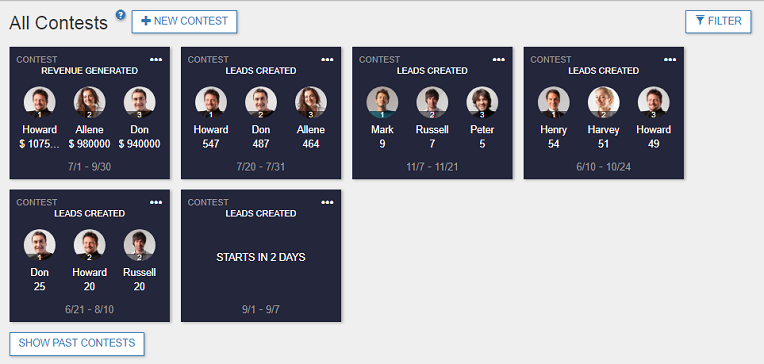
In the Contests page, administrators can view, add, delete, and edit all contests while anyone else can only view contests in which they are participants or observers.
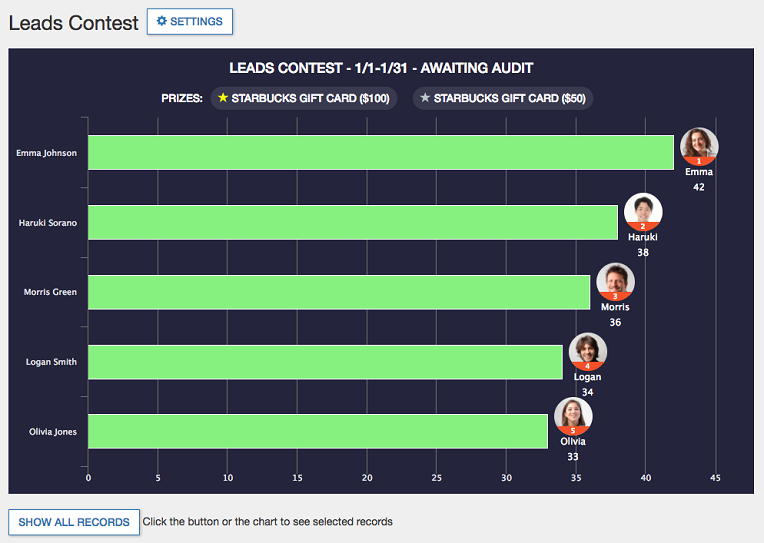
Clicking on a contest will display the Contest Details page including leaderboard, rules, and prizes (if any).
Contests Page
Detail View
Availability
- The free plan supports just one active contest at any given time.
- Only Administrators can create Contests and only active Motivator users can be added as participants or observers.
Create Contests
Start new contests for the company, teams, and individuals.
Create New Contest from Existing KPIs | Create New Contest from Scratch | Create New Contest from Existing Contest (Clone) | Module-neutral Contests
Behavioral Rules
Behaviors define what a contest is about. If you create a contest from the Action Menu icon [...] of a KPI or Target, the behaviors are auto-populated for you.
Add Behavior | Choose the CRM module you want to track | Copy rules from an existing behavior? | Point Computation | Record Selection | Point Recipient | Only include records when they satisfy | Other Custom Rules (optional)
Contest Status
Proceedings of contests in your organization are categorized in various statuses.
Manage Contests
Access easily to the contests which you are participating or observing. Edit, filter, or delete the contests that are already set and announce results when the contest is over.
Participating | Observing | Edit Contest | Filter Contest | Delete Contest | Announce Results