- HOME
- Work Culture
- The ultimate document management guide: 2026
The ultimate document management guide: 2026
- Last Updated : June 29, 2026
- 172 Views
- 6 Min Read

It's a Friday afternoon and you are preparing to send a proposal to your client. You finally receive the file after several minutes checking your email and various messaging channels. The name says "Proposal_final.docx". But you notice another teammate in the same folder working on a file named "Proposal_final_V2.docx". A third teammate asks, on a different thread, whether the final pricing was approved by the legal team. Does this sound familiar?
Team members need a single place where they can all work on the same version of the file, know who has accessed it, and see the changes that have happened since they last viewed it.
This solution is called a document management system, or DMS in short. And an effective document management content works when it is tied to a properly planned workflow. Welcome to yet another blog post from Zoho WorkDrive, where we will walk you through how a DMS works and share a practical workflow that you can implement in your organization.
What is a document management system?
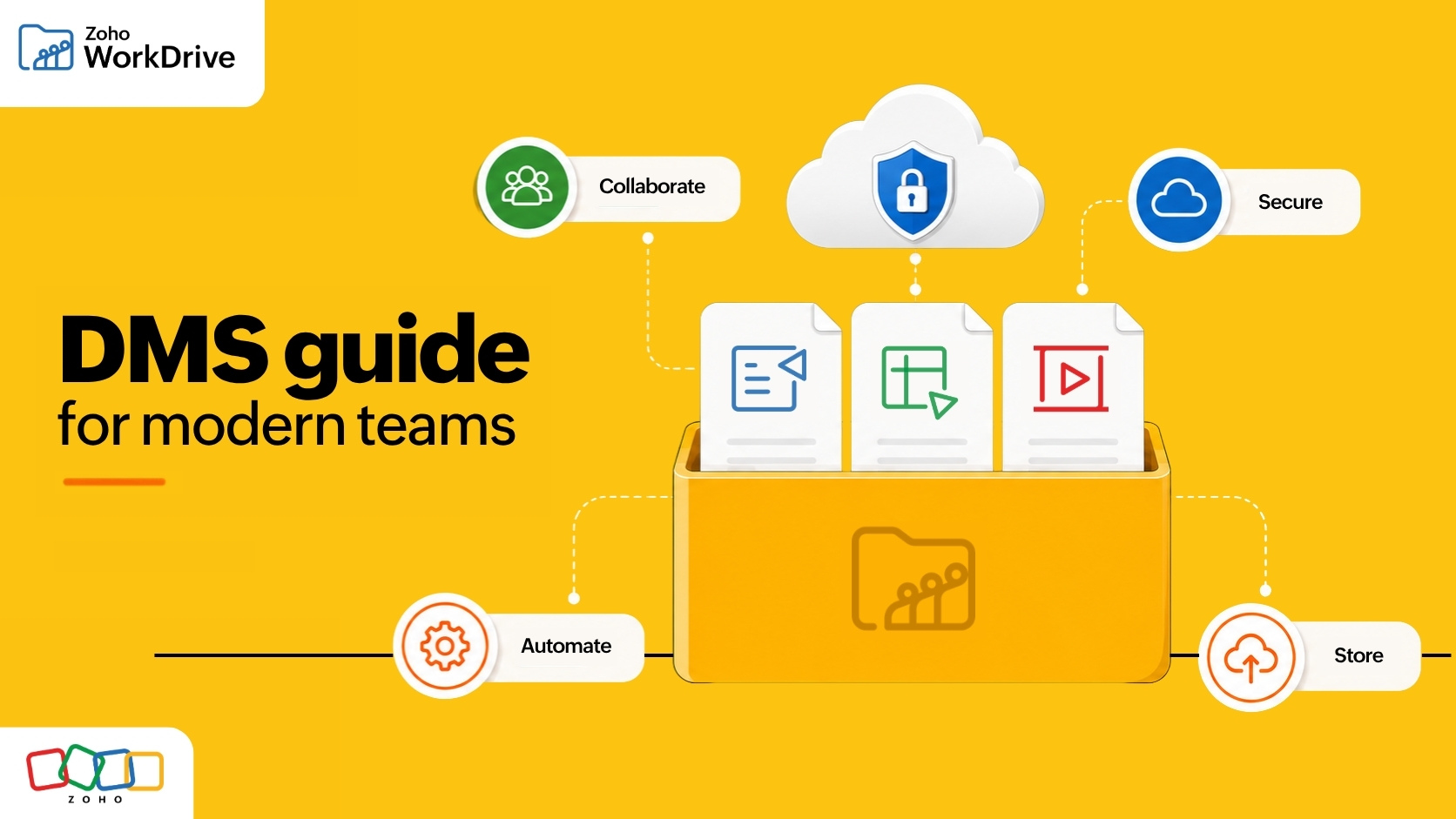
A document management system (DMS) is a business application that stores, organizes, and secures digital documents throughout their lifecycle. It replaces scattered folders and email attachments with a single unified storage location that empowers teams to find the right file, work on the right version, and effectively control access.
In simple terms, storage tells a user where the file is located. A DMS governs how that file is made usable, searchable, versioned, and secured. The primary goals are to support the work involving the file and maintain a clear audit trail.
Why does document management matter now?
We are at this point in the information age where creation of data is measured at a very large scale. And for any business, data is undoubtedly a valuable asset. But the volume of data does present challenges.
This is not just a storage problem—unorganized data takes a toll on productivity. Knowledge workers devote up to one fifth of each week to searching and gathering information. For SMBs, this cost equals lost work hours and opportunities. At the enterprise level, organizations face potential compliance violations and strategic decisions made based on the wrong information.
The rise of AI is also increasing the importance of using a DMS effectively. As AI penetrates deeper into our everyday tasks, the stakes get higher. This is because when AI inherits unorganized data, it results in more inaccurate responses. An effective document management system is the layer that defines the content and makes it useful.
Core capabilities of a DMS
To a beginner, a DMS can come with multiple levels of jargon. But the real capabilities can be boiled down to a few easy-to-understand individual functions.
Centralized storage:
A unified repository where documents are stored, irrespective of whether they are uploaded, scanned, or created in real-time.
Version control:
A system where every edit saved as a separate new version. This enables version comparison and restoration.
Search and retrieval:
A strong search module that goes beyond just file names to find keywords inside documents. It should include search capabilities like Optical Character Recognition (OCR), Object Detection (OD), and the ability to look up tagged files based on client, region, or department.
Access controls:
Role-based access protocol decides which team member can view, edit, share, and download the files. This is the foundation of both collaboration and security.
Security and compliance:
Encryption, customizable sharing controls, effective data loss prevention, and process selective audit trails protect sensitive information. This keeps the firm aligned with regulatory requirements.
Workflows and collaboration:
This is the ability of a DMS to route a document across departments for processes like review, approval and sign-off. Combined with options like custom functions, a user can customize workflows to a greater extent and automate collaborative actions back and forth.
Governance:
The last, but most important aspect of a DMS is having stable rules for how documents are classified. This makes sure that the repository stays a knowledge system rather than a data storage location.
How a document management system works
A DMS isn't based on a single feature; it supports the entire document lifecycle. Here's a path a typical document travels.
- Capture: The file enters the system through a path created in the platform. This can range anywhere from just an upload action to using collect links to email redirects. The file gets the metadata and tags applied to it.
- Store and organize: The document lands in a structured, shared space with proper naming and classification. This space is mandatorily shared and not a personal workspace.
- Secure: The permissions to the folder is set by role, and sensitive content is flagged through a proper data loss prevention engine, preventing any downloads or print actions from taking place.
- Collaborate: Teammates then work on the file together in real time, with each round of changes captured as new versions, and the comments retained.
- Routing: Once the file is worked upon, it is then set on a certain predefined path known as a workflow. This action enables the file to be reviewed, approved, and moved to the next stage.
- Retrieve: The final governed file stays searchable and auditable, with retention rules defining how long it will be kept in the main storage, and when it will be archived.
The ultimate Document Management checklist:
To help you choose the best DMS, we have put together a list of pointers that will assist you in doing comparison between options. A strong DMS would let you:
- Structure the documents in a centralized location
- Track unlimited version history and restore to any previous version
- Search inside file content, including text in images
- Set granular permissions and lock approved files from further edits
- Protect sensitive data with DLP, passwords, and generate external share links with expiration
- Maintain audit trail and activities for compliance
- Automate review and approval workflows
- Configure retention policies to prevent file pile-up
- Integrate with tools your team uses
If a tool checks only the first three pointers, then it qualifies only to be a cloud storage, and not a document management software. We have dived deep into that enterprise blind spot in detail with another blog post from WorkDrive.
How Zoho WorkDrive turns document management into a workflow?
The real test for any document management system is what it does on a busy Tuesday morning. This is where Zoho WorkDrive connects the concept with reality.
Let's rethink the Friday proposal mentioned in the beginning. In WorkDrive, the client proposal stays in a shared workspace called a Team Folder. The contents are secured by role-based access control. Every edit is captured as a new version with the unlimited version history, making it easier to track, compare, and go back to any previous version. Once the proposal is worked, the file owner can use the mark as final feature to move the file into a read-only state.
Security and governance measures are placed at every layer. The data loss prevention auto-restricts sharing of documents containing sensitive information. Files shared externally can be configured to have passwords, and collect user data. And to top things off, all these actions can be seamlessly audited using the activity report.
This paves way to the next step, where the document starts moving across departments. WorkDrive's workflow builder can be used to route the proposal for legal review, notify the next teammate, and also include an external stakeholder if necessary. Once saved in a folder, any teammate can easily retrieve it by searching for any content that is inside the proposal; not necessarily with only the file name. And with Zia, WorkDrive's AI assistant, all this content becomes a usable knowledge layer.
The bottom line
A document management system is not about storing more files, but about making your files organized, searchable, secure, and connected to work. Cloud storage gives modern organizations a starting point for creating a centralized space for storage and collaboration. Document management is what keeps a growing organization from getting stuck with their own content.
If you are rethinking how your team handles documents, explore what Zoho WorkDrive can do.