- HOME
- Work Culture
- From silos to systems: How data integration reshapes work
From silos to systems: How data integration reshapes work
- Last Updated : August 10, 2026
- 99 Views
- 5 Min Read

Every business owner knows that the productivity of the organization depends heavily on the integration of the systems that run it. Thats when the outcome becomes immediate and is tied to a workflow. The interesting fact here is that the same rule applies to the tools itself. An app integration receives its place not when a green tick appears on a connector page, but when it removes or replaces a step that a teammate was doing manually.
Every business owner knows that the productivity of the organization depends heavily on the integration of the systems that run it. Thats when the outcome becomes immediate and is tied to a workflow. The interesting fact here is that the same rule applies to the tools itself. An app integration receives its place not when a green tick appears on a connector page, but when it removes or replaces a step that a teammate was doing manually.
What is data integration and why it matters now
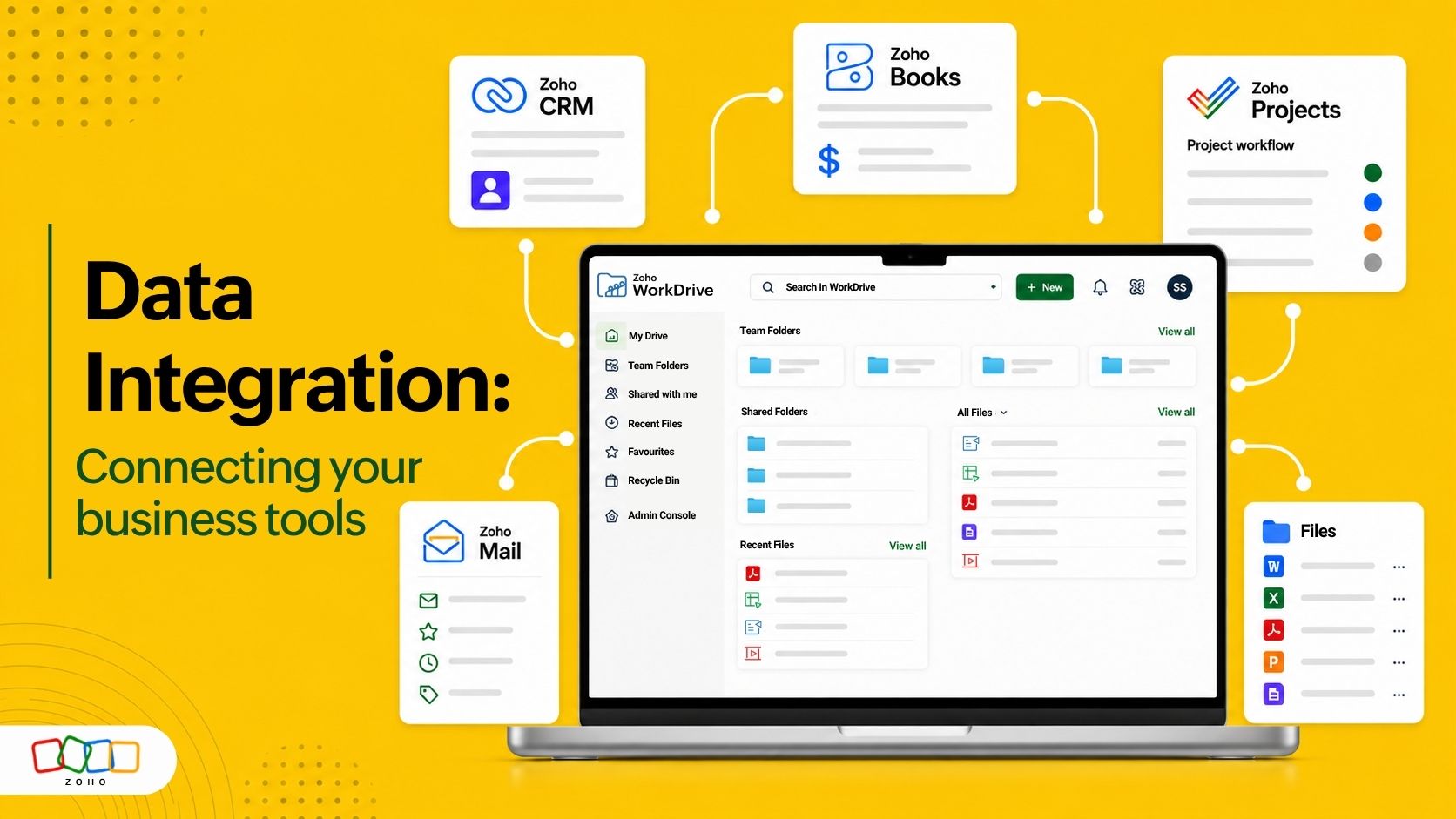
Data integration brings together all the practices of connecting business tools like CRM, project management, email suite, and file storage to move information across apps automatically. When built well, data integration gives teams one reliable version of all the records, reduces context switching, and lets governance and policies move with the data.
Any business today runs on dozens of SaaS tools, and each one generates content that other tools need. When the tools don't talk to each other, it is the employees that become the integration layer. This puts their precious time spent on downloading, renaming, re-uploading, and forwarding the files. With the AI models at our perusal, it is easier and more necessary than ever to automate processes to improve productivity.
The first step
There is a common belief that the first step is usually the hardest. In integration, the first step is the most confusing, rather than being the hardest. The solution is a rather simple concept of starting with hand-offs and not processes.
Ask a simple question for every business process in your organization. "What leads to the data handoff, and what has to be true when it arrives?"
For example, a signed contract needs to reach the finance team with its approval history completely intact. A design file has to reach the campaign owner in its final version. A vendor invoice has to reach only an approver who has permission to view it.
Framed in the same way, most businesses aren't seamless because of the connected applications. Productivity is based on the contents, documents, and assets that are attached to them. This is why business strategies should consider the content hand-off layer as the primary step while building an integration between their apps.
Steps to connect your business tools
Integrating your business tools can be optimized with five brief steps.
1. Map the hand-offs: The first move as mentioned prior will be the foundational step. Go through the existing process end to end and note every point where someone copies, forwards, or re-enters something. Those are the points where integration is essential. Ranking them by frequency will give a clear idea of which integration to start from.
2. Name the system of record: Each data type needs to be segregated into separate buckets like customer records, contracts, creative assets, financial reports and so on. This segregation will help in figuring out which tool holds what amount of truth. This essential step of the integration removes the confusion.
3. Choose the connection method: Most applications have integrations built in for general tasks. The need for third-party integration solutions or APIs comes after this. Automation can facilitate multi-step chains across platforms. The option to conduct manual exports remains available as a documented exception.
4. Carry governance across the boundary: Access controls, retention rules, and audit trails should follow the data wherever they go. Every step needs to be accounted for, to have a strong and secure data residency. This is where most integrations can introduce risk. To counter this, companies today implement data governance frameworks.
5. Perform scheduled reviews: The final step in connecting your business tools is the tracking of all the processes integrated in a scheduled manner. Oftentimes, businesses build integrations that stay dormant for longer than intended. This leaves a gap in the system that can be used by AI models when the integrations are connected with autonomous agents. A quarterly review to retire the connections with lesser frequency will remove the chances of such happenings.
How Zoho WorkDrive values data integrations
Most integration stacks connect applications to each other. On the other hand, WorkDrive connects the tools to the contents produced by them. For instance, a file stored in WorkDrive can be attached to CRM records, project tasks, and email threads. All this with the file not leaving their initial source of truth. The original file stays in WorkDrive. It is the link that moves everywhere it is referenced. Workflows then act on the events around those files. Be it a file upload trigger, an approval that moves a file to a different location, or a movement that notifies the next team, every step is captured clearly in a detailed audit trail.
Going along with the AI wave, WorkDrive is now a part of Zoho MCP (Model Context Protocol), which lets you create your own MCP server. Users can now connect with more than 950 third-party applications.
A traditional API route automates a task that is configured using a custom app builder by a developer. On the other hand, MCP lets an AI agent like Claude, Copilot, Cursor or Windsurf perform the action. Once set up, users can ask the MCP engine to perform cross-platform actions. This means no more app switching, no need for custom coding operations, and no programming knowledge required.
The outcome from the integration in WorkDrive is specific rather than abstract. Take, for example, a marketing team that manually performed approvals across multiple tools in the past can now govern, collaborate, and mandate security policies, all at the content layer. For SMBs, this means fewer tools to administer. For enterprises, this means that the integration seamlessly passes through an audit.
For more details, check out our ultimate document management guide to learn how content management underpins your data integration, and our expert POV on workflow automation to dive-deep into the trigger-and-action model.
Frequently asked questions
What is data integration?
It is the process of connecting your business tools so that information can move between them automatically. Instead of moving a report from one tool to the other, data integration lets the two systems share the data directly, keeping everyone on the same version.
How does data integration differ from automation?
Integration moves data between tools. On the contrary, automation decides what happens when the data is received by a tool, which are actions like routing, notifying, and approving.
Can I approach data integration without relying on a technical team?
Native integrations within a suite of products are a good place to start data integration from. The tool has the integration pre-built. Users can cover one process end and then add a second layer as an extension. For advanced integrations, low-code workflows handle approvals and routing logic without developer time.
Does integration weaken security?
All the actions of the integration are recorded in the audit trail to ensure security. An additional tip is to have scoped, expiring access for external collaborators.
How long does it take for the first integration to happen?
Native connection between tools inside the same suite is possible from day one.
Get started
Integration is not just a technology project. It is rather a decision about how work moves through your business, made once and enforced consistently.