File Transfer Protocol explained for modern workflows
- Last Updated : June 10, 2026
- 299 Views
- 6 Min Read

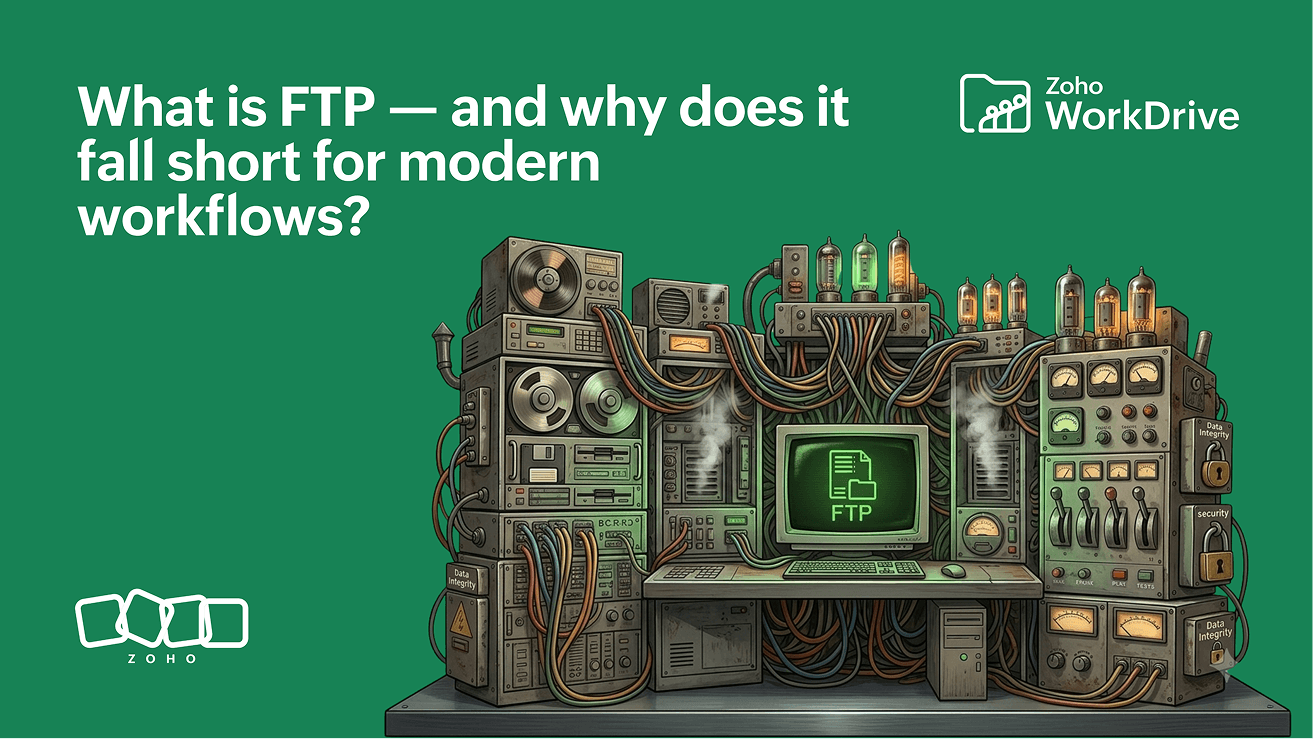
FTP has been moving files across networks for more than four decades.
Long before cloud storage, shared workspaces, and real-time collaboration became the norm, organizations relied on FTP to transfer files between computers and servers. Whether it was publishing a website, exchanging business data, or managing files on remote infrastructure, FTP became one of the foundational technologies that allowed people to work together remotely using the early internet.
Today, FTP is still widely used. Many businesses continue to rely on it for website deployment, automated data transfers, and legacy system integrations. However, the way organizations work has changed dramatically. Businesses no longer need to simply move files—they need to collaborate on them, secure them, govern them, search them, and derive value from the information stored inside them.
In this guide, you'll learn what FTP is, how it works, its port numbers, security limitations, and why modern cloud file systems such as Zoho WorkDrive are replacing traditional FTP-based workflows.
What is FTP?
File Transfer Protocol (FTP) is a network protocol standardized in RFC 959 (1985) that enables files to be transferred between a client computer and a remote server over a TCP/IP network.
FTP operates using a client-server model. A user connects to a remote server using an FTP client, authenticates with credentials, and then uploads, downloads, or manages files stored on that server. The protocol was designed to provide a reliable and standardized way to move files between systems at a time when interoperability between computers was still a major challenge.
FTP became the default method for transferring files across networks because it was simple, widely supported, and effective for its purpose. Even today, many hosting providers, enterprise systems, and legacy applications continue to support FTP.
Important limitation
Standard FTP transmits usernames, passwords, and file data in plaintext, making it vulnerable to interception. For secure transfers, SSH File Transfer Protocol (SFTP) or FTP over TLS (FTPS) are the recommended alternatives.
Key takeaways
FTP was first specified in RFC 114 (1971) and standardized in RFC 959 (1985).
It operates over TCP ports 21 (control) and 20 (data).
Standard FTP does not encrypt credentials or file transfers.
FTP is designed for file transfer, not collaboration or governance.
Modern organizations are increasingly moving from transfer-based workflows to access-based workflows.
How FTP works
FTP creates two separate communication channels between a client and a server.
The first channel, known as the control channel, is responsible for commands and responses. This channel typically operates on port 21 and handles activities such as authentication, directory navigation, and transfer requests.
The second channel, known as the data channel, is responsible for moving the actual files. This channel typically operates on port 20 and is used whenever a file is uploaded or downloaded.
A typical FTP session follows a simple process:
A user opens an FTP client.
The client connects to a remote FTP server.
The user authenticates using credentials.
Files are uploaded, downloaded, or managed.
The session is terminated once the transfer is complete.
For decades, this model provided a reliable way to exchange information between systems. However, the workflow was designed around moving files—not managing them throughout their lifecycle.
What FTP is used for
Despite its age, FTP remains relevant for several business use cases.
Website deployment
One of the most common FTP use cases is publishing website files to a web server. Developers frequently use FTP or secure FTP variants to upload updated website content, images, and application files to hosting environments.
Automated file transfers
Many organizations use FTP to automate recurring data exchanges between systems. Financial reports, inventory files, payroll exports, and transaction records are often transferred automatically using scheduled FTP processes.
Server administration
IT teams frequently use FTP to access and manage files stored on remote servers. This allows administrators to update configurations, manage content, and maintain infrastructure without requiring direct physical access.
Large file transfers
FTP is commonly used to transfer large files that may be difficult to share through traditional methods such as email. Media assets, engineering drawings, software packages, and backup archives are examples of content often moved using FTP.
Legacy enterprise systems
Many enterprise applications were originally designed around FTP-based integrations. Replacing these systems can be costly and disruptive, which is why FTP continues to exist in many business environments.
Where FTP falls short
FTP works well for moving files from one location to another.
The challenge begins when organizations need to manage those files collaboratively, securely, and at scale.
Limitation | Impact |
No encryption | Credentials exposed in transit |
No version control | Overwritten files cannot be recovered |
No conflict resolution | Silent overwrites create data loss |
No access logging | No audit trail for compliance |
No real-time collaboration | Sequential editing only |
Manual management | Scales poorly with team size |
These limitations become increasingly visible as organizations grow.
For example, if multiple employees download the same file, make changes independently, and upload their own versions, determining which version is the most current quickly becomes difficult. Similarly, organizations operating in regulated industries often require detailed audit trails and access logs—capabilities that FTP was never designed to provide.
FTP does not fail immediately. It fails as complexity scales.
FTP vs SFTP
As security became a growing concern, organizations began adopting more secure file transfer protocols.
SSH File Transfer Protocol (SFTP) was introduced to address FTP's security limitations by encrypting all communications between the client and server.
Feature | FTP | SFTP |
Encryption | No | Yes |
Authentication Security | Basic | Strong |
Auditability | Limited | Improved |
Port | 20/21 | 22 |
Recommended Today | No | Yes |
For organizations handling sensitive business information, customer data, financial records, or regulated content, SFTP is generally the preferred choice.
However, while SFTP solves FTP's security problem, it does not fundamentally change the workflow. Files are still being transferred repeatedly between users and systems.
Why FTP is not enough anymore
Modern business workflows involve much more than transferring files.
Consider a typical contract lifecycle.
A contract may need to be reviewed by legal, updated by finance, approved by leadership, shared with external stakeholders, retained for compliance purposes, and later retrieved during an audit. Throughout this process, users need version history, access controls, audit visibility, and collaboration capabilities.
FTP can move the file, but it cannot manage the workflow.
This is why many organizations are moving beyond transfer-based models toward systems designed to manage content throughout its lifecycle.
FTP assumes users will manage complexity manually. Modern workflows require systems that handle complexity automatically.
From file transfer to cloud file systems
As collaboration became central to business operations, organizations began adopting cloud file systems instead of relying solely on file transfer protocols.
Cloud platforms introduced a fundamentally different model.
Rather than repeatedly transferring files between users and servers, content is stored in a centralized location and accessed by authorized users whenever needed.
This access-based model provides capabilities, such as:
Centralized storage
Version history
Role-based permissions
Real-time collaboration
Audit trails
Secure sharing
Workflow automation
Platforms such as Zoho WorkDrive extend this model further by combining cloud storage, collaboration, governance, and content management into a single system. Instead of focusing solely on file transfer, WorkDrive enables teams to securely access, collaborate on, organize, and govern content from anywhere.
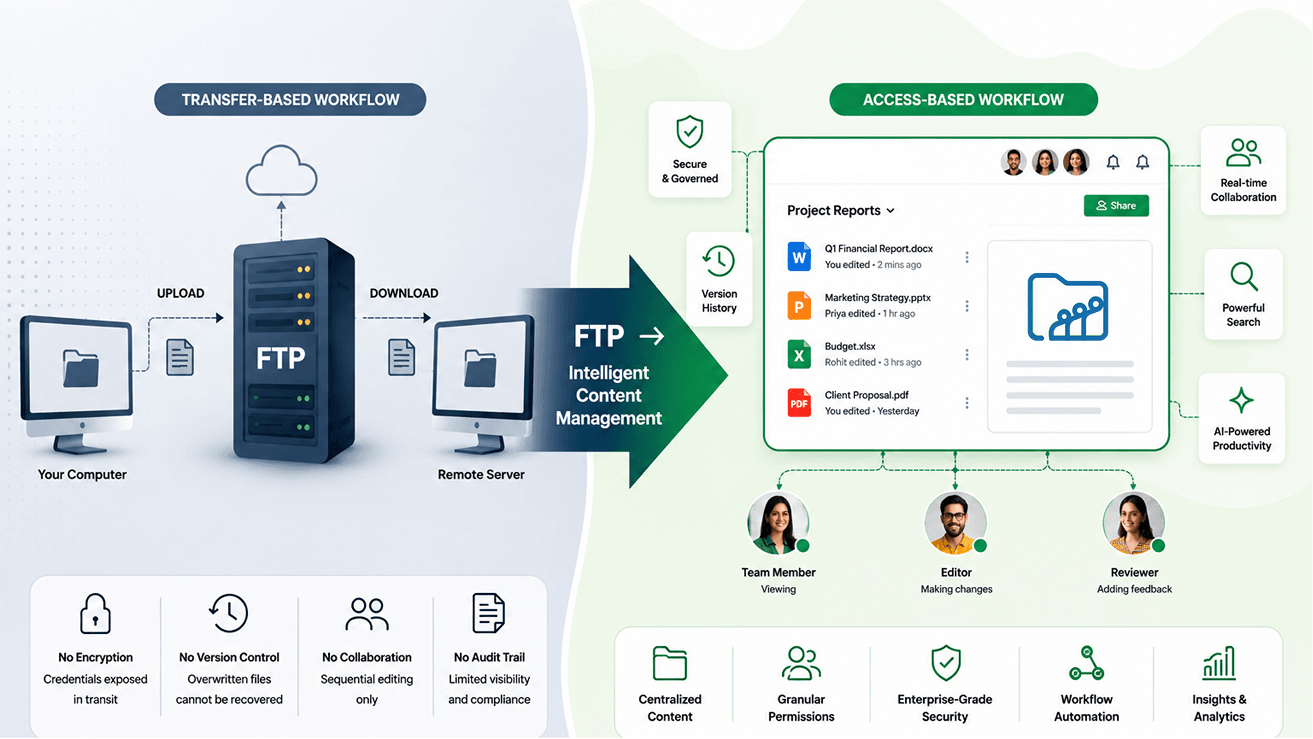
The transition is not from FTP to a better transfer protocol. It is from file transfer to file systems.
Conclusion
FTP remains an important technology.
It continues to support website deployment, automated file transfers, server administration, and legacy enterprise integrations around the world. For straightforward file movement, FTP still serves a valuable purpose.
However, modern organizations face challenges that extend far beyond transferring files. Businesses need collaboration, security, governance, compliance, version control, searchability, and visibility into how content is being used.
While SFTP addresses FTP's security limitations, cloud file systems address the broader challenge of managing information throughout its lifecycle.
The future of content management is not about moving files faster. It is about making information accessible, secure, discoverable, and collaborative.
FTP helps organizations transfer files. Modern platforms such as Zoho WorkDrive help organizations manage content.
Frequently asked questions
What is FTP?
File Transfer Protocol (FTP) is a network protocol standardized in RFC 959 (1985) that enables file transfer between a client computer and a remote server over TCP/IP. It uses port 21 for control commands and port 20 for data transfer, allowing users to upload, download, and manage files on remote systems.
What is FTP used for?
FTP is commonly used for website deployment, server maintenance, automated file transfers, large file exchanges, and legacy enterprise integrations. It remains popular in environments where files need to be moved between systems regularly.
Is FTP secure?
Standard FTP is not secure because it transmits usernames, passwords, and file data in plaintext. Organizations typically use SFTP or FTPS when secure file transfers are required.
What is the difference between FTP and SFTP?
FTP transfers files without encryption using ports 20 and 21. SFTP encrypts all communications using SSH and operates on port 22, providing stronger security and improved auditing capabilities.
What is the difference between FTP and cloud storage?
FTP uses a transfer-based model where files are repeatedly moved between systems. Cloud storage uses an access-based model where files remain in a centralized location and are accessed by authorized users, with features such as collaboration, version history, and permissions built in.
Is FTP still used today?
Yes. FTP is still used for website hosting, automated file transfers, server administration, and legacy enterprise workflows. However, many organizations have adopted SFTP and cloud-based platforms for improved security and collaboration.
What port does FTP use?
Standard FTP uses port 21 for the control channel and port 20 for the data channel. SFTP uses port 22.