What does sync mean? Why file syncing matters more than ever
- Last Updated : June 29, 2026
- 215 Views
- 10 Min Read

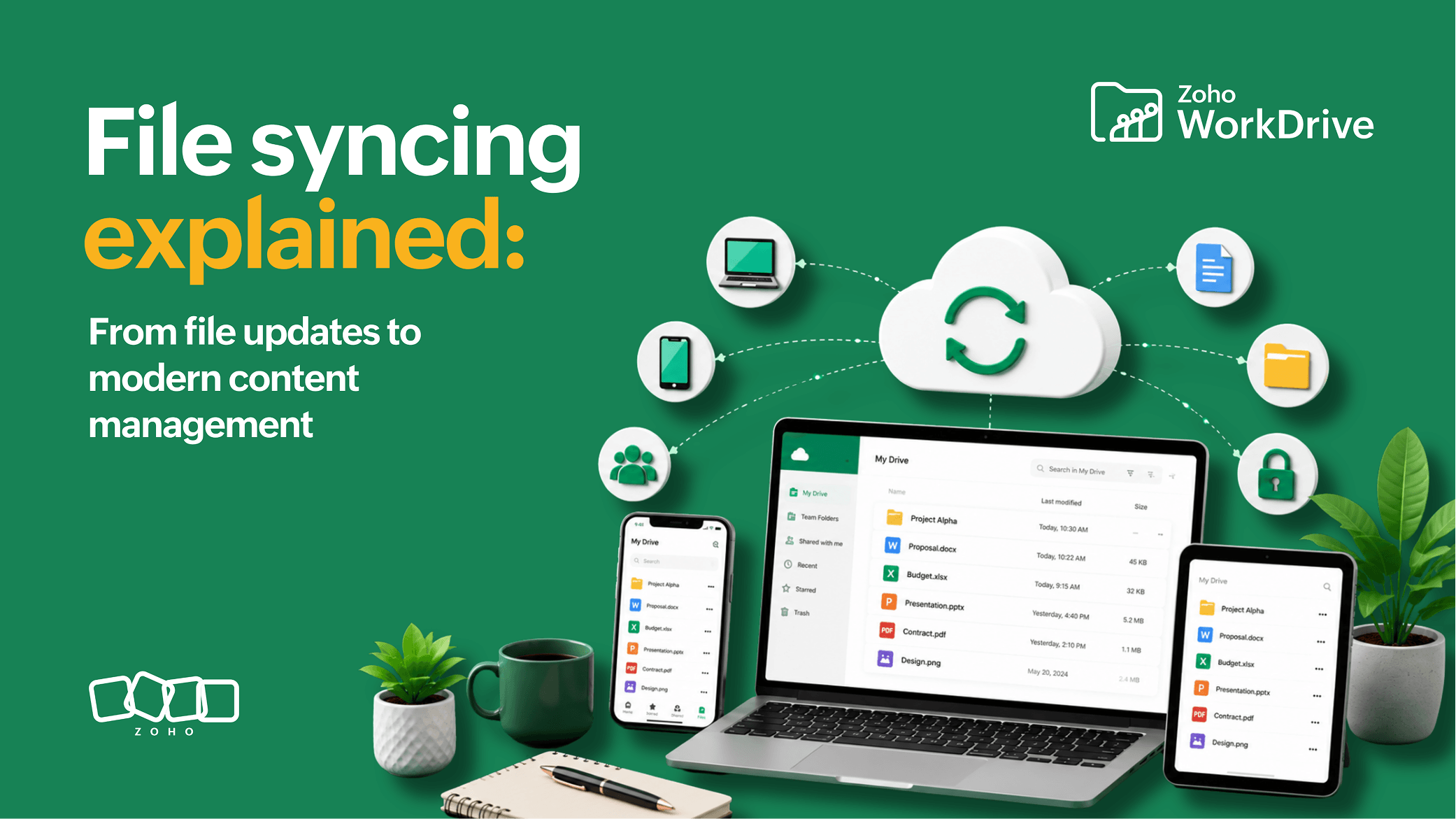
File syncing, or synchronization, automatically updates files across devices, applications, and cloud platforms so everyone works from the most current version. Instead of manually transferring files, downloading new copies, or emailing attachments, syncing keeps information connected and continuously updated in real time.
It's 8:45 in the morning, and a sales team is preparing for a customer presentation that starts in just fifteen minutes. The proposal has already been reviewed by marketing, finance, legal, and the account executive. Each team made updates, added comments, and saved their own version of the document along the way. As someone opens the shared folder for a final review, a familiar problem appears: there isn't one proposal—there are several.
The folder contains files named Proposal_Final, Proposal_Final_v2, Proposal_Final_Approved, and Proposal_Final_Approved_Updated. Nobody is completely sure which version contains the latest changes. A Slack message appears asking, "Does anyone have the latest version?" Someone forwards an email attachment, while another team member uploads a file into the group chat. All of this time is being spent comparing documents instead of preparing for the meeting.
By the time the presentation begins, the team is still trying to confirm they're working from the correct file. If this situation sounds familiar, you're not alone. In many ways, the story of modern work is the story of solving this exact problem. As teams collaborate across devices, locations, and departments, keeping information consistent has become just as important as creating it. That's precisely why synchronization exists.
Key takeaways
Syncing keeps files automatically updated across every device and location without requiring manual transfers.
Delta synchronization transfers only the changed portion of a file instead of the whole file, saving bandwidth and time.
Sync and file transfer are different. Transfer moves a file once, while sync maintains an ongoing connection.
Sync and backup are different. Sync keeps files current, while backup preserves recoverable copies.
Modern syncing is evolving from a convenience feature into a foundation for content management at scale.
Why syncing matters more today
A decade ago, most knowledge workers spent the majority of their day on a single computer, often inside a single office. Documents were stored on local drives or shared servers, and collaboration usually happened within the same physical location. While file sharing wasn't always perfect, the environment was relatively simple.
Today's workplace looks very different. Employees move between laptops, phones, tablets, and cloud applications throughout the day. Many teams are distributed across cities, countries, and time zones. According to Microsoft's Work Trend Index, employees now navigate an increasingly fragmented digital workplace, constantly switching between meetings, applications, and collaboration tools.
At the same time, organizations are generating more content than ever before. Contracts, reports, presentations, spreadsheets, videos, designs, proposals, and project documentation are constantly being updated by multiple people in different locations.
The challenge is no longer storing information—it is ensuring everyone works from the same version of it. This is where synchronization becomes essential. It connects people, devices, and content so work can continue without interruptions caused by outdated information or disconnected workflows.
How file syncing works
At a technical level, file syncing is surprisingly straightforward. A synchronization system monitors files for changes and updates connected devices or locations whenever a modification occurs. The goal is to ensure that the latest version of a file is available wherever it is accessed.
Many modern platforms use a technique called delta synchronization. Instead of transferring an entire file every time a change is made, the system transfers only the portion that changed. This reduces bandwidth consumption and allows updates to happen much faster, especially when users are working with large files.
For example, if you edit two slides and a chart in a 100 MB presentation, the synchronization system may transfer only the changed sections rather than re-uploading all 100 MB.
To the user, the process feels almost invisible. You save the file, and moments later, the updated version is available wherever it's needed.
Common scenarios
The sales proposal everyone has seen
A sales team is preparing a proposal for a major customer. Marketing provides details about the opportunity, finance updates pricing, legal reviews the terms, and the account executive customizes the proposal based on their conversations with the customer. Over several days, the document passes through multiple hands and multiple systems.
Without synchronization, this process often results in a growing collection of attachments and downloaded copies. Team members end up working on different versions of the same file and wasting time figuring out which version is actually current. The closer the deadline gets, the more stressful the situation becomes.
With synchronization, the experience is very different. Everyone works from the same document, updates become visible automatically, and the team can focus on improving the proposal rather than managing file versions.
The construction site that can't wait for email
The value of synchronization becomes even more obvious when employees spend much of their time away from a traditional office. Consider a construction company managing multiple active job sites. Site supervisors capture progress photos, complete safety inspections, document issues, and submit reports throughout the day. At the same time, project managers, procurement teams, finance departments, and executives need visibility into that information from a central location.
Without synchronization, important updates often remain on individual devices until someone manually uploads or transfers them. In large projects, even small communication gaps can have significant consequences.
With synchronized content, the latest information and file versions quickly become available to the people who need it. Field teams can focus on execution while office teams maintain visibility into project progress without constantly requesting updates.
The lecture notes updated the night before class
Educational institutions face many of the same challenges as businesses, particularly when information needs to reach large groups of people quickly and accurately. A professor may update lecture notes the evening before class, add supplemental reading material the next morning, and revise assignment instructions later in the week based on student feedback.
Without synchronization, documents may need to be uploaded multiple times, sent through email, or shared across several systems. As content changes, the risk of students accessing outdated information increases.
Synchronization helps eliminate much of that friction. Students automatically receive access to the latest course materials, faculty members can collaborate on shared resources, and administrators can maintain consistency across departments. Rather than spending time managing document versions, educators can focus on delivering better learning experiences.
The documentation every clinic needs to see
Healthcare organizations manage large volumes of operational content every day. Patient intake forms, insurance documents, policy updates, training materials, operational procedures, and administrative records often need to be accessed by teams working across multiple clinics, departments, and locations.
Imagine a healthcare network operating several facilities across a region. Administrative staff update documentation at one location while operational teams access the same information elsewhere. Without synchronization, updates may take longer to reach the people who need them, increasing the likelihood that employees continue working from outdated documents.
Synchronization helps ensure that current information is available across locations without requiring constant manual distribution. Staff spend less time searching for the latest version of a document and more time focusing on the work that matters. As organizations grow, that consistency becomes increasingly important.
Sync vs file transfer
File transfer and synchronization are often used interchangeably, but they solve different problems. File transfer is a one-time action where a file moves from one location to another. Sending an email attachment, uploading a document to a portal, or copying files to a USB drive are all examples of file transfer. Once the file reaches its destination, the process is complete. If the original file changes later, those updates won't automatically appear in the transferred copy.
Synchronization works differently. Instead of moving information once, it maintains an ongoing connection between locations. Whenever a file changes, those updates are reflected wherever the file is synced.
File transfer is like mailing a package. Synchronization is like sharing a live document—one delivers information at a point in time, while the other keeps everyone on the latest version.
Comparison Point | File Transfer | File Syncing |
Action type | One-time move | Ongoing connection |
After source changes | Copy won't be updated | Updates reflected everywhere |
Examples | Email attachment, USB copy, portal upload | Shared live workspace |
Analogy | Mailing a package | Sharing a live document |
Sync vs backup
Another common misconception is that syncing and backup serve the same purpose. While both involve storing files, they are designed to solve very different problems.
Synchronization focuses on keeping information consistent and accessible across devices and locations. If you update a file on your laptop, syncing helps ensure that the latest version is also available on your desktop, phone, or shared workspace. Backup, on the other hand, is designed for recovery. Its primary purpose is to help restore information if files are accidentally deleted, corrupted, lost, or affected by a system failure.
This distinction is important because changes made to a synced file are often reflected everywhere. If a file is accidentally deleted, that deletion may also synchronize across connected devices. A backup provides a safety net in situations like these by preserving recoverable copies of your data. In practice, synchronization helps people stay productive, while backup helps organizations stay resilient. Most businesses need both.
Comparison Point | Sync | Backup |
Primary purpose | Keep files current and accessible | Recover lost or corrupted files |
Behavior on delete | Deletion may propagate everywhere | Preserves a recoverable copy |
When it hHelps | Day-to-day productivity | Resilience after failure or mistake |
Verdict | Needed for active work | Needed for protection |
Why modern syncing is changing
The role of synchronization has changed significantly over the past decade. When cloud storage first became mainstream, syncing was often viewed as a convenience feature that helped users access files from multiple devices. While that benefit remains important, the demands placed on modern content systems have grown considerably.
Organizations today generate and manage enormous volumes of content, including contracts, proposals, reports, spreadsheets, presentations, videos, designs, operational documents, and project records. Much of this content is created and updated by distributed teams working across different locations and time zones. As content volumes increase, the challenge is no longer simply keeping files updated. The challenge is ensuring information remains organized, accessible, secure, and manageable as it moves throughout the business.
This shift is changing how organizations evaluate synchronization platforms. Speed and convenience still matter, but they are no longer the only considerations. Businesses increasingly look for capabilities related to governance, security, compliance, visibility, and content control.
In other words, synchronization is evolving from a standalone productivity feature into a foundational layer of a broader content management strategy. Organizations are no longer asking only how quickly files can sync. They are asking how content can remain trustworthy, discoverable, and governed as it scales across teams, devices, and workflows.
How WorkDrive TrueSync approaches syncing
WorkDrive TrueSync creates a virtual drive of the WorkDrive account on the desktop, allowing users to browse and access cloud content through a familiar desktop experience without downloading everything locally.
This approach is particularly useful for distributed teams. Consider a creative agency managing thousands of design assets, presentations, videos, campaign files, and client deliverables. Downloading the entire content library to every employee's laptop would consume significant storage space and create unnecessary duplication. Yet employees still need fast access to the content required for their work.
With TrueSync, designer working from home, a marketer traveling to an event, and a project manager in the office can all access the same centralized content environment. Employees continue working in a familiar way, while organizations maintain greater visibility and control over their content.
Why syncing alone isn't enough
Synchronization solves a version problem, not a content problem. A file can be perfectly up to date and still be difficult to locate, shared with the wrong people, or disconnected from the processes that give it context. As organizations create more content across more teams and locations, simply keeping files synchronized is no longer enough.
Businesses increasingly need systems that help organize information, control access, and make content easier to find when it matters. This is why synchronization is increasingly viewed as one layer of a broader content management strategy. The goal is no longer just keeping files current. It's ensuring content remains structured, discoverable, and governed throughout its lifecycle.
The future of work is not about moving files faster—most organizations solved that years ago. It is about transforming information into something reliable, accessible, and useful at scale.
The future of syncing
The next challenge for organizations is making information easier to access, manage, and trust across increasingly distributed teams. Synchronization will remain a critical foundation, but its role is expanding. Rather than existing as a standalone productivity feature, it is becoming part of broader content systems that connect collaboration, governance, and knowledge management.
The organizations that succeed will not simply be the ones that move information efficiently. They will be the ones that can transform growing volumes of content into useful, accessible, and trustworthy information.
FAQ
What does sync mean?
Sync, or synchronization, means automatically keeping files, folders, or data updated across multiple devices or locations. When a file changes in one place, syncing ensures the most current version is reflected everywhere it is accessed, without manual copying.
What is file syncing?
File syncing is the process of ensuring that changes made to a file in one location are automatically reflected everywhere the file is accessed. A synchronization system monitors files for changes and updates all connected devices so everyone works from the latest version.
What is an example of syncing?
Editing a document on your laptop and later opening the updated version on your phone is a common example of syncing. The change you saved on one device automatically appears on the other because both are connected to the same synced workspace.
What is the difference between sync and transfer?
File transfer moves a file once from one location to another, like emailing an attachment or copying it to a USB drive. Later changes to the original do not update the copy. Synchronization maintains an ongoing connection, so whenever a file changes, the update is reflected everywhere it is synced.
Is syncing the same as backup?
No. Syncing keeps files current and consistent across devices, while backup creates recovery copies in case files are lost, deleted, or corrupted. Because deleting content in a synced file affects every instance, backup provides a separate safety net. Most businesses need both.
What is cloud sync?
Cloud sync keeps files updated between your devices and a cloud platform so you can access the latest version from anywhere. Changes you make on one device are uploaded to the cloud and pushed to your other connected devices automatically.
What is WorkDrive TrueSync?
WorkDrive TrueSync is a desktop application that creates a virtual drive of your Zoho WorkDrive account, which lets you access cloud content from your desktop without downloading every file locally. Files stay connected to a centralized cloud workspace, saving storage while keeping content available on demand.
Why do businesses need file syncing?
Businesses use syncing to reduce duplicate files, improve collaboration, ensure version consistency, and support distributed teams across multiple devices and locations. It removes the time wasted hunting for the latest version and keeps everyone working from the same trusted content.