- HOME
- Product updates
- AI Assistant: The new unified control hub for all AI features
AI Assistant: The new unified control hub for all AI features
- Last Updated : February 13, 2026
- 2.9K Views
- 4 Min Read
You just got another urgent message from your manager: "We need to add an event registration form to the website by end of day."
You groan internally, knowing you are looking at two hours of dragging fields around, crafting email notifications, and then translating the form into different languages for your global audience.
Moments like this make one thing obvious.
As an organization scales, so does the demand. More forms to build, more workflows to maintain, and more people to create, update, and manage it all. What once felt like a quick, straightforward task slowly turns into a time-consuming, repetitive process that drains productivity across teams.
This is exactly the kind of pain point that businesses have a fresh opportunity to solve with AI.
But most AI features in software feel like they were bolted on as an afterthought, just another marketing checkbox to say, “Hey, we do AI too!” They often live in isolated corners of the product, disconnected from each other and from the reality of how teams actually work.
Zoho Forms took a very different approach.
Over the past year, Zoho Forms has rolled out a powerful suite of AI-driven capabilities like AI form creation, PDF-to-form and image-to-form conversion, instant form translations, content generation for email notifications, smart scan for intelligent form-filling, and more on the horizon. But what sets these features apart is not just what they do, it is how thoughtfully they have been built.
Instead of scattering AI utilities across the interface, Zoho Forms introduced a centralized AI Assistant, a unified layer that powers these features from one place and scales across your entire organization.
In simple words, Zoho Forms did not just add AI. It built the foundation for AI to work with your organization.

What is AI Assistant?
AI Assistant is a centralized intelligence hub that can be managed from your Control Panel in Zoho Forms.
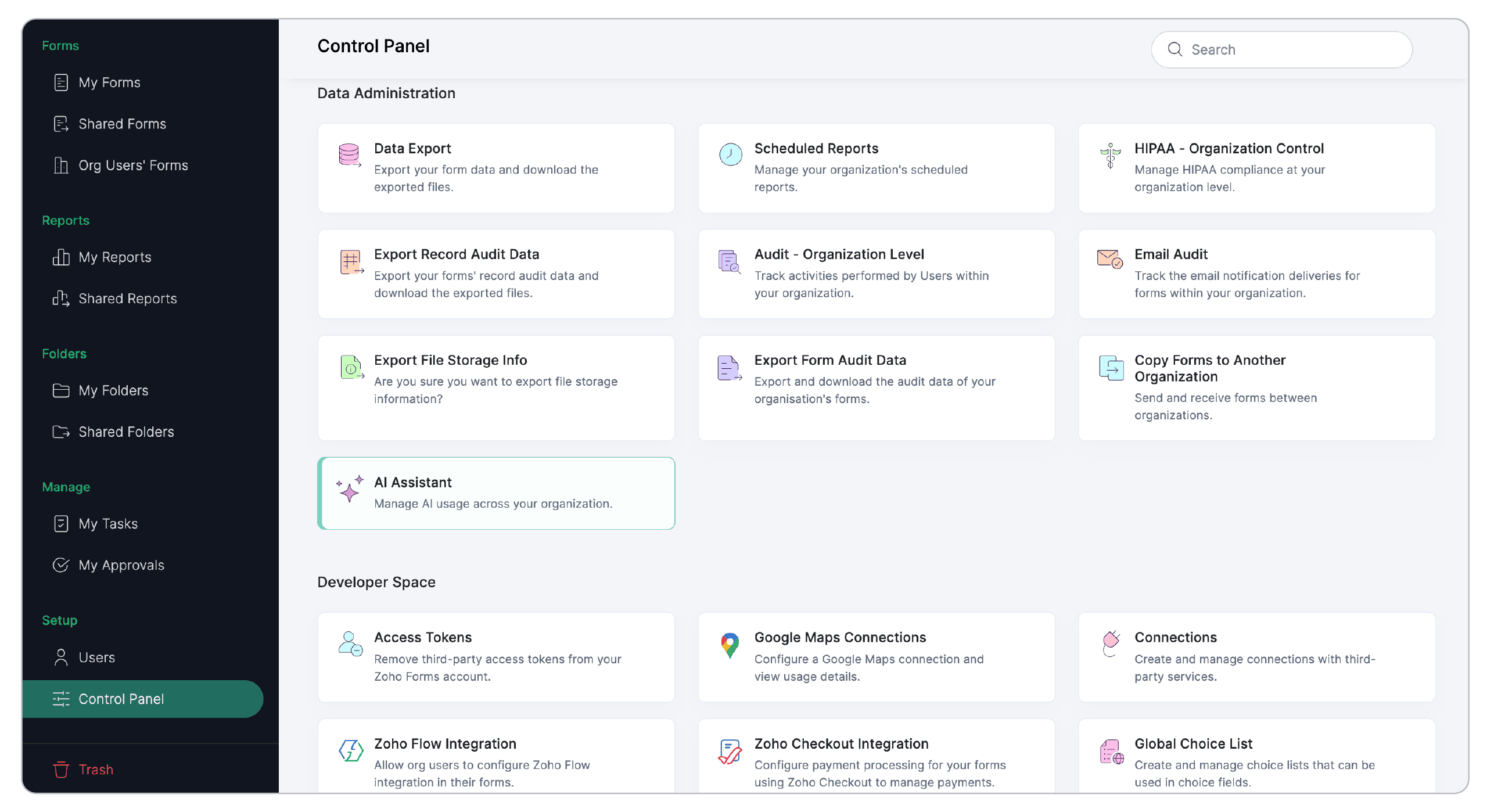
This is where your Super Admins and Admins decide how AI fits into your organization’s ecosystem. They can enable or disable AI capabilities for the entire organization in a single click.
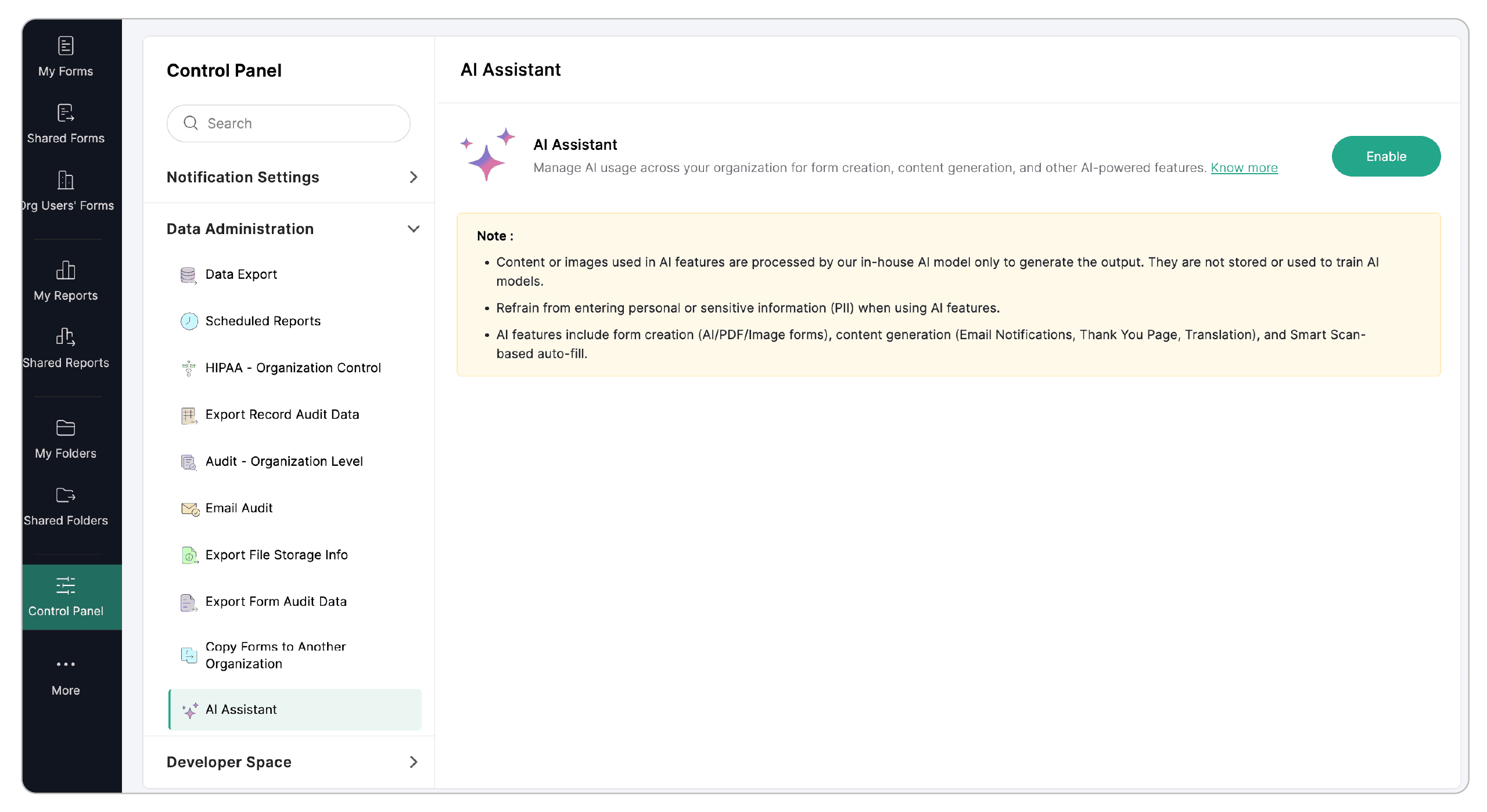
What can the AI Assistant do for your organization?
The short answer: a lot.
1. Build smarter forms in minutes, not hours
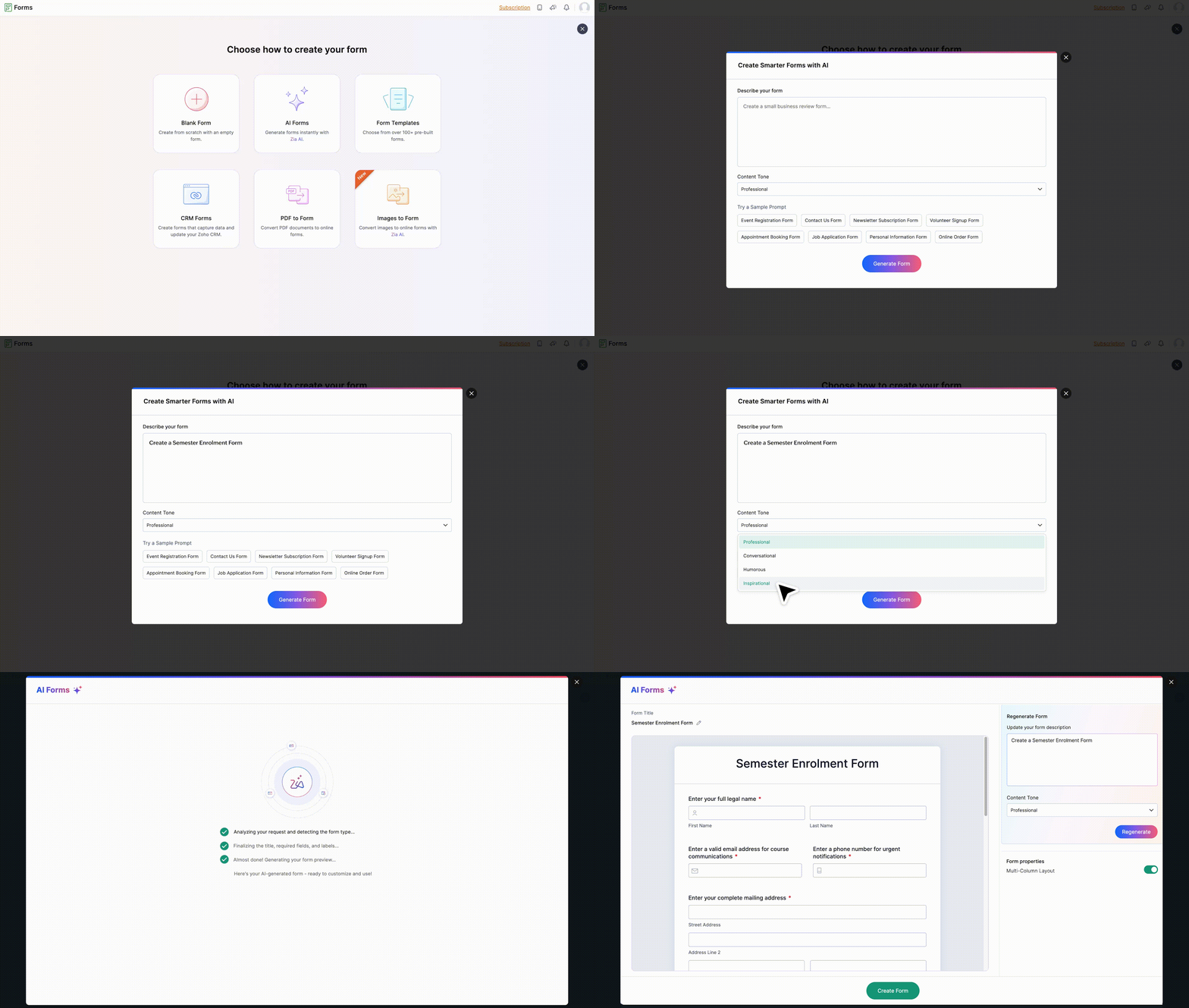
AI Forms

Simply say, “Create a customer review form for a boutique coffee shop”, and see a complete, ready-to-use form appear on your screen.
That is AI Forms.
It understands your prompt, picks the right fields, and structures the form in a natural way without the back-and-forth of dragging, dropping, and re-organizing.
PDF to Form
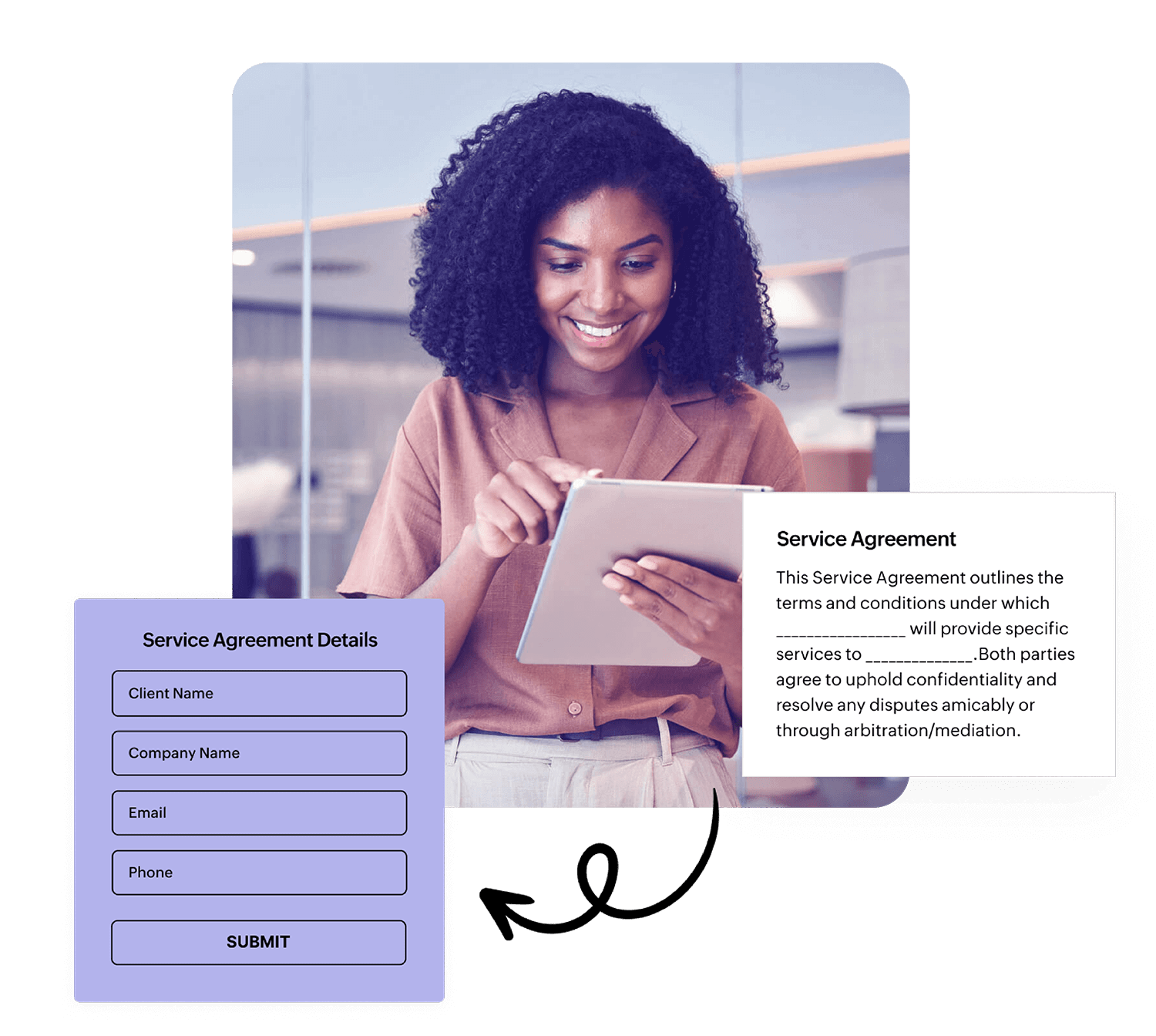
Still manually reading PDFs and recreating their fields?
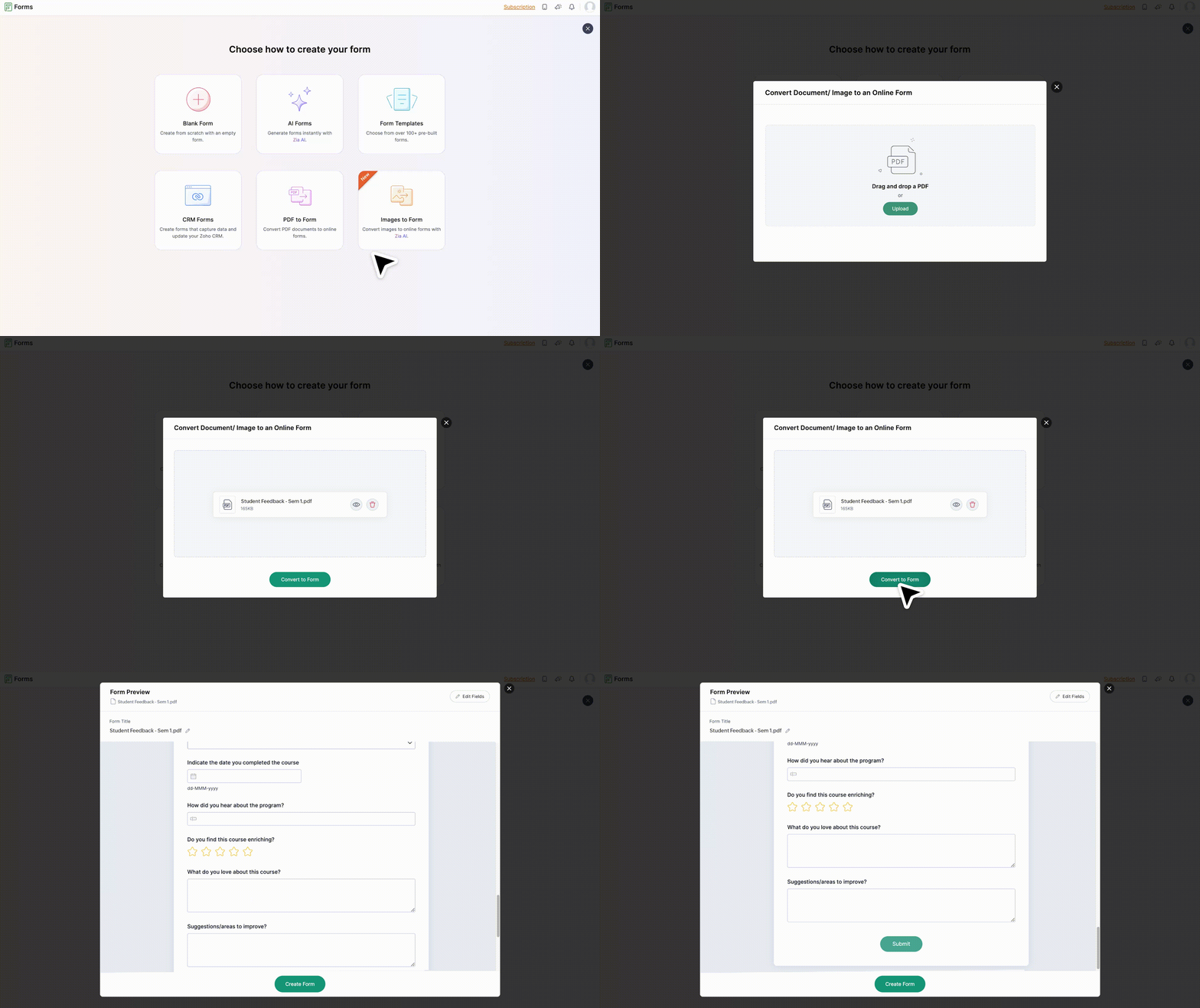
Upload a PDF to Zoho Forms, anything from an application form to a service agreement and the AI can instantly extract fields and convert them into a usable digital form. This is especially powerful for businesses transitioning from paper-heavy processes to digital ones.
Images to Form
Even images get the same smart treatment. Snap a picture of your paper form or upload an image file, and the AI identifies fields, labels, and structure. In a single click, a once-static image becomes a live, fillable online form.
2. Generate supporting content
Building a form is only half the job. The real work often lies in everything around it like email alerts, instructions, multilingual versions, acknowledgments… the list goes on. The AI Assistant handles this effortlessly.
Email Notifications
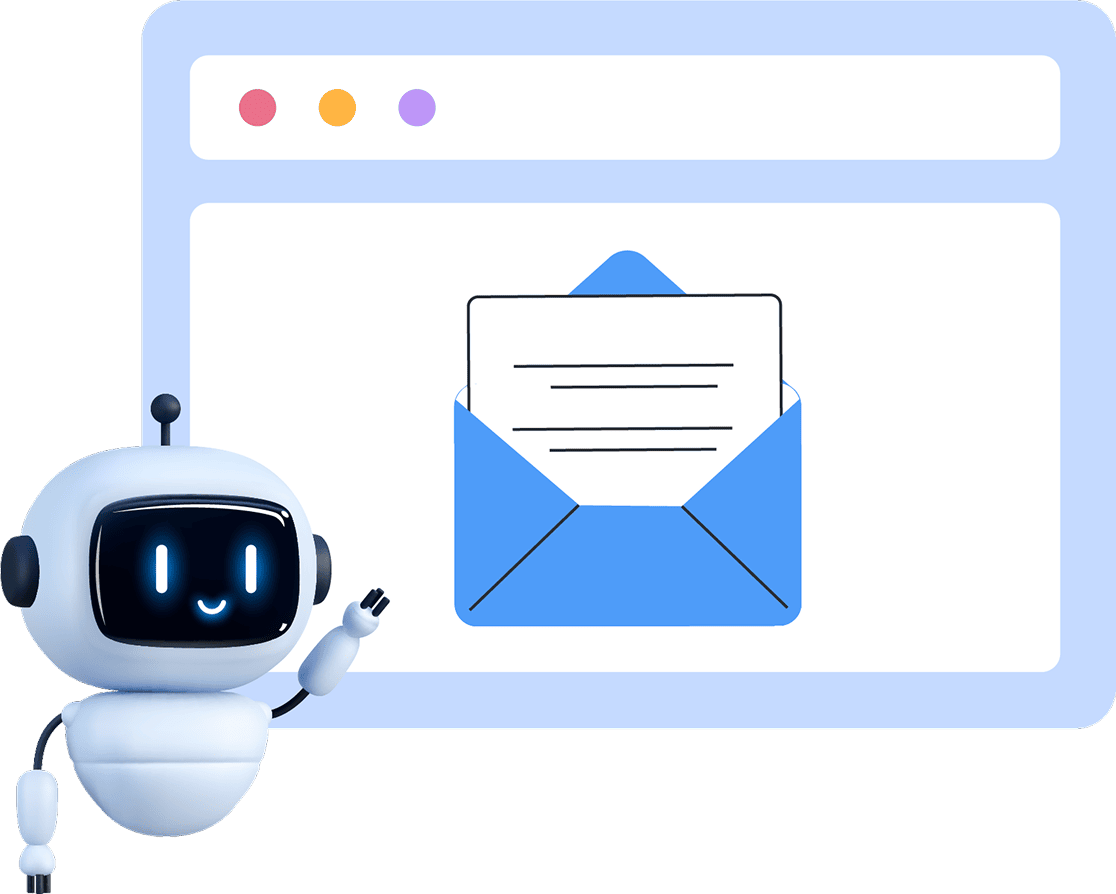
You can generate context-aware, professional emails for notifications. Whether it is a thank-you note, a follow-up, or a detailed acknowledgement, AI creates polished content that saves time and maintains consistency across your organization.
Instant translations
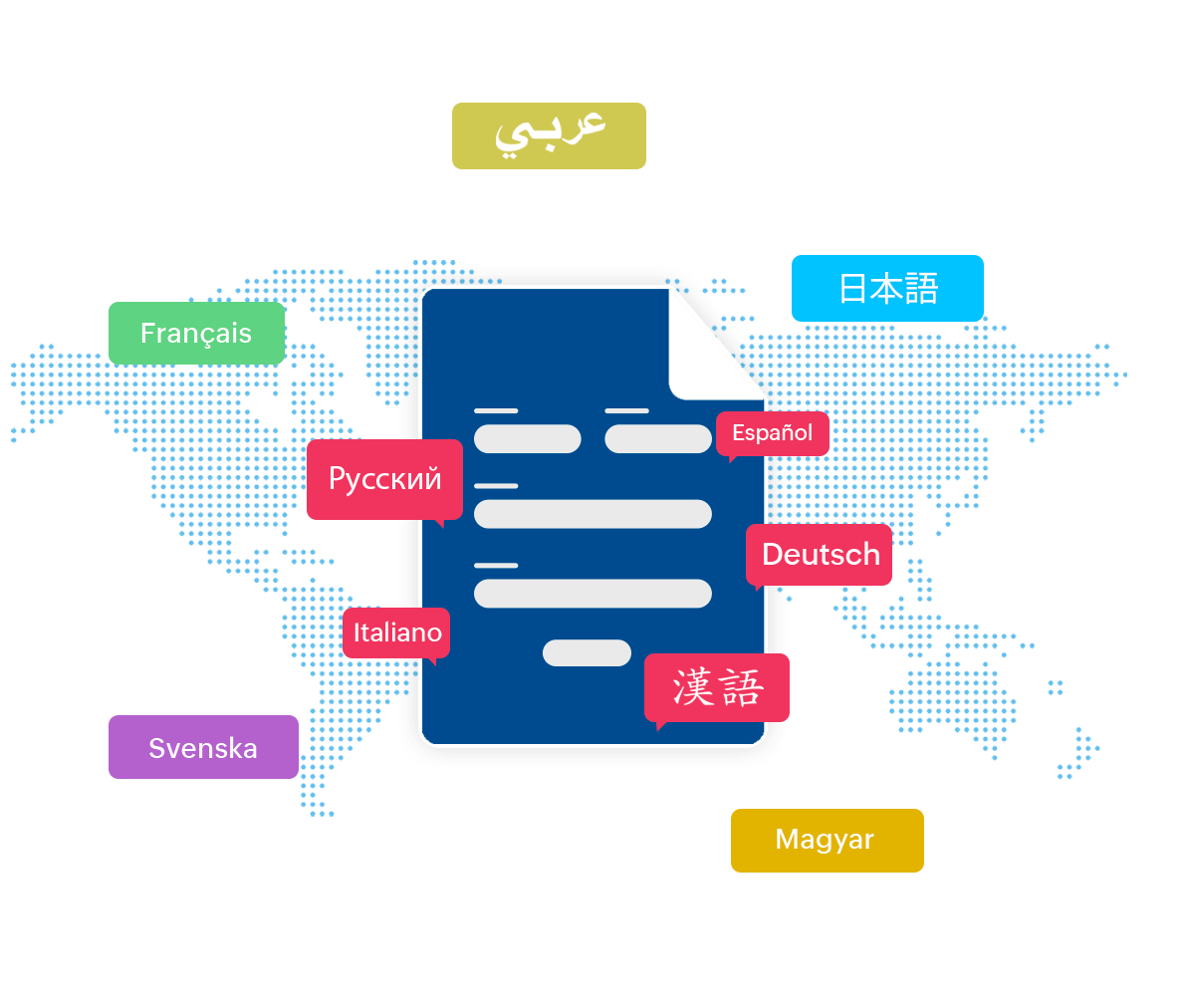
If your audience speaks more than one language, translation can be a major roadblock. AI in Zoho Forms can translate all of the form: fields, instructions, and system messages into multiple languages in seconds so your global audience gets a smoother, more welcoming experience.
Thank You page
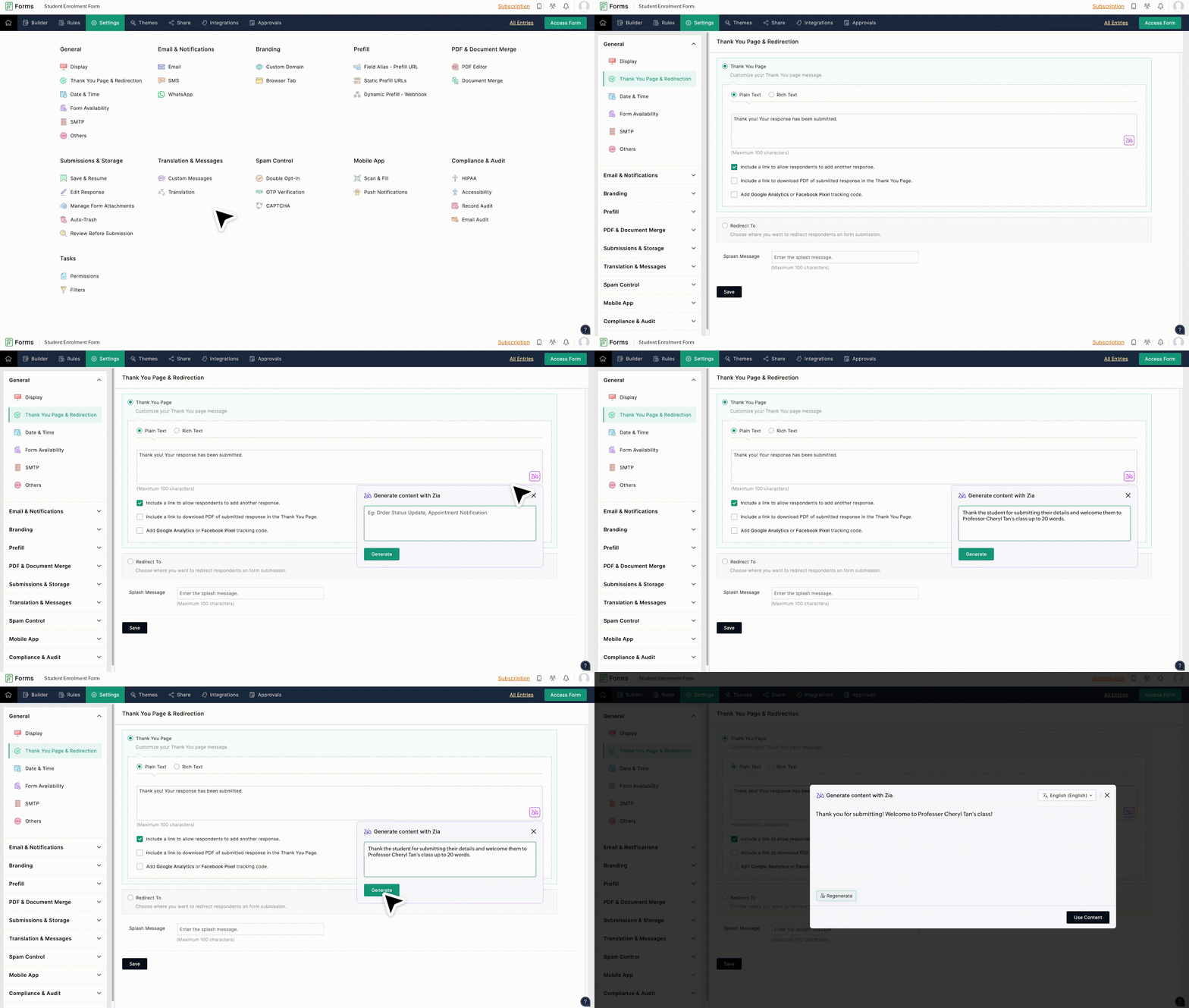
The moment a respondent clicks Submit is often overlooked, but it is a powerful opportunity to guide what happens next. With AI in Zoho Forms, you can instantly generate thoughtful, context-aware Thank You page content that goes beyond a generic confirmation message. The AI crafts clear and professional messaging tailored to your form’s purpose. This ensures every submission ends with clarity and confidence, without you having to write and rewrite content for every new form.
3. AI-Powered form field that captures data for you
This is where AI goes beyond creation and into intelligent data collection.
Form-filling via Smart Scan field
When respondents upload photos like IDs, business cards, or receipts, the AI extracts the relevant information and automatically fills the mapped form fields.
For teams handling onboarding, inspections, registrations, or KYC workflows, this changes everything:
- Fewer typos
- Faster submissions
- Reduced manual data entry
- More accurate records
The field becomes an intelligent assistant for respondents and businesses alike.
A smooth, interruption-free fallback
Even for organizations that disable AI features, Zoho Forms will continue to support reliable workflows. Smart Scan uploads still work, they simply won’t auto-fill fields automatically. Your team can continue capturing data the traditional way.
Zoho Forms will neither store nor process the content that you enter into Zia.
You can make use of these AI-powered features if required and it is not Mandatory.
Experience the future of form building
Zoho Forms has always been helping businesses collect data smarter and faster. And with the introduction of the AI Assistant, it becomes an intelligent partner that works alongside you.
You are still the creator, the strategist, the one who knows exactly what your organization needs. The AI simply accelerates execution of your vision. It drafts forms from scratch, writes polished text, suggests better inputs, and removes the repetitive work that slows teams down.
It is a whole new way to build forms. And it’s already inside Zoho Forms, waiting for you to switch it on.
 Samhita V
Samhita is a seasoned product expert at Zoho Forms who blends deep product expertise and user education to help businesses make sense of powerful features without the jargon. Known for her thoughtful storytelling and crisp communication, she adds a subtle creative flair to every piece she writes. With a knack for spotting real-world use cases and adding a touch of fun to her narratives, she’s on a mission to make even the most complex workflows feel approachable. Beyond the desk, she channels her creativity into dance and mural art, finding new ways to infuse her surroundings with color, rhythm, and meaning.
Comments(2)
I want to know the new things you build in zoho forms
Hi Omkar, please find the latest updates in Zoho Forms on our What's New page - https://www.zoho.com/forms/whats-new.html