- HOME
- Know Your Tech
- Product management workflows: A step-by-step guide
Product management workflows: A step-by-step guide
- Last Updated : July 1, 2026
- 148 Views
- 11 Min Read
Highlights:
- A product management workflow defines how product ideas move from concept to launch through structured, repeatable stages with clear ownership.
- Key stages include ideation, prioritization, roadmapping, development, and review, each with defined inputs, outputs, and entry criteria.
- Workflow types like sequential, iterative, and hybrid serve different team structures, and the right choice depends on your release cadence and team size.
- A step-by-step setup process starting with an audit of your current handoffs helps you build a workflow that fits how your team actually works.
- AI-powered tools can assist with priority scoring, task routing, and delivery predictions to reduce manual coordination across stages.
A feature request comes in. It gets discussed, added to a list, and then sits there for weeks. Sound familiar? Without a clear process, even the best product ideas lose momentum.
A product management workflow gives your team a defined path from idea to release. It creates visibility, assigns ownership, and keeps every stage moving forward.
This blog post covers what a product management workflow is, the stages involved, its key benefits, and a complete setup guide to help your team deliver faster with less confusion.
What is a product management workflow?
A product management workflow is the process of defining, organizing, and tracking how product work moves through each stage of development. It covers everything from initial idea capture through prioritization, execution, and delivery.
The goal is to create a repeatable system where every task has a clear owner, a defined status, and a logical next step. Instead of relying on ad hoc updates and scattered communication, your team follows a structured path that keeps work visible and moving.
For example, a product team working on a new feature would capture the idea, evaluate it against business goals, add it to the roadmap, hand it off to engineering with clear specs, and track it through development until release. A well-defined product management workflow ensures that each of these steps happens in the right order, with the right people involved.
Product management workflow vs. project management
A product management workflow focuses on the ongoing, repeatable process of moving product work through defined stages. It's continuous, and new ideas enter the workflow regularly, move through prioritization and development, and cycle back through review. The workflow doesn't have a fixed end date because your product keeps evolving.
Project management, on the other hand, covers work with a defined start, end, and deliverable. A project might be "launch the mobile app by Q3" or "redesign the checkout page." It has a specific scope, timeline, and completion criteria.
Here’s a breakdown of the key differences:
| Product management workflow | Project management | |
|---|---|---|
| Scope | Ongoing, repeatable process | Defined start and end |
| Focus | Stages of product development | Specific deliverables and timelines |
| Duration | Continuous | Temporary |
| Goal | Keep product work flowing through stages | Complete a defined project on time |
| Cycle | Ideas enter and loop through review | Work ends when the project is delivered |
Most product teams need both. A product workflow manages how ideas become features over time. Project management handles specific initiatives within that workflow. Knowing when to apply each one keeps your team organized without overcomplicating the process.
Key stages of a product management workflow
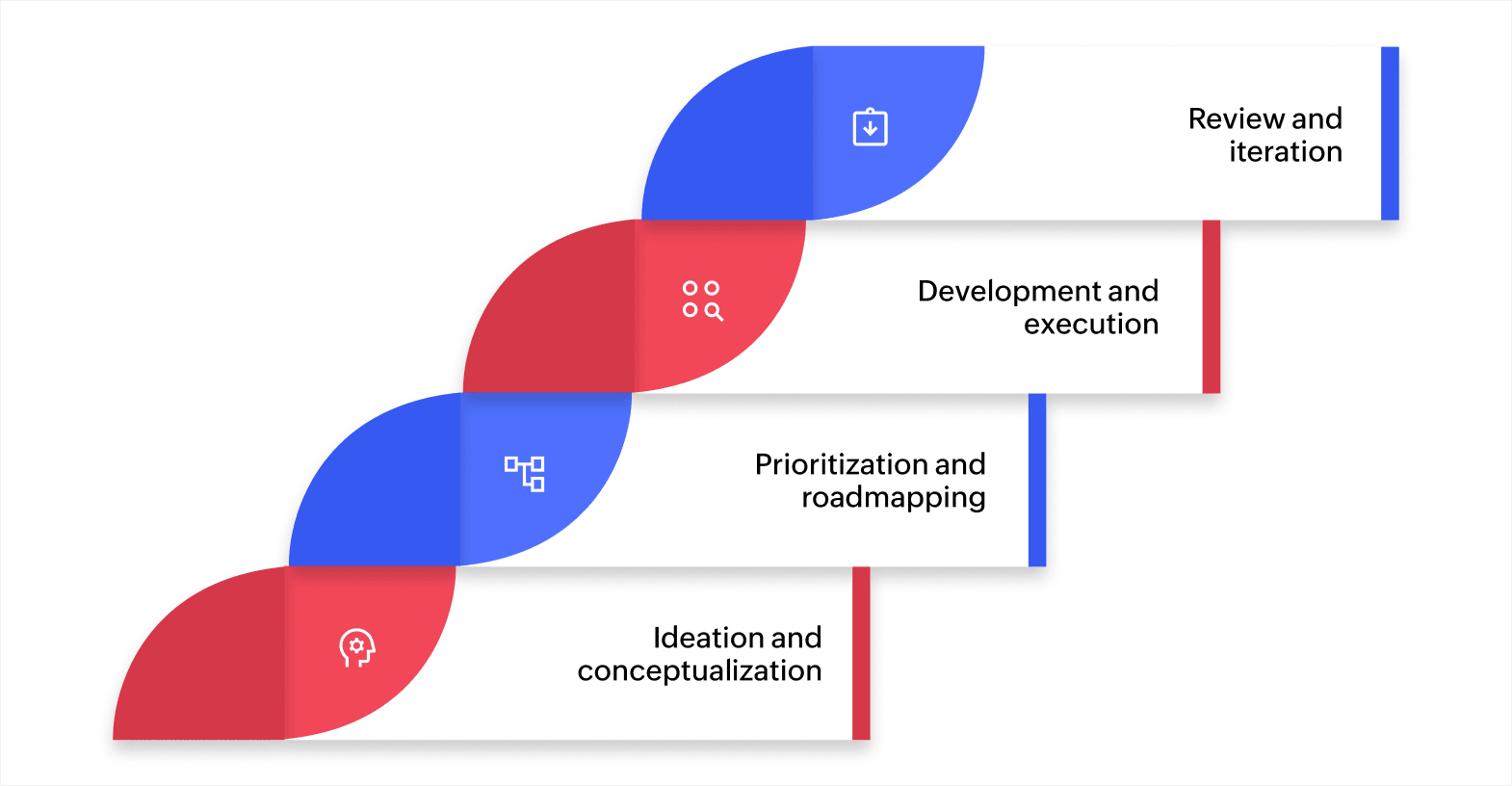
Every product goes through a series of stages before it reaches users. Defining these stages clearly is the foundation of an effective product management workflow. A typical product workflow includes these four phases:
1. Ideation and conceptualization
This is where new ideas are captured, evaluated, and shaped into potential features or products. Teams collect input from customers, internal stakeholders, and market research. The output is a set of clearly defined ideas with enough context for the next stage.
For instance, a SaaS product team might collect feature requests from support tickets, sales calls, and user surveys, then organize them in a shared intake form for review.
2. Prioritization and roadmapping
Only a portion of ideas make it to development. In this stage, teams evaluate ideas based on business impact, customer value, and feasibility. The highest-priority items go onto the product roadmap with timelines and milestones.
A common approach is to use a scoring framework that weighs customer demand, revenue impact, and development effort. This helps teams make objective decisions instead of relying on opinion alone.
3. Development and execution
Once priorities are set, work moves into design and engineering. This stage involves writing specifications, assigning tasks, running sprints, and building the actual product. Clear handoffs between product managers, designers, and developers keep this stage on track.
For example, a team building a new dashboard feature would start with wireframes, move to design review, then hand off to engineering with detailed acceptance criteria. Each step has a defined owner and a clear deadline.
4. Review and iteration
After a feature is built, it goes through testing, stakeholder review, and release. Post-launch, teams gather feedback and performance data to identify what worked and what needs improvement. This stage feeds back into ideation, creating a continuous loop.
Once you've defined the stages, it’s essential to decide how to structure them based on your team's working style.
Types of product management workflows
Product management workflows can be structured in different ways depending on your product, team size, and development style. These are the three most common types:
- Sequential (stage-gate) workflows: Work moves through stages in a fixed order, and each stage must be completed before the next one begins. This works well for hardware products or regulated industries where approvals are required at each step.
- Iterative (agile) workflows: Work moves in short cycles or sprints, with continuous feedback and frequent releases. Teams build, test, learn, and adjust in rapid loops. This is common in software development, where speed and adaptability are priorities.
- Hybrid workflows: These combine elements of both sequential and iterative approaches. Teams may follow a fixed flow for early stages like ideation and roadmapping, then switch to agile sprints for development and testing.
Each type has trade-offs. Sequential workflows offer more control and predictability. Iterative workflows offer more speed and flexibility. Hybrid models try to balance both, though they require clear rules about when each approach applies.
Your workflow type should match how your team actually works, not how a framework says you should work. The right fit depends on your release cadence, team size, and how often priorities shift.
Benefits of a well-structured product management workflow
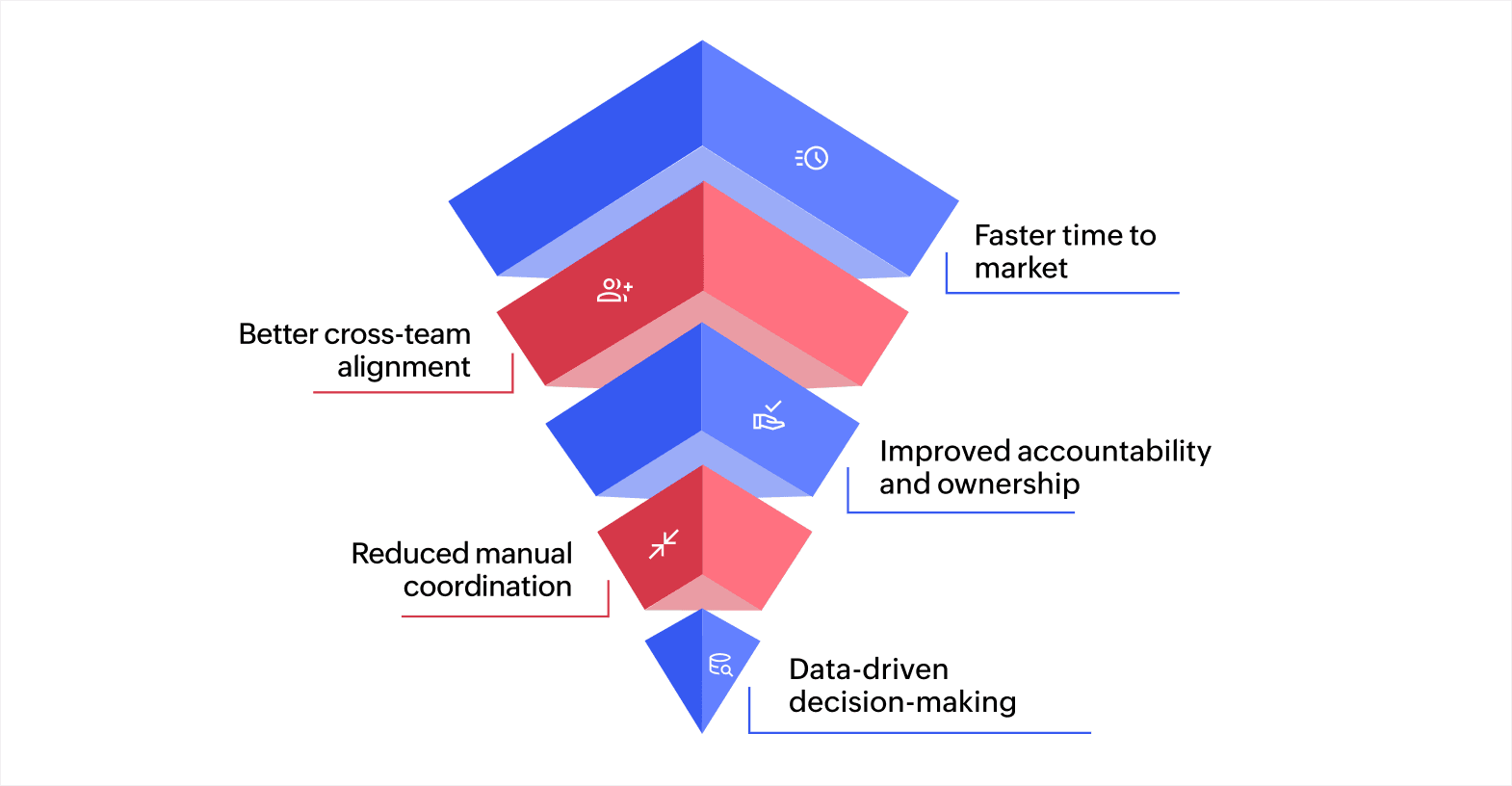
A structured product management workflow improves how your team collaborates, makes decisions, and delivers results. The benefits show up across every stage of product development.
Faster time to market
When every stage has a defined process, work moves forward without waiting for someone to decide what happens next. Automated handoffs and clear ownership reduce idle time between stages. Teams ship faster because the path from idea to release is already mapped.
Better cross-team alignment
Product development involves product managers, designers, engineers, QA, and sometimes marketing. A shared workflow gives everyone visibility into what's happening, what's coming up, and who's responsible. This reduces miscommunication and duplicate work.
Improved accountability and ownership
Assigning clear owners to each stage removes ambiguity. Everyone on the team knows their role and what they need to deliver. If a task stalls, it's easy to identify where it is and who needs to act.
Reduced manual coordination
Without a workflow, product managers spend a significant amount of time chasing updates, sending reminders, and syncing information across tools. Automated notifications and status transitions handle much of this work, freeing your team to focus on higher-value activities.
Data-driven decision-making
A well-tracked workflow generates data on cycle times, bottlenecks, and delivery rates. Over time, this data helps teams make better decisions about resource allocation, sprint planning, and priority setting.
How to set up a product management workflow for your team
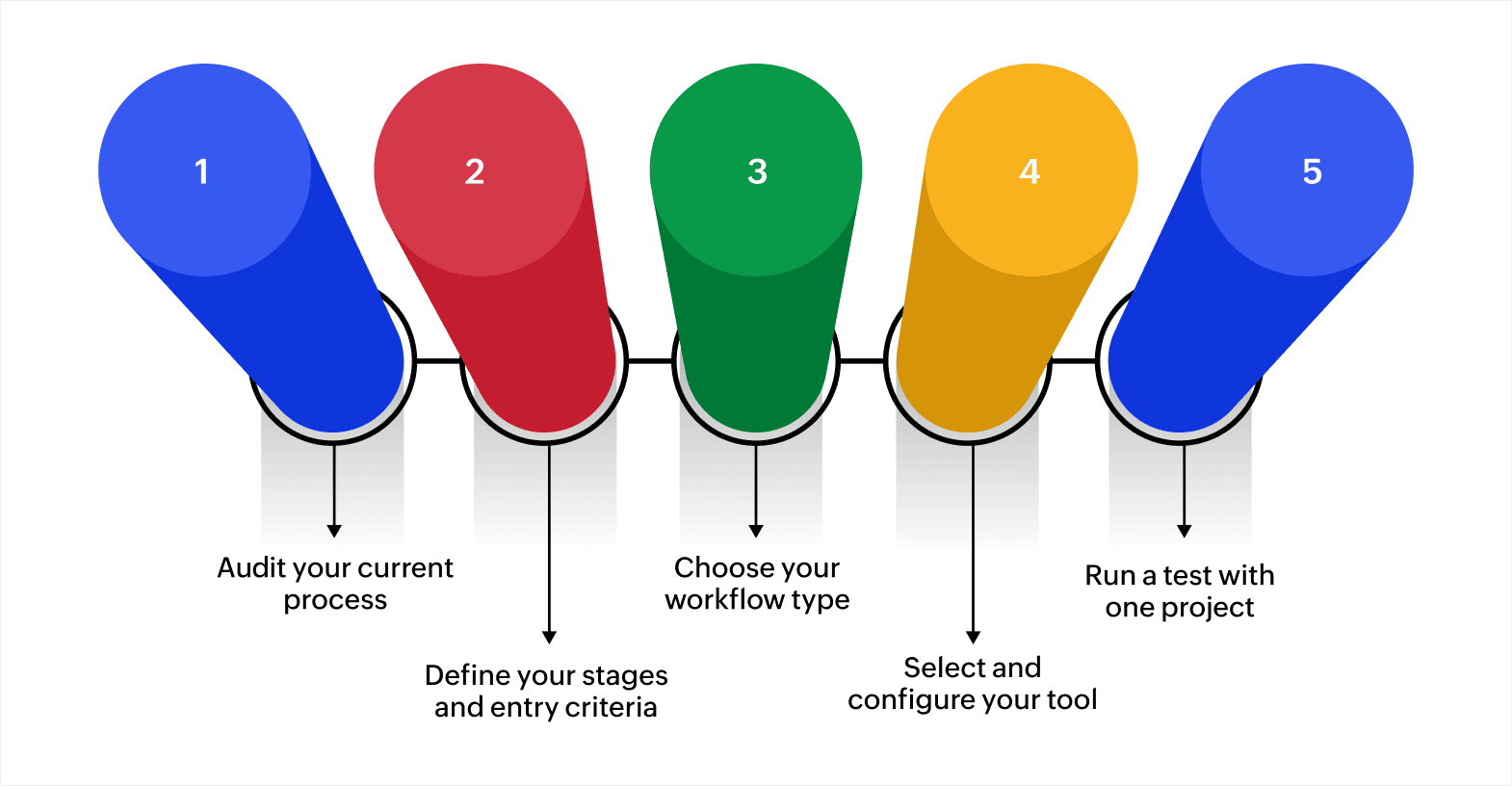
Most teams already have a product management workflow, even if it’s not well documented. The problem is that undocumented processes break down as processes grow and priorities increase. Structuring a workflow early on ensures the product delivery process stays on schedule.
Here’s how to set up a product workflow step by step:
1. Audit your current process
Before building anything new, map out how work moves through your team today. Talk to product managers, designers, and engineers about where they hand off work, where they wait for input, and where things slow down. This gives you a realistic picture of what needs to change.
2. Define your stages and entry criteria
Based on your audit, group work into clear stages. For each stage, write down what needs to be true before a task can enter it. For example, a task might only enter the development stage once it has approved specs and assigned resources.
3. Choose your workflow type
Decide whether a sequential, iterative, or hybrid structure fits your team best. A hardware team with regulatory approvals may need a strict stage-gate flow. A SaaS team releasing weekly may work better with agile sprints. Match the structure to your release cadence and team dynamics.
4. Select and configure your tool
Pick a platform that supports custom stages, automation, and the integrations your team needs. Set up your stages, create automated triggers for handoffs and notifications, and connect any existing tools your team relies on for communication and tracking.
5. Run a test with one project
Test your new workflow with a single feature or initiative before rolling it out to the full team. Track how tasks move through each stage, note where people get stuck, and collect feedback from everyone involved. Use what you learn to refine the workflow before scaling it.
Key metrics for tracking product management workflow performance
Once your workflow is running, you need a way to measure whether it's actually working. Tracking the right metrics helps you spot slow points, justify improvements, and keep your team accountable.
| What it measures | Why it matters | |
|---|---|---|
| Cycle time | The time a task takes from entering the workflow to completion | Shows overall workflow speed and helps you identify which stages take the longest |
| Lead time | The total time from when a request is made to when it's delivered | Captures the full wait, including time spent in the backlog before work begins |
| Throughput | The number of tasks or features completed in a given period | Tells you how much your team is delivering per sprint, month, or quarter |
| Work in progress (WIP) | The number of tasks actively in progress at any point | High WIP often signals that the team is spread too thin, which slows everything down |
| Blocked task rate | The percentage of tasks stuck waiting on input, approval, or a dependency | Highlights handoff problems and stages where tasks frequently stall |
| On-time delivery rate | The percentage of tasks or features delivered by their target date | Measures whether your workflow supports reliable, predictable delivery |
You don't need to track every metric from day one. Start with cycle time and throughput to get a baseline, then add others as your workflow matures. The goal is to use real data to improve your process over time, not create a reporting burden.
How AI improves product management workflows
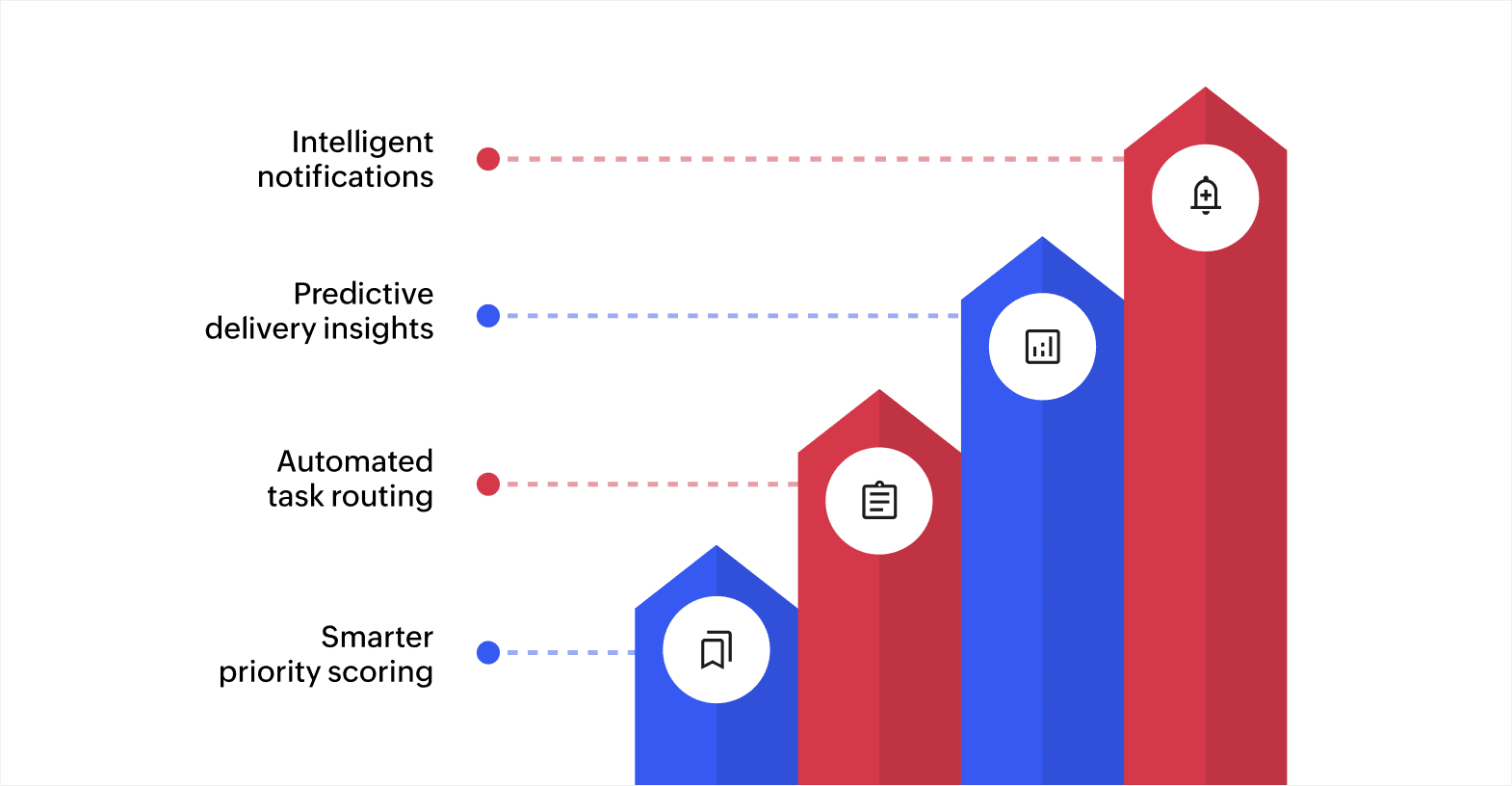
AI is starting to play a practical role in how product teams manage workflows. Some of the ways in which AI is improving product management workflows include:
Smarter priority scoring
AI can analyze customer feedback volume, revenue data, and historical delivery patterns to suggest which features should be prioritized next. Instead of spending hours debating in planning meetings, your team gets a data-backed starting point for discussions.
Automated task routing
When a task moves from one stage to the next, AI can automatically assign it to the right person based on skill set, availability, and current workload. This reduces delays caused by manual assignment and helps balance work across the team.
Predictive delivery insights
AI models can review past sprint data and current workloads to predict whether a feature is on track for its target release date. If a delay is likely, the system flags it early so your team can adjust scope or resources before the deadline passes.
Intelligent notifications
Instead of sending every update to everyone, AI can filter notifications based on relevance. Team members only receive alerts that require their attention, which reduces noise and helps people focus on work that matters.
AI works best when layered on top of a well-structured workflow. Without defined stages and clean data, there's nothing for AI to analyze or act on. The teams that benefit most are the ones who already have a solid workflow foundation in place.
Common challenges in product management workflows
Even well-designed workflows run into problems. Knowing the common challenges helps you solve them early. Here are some of the top challenges that come up most often:
- Unclear ownership between teams: When product, design, and engineering don't have defined roles at each stage, tasks sit in a holding pattern with no one taking the next step.
- Over-reliance on manual status updates: Teams that depend on meetings and messages for progress updates lose time and create information delays that slow the entire workflow.
- Poor prioritization criteria: Without clear rules for ranking features, teams end up debating priorities based on opinion rather than data, leading to misaligned roadmaps.
- Information silos across tools: When each team uses a separate tool without integration, critical details get lost between systems, and handoffs become error-prone.
- Rigid workflows that don't adapt: A workflow that worked for a five-person team may not scale to twenty. Teams that don't revisit their process regularly find themselves working around it instead of with it.
Most of these challenges come down to a lack of visibility and structure. The right platform can address both by centralizing your workflow, automating transitions, and giving every stakeholder access to real-time progress.
What to look for in a product management workflow tool
The tool you choose shapes how effectively your team can run its workflow. Not every platform fits every team, so it's good to evaluate options against a few key criteria:
- Custom workflow stages: Your tool should let you define your own stages, transitions, and rules instead of forcing you into a fixed template.
- Automation capabilities: Look for built-in triggers that can assign tasks, send notifications, and move work between stages without manual input.
- Third-party integrations: Your workflow tool needs to connect with the tools your team already uses, including communication apps, design tools, code repositories, and analytics platforms.
- Real-time reporting and dashboards: Visibility into cycle times, task status, and bottlenecks helps you make faster decisions and keep stakeholders informed.
- Multi-device access: Product teams often work across offices, remote locations, and on the go. A tool that runs on the web, iOS, and Android ensures everyone stays connected.
- Scalability: As your team and product grow, your tool should handle more users, more stages, and higher volumes without performance drops.
The right tool supports your team by reducing manual effort and keeping information accessible in one place.
Build better product management workflows with Zoho Creator
Defining your product management workflow takes effort, but keeping it running smoothly across teams, tools, and stages takes even more. As your product process grows, manual coordination and rigid tools often create more problems than they solve.
Zoho Creator is an AI-powered, low-code application development platform that lets you build custom product workflow applications tailored to how your team actually works. Instead of adapting to a prebuilt tool's limitations, you can design your own stages, rules, and automations without writing extensive code.
With Zoho Creator, you can map out your product stages, set rules for how tasks progress, and automate task assignments so work moves forward the moment a step is complete. Smart notifications keep every team member informed without manual follow-ups, and real-time dashboards give you a clear view of progress across every stage.
Your team can also connect existing tools through 1,000+ integrations and access workflows from anywhere with mobile apps. Every part of the platform is designed to help you move from scattered product management to a structured, automated workflow.
Start building product workflows that match your process. Sign up for free today and see what your team can ship with the right structure in place.
FAQ
1. How do you choose the right stages for a product management workflow?
Start by mapping how work currently moves through your team. Identify the key decision points and handoffs, then group them into stages like ideation, prioritization, development, and review. Adjust based on what your team actually needs.
2. Who is responsible for managing a product management workflow?
The product manager typically owns the overall workflow and ensures tasks move through each stage on schedule. Individual stage owners, such as designers or engineers, handle execution within their assigned steps.
3. How long does it take to set up a product management workflow?
A basic workflow with defined stages, owners, and simple automation can be set up in a few days. More complex workflows with custom rules, integrations, and reporting may take two to four weeks to configure and test.
4. How often should you review your product management workflow?
A quarterly review works well for most teams. Look at cycle times, bottlenecks, and feedback from team members to identify where the workflow needs adjustment.
5. What tools are commonly used for product management workflows?
Teams often use project management platforms, kanban boards, and low-code tools to manage product workflows. The best choice depends on how much customization and automation your team needs.
 Ann Elizabeth Sam
Hey! I'm Ann, and I work as a content writer at Zoho Creator. I'm exploring the SaaS world through various forms of content creation. Outside of work, I love dancing and would give up anything to read a good murder mystery.