- HOME
- Design & deliver
- Presentation tips: The complete guide to creating engaging and effective presentations
Presentation tips: The complete guide to creating engaging and effective presentations
- Last Updated : July 21, 2026
- 139 Views
- 10 Min Read

Think about the best conversation you've ever had.
You probably don't remember every word that was said. But you remember how effortlessly it flowed, how easy it was to follow, and how the impact stayed with you long after it ended.
Great presentations work the same way.
They're not about squeezing every detail onto a slide or impressing people with elaborate animations. They're about guiding an audience through an idea so clearly that they understand it, remember it, and know what to do next.
Whether you're presenting to a classroom, a conference hall, a boardroom, or a virtual audience, the fundamentals remain the same: know your message, know your audience, and communicate with clarity.
In this guide, you'll learn practical presentation tips that cover every stage of the process: from planning your presentation and creating compelling content to designing effective slides and delivering with confidence.
Fundamentals of a great presentation
Creating an effective presentation isn't about following rigid rules. It's about making intentional choices that help your audience understand and remember your message. From planning your content to delivering it with confidence, every stage plays a role in how successful your presentation will be.
Here are some practical tips to help you create presentations that are clear, engaging, and impactful.
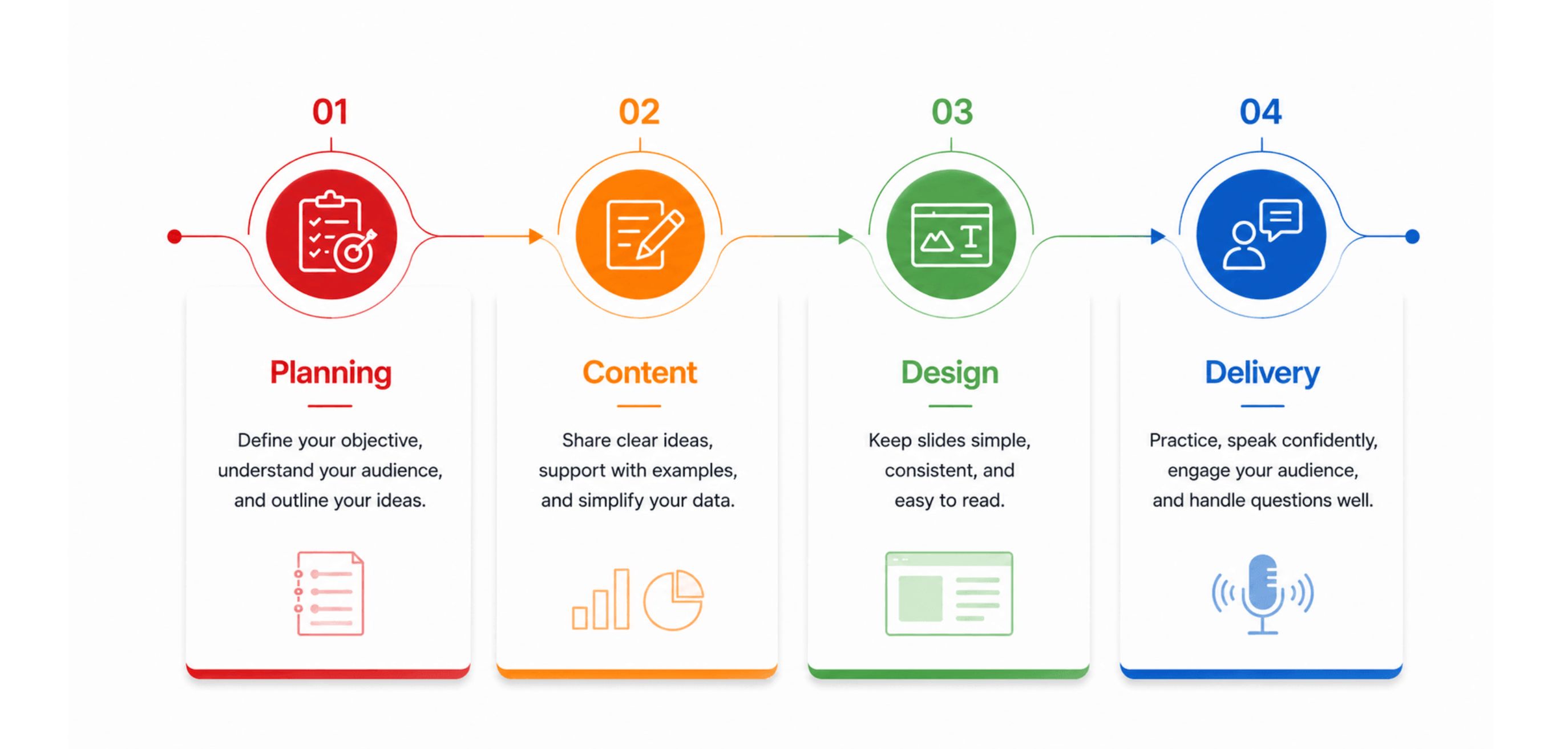
Planning: Great presentations start before the first slide
It's tempting to open your presentation software and start designing slides right away. But the strongest presentations are usually planned long before the first slide exists.
A few minutes spent defining your message can save hours of rearranging slides later.
Start with one question: Why am I giving this presentation?
Every presentation should have a single objective. Are you trying to persuade, inform, teach, or inspire? Knowing the answer makes it easier to decide what belongs—and what doesn't.
Ask yourself: If my audience remembers just one thing after this presentation, what should it be?
Think about your audience before your content
A presentation for executives looks very different from one for students or customers. Before you start outlining ideas, consider what your audience already knows, what they need to learn, and what action you want them to take.
When your presentation is tailored to your audience, your message is easier to understand and remember.
Outline first, design later
Resist the urge to perfect your slides before you've organized your thoughts. A simple outline helps you build a logical flow, identify gaps, and avoid repeating information.
You'll spend less time redesigning slides —and your presentation will feel more cohesive.
Content: Make your message easy to remember
A presentation shouldn't try to say everything.
It should help your audience remember the things that matter most.
When people leave your presentation, they probably won't remember every statistic or every bullet point. They'll remember the ideas that were explained clearly, reinforced with examples, and repeated at the right moments.
Write for listeners, not readers
Your audience can't comfortably read long paragraphs while listening to you speak. Instead of treating your slides like documents, use them to highlight key ideas. Let your spoken explanation provide the details.
This makes it easier for your audience to absorb information without feeling overwhelmed.
Support ideas with examples
People are more likely to remember concepts when they can connect them to something familiar.
Instead of saying a process is "more efficient," show how it reduced a task from two hours to twenty minutes. Replace abstract statements with real-world scenarios that make your message clearer and more memorable.
Simplify your data
Numbers rarely persuade people on their own. What matters is the insight behind them.
Instead of showing every metric you've collected, highlight the specific points that best support your message. Thoughtful data visualization makes complex information easier to understand and remember. Use charts or smart elements to guide your audience toward the conclusion you want them to reach.

End each section with a takeaway
Before moving on to your next topic, briefly reinforce the main point.
These small summaries create smoother transitions and help your audience retain information throughout the presentation.
Design: Make your slides work for you, not against you
Good slide design isn't about impressing people with beautiful graphics. It's about removing distractions so your audience can focus on what matters.
When in doubt, simplify.
One idea beats five
Every slide should answer one question or communicate one key message. If your audience has to choose where to look, the slide is probably trying to do too much.
A clear focal point guides your audience's attention and makes your presentation easier to follow.
Less text creates more impact
Your audience came to hear you, not read your slides. Replace paragraphs with short phrases, visuals, or diagrams whenever possible to what?
With less text competing for attention, your visuals and spoken explanation can work together more effectively.
Consistency builds trust
Fonts, colors, spacing, and layouts should feel intentional. A consistent design helps your audience focus on your ideas instead of noticing visual differences from slide to slide.
Design for the person in the last row
Small fonts and low-contrast colors may look fine on your laptop, but not on a projector or a mobile screen. Before presenting, zoom out or step back to make sure everything remains readable.
These tips are a great starting point for creating simple, effective presentations. For more in-depth advice on layouts, typography, colors, and visuals, check out our complete guide to presentation design tips.
Delivery: Present with confidence
Creating great slides is only half the job. How you deliver your presentation can influence how your audience receives your message. Even a well-designed deck can lose its impact if it's rushed, monotone, or read directly from the slides.
The good news is that confident delivery is a skill you can build with practice. These presentation tips will help you communicate your ideas more effectively and keep your audience engaged.
Practice, but don't memorize
Rehearsing helps you become familiar with the flow of your presentation, but trying to memorize every word can make your delivery sound robotic. Instead, understand the key message of each slide so you can speak naturally and adapt if needed.
A few practice runs also help you refine transitions, improve timing, and identify sections that need simplifying.
Speak to your audience, not your slides
Your slides should support your presentation, not become your script. Avoid reading text directly from the screen. Instead, maintain eye contact with your audience and expand on the key points shown on each slide.
This creates a more conversational experience and helps build trust with your audience.
Slow down and pause
Many presenters unintentionally speed up when they're nervous. Speaking too quickly makes it harder for your audience to absorb information.
Slow your pace slightly and use short pauses after introducing an important point. A well-timed pause gives your audience time to process what you've said and naturally emphasizes your message.
Use your voice to add emphasis
Varying your tone, pace, and volume makes your presentation more engaging than speaking in the same rhythm throughout.
For example, slowing down before an important stat or emphasizing a key takeaway can help it stand out and stay with your audience.
Prepare for questions
Questions are often a sign that your audience is engaged. Instead of rushing to answer, listen carefully, make sure you understand the question, and respond thoughtfully.
If you don't know the answer, it's perfectly acceptable to say you'll follow up after the presentation rather than guessing.
Use presenter tools to stay focused
Presenter view, speaker notes, and built-in timers can help you stay organized without distracting your audience.
Instead of switching between printed notes or multiple windows, use these tools to keep your key points and presentation flow within reach while your audience sees only the slides.
Presentation trends: What's shaping modern presentations?
The fundamentals of creating a great presentation haven't changed. A clear message, thoughtful design, and confident delivery are still the foundation of every successful presentation.
What has changed is the way presentations are created, delivered, and shared. New technologies, changing work environments, and evolving audience expectations are influencing how people communicate ideas.
Here are some of the biggest presentation trends shaping modern presentations today.
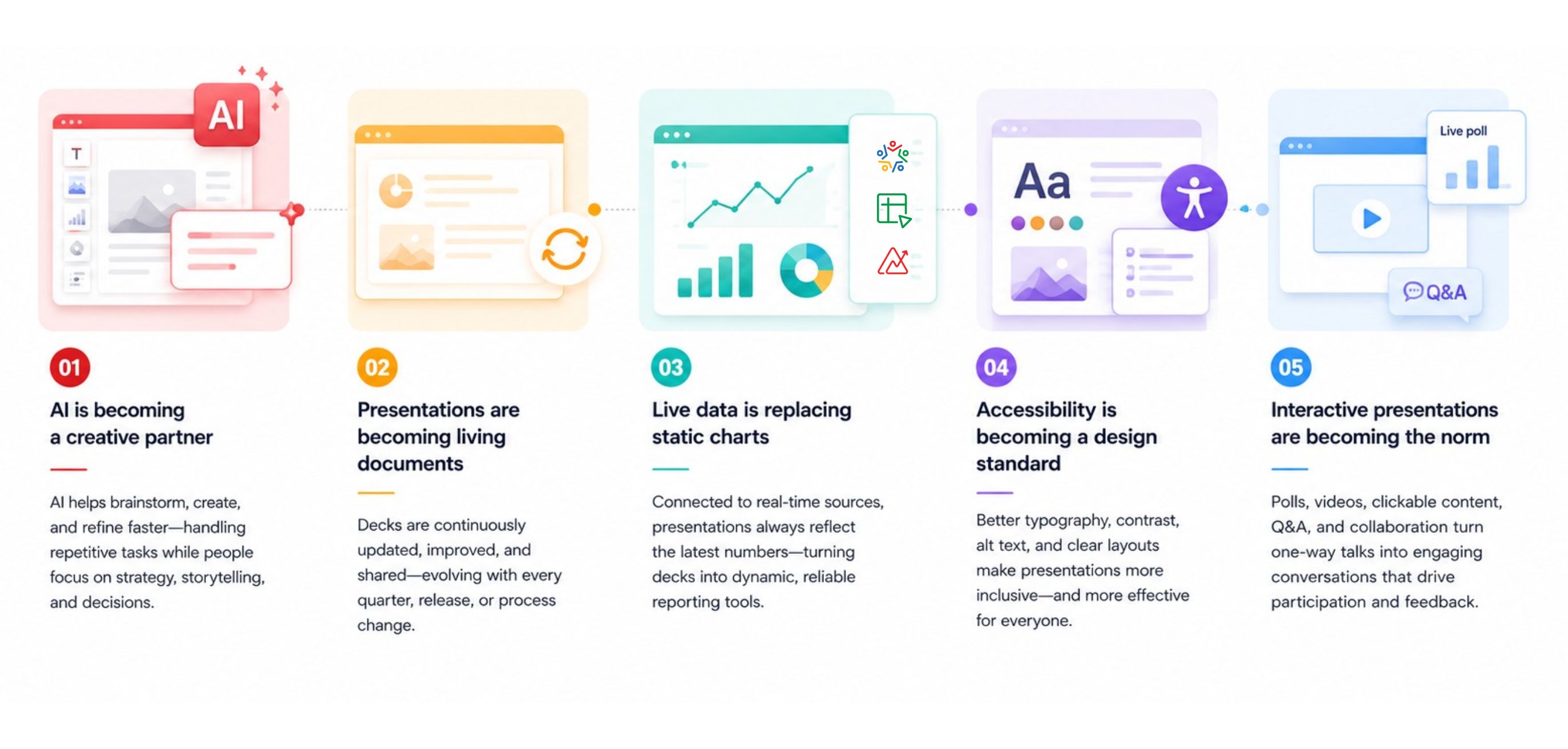
AI is becoming a creative partner
Artificial intelligence is helping presenters move from ideas to slides faster than ever before. Instead of starting with a blank canvas, AI can help brainstorm topics, generate outlines, refine content, create visuals, and summarize information.
Rather than replacing presenters, AI is becoming a creative partner that handles repetitive tasks while leaving strategic thinking, storytelling, and decision-making to people.
Presentations are becoming living documents
Presentations no longer end when the meeting is over.
A sales deck might be updated throughout the quarter. A product presentation may evolve with every new release. Internal training decks are continuously improved as processes change.
Instead of being static files, presentations are becoming living documents that teams revisit, update, and share long after they're first created.
Live data is replacing static charts
Business presentations are becoming more connected to real-time information.
Instead of manually updating charts before every meeting, presenters are increasingly pulling live data from spreadsheets, CRM systems, dashboards, and analytics platforms. This ensures reports always reflect the latest numbers while reducing the risk of outdated information.
As organizations become more data-driven, presentations are evolving from static snapshots into dynamic reporting tools.
Accessibility is becoming a design standard
Creating accessible presentations is no longer just a recommendation—it's becoming an expectation.
Presenters are paying greater attention to readable typography, sufficient color contrast, meaningful alternative text for visuals, and layouts that are easier for everyone to navigate.
These improvements don't only benefit people with accessibility needs; they create cleaner, more effective presentations for every audience.
Interactive presentations are becoming the norm
Audiences increasingly expect to participate rather than simply listen.
Live polls, embedded videos, clickable content, Q&A sessions, and collaborative discussions are making presentations more dynamic and engaging. Instead of one-way communication, presentations are becoming conversations that encourage participation and feedback.
Put these presentation tips into practice with Zoho Show
By now, you've seen that creating a great presentation is about much more than designing attractive slides. It starts with a clear objective, grows through thoughtful storytelling and visual design, and ends with a confident delivery that leaves a lasting impression.
Zoho Show is built to support every stage of that journey. From planning and collaboration to AI-assisted content creation and seamless presentation delivery, it helps you apply the presentation tips you've learned throughout this guide with ease.
Start with professionally designed templates and themes
Instead of building every presentation from scratch, choose from a wide range of professionally designed templates and themes. They provide a consistent foundation while giving you the flexibility to customize your slides to match your content and brand.
Collaborate without the back-and-forth
Presentation creation is rarely a solo effort. With real-time collaboration, comments, and version history, teams can work together on the same presentation, review changes, and stay aligned throughout the editing process.
Bring complex ideas to life
Whether you're explaining a process, presenting data, or illustrating relationships, you can use built-in diagrams, charts, icons, and multimedia support to communicate information more visually and effectively.
Create presentations faster with AI
AI-powered features can help you generate ideas, refine content, improve writing, and accelerate your workflow, allowing you to spend more time focusing on your message instead of formatting slides.
Present confidently from anywhere
Deliver presentations from your browser,desktop,mobile device,or TV, whether you're in the office, at home, or on the go. Presenter View, speaker notes, and seamless sharing options help you stay focused while delivering a smooth presentation experience.
Share presentations beyond the meeting
Great presentations continue to provide value even after they're delivered. With multiple sharing and publishing options, you can enable your audience to revisit presentations whenever they need them, making your work useful long after the meeting ends.
Final thoughts
Great presentations require great communication .
The most memorable presentations aren't always the ones with the most slides or the fanciest visuals. They're the ones that communicate ideas clearly, connect with the audience, and inspire action.
By focusing on thoughtful planning, simple design, clear storytelling, confident delivery, and meaningful engagement, you'll be well on your way to creating presentations that people remember.
And with the right tools supporting your workflow, putting these presentation tips into practice becomes even easier.
Ready to create your next presentation? Try Zoho Show and start building presentations that inform, engage, and inspire.
Frequently asked questions about presentations
How many slides should a presentation have?
There's no ideal number of slides for every presentation. Instead of aiming for a specific slide count, focus on covering your topic clearly without rushing or repeating information.
For a 10-minute presentation, around 8–12 slides is a good starting point, but the right number depends on your content, audience, and presentation style. It's perfectly fine to have more slides if they're simple and help guide the conversation.
How much text should be on a presentation slide?
Keep text to a minimum. Your slides should support your presentation, not replace it.
Instead of long paragraphs, use short phrases, keywords, or bullet points that reinforce your message. If your audience spends more time reading your slide than listening to you, it probably contains too much text.
What is the 10-20-30 rule for presentations?
The 10-20-30 rule, introduced by Guy Kawasaki, suggests using 10 slides, presenting for 20 minutes, and using a minimum 30-point font.
While it's a helpful guideline for investor pitches and business presentations, it isn't a universal rule. Educational presentations, training sessions, and technical demonstrations often require a different structure. Treat it as a reference point rather than a strict formula.
What is the best font size for a presentation?
For most presentations, use at least 24 points for body text and 32–44 points for headings.
Larger fonts improve readability, especially when presenting in large rooms or during virtual meetings. If you need to reduce the font size to fit everything on one slide, consider simplifying the content instead.
Should I use animations in my presentation?
Yes—but only when they serve a purpose.
Animations can be useful for revealing information step by step, explaining a process, or directing your audience's attention. Overusing animations or transitions, however, can distract from your message.
When in doubt, keep animations simple and consistent.
How do I make my presentation more engaging?
Start with a strong opening, tell a clear story, use meaningful visuals, and encourage audience interaction where appropriate.
Rather than overwhelming your audience with information, focus on one key idea at a time and support it with examples or visuals. An engaged audience is more likely to remember your message than one that's simply reading your slides.
How can AI help create presentations?
AI can speed up many parts of the presentation process, from brainstorming ideas and drafting content to generating summaries and suggesting visuals.
However, AI works best as a creative assistant—not a replacement for your expertise. Always review AI-generated content for accuracy, tone, and relevance, and make sure it reflects your audience's needs and your own perspective.
What should the last slide of a presentation include?
Your final slide should reinforce your main message rather than simply saying "Thank You."
Depending on your presentation, it could include:
A summary of key takeaways
A call to action
Next steps
Contact information
Time for questions
A strong ending gives your audience a clear sense of what to remember or do after the presentation.
Can I create professional presentations without design experience?
Absolutely. Good presentations are built on clarity, structure, and consistency—not advanced design skills.
Using well-designed templates, maintaining a consistent visual style, and following presentation best practices can help anyone create professional-looking slides. Modern presentation software also includes features like themes, layout suggestions, collaboration tools, and AI assistance to simplify the design process.