- HOME
- Know Your Tech
- AI software development: Benefits, differences, and challenges
AI software development: Benefits, differences, and challenges
- Last Updated : December 1, 2025
- 1.0K Views
- 10 Min Read
Rising feature backlogs, pressure for continuous releases, and growing dependency on automation are pushing businesses to rethink how they build software. Traditional development cycles often can't keep pace with market demands, leaving teams stretched thin and products delayed. But what if there were a way to develop smarter, more efficient applications without the lengthy coding process?
Highlights
AI automates repetitive development tasks such as form creation, workflow setup, and data modeling, reducing setup time from weeks to hours.
Traditional development offers predictable outcomes with established processes, extensive documentation, and a deep pool of experienced developers worldwide.
AI-powered platforms learn continuously from user behavior and data patterns, improving application performance without manual updates.
Hybrid approaches combine both methods, letting you use AI for speed while maintaining control over critical business logic and specialized requirements.
AI leads to faster time-to-market by shortening cycles from concept to working prototype, often reducing weeks of work to just a few days or hours.
This is where AI-assisted development comes in. It makes your processes faster, more agile, and less prone to human error. AI-assisted development automates repetitive tasks, accelerates delivery, and brings predictive intelligence into software, from smart form-filling to decision-making workflows.
This blog will explore how AI-driven development stacks up against traditional methods, what makes it worth considering, and how it can improve your workflows, outcomes, and long-term growth.
What is traditional app development?
While traditional app development has proven to be effective in building reliable applications, it often requires significant time, effort, and technical expertise. The process is structured but can be slow, especially when scaling or when similar patterns are repeated across multiple projects. In a conventional setup, software development is a structured, manual process.
Traditional app development typically involves the following steps:
Gathering and analyzing requirements
Designing the application flow
Writing code from scratch
Testing and debugging manually
Deploying and maintaining the app over time
This approach requires a high level of technical expertise, careful project planning, and consistent manual effort. Studies indicate that nearly half of all technology development projects experience delays, highlighting inefficiencies in smooth operation. While it's thorough and proven, it can be slow when the same patterns and functions are repeated across different projects.
What does AI in software development mean?
AI in software development refers to using artificial intelligence technologies throughout the development process to improve speed, accuracy, and capabilities.
AI-powered development lets you generate application structures from simple descriptions, suggest optimal data models based on your requirements, and automate workflow creation.
For example, you can describe a leave management system in plain language, and AI can create the forms, approval workflows, and reporting dashboards automatically.
The technology also enables prompt-based app creation where you interact conversationally with AI to build features, AI agents that recommend improvements based on usage patterns, and predictive capabilities that help applications make smarter decisions.
According to Gartner, by 2028, three out of every four enterprise software engineers (nearly 75%) will work with AI coding tools. By using machine learning and natural language processing, AI helps in building reliable software more efficiently. Let’s see in detail how AI-powered development compares to traditional methods.
4 key differences between AI and traditional app development

Aspect | Traditional development | AI-powered development |
Development process | Linear workflow with manual coding at each step | Automated setup with AI-generated structures and logic |
Problem solving | Manual troubleshooting based on developer experience | Pattern recognition with proactive issue identification |
Tools and technologies | Multiple separate tools requiring individual setup | Unified platform with integrated AI capabilities |
Scalability and flexibility | Infrastructure changes require significant rework | Modular design adapts easily to new requirements |
Data dependency | Works with static, predefined data structures | Learns continuously from data to improve functionality |
Development process and speed
The way an app is built from concept to launch can shape everything from team productivity to time-to-market. Here's how the two methods differ:
Traditional development
Follows a linear, step-by-step workflow from planning to deployment.
Manual coding, testing, and debugging slow down delivery.
Any change or update requires time-consuming coordination.
AI-powered development
Automates routine tasks like code suggestions and testing.
Speeds up iterations by reducing manual workload.
Allows teams to prototype and ship features in a fraction of the time it would typically take.
Approaches to problem-solving
Traditional development
Relies heavily on developer experience and manual research.
Troubleshooting involves trial and error, which adds to delays.
AI-powered development
Uses pattern recognition to suggest fixes and improvements.
Flag issues proactively before they impact functionality.
Reduces guesswork and boosts confidence in early decision-making.
Tools and technologies used
Traditional stack
Involves separate tools for coding, testing, deployment, and monitoring.
Requires manual setup, configuration, and maintenance.
Common tools: IDEs like Visual Studio, IntelliJ, and Eclipse; frameworks like .NET, Angular, and Django.
AI-enhanced stack
Brings intelligence into every stage of development.
Combines code generation, predictive testing, and usage analytics.
Common tools
Low-code platforms like Zoho Creator with built-in smart features
AI code assistants like GitHub Copilot or Tabnine
ML-powered analytics that optimizes performance based on user behavior
Data dependency
One significant distinction between traditional and AI development is the reliance on data:
Traditional Software Development
Relies primarily on structured, predefined data to function.
Systems are designed with fixed rules and logic, and new data doesn't necessarily change the core functioning of the system.
AI development
AI systems depend heavily on data to learn and improve. The more data you feed into an AI system, the better it becomes at performing tasks like prediction, pattern recognition, and personalization.
As the system processes more data, it adapts and advances, improving its efficiency and accuracy over time.
Benefits of traditional development vs. AI-powered development
Both AI-powered developments and traditional approaches come with their own strengths. Here’s a breakdown of the benefits offered by the two.
Benefits of traditional app development
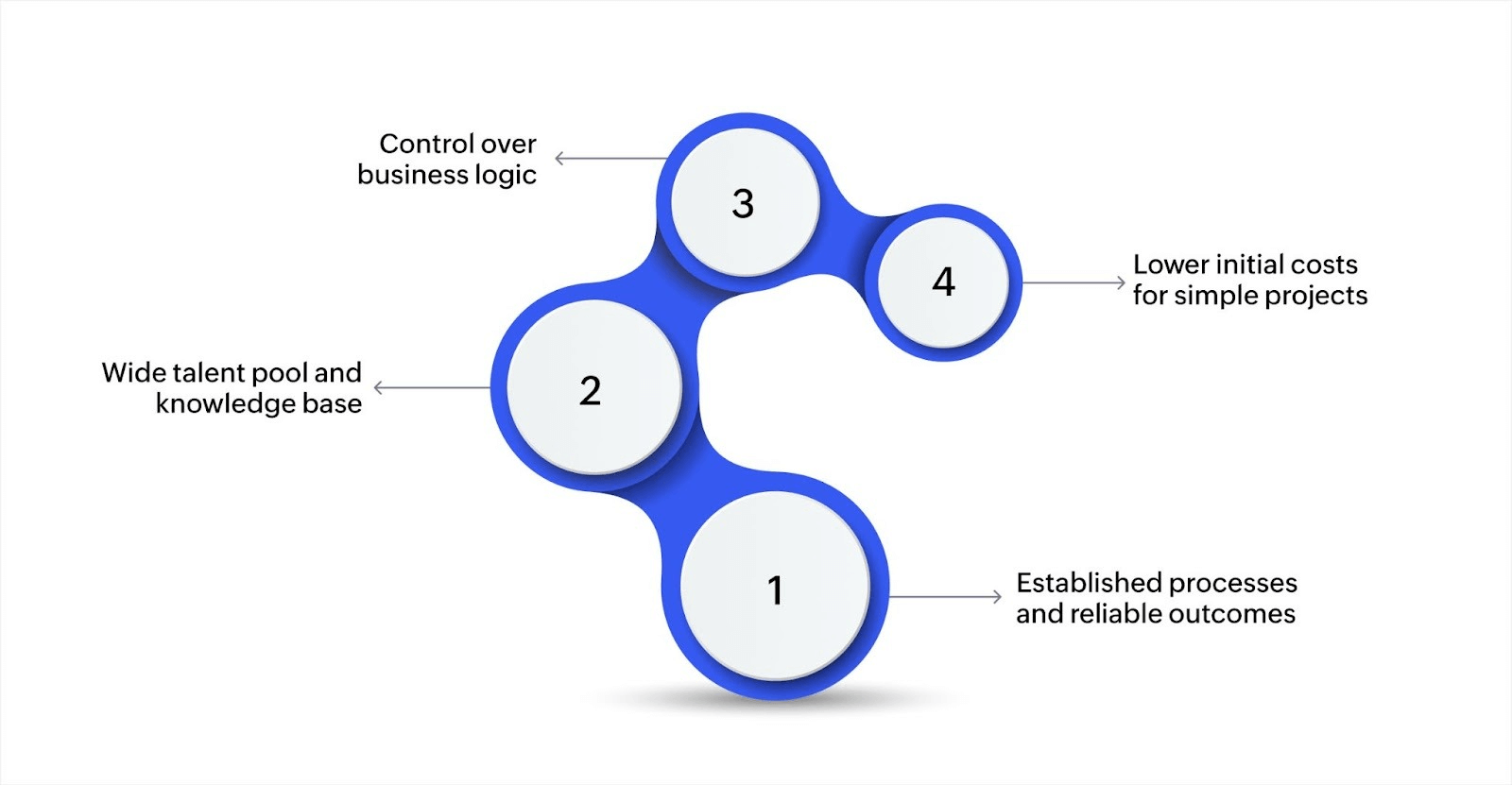
Traditional development methods continue to serve many businesses well. These approaches offer specific advantages that matter in certain contexts.
Established processes and reliable outcomes
Traditional development follows structured models like Waterfall or Agile with clearly defined stages and deliverables. This provides clear documentation, predictable checkpoints, and reliable timelines that help teams coordinate effectively.
In highly regulated industries like finance or healthcare, this structured approach makes auditing and compliance easier since every change is tracked and documented.
Wide talent pool and knowledge base
Decades of traditional development have created a deep pool of skilled developers worldwide. This means easier hiring, extensive tutorials and documentation for common problems, and no steep learning curve for experienced developers.
Companies can scale teams quickly and keep development accessible across different skill levels.
Control over business logic
Traditional methods give developers complete control over every aspect of application behavior. Teams can fine-tune applications based on specific requirements, customize deeply for unique business needs, and make decisions based on direct human judgment rather than algorithmic suggestions.
For complex, specialized applications with very specific requirements, this level of control can be valuable.
Lower initial costs for simple projects
For straightforward applications with well-defined requirements, traditional development can start with lower upfront costs, especially if existing infrastructure already supports these methods.
Small, simple projects with stable requirements may not need the additional capabilities that AI-powered platforms provide.
Benefits of AI in software development
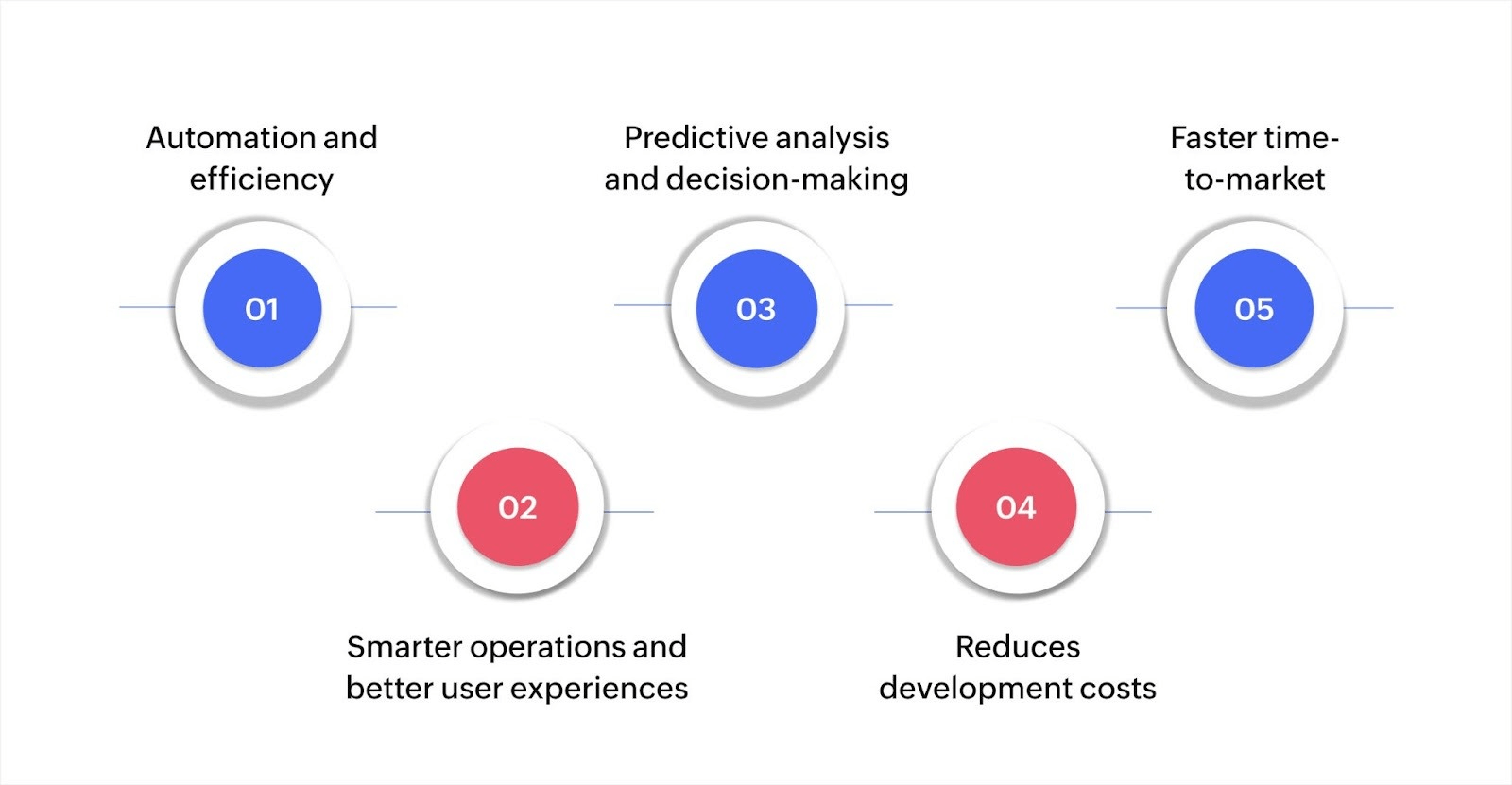
Whether you're part of a small team or leading enterprise-level transformation, AI brings advantages that help you move faster, work smarter, and deliver more value.
Let’s see how.
Automation and efficiency
One of the most immediate advantages of AI in software development is automation. Instead of manually creating each form field, workflow step, or report layout, AI generates these elements based on your requirements. You describe what you need, and the system builds the structure automatically.
This applies to form creation, where AI suggests appropriate field types based on your data, workflow automation, where business rules convert into working processes, and report generation, where AI creates dashboards from your data sources.
Also Read: Why automation is a smart way to manage properties and rentals
Smarter operations and better user experiences
AI automates form logic, optimizes data flow between different parts of your application, and reduces the manual oversight needed to keep systems running smoothly.
For example, YEG Academy, a Canadian educational organization, used Zoho Creator, an AI-powered low-code application development platform, to manage students, schedules, and academic data more efficiently.
The results included improved administrative efficiency, fewer errors in student records, and smoother experiences for both staff and learners. The AI capabilities helped the system adapt to different user needs without requiring constant manual adjustments.
Predictive analysis and decision-making
AI-powered applications analyze patterns in your data to forecast demand, identify potential issues before they affect users, and recommend optimizations based on actual usage.
For instance, a customer portal built with AI capabilities can predict peak usage times and optimize resources accordingly, identify which features users struggle with based on behavior patterns, and suggest improvements to workflows before complaints arise. This shifts decision-making from reactive to proactive.
Reduces development costs
AI’s ability to automate tasks, optimize workflows, and reduce rework contributes directly to cost savings. With AI, you reduce development hours and minimize expensive late-stage fixes.
It also makes it easier to repurpose components across projects, which helps teams scale without inflating budgets. Over time, this results in a more efficient development process with fewer bottlenecks and reduced overhead.
Faster time-to-market
AI shortens development cycles at every stage. You move from concept to working prototype in days instead of months, iterate based on real user feedback quickly, and deploy updates without complex coordination.
Real-time AI assistance during development helps you make better decisions faster, automated suggestions reduce back-and-forth with stakeholders, and working prototypes let you test ideas before committing significant resources.
Challenges of AI-based app development
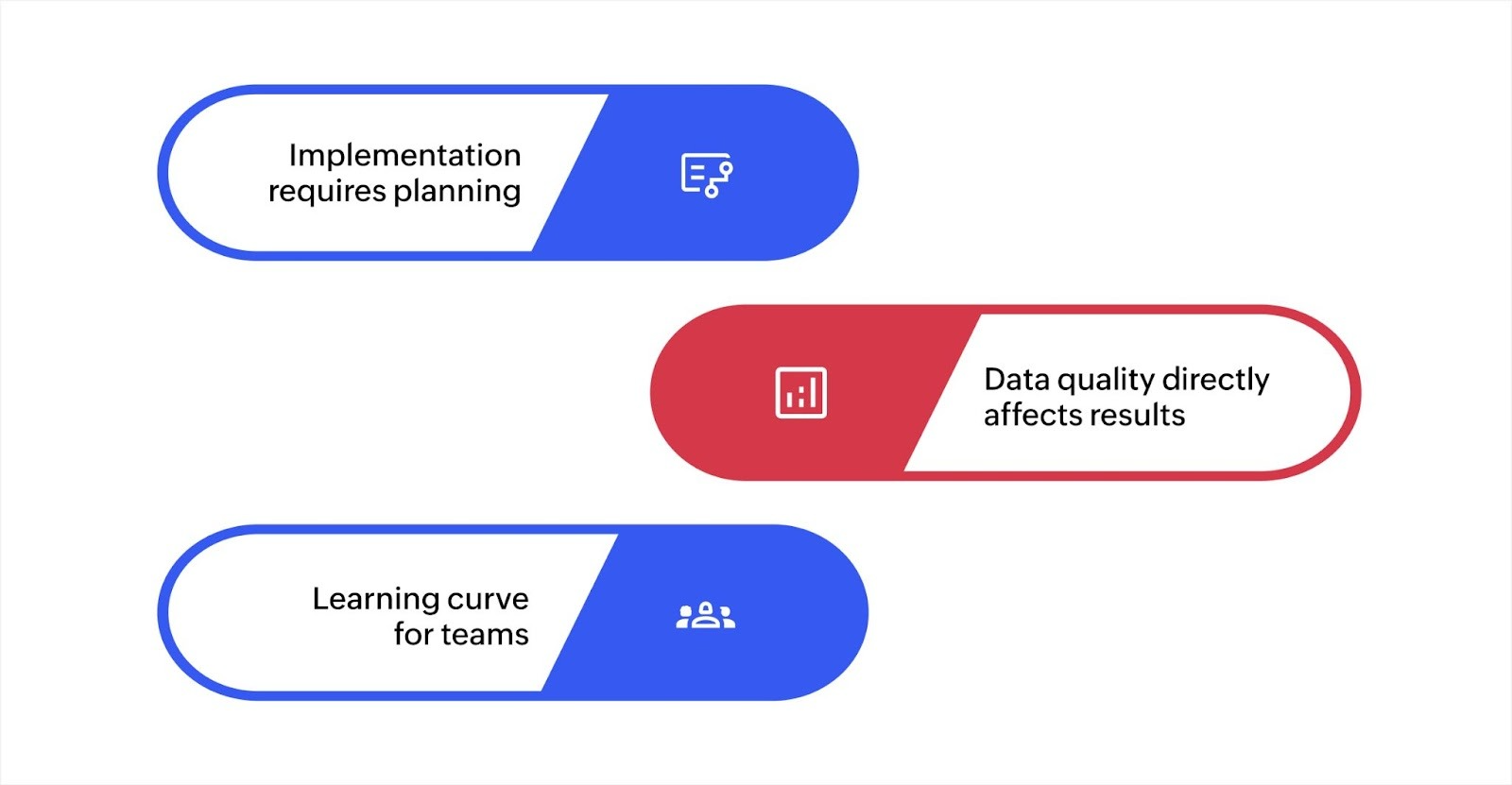
Implementation requires planning
Getting started with AI-powered development involves more than installing software. You need to structure your data properly for AI to work effectively, define clear business rules that AI can implement, and train team members on new ways of working. This upfront investment takes time and attention.
For example, moving from spreadsheets to an AI-powered application requires organizing data into proper structures, clarifying workflows that may have been informal, and helping users adapt to new processes. The transition period requires commitment and resources.
Data quality directly affects results
AI-powered applications depend on good data to deliver value. If your data is incomplete, inconsistent, or poorly organized, AI capabilities won't perform as expected.
The better your data quality and organization, the more value you get from AI features. This often means cleaning up existing data and establishing quality standards before implementation.
Learning curve for teams
AI-powered platforms work differently from traditional development or even basic software tools. Team members need to learn new concepts like data modeling, workflow automation, and how to work with AI suggestions effectively. While modern platforms make this easier through visual interfaces, the shift still requires training and adjustment time.
Some team members may resist changes to familiar processes, and getting everyone comfortable with new tools takes patience and support.
These challenges highlight the importance of starting with well-scoped projects and using platforms that simplify AI integration.
However, AI doesn’t have to replace traditional methods. Let’s discuss how integrating AI into your existing workflows can enhance development without disruption.
Integration of AI into traditional app development workflows
Many businesses are finding the ideal balance in blending AI and traditional app development. The hybrid approach helps you adopt AI incrementally, delivers value faster through specific use cases, and leverages your existing systems instead of replacing them.
Here’s how it works and why it’s gaining traction.
Hybrid models and their advantages
Hybrid systems combine traditional development foundations with AI-powered modules for specific tasks, such as chatbots, recommendation engines, or automated data processing.
Benefits of this approach include:
Lower risk: You don’t have to overhaul your entire system
Higher ROI: Targeted AI integrations often deliver faster business value
Greater control: You can test and scale AI capabilities at your own pace
For example, a traditional CRM system might retain its core architecture while integrating AI to auto-classify leads or suggest follow-ups. This results in enhanced functionality without disrupting what already works.
Gradual integration practices
Gradual integration allows teams to build confidence and competence as they go. Some proven strategies include:
Starting with low-stakes use cases: Automate small, repetitive tasks like form validation or data tagging
Using pre-built AI models: Save time with plug-and-play models that don't require custom training
Relying on low-code platforms with AI support: Platforms like Zoho Creator let developers add AI functionality (like prediction or OCR) without extensive coding.
This phased approach helps teams adapt, learn, and build smarter workflows without overwhelming their current systems.
Impacts on maintenance and updates
AI systems continue to learn after deployment, developing with time and data, unlike traditional apps. Some key points to consider are:
Ongoing training and tuning: AI models need regular updates to stay accurate and relevant
Transparent auditing: Teams must monitor outputs to catch errors or biases in decision-making
Versioning challenges: Updating AI models isn’t as straightforward as pushing a new build
To stay ahead, teams need a long-term maintenance plan that includes AI-specific checkpoints. Documentation, version control, and user feedback loops become important in hybrid environments.
If you're looking to streamline your development process and scale efficiently, Zoho Creator offers an effective low-code platform that combines the best of both worlds. Let’s learn how.
Build faster, scale smarter: The future of app development
As businesses face growing demands for speed, flexibility, and data-driven insights, the decision between traditional and AI-powered development becomes more crucial. AI offers distinct advantages in speed, automation, and adaptability, while traditional development continues to excel in providing deep customization and stability.
However, choosing the right development approach depends on your unique business requirements. AI-powered platforms, like Zoho Creator, provide the perfect blend of customization, scalability, and ease of use. Here's how Zoho Creator can help streamline your development process:
AI-powered insights: Use AI to automatically suggest design improvements and optimize workflows, reducing the need for manual intervention.
Smart automation: Automate repetitive tasks and streamline business processes with minimal effort, increasing productivity.
Customizable apps: Quickly build and customize applications tailored to your business’s specific needs without extensive coding.
Seamless integrations: Easily integrate with other Zoho apps and third-party services to ensure a unified workflow.
Real-time analytics: Use AI-driven analytics for actionable insights to improve decision-making and business operations.
Start building smarter apps today. Schedule a demo to see how your business can scale faster with less code and more impact!
FAQ
1. How does AI help software development?
AI enhances software development by automating repetitive tasks, improving code quality, predicting issues early, and facilitating faster, data-driven decisions throughout the development lifecycle.
2. What are the pros and cons of AI in software development?
Pros include increased efficiency, automation, better accuracy, and faster delivery. Cons involve high implementation complexity, data dependency, privacy risks, and the need for specialized expertise.
3. What are the 4 advantages of AI?
AI enables faster task automation, real-time data analysis, enhanced decision-making, and cost savings, ultimately making workflows more efficient and responsive to growing business needs.
4. How can AI improve app performance?
AI improves app performance by optimizing system operations through predictive analytics, identifying and resolving potential issues proactively, and continuously learning from user interactions to enhance functionality over time.
5. Is AI suitable for all types of software development?
AI is best suited for complex, data-driven applications that require constant learning and adaptation, such as predictive analytics, personalization, and automation. It may not be ideal for simpler, static apps with well-defined requirements.
 Bharathi Monika Venkatesan
Bharathi Monika Venkatesan is a content writer at Zoho Creator. Outside of work, she enjoys exploring history, reading short novels, and cherishing moments of personal introspection.