- HOME
- Know Your Tech
- Organizational workflow: Structure and best practices guide
Organizational workflow: Structure and best practices guide
- Last Updated : December 1, 2025
- 2.6K Views
- 10 Min Read
Ever noticed how some tasks move quickly while others take much longer? The difference usually isn't the complexity of the work. It's whether people know exactly what needs to happen next and who should do it. When that's unclear, even simple tasks drag on.
Highlights
Effective workflow management optimizes organizational operations by clearly defining tasks, roles, and responsibilities, ensuring smooth task coordination and minimizing inefficiencies.
Automation tools help simplify repetitive tasks, increase productivity, and reduce human error, making workflows more efficient across teams and departments.
Clear communication and accountability are key to ensuring that workflows progress without delays, enhancing team collaboration and trust.
Regular reviews and updates ensure workflows remain aligned with business goals, enabling continuous improvement and adaptability.
Many businesses operate without clear workflows. Teams waste time figuring out next steps, work sits waiting for approvals, and important tasks get missed entirely. The result is slower operations, frustrated employees, and unhappy customers.
A well-defined organizational workflow solves these problems. It creates a clear path for how work moves through your company, who handles each step, and what happens at each stage. This guide shows you how to build workflows that actually work.
What is organizational workflow?
Organizational workflow is the systematic arrangement of tasks and activities that need to be completed within an organization to achieve its business objectives. It encompasses how tasks are assigned, coordinated, and executed across departments or teams to ensure smooth progression from start to finish. Workflow management is integral to ensuring that processes are optimized for efficiency and that every team member understands their roles and responsibilities.
In a typical workflow, each task is dependent on others. For example, one department’s output may serve as input for another, requiring clear guidelines and protocols for task handover. Organizational workflows can range from simple task sequences to complex, multi-departmental processes. They involve defining key elements such as:
The flow of information
Chain of command and accountability
Decision-making processes
Communication channels
The role of workflow management in organizations
Workflow management is about organizing and automating the processes that drive an organization's operations. It goes beyond simply assigning tasks; it involves the coordination of tasks to minimize delays, errors, and inefficiencies. Effective workflow management enhances clarity, reduces redundant tasks, and optimizes resource allocation.
By defining the sequence and responsibilities within workflows, companies can simplify their processes, eliminate confusion, and ensure that work progresses smoothly across teams. Workflow management tools and systems are designed to help businesses automate repetitive tasks, allowing employees to focus on more strategic activities that require human intervention.
Why organizational workflow matters for your business
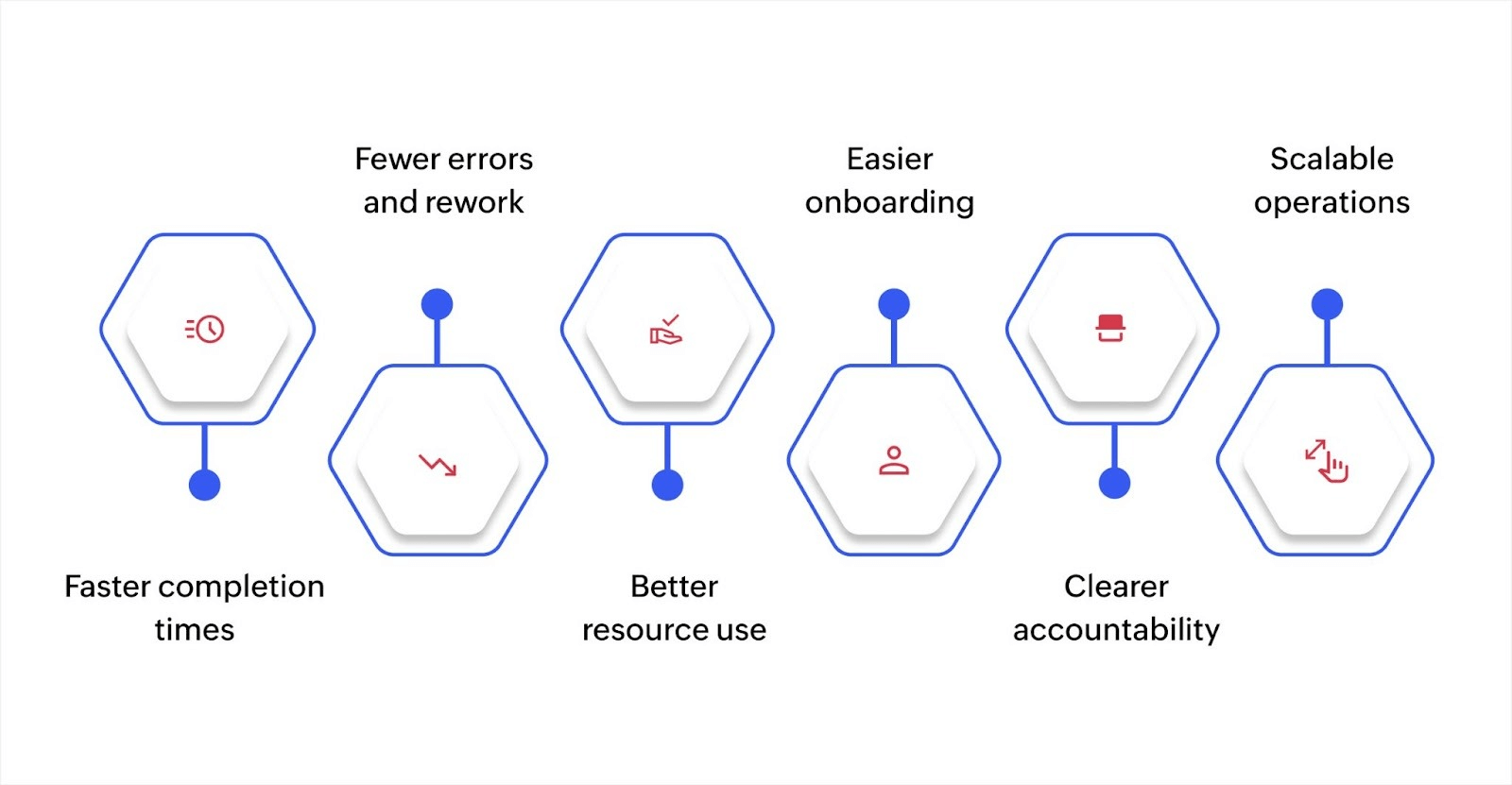
Proper workflow management creates significant improvements across your processes.
Faster completion times: When people know exactly what to do next and who needs to act, work moves through stages without delays. A defined workflow removes the need to constantly ask "what's next" or wait for someone to figure out the process.
Fewer errors and rework: Clear workflows establish quality checkpoints and approval stages. This catches mistakes early instead of discovering them after significant work is complete. Teams spend less time fixing problems and more time on productive work.
Better resource use: Well-structured workflows help you see where work piles up and where capacity sits unused. You can redistribute work to balance loads and prevent burnout in busy areas while fully using available resources.
Easier onboarding: New employees can follow documented workflows instead of learning through trial and error. This gets them productive faster and reduces the burden on existing team members who would otherwise spend time explaining processes repeatedly.
Clearer accountability: When each workflow step has a designated owner, it's obvious who is responsible for moving work forward. This eliminates finger-pointing when delays occur and makes it easier to identify process improvements.
Scalable operations: As your business grows, documented workflows let you replicate successful processes across new teams and locations. You're not recreating processes from scratch or dealing with inconsistent approaches in different departments.
The structure of an effective organizational workflow
The way you structure workflows directly affects how well they function. Here's how to build workflows that improve operations instead of creating more complexity.
Start with clear task definitions
Every workflow begins with understanding what needs to happen. Break down the process into specific tasks with clear outcomes.
Each task needs three things defined:
Objective: What result does this task produce?
Owner: The person accountable for completion.
Timeline: When should this task finish?
For instance, in an invoice approval workflow, one task is "review invoice for accuracy." The objective is to confirm that all charges match the purchase order. The owner is the department manager who requested the purchase. The timeline is within two business days of receiving the invoice.
This level of clarity prevents tasks from sitting incomplete because no one knows they're responsible or what completion looks like.
Choose the right structure for your organization
Workflows follow your organizational structure, and different models work better for different situations.
Hierarchical workflows work through multiple management layers. A request moves from employee to supervisor to department head to executive. This structure provides oversight and control, but takes longer because each level reviews and approves.
Use hierarchical workflows when you need strong control, compliance tracking, or when decisions involve significant risk or resources. For example, budget approvals or major vendor contracts.
Flat workflows move directly between team members with minimal management review. An employee completes their task and hands off to the next person without supervisory approval at each step.
Use flat workflows when speed matters more than oversight, when team members have sufficient expertise to make decisions, or for routine tasks with low risk. For example, content publishing or customer support ticket routing.
Many organizations use both structures. They apply hierarchical workflows to high-stakes processes and flat workflows to routine operations.
Create visual process maps
A visual representation shows how work flows through your organization. It reveals handoff points, decision branches, and potential bottlenecks that aren't obvious in written descriptions.
You can create these maps with simple flowcharts showing each task as a box and arrows indicating flow between tasks. Include decision points (diamond shapes) where the path branches based on conditions. For example, if an expense is under $500, it goes to a supervisor; over $500, it goes to a director.
Platforms like Zoho Creator let you build these visual workflows with drag-and-drop tools, making it simple to design and modify processes as your needs change.
Define decision authority clearly
Workflows stall when people are unsure who can approve or make decisions. Establish decision rights at each workflow stage.
For instance, in a hiring workflow, the department manager decides which candidates to interview, HR decides if compensation offers meet company policy, and the executive team decides on senior leadership hires. By setting these boundaries, you prevent delays from unclear authority.
Use tools that support your workflows
Manual workflow tracking through email and spreadsheets breaks down as volume increases. Digital platforms provide better tracking, automation, and visibility.
Look for platforms that offer automated task assignments, notifications when action is needed, status tracking so everyone sees where work stands, and integration with your existing systems to avoid duplicate data entry.
Best practices for optimizing organizational workflow
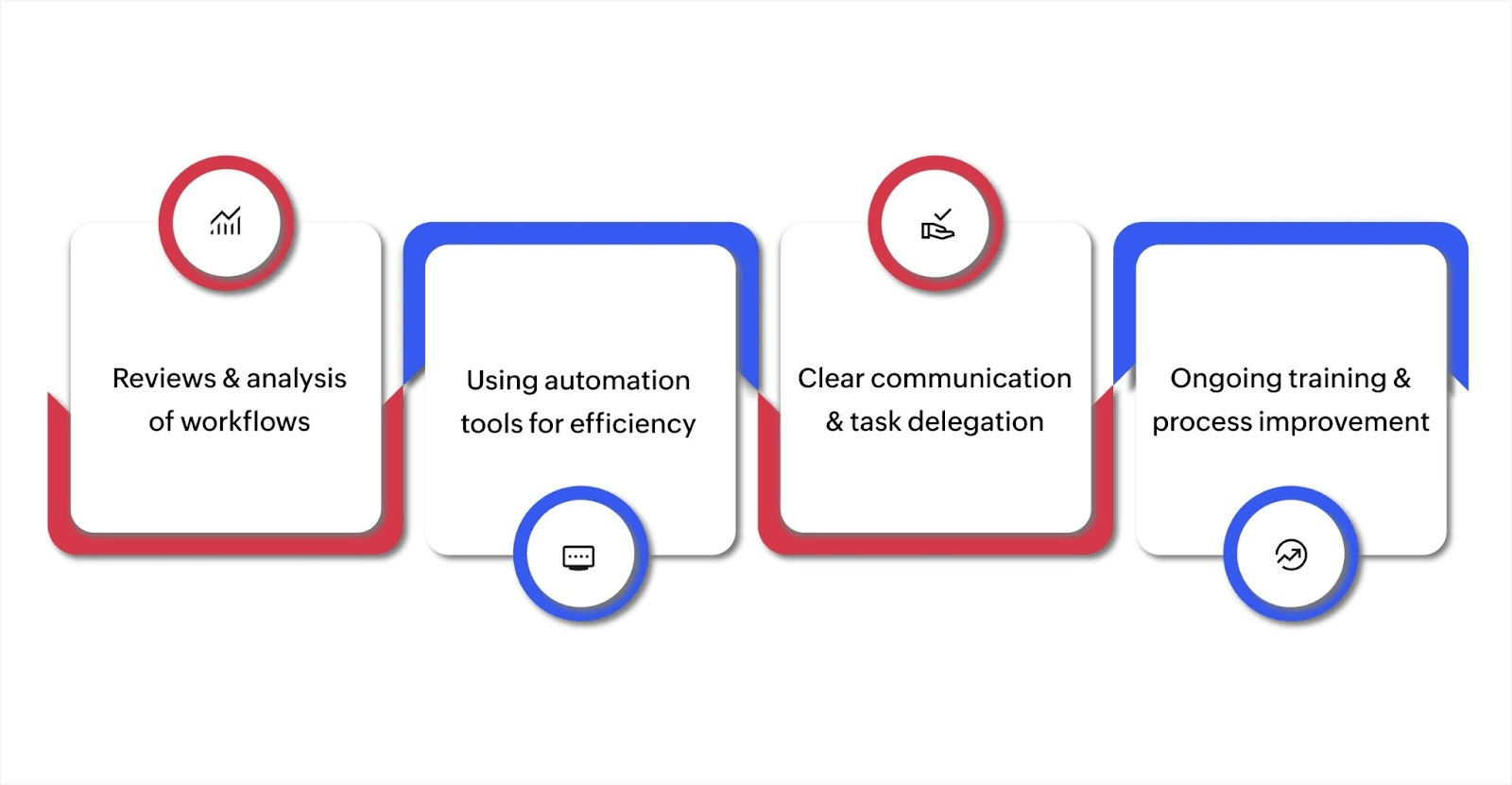
Optimizing your organizational workflow is key to increasing efficiency, reducing unnecessary steps, and ensuring smooth processes across teams. Following these best practices can help ensure that your operations run efficiently. Here are the essential practices to improve your organizational workflow.
Regular reviews and analysis of workflows
To keep your workflow functioning at its best, it’s important to regularly assess and analyze the processes in place. Over time, workflows can become outdated or inefficient. A regular review allows you to identify areas that need adjustment, ensuring your processes evolve with your business.
Evaluate your processes: Set up periodic evaluations, whether quarterly or annually, to identify areas that need updating.
Use data insights: Use analytics tools to track workflow performance and identify areas for improvement.
Using automation tools and technology for efficiency
Incorporating automation into your workflow can significantly cut down on manual work, speed up processes, and reduce errors. With the right tools, you can automate repetitive tasks, allowing your team to focus on more strategic activities.
Automate routine tasks: Use software to handle tasks like data entry, document processing, and approvals, saving time and reducing human error.
Adaptable solutions: As your organization grows, automation tools can scale to meet the increasing demands without adding manual work.
The global workflow automation market, valued at USD 19.76 billion in 2023, is projected to grow to USD 45.49 billion by 2032. This growth highlights the growing need for businesses to adopt automation as part of their workflow optimization efforts.
Clear communication and task delegation
When team members understand their responsibilities, deadlines, and objectives, work progresses smoothly without confusion.
Use communication tools: Platforms like Slack, Zoho Cliq, and Microsoft Teams can help maintain communication across the team, reducing misunderstandings and ensuring that everyone is aligned.
Delegate effectively: Task management tools can be used to assign tasks, track progress, and keep everyone accountable.
Ensuring clear communication and proper task delegation will make your workflow more efficient and reduce the chances of errors or delays.
Ongoing training and process improvement
As new tools and technologies become available, training your team will help them use the latest solutions to maintain a smooth workflow.
Regular training sessions: Organize periodic training on new tools, updates, and best practices to keep the team’s skills up to date.
Encourage knowledge sharing: Promote a culture where employees can share insights and experiences with new workflow tools, fostering collective learning.
As your business evolves, continuously optimizing workflows will ensure that you remain agile and competitive. Commit to these strategies and watch your organizational efficiency reach new heights.
How to build and implement an organizational workflow
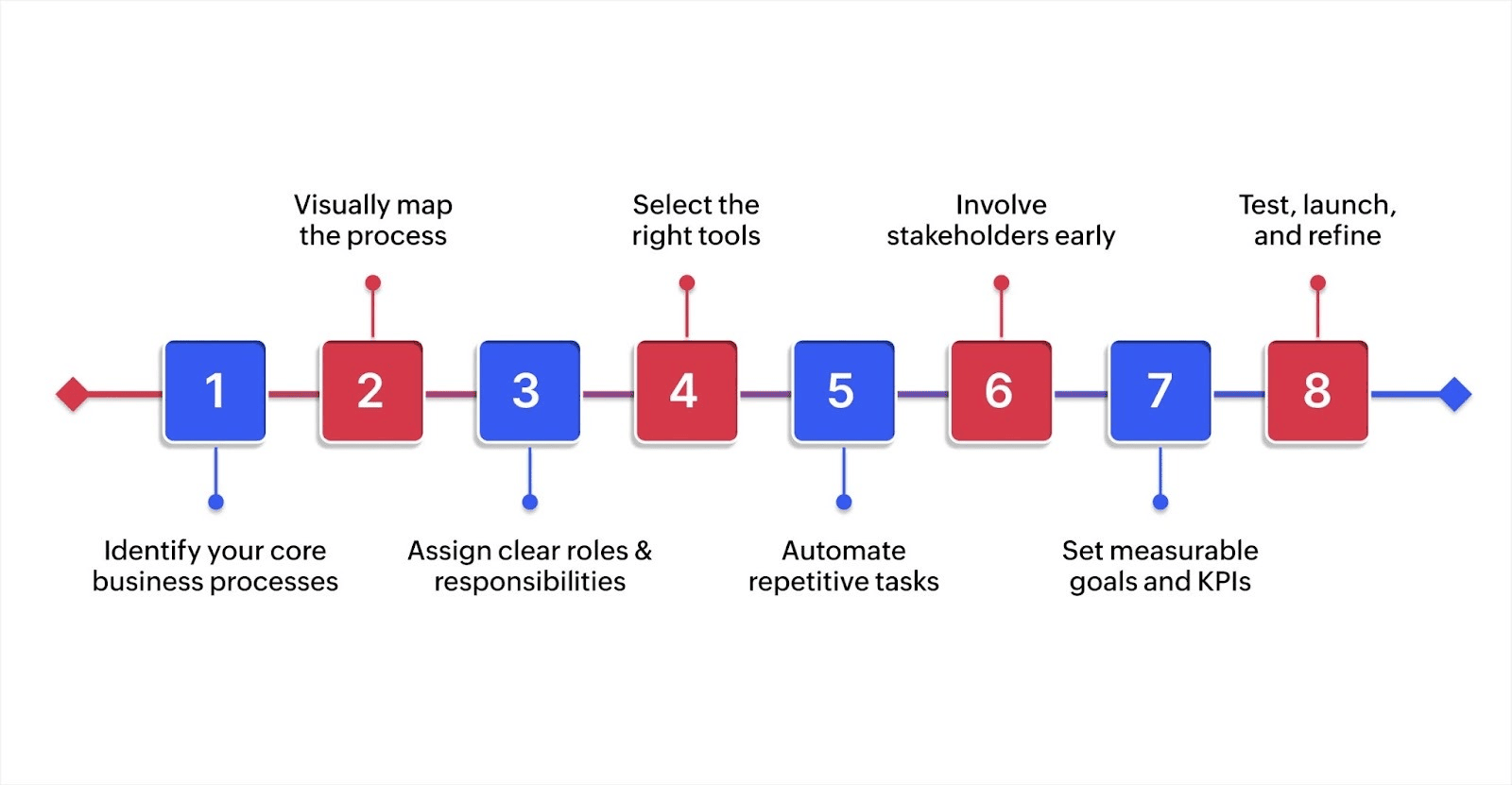
Creating an efficient organizational workflow helps streamline operations, improve accountability, and keep your team aligned. Here's a simplified step-by-step guide to building and rolling out workflows that actually work, with a few real-world touchpoints along the way.
Identify your core business processes
Start by pinpointing the most critical workflows in your company, sales handoffs, onboarding, customer support, procurement, etc. These are often the areas where inefficiencies hide in plain sight.
Example: A small IT firm started with its onboarding workflow, identifying bottlenecks in account setup and compliance checks that delayed employee readiness by up to 3 days.
Visually map the process
Use a simple flowchart to lay out each task, decision point, and handoff in the process. This helps everyone involved understand the overall flow and spot redundancies early on.
Tip: Tools like Zoho Creator offer drag-and-drop builders to create and automate visual workflows quickly, no deep technical knowledge required.
Assign clear roles and responsibilities
For each task in the workflow, assign one owner. This reduces confusion and improves accountability. Make sure task ownership is visible to everyone involved—either through a shared doc or inside your workflow tool.
Select the right tools
Choose platforms that support automation, task tracking, and integration with your existing tools. Look for solutions that scale with your business and allow flexibility.
Zoho Creator, for instance, lets you build custom workflows tailored to your needs, from approvals and notifications to data collection, all without heavy development time.
Automate repetitive tasks
Identify tasks that occur frequently and don’t require manual data entry, status updates, and notifications. Automating these frees up your team to focus on strategic work and reduces the risk of human error.
Involve stakeholders early
Bring in the people who will actually use the workflow, such as department leads, IT, or even frontline staff. Get their input while designing, not after launch. This helps catch potential blockers early and ensures better adoption.
Set measurable goals and KPIs
Decide how you'll measure workflow success. Common metrics include task completion time, error rates, approval turnaround, and user adoption rates. Use these to evaluate and improve the workflow over time.
Test, launch, and refine
Before rolling out the workflow company-wide, test it within the team. Gather feedback, fix issues, and refine. Once live, keep reviewing it regularly to ensure it still aligns with your business needs.
By following these steps, you can build workflows that don’t just look good on paper; they actually solve problems. And with the right low-code tools, you can make this process quicker, more collaborative, and easier to adapt as your business evolves.
Optimizing your organizational workflow
Optimizing your organizational workflow is essential for improving productivity, fostering collaboration, and ensuring consistent results. By understanding the challenges and applying the best practices outlined in this guide, you can create a more efficient and organized workflow within your company.
To make this process even easier, you can use Zoho Creator. This AI-powered low-code platform allows you to automate tasks, build custom workflows, and integrate with your existing systems effortlessly. With features like drag-and-drop workflow builders, real-time collaboration tools, and detailed reporting, Zoho Creator ensures that your team stays aligned and efficient. You can also track progress in real-time and make adjustments as needed, all without needing advanced coding skills.
Start building smarter workflows with Zoho Creator today, no coding required. Transform the way your organization manages tasks and boost productivity with our intuitive workflow automation software.
FAQ
How do different departments collaborate within an organizational workflow?
Departments should work together by clearly defining their roles and responsibilities in the workflow. Communication channels should be open, with each team understanding how their tasks impact others. Regular check-ins and status updates help maintain alignment across departments.
What are the advantages of a flat workflow structure?
A flat workflow structure allows quicker decision-making and greater autonomy for employees. It reduces layers of management and enhances collaboration, making it ideal for smaller businesses or teams that need to adapt quickly to changes.
How can I adjust my organizational workflow as my business grows?
As your business grows, regularly reassess your workflow to ensure it scales effectively. You may need to add new roles, automate additional tasks, or refine decision-making processes to accommodate an expanding team and new objectives.
How do I ensure accountability within a workflow?
Accountability in a workflow is ensured by clearly defining roles, setting deadlines, and using task management tools to track progress. Regular reviews and feedback sessions help hold team members responsible for their work and ensure tasks are completed on time.
 Ann Elizabeth Sam
Hey! I'm Ann, and I work as a content writer at Zoho Creator. I'm exploring the SaaS world through various forms of content creation. Outside of work, I love dancing and would give up anything to read a good murder mystery.