- HOME
- Tips and Tricks
- Create interactive forms like MS Forms using Zoho Writer
Create interactive forms like MS Forms using Zoho Writer
- Last Updated : May 6, 2026
- 150 Views
- 1 Min Read

Stop juggling Microsoft Forms, PDF editors, Google Sheets, and e-sign apps. Zoho Writer folds them all into one smart flow. From building interactive forms, collecting business data, auto-generating docs, and piping it to CRM. Slash your sales quote process from 2 hours to 10 minutes. Here's how.
Step 1: Build forms that adapt
Start with a Word doc, blank page, or PDF import. Add fillable fields for names, dates, or details. Pre-populate known info like client ID to skip repeats.
Go smarter: Use conditional fields and show benefits questions only for "new hires," hide for vendors. For lists like order items, add subform tables so they stack rows dynamically. Input stays clean; your data exports structured.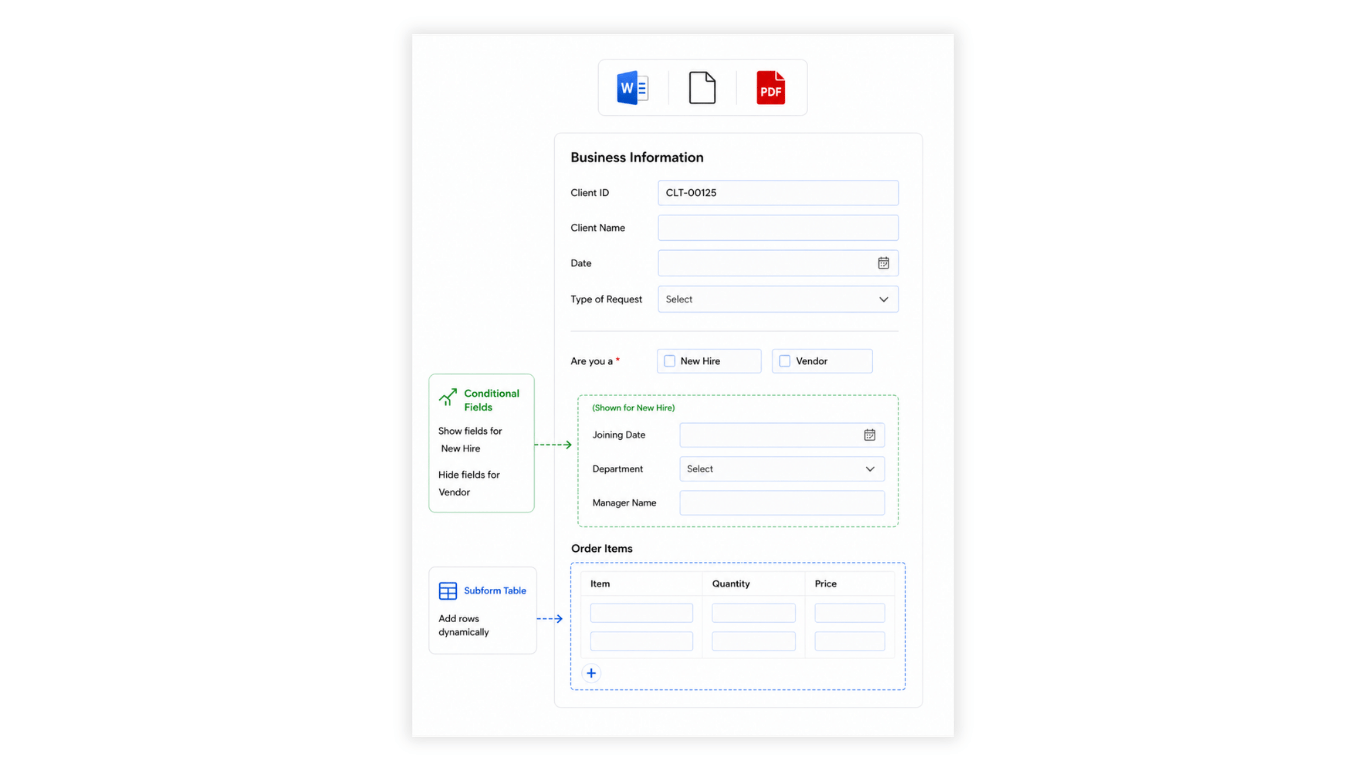
Step 2: Submit form to trigger full fledged delivery workflows
One click on Submit, and it generates docs like offer letters, password-protected PDFs, e-sign links and much more with conditional clauses. Data flows straight to Zoho CRM via Deluge. No copy-paste, no delays.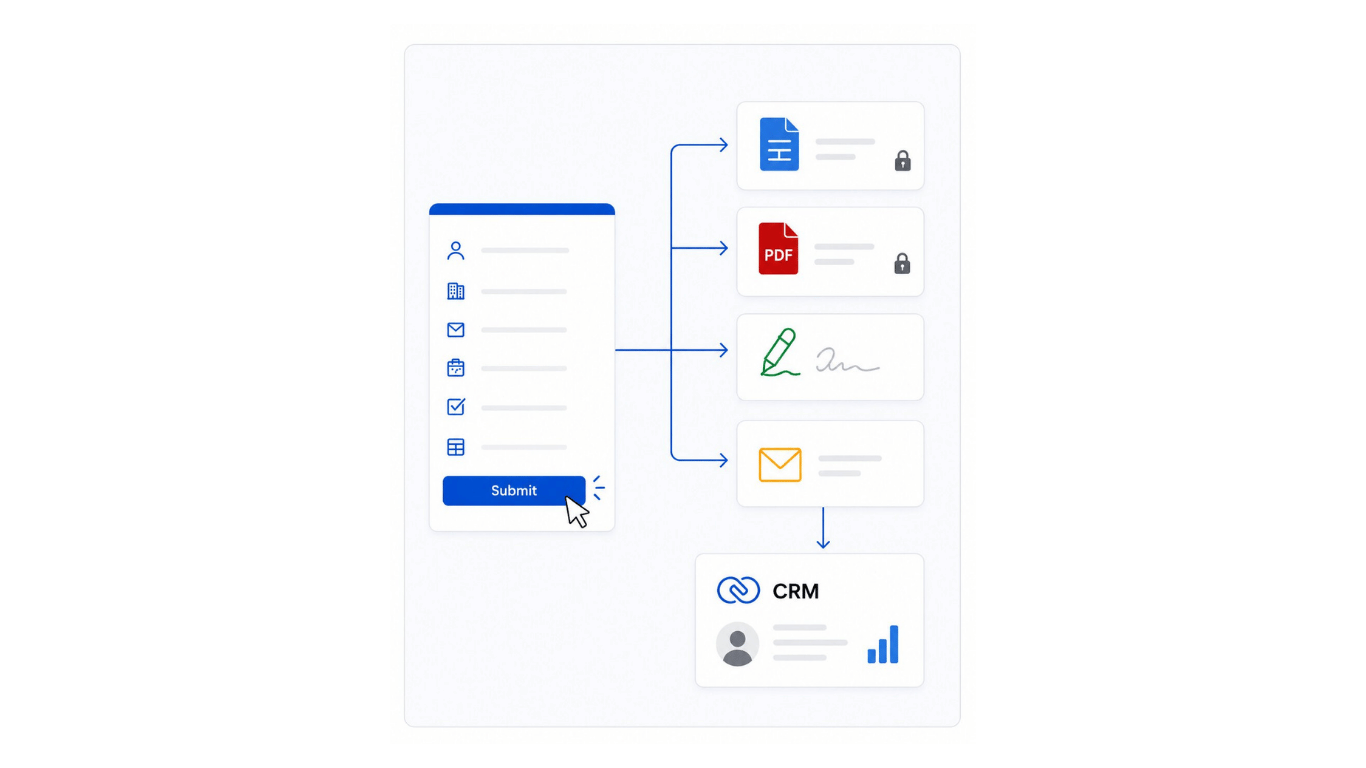
Perfect for sales quotes, HR onboarding, or vendor bids. Test it on your next form and watch your team thank you. Let us know in the comments or write to support@zohowriter.com or support@eu.zohowriter.com if you have any questions or suggestions.
Until next time,
Happy writing!