- HOME
- Tips and Tricks
- Everyday productivity tips in Zoho Writer (Part 2)
Everyday productivity tips in Zoho Writer (Part 2)
- Last Updated : February 19, 2026
- 219 Views
- 1 Min Read

Hello everyone,
In the previous post, I shared how Autocorrect and Quick Parts in Zoho Writer quietly save time during my everyday writing.
To continue with that, I want to highlight two more simple capabilities that have become part of my regular workflow.
Customize your dictionary
When I'm writing copies related to specific domains like chemistry or updating my personal to-do lists, I sometimes use scientific terms or abbreviations that keep showing up as spelling errors while I write. To save time, I add them to my personal dictionary so Writer recognizes them every time I write. I can just keep writing without constantly pausing to fix red underlines.
Try it yourself: Go to Tools > Personal Dictionary, and add the word to your dictionary or simply click Add to Dictionary as the word you type is flagged.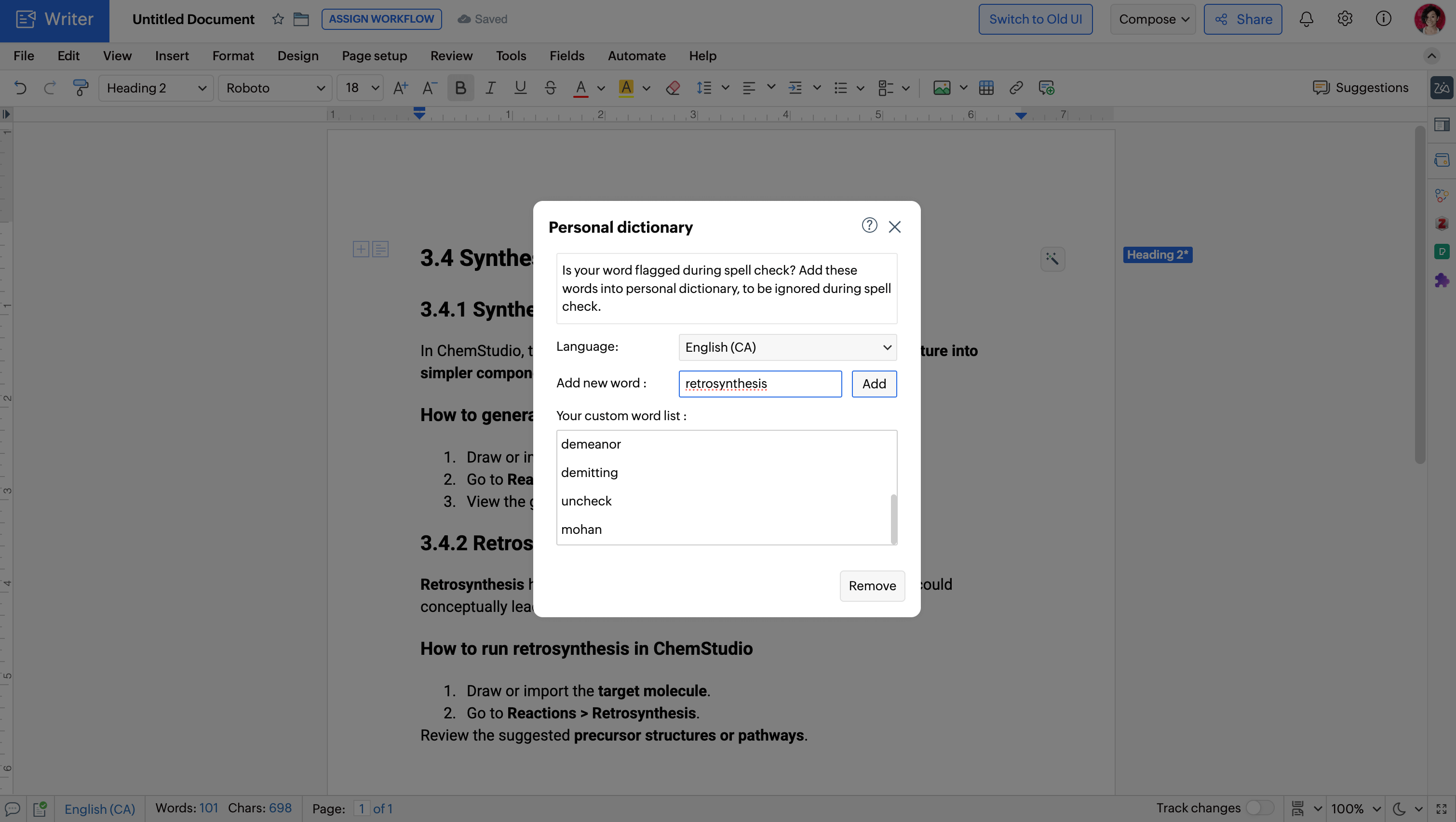
Create translated versions
I work with folks across the globe. So, sometimes I end up with documents which are in languages that I don't know. To understand what I'm reading, I translate the content directly inside Writer and make a copy of the document in English.
Try it yourself: To create a translated copy of a doc, go to Tools >Translate content, and select your desired language.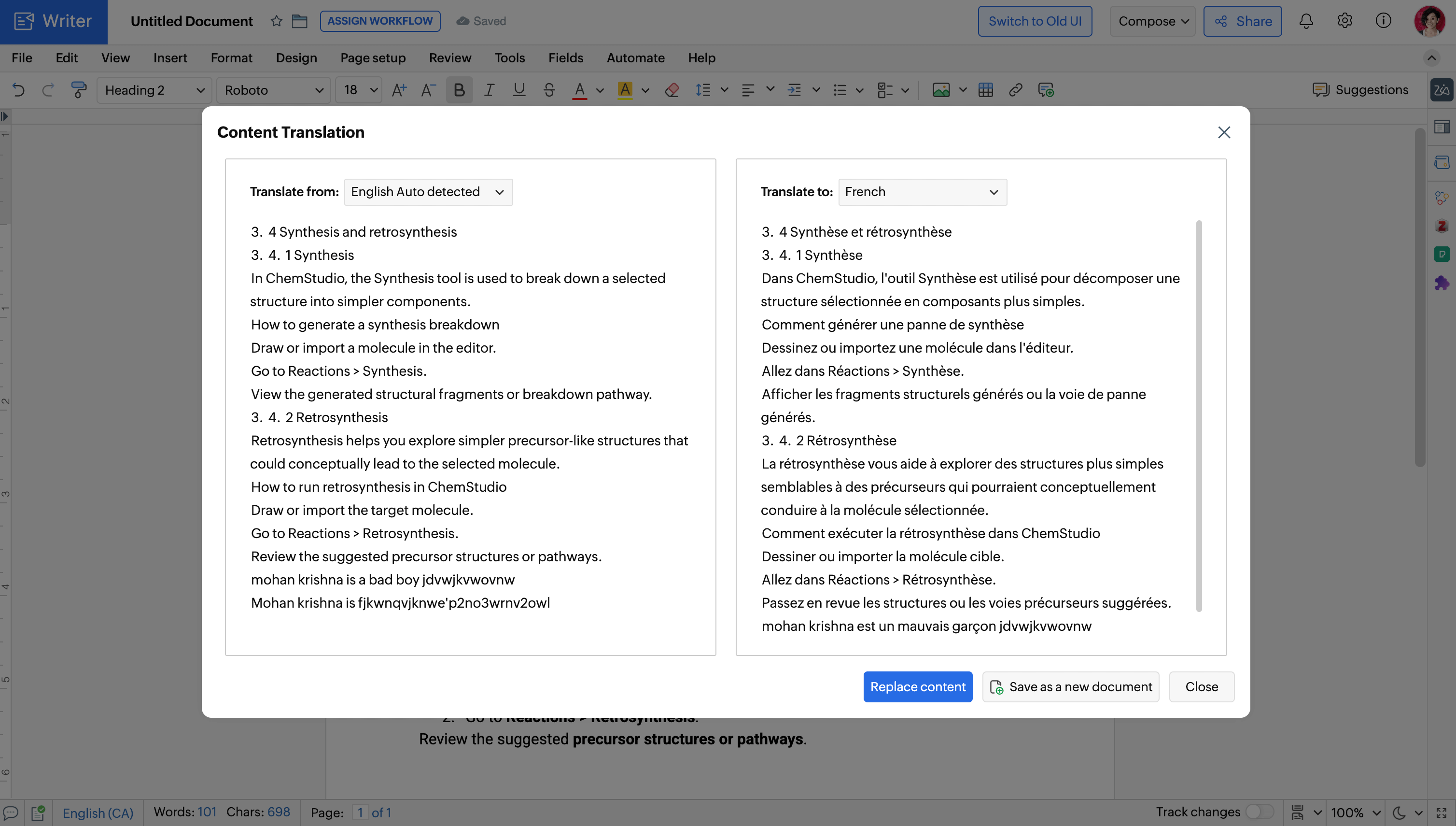
Try out these features and let us know in the comments if they help you save time. If you have questions or need help along the way, feel free to reach out to us at support@zohowriter.com. We are always happy to help!
Happy writing!