- HOME
- Tips and Tricks
- Productivity tips I use every day in Zoho Writer
Productivity tips I use every day in Zoho Writer
- Last Updated : February 11, 2026
- 315 Views
- 2 Min Read

I use Writer every day to take notes, draft emails, write scripts, plan my work, and even quickly organize my thoughts apart from creating and editing work documents. Given all the time I have spent in Writer, I have discovered a few features that make all the writing and editing easier and help me avoid doing the same things over and over again.
Autocorrect
I spend a small chunk of my time organizing and planning my tasks, and autocorrect helps me make it easy. I maintain a table to track my tasks, with columns for the task name, start and end dates, and the current status.
At the end of my workday, I update this table using autocorrect. For example, I’ve saved the word “done” along with its formatting like color and font as an autocorrect rule. So every time I type “done,” Writer automatically drops in the formatted version for me.
Try it yourself: Click the Settings icon in the top-right corner and select Autocorrect. Add the text you want to replace, preview how it looks, and hit Save. You can add multiple rules here.
Quick Parts
I find myself copy-pasting certain pieces of my content like product overview, my bio, and email signature quite often. To save some time, I created an email signature that I can insert instantly whenever I need it.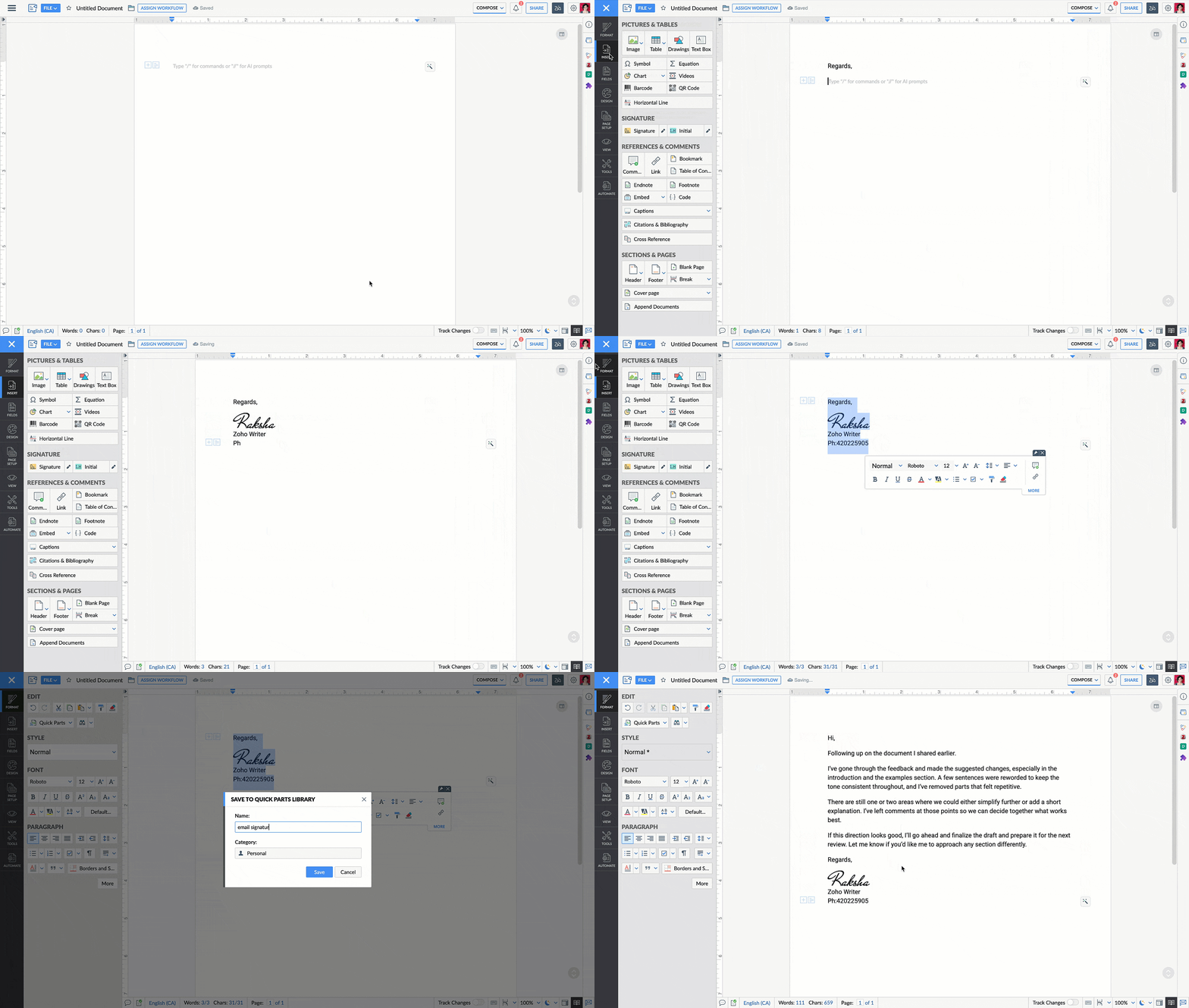
I use autocorrect when I’m typing something small and repetitive, like status updates in a table. Quick Parts work better for longer blocks of content like product or technical documents, reports, my bio, or signature that I want to insert in one shot. Both save time, just in different aspects of my writing flow.
Try out these features and let us know in the comments if they help you save time. If you need any help, feel free to write to us at support@zohowriter.com or support@eu.zohowriter.com if you're in the EU.
Until next time,
Happy writing!