- HOME
- Tips and Tricks
- How to create a donation receipt template for NGOs
How to create a donation receipt template for NGOs
- Last Updated : March 31, 2026
- 503 Views
- 2 Min Read

Hello everyone,
We'd like to highlight a feature that's great for NGOs.
A donation receipt is a formal acknowledgement confirming a donation. They're key for compliance in every country and help donors claim tax benefits under sections like 80G in India, 501(c)(3) in the US, etc.
These receipts typically include NGO details/registration, donor info, amount (figures/words), payment mode, tax note, and signature/seal.
A reusable donation template will also make it easier to automate the receipt generation and sharing it via automation.
Sample donation receipt format you can use
Here’s a simple, audit-friendly format you can copy into your own documents:
Sample donation receipt template
You can tailor this further with your branding, logo, and campaign details.
How to create this template in Zoho Writer
Option 1: Generate it using Writer’s AI
- In Zoho Writer's dashboard, go to Create New > Document Using AI (or, from within a document, go to File > New Document).
- In the prompt box, describe what you need, for example:
“Create a one-page donation receipt template for an NGO that donors can use for tax benefits (e.g., 80G in India). Include NGO details, donor details, amount, payment mode, tax disclaimer, and space for signature and seal.” - Click Generate. Writer’s AI will create three different template styles (for example, professional, modern, casual).
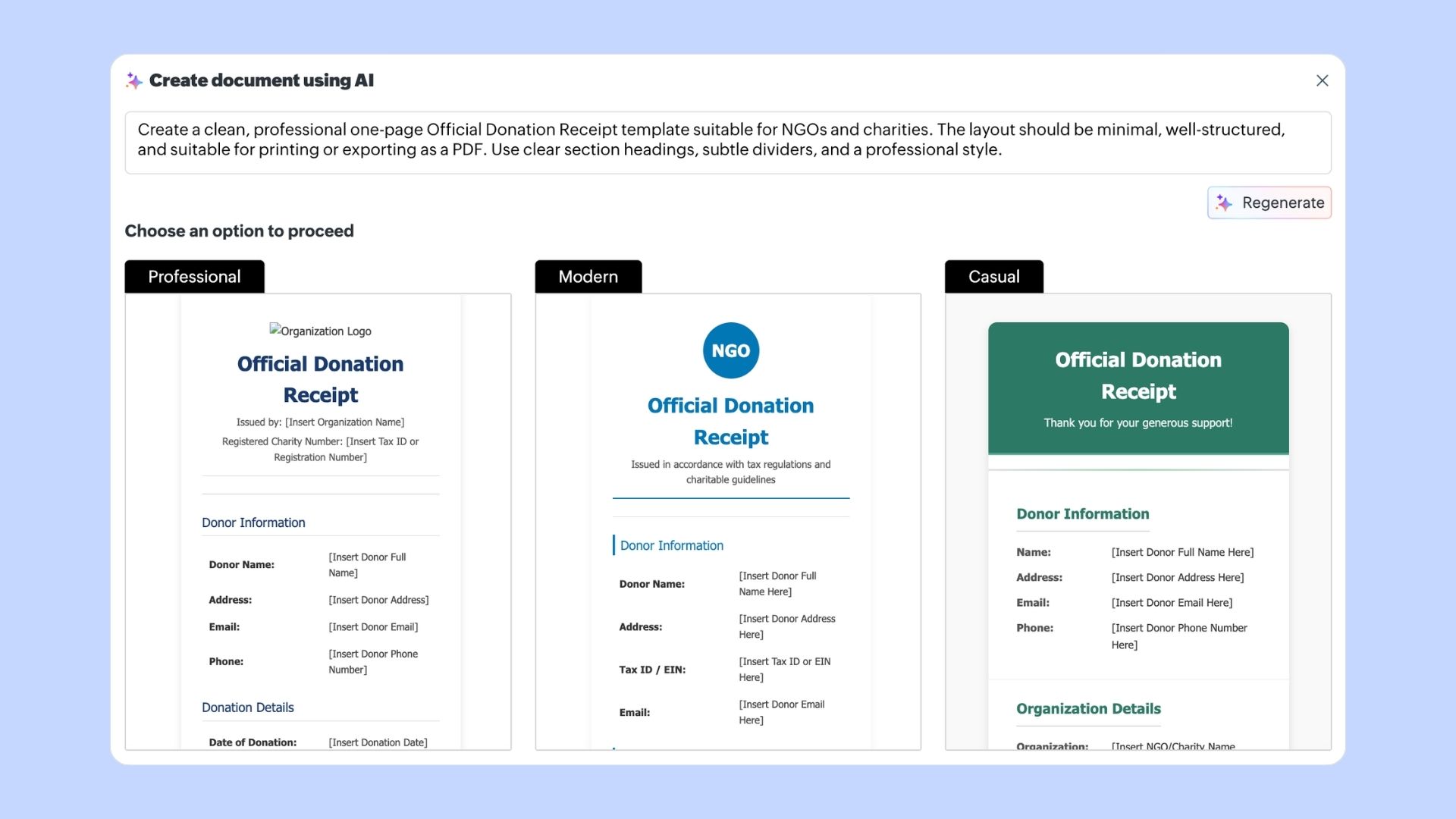
- Preview each version and pick the one you like, or click Regenerate if you want new options.
- Once you choose a template, save it as a Zoho Writer document, then turn the placeholders into merge fields if needed.
- Save it as a reusable template.
- Export as a PDF to issue receipts.
Option 2: Build it manually
- Create a new document with your NGO's logo in Zoho Writer.
- Insert the receipt format and structure it clearly.
- Replace repeatable fields such as Donor Name, Amount, and Date with merge fields if you plan to generate receipts in bulk.
- Save this as a template so your team can access it anytime.
- Export completed receipts as PDFs.
Automate receipt generation using mail merge
If you manage multiple donations each month, you can use mail merge to generate several receipts at once from a spreadsheet. This reduces manual work and avoids errors in donor details.
Creating a structured donation receipt template ensures compliance, builds trust with donors, and saves your team valuable time.
Try setting up your donation receipt today. If you need any help, feel free to write to us at support@zohowriter.com or support@eu.zohowriter.com if you're in the EU.
Until next time,
Happy writing!