Zoho Writer now offers enhanced accessibility and usability to make it easy to use for everyone
- Last Updated : June 23, 2026
- 3.8K Views
- 3 Min Read

Zoho Writer has implemented key accessibility improvements based on WCAG 2.1 Level AA and WCAG 2.2 Level AA standards in this release, to maximize and ease access to all documents for all users.
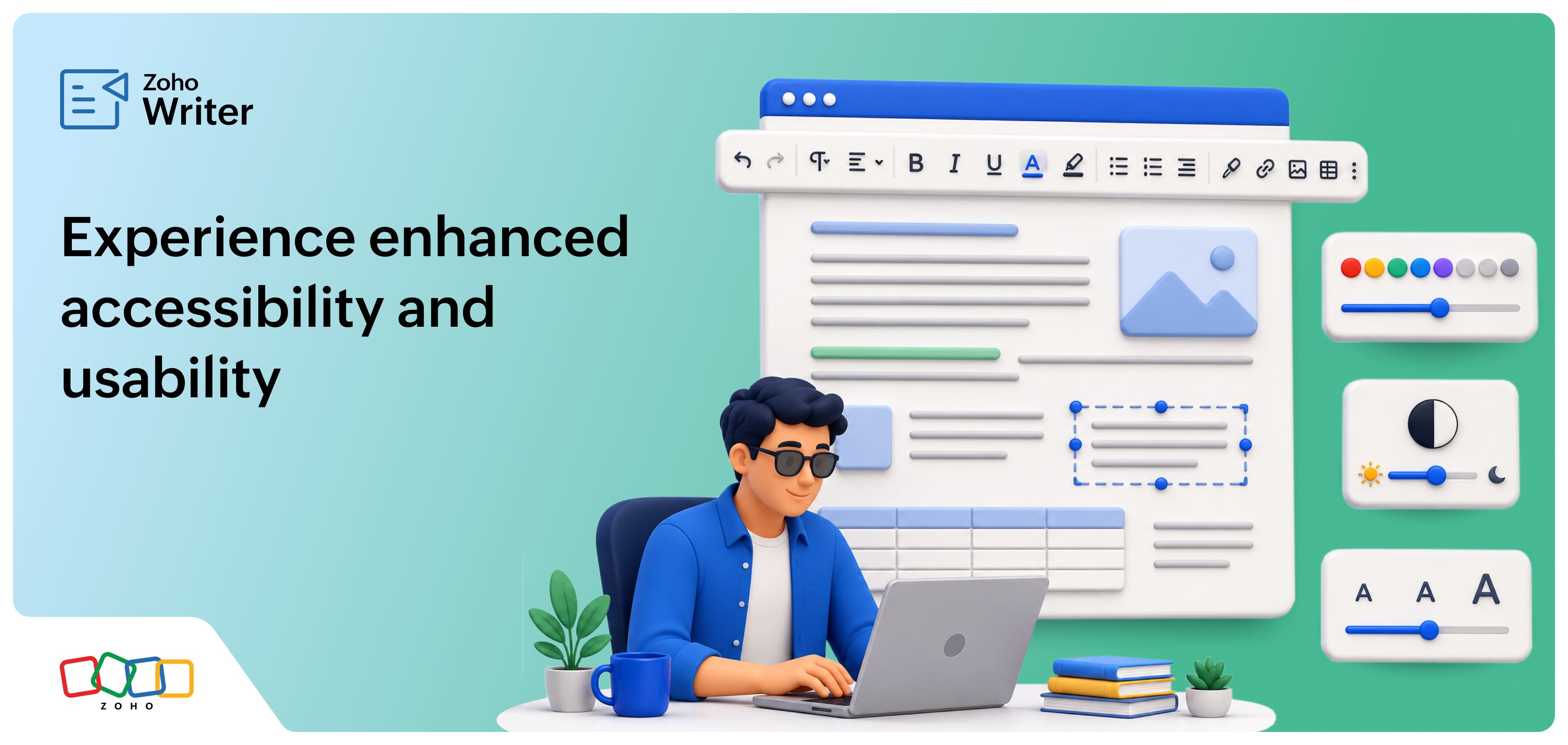
We've improved accessibility in Writer with the capability to navigate documents fully using just a keyboard, and compatibility with assistive technologies such as screen readers. Furthermore, based on popular demand, we have brought back the Distribute mode, added the extensions to the Tools menu, and made Writer's toolbar adapt to your screen's size.
Improved accessibility in Zoho Writer
For users who depend on assistive technologies, opening a document, typing to create or edit content, navigating a document, or using interactive controls can be challenging.
Writer's latest update removes visual, hearing, mobility, and language accessibility barriers, based on the WCAG recommendations, to enhance accessibility for all users. Here are some of the relevant options.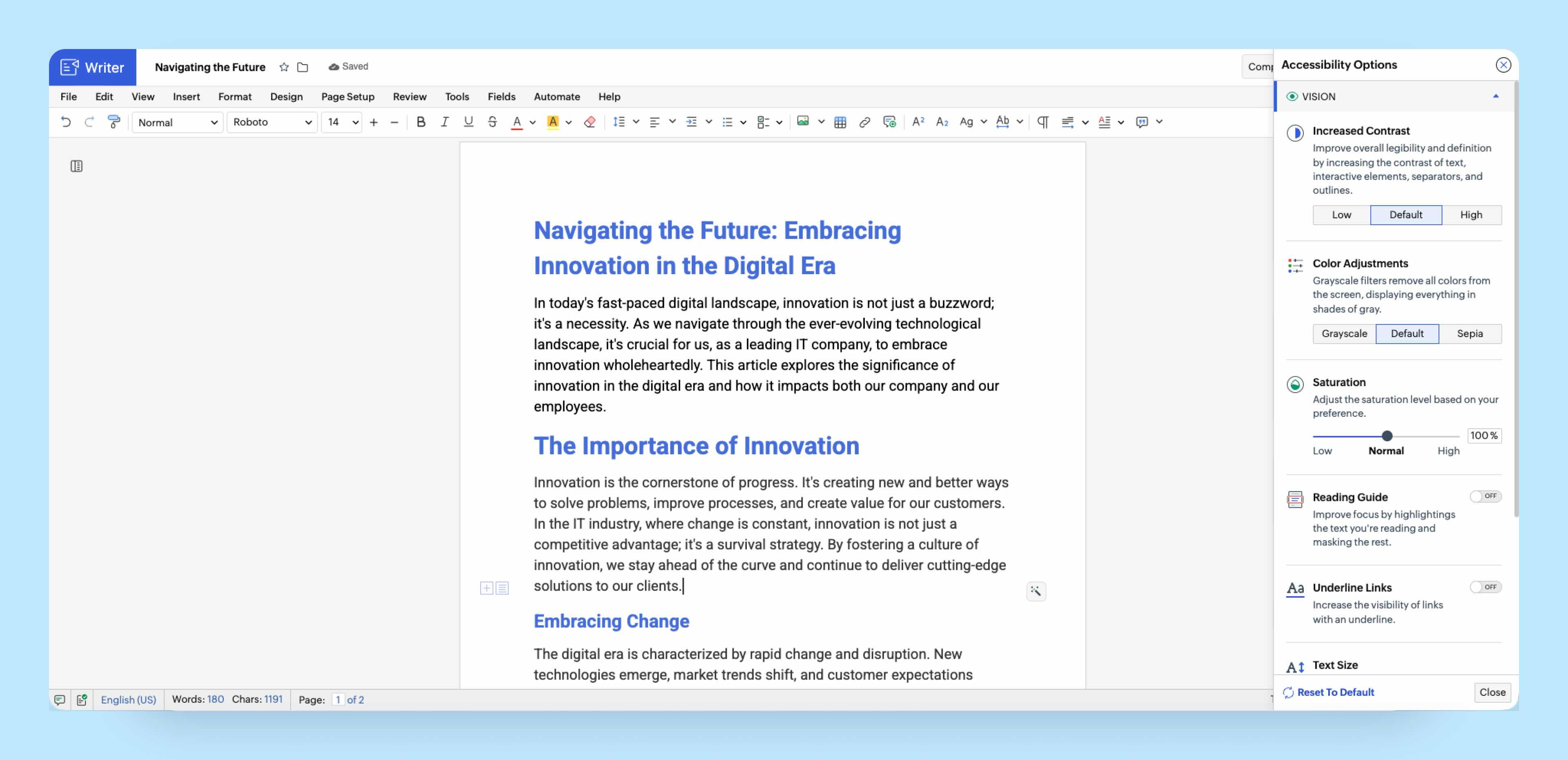
Vision
All GUI text across the dashboard, document editor, and dialogs follows a contrast ratio of 4.5:1 based on the WCAG recommendations. In addition, Zoho Writer also allows users to customize their visual experience in the dashboard, document editor, and published pages of documents with
- Contrast adjustment: Adjust to contract to improve the legibility of text, interactive elements, separators, and outlines
- Color management: Apply grayscale filters to display everything in shades of gray
- Saturation modification: Adjust saturation levels based on preference
- Reading guide: Highlight the text you're reading and mask the rest
- Underlining hyperlinks: Increase the visibility of hyperlinks by underlining them
- Text size adjustment: Adjust text size (50%, 75%, 100%, 125%, or 150%) for easier readability.
- Dyslexia friendly option: Enable a font that is easier to read for individuals with dyslexia
- Reading line display: Show a reading line on the page for focused reading
Hearing
Zoho Writer includes the following hearing accessibility options for individuals who are blind, have low vision, or experience reading difficulties, such as:
- Screen Reader: Every element is identified through ARIA roles so screen readers can correctly announce headings, tables, lists, images, and more.
- Verbalization Shortcuts: Hear the current word, sentence, paragraph, or formatting detail on demand.
- Skip to Main Content: Jump past repetitive elements for faster navigation.
Mobility
Writer includes mobility accessibility options for individuals with limited motor skills or those who prefer keyboard-driven workflows, such as:
- 50+ Keyboard Shortcuts: Navigate between headings, tables, images, links, and more without depending on a mouse.
- Page navigator: Quickly jump to any document section using your keyboard.
- Emphasizing focus Area: Highlight the active element with a visible border.
- Big Cursor: Enlarge your cursor to easily locate it and track movement.
Language
Writer supports 60+ languages for the editor interface, document content, and dashboard. This ensures accessibility for non-English speakers and global teams working across regions, allowing everyone to write, edit, and navigate the editor in a language they're comfortable with.
Improved usability in Zoho Writer
Redesigned Distribute mode
Ever since we launched the new GUI for Zoho Writer this year, many of you have been asking us to bring back Distribute mode. It's back and redesigned to match the new interface with email, publish, collect signatures, mark as final, and other options accessible from just one toolbar. Learn more.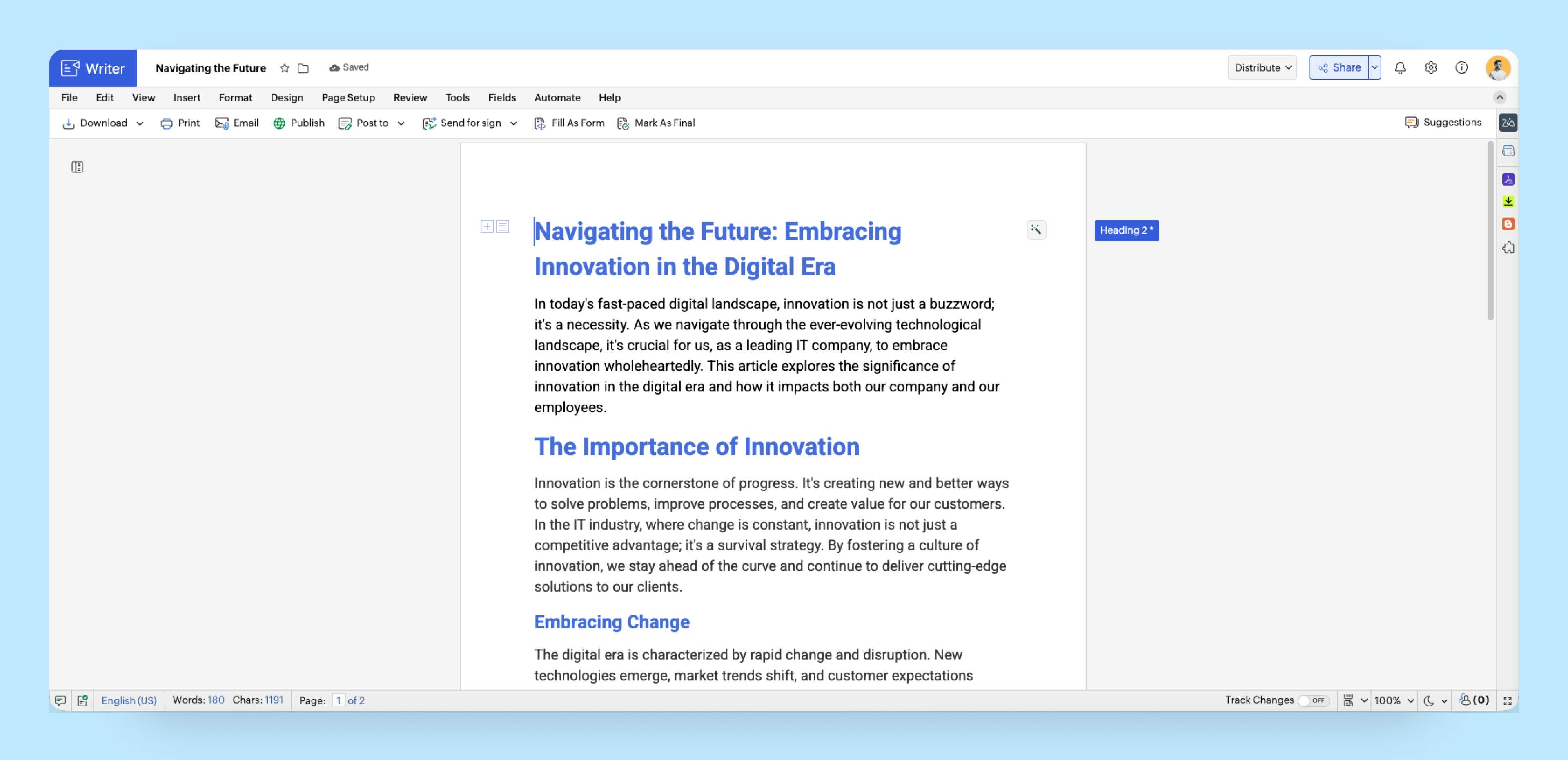
Launch extensions from the Tools menu
Zoho Writer's extensions are now available in the Tools menu, organized under categories such as Publishing, Referencing, and E-signing, making them easier to discover and use.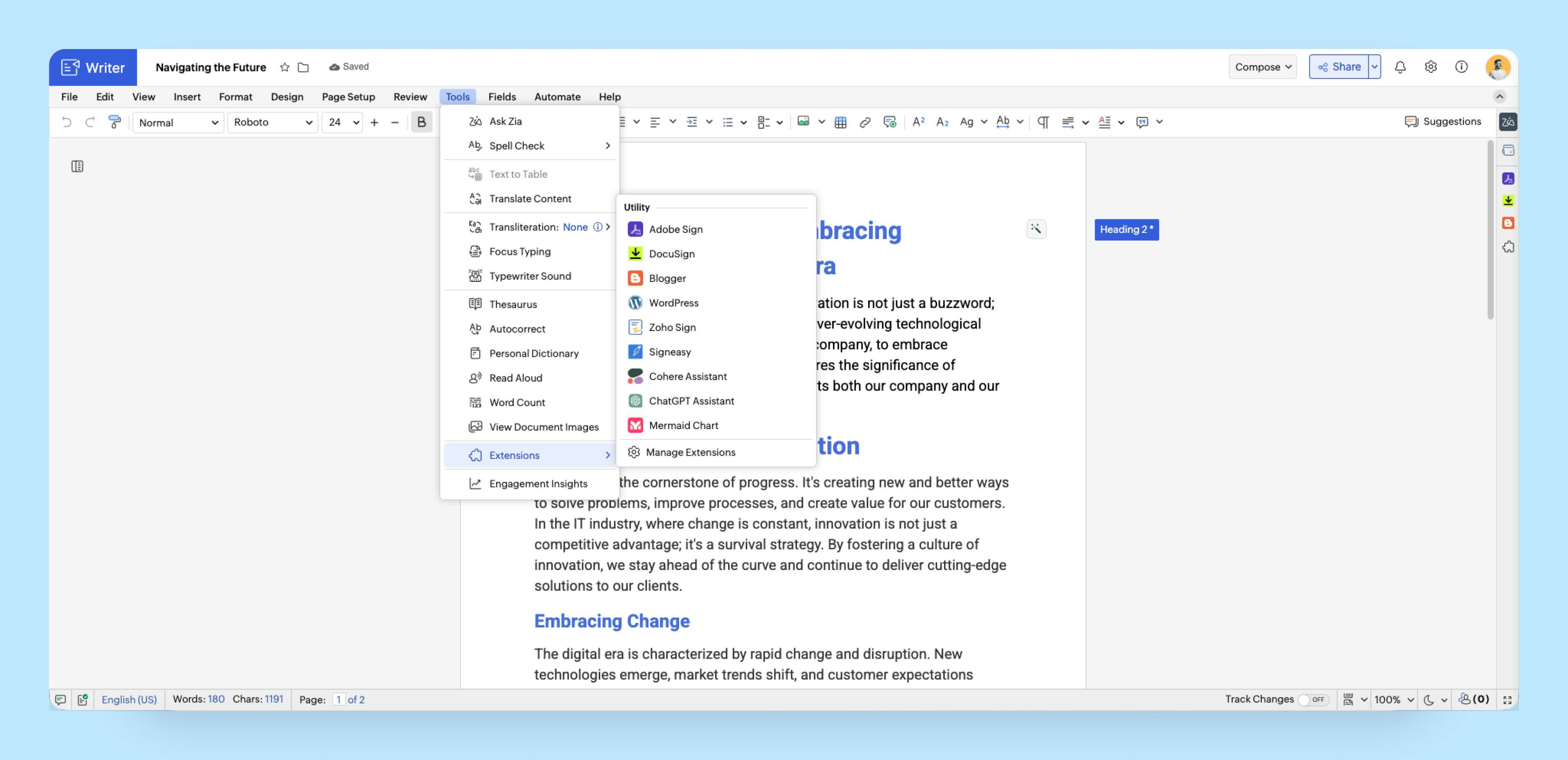
Adaptive tool bar
Zoho Writer's top toolbar dynamically adjusts to your screen's size. When you resize your window, the toolbar actions are automatically tucked into a More (...) menu, keeping the document editor clutter-free.
Try out these updates and let us know your feedback in the comments or at support@zohowriter.com or support@eu.zohowriter.com.