- HOME
- Feature Spotlight
- Your document. Your signature. Your preferred signing service.
Your document. Your signature. Your preferred signing service.
- Last Updated : August 31, 2026
- 96 Views
- 2 Min Read

You've designed the perfect template for a specific type of document, such as a contract or offer letter. It's set up as a Zoho Writer automation template and you're ready to collect e-signatures. Now, it's easier than ever to use your preferred signing service.
The challenge
Previously, if you wanted to collect signatures with Docusign, after generating each merged document or fillable document, you had to export it, upload it to Docusign, and reconfigure the signer details, making the process time-consuming, error-prone, and difficult to track signing status.
The solution
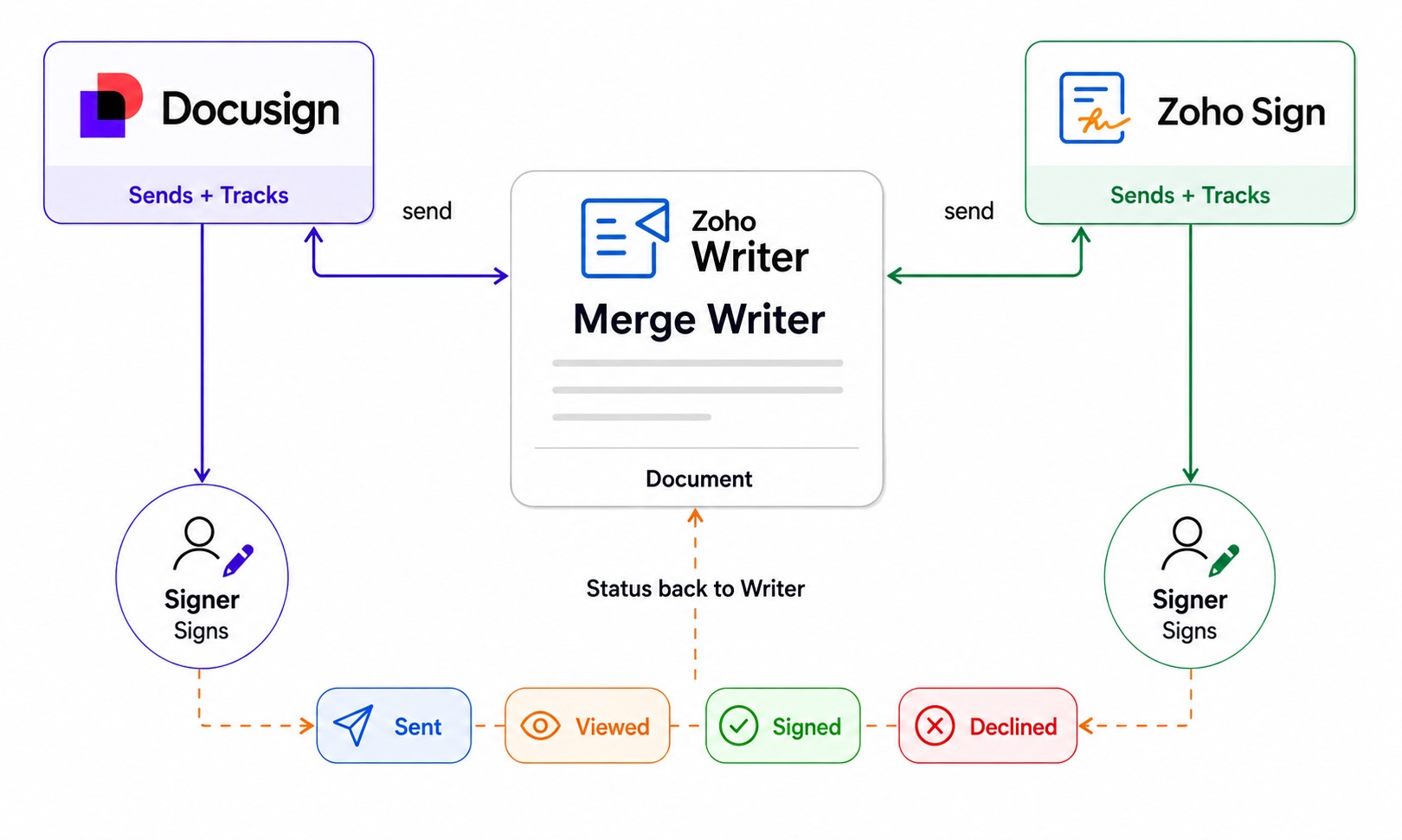
Now, with Zoho Writer and Docusign integration, you can configure signer fields, roles, and signing order once in Writer's Merge, Fillable, or Sign Templates, then send generated documents and forms for signature collection via Docusign.
Steps to collect signatures using Docusign:
- Create a merge, fillable, or sign template in Zoho Writer.
- Add different signer fields (Signature, Name, Date, etc.) to the template and assign them to the right signers.
- Click Send for Sign and choose Docusign. Authenticate your Docusign account if prompted.
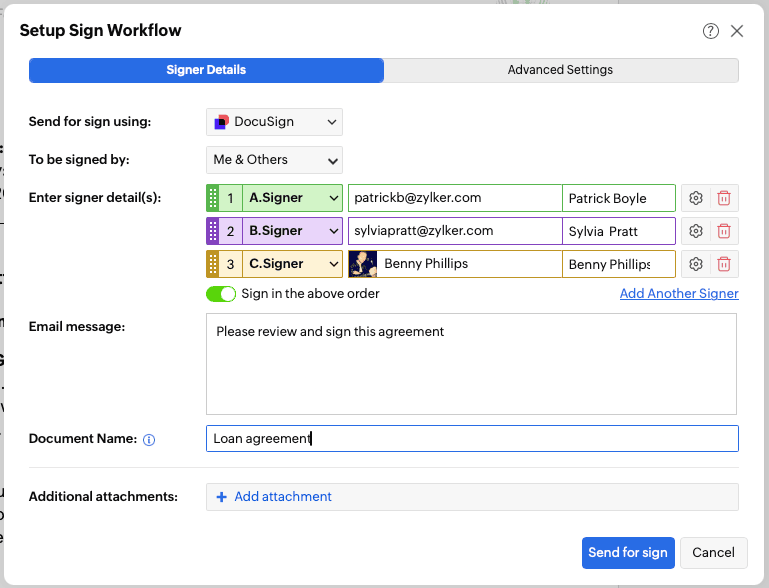
- Click Send for sign. The document is sent to Docusign for signature collection. You can even track the signing status from the Submission Log, right within the template.
Benefits for your workflow
- Send documents directly from Zoho Writer to Docusign for signature collection, without exporting or re-uploading them, while retaining the signer roles and fields configured in your template for every generated document.
- Sign text tags are automatically converted to match your selected signing service, so you don't need to manually replace or configure signing fields.
- Track signing status directly from Zoho Writer, even when using DocuSign.
For the step-by-step instructions, check out our help article.
Give it a try and let us know what you think in the comments below or at support@zohowriter.com or support@eu.zohowriter.com.