Introducing WorkDrive 6.0 (Phase 1): The Intelligent Enterprise Content Management Platform
- Last Updated : April 3, 2026
- 1.2K Views
- 10 Min Read

2025 was a year of innovation accompanied by the inevitable AI surge. And 2026 has taken that understanding to the next level. Transitioning from talk to traction, AI has entered into all of our lives in one way or another.
At Zoho WorkDrive, we have been observing all these advancements in the AI market—the introduction of newer LLMs, adaptation to the new normal. At the heart of our own intentions is a commitment to innovating so that you, our valued customers, can experience the best of this intelligent content management platform.
Introducing "WorkDrive 6.0"—our latest and the most advanced version of WorkDrive ever. With version 6.0, we have introduced many new features aligned with the AI wave and made major functional tweaks to existing features—all this to transform your content management journey seamless, collaborative and intelligent.
We are more than excited to introduce you to the latest developments. Without further ado, here are the various WorkDrive segments that were introduced to new features and major functional enhancements.
Improved content intelligence: Your files working for you
Imagine a digital workplace where finding files is effortless, extracting critical information from long documents easier, and building a customized ecosystem of applications a seamless action. That's the result we wanted to achieve in your workplace.
With our content intelligence features, powered by Zia, WorkDrive evolves into a seamless AI-powered intelligent content management platform. Now WorkDrive learns from your habits, understands the content, and connects with your work across applications.
Discover files without searching
No more searching deep in subfolder for files that you regularly work on or recently made changes to. WorkDrive's File Suggestions feature learns and understands the activity pattern across files and intelligently surfaces them even before you search for them.
For instance, let's assume you are handling multiple projects at the same time and work on specific projects on certain days of the week to align with meetings and timelines. WorkDrive's File Suggestions tab will understand the pattern and give you all relevant files to specific projects that you work on that particular day of the week.
Learn more about File Suggestions
Turn your prompts into complete workflows
Modern businesses run on multiple applications working together. But jumping between apps takes time and eventually leads to lost capacity due to context switching. What if you can do a multitude of actions, synchronised across apps with just one detailed prompt?
Zoho WorkDrive + MCP (Model Context Protocol) makes exactly this happen. By connecting WorkDrive to AI agents like Claude or OpenAI, you can now execute complex multi-step actions from one detailed prompt (even based on instructions in natural language). Now you can converse with the AI model to automate tasks rather than instruct it in technical language.
With WorkDrive's MCP, we have expanded the horizon of possibilities. You can now simply ask our MCP engine to find a file that was approved through an automated workflow, and share it with a customer who has raised a detailed query in a specific desk ticket.
Learn more about Zoho MCP + WorkDrive Integration
Discover hidden file insights
Ever had to read through a lengthy document looking for a particular piece of information? Yes, finding that one data point is time consuming, and also impacts precious human potential. With Zia's "ask question from files" feature, you can now bypass the tedious document read and ask Zia for the particular information that you are looking for.
Simply open a file, click the Zia icon and type in your query. Zia instantly pulls up the exact answer from the file.
Learn more about asking questions from files with Zia
Summarize your audio and video files
You'll never again need to re-listen to lengthy audio clips or re-watch long meeting recordings to understand the key takeaways. WorkDrive's content summarization now extends to audio and video files too. With the Media content summarization, you can use Zia to transcribe and summarize your recordings, and find key takeaways and insights in an instant.
Enhanced automation: Workflows with infinite possibilities
Workflows are powerful engines that smoothly configure automation within a business, and we have built our workflow engine to adapt to the way your business operates. With WorkDrive 6.0 we are breaking through past limitations. Here are the enhancements in version 6.0 for the automation segment.
Collaborate and automate beyond business boundaries
Workflows in WorkDrive now support external users too. You can now bring in your clients, vendors, and partners, and build structured automation. Experience client approvals configured within the workflow, and every stakeholder brought into a single streamlined process.
Learn more about Workflows in WorkDrive
Make your workflows smarter
Every business challenge is unique, and to smartly adapt to every new instance WorkDrive introduces Custom Functions and Connections. You can now go beyond simple "move" or "copy" actions and use the Deluge language to build complex actions which connect WorkDrive to other Zoho applications and other third-party platforms. You can also invoke other AI models using Custom Functions and configure it to perform desired actions WorkDrive's workflows.
To seamlessly connect with other applications, you can now use the Connections tab in the Admin Console. Connections let users to authorize third-party applications and set up no-code workflows to perform API invoked actions for any WorkDrive trigger event.
Accessible workspace for everyone
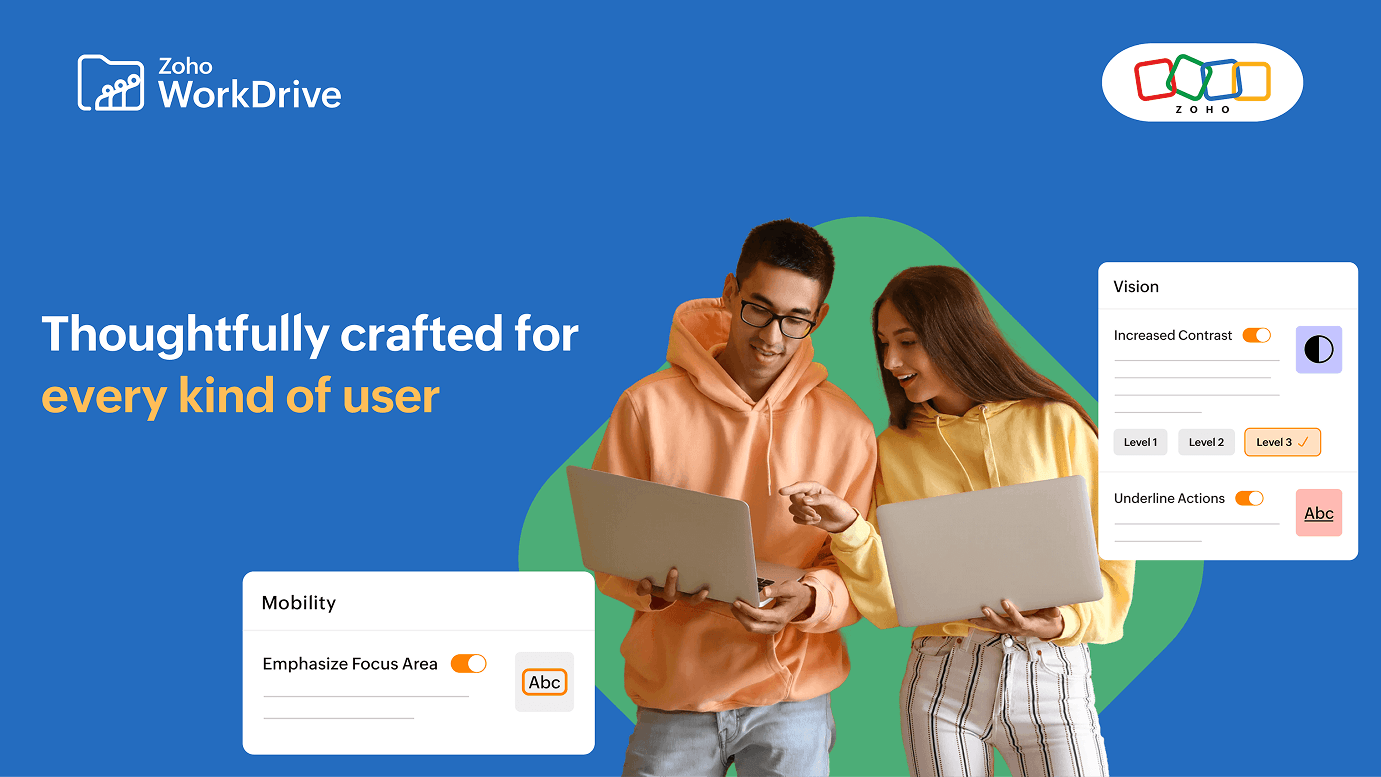
Optimzied businesses choose powerful technology that is accessible to every employee, regardless of how they prefer to work. And an optimized platform adapts to the user. Built on this strong principle, we at WorkDrive have re-examined every part of our customer experience through the lens of inclusivity. Great tools work for everyone, and with version 6.0, WorkDrive delivers inclusive features and capabilities.
WorkDrive's new Accessibility Controls let users personalize the viewing experience. You can configure settings like high-contrast view or keyboard navigation to meet your needs. With clearer viewing of content and better readability and focus, the platform ensures accessibility for everyone, including people with vision or learning challenges.
To add to the list of compliances WorkDrive is now fully compliant with WCAG 2.0, 2.1, and 2.2 (A and AA levels).
OS-agnostic real-time sync
Whether you use Windows, Mac or Linux, WorkDrive's desktop app—TrueSync is now supported in all major operating systems. Now users can enjoy the seamless experience of WorkDrive TrueSync, accessing files directly from desktop while saving system storage.
Bolstered data security: Command and control for admins
A content collaboration platform for a business owner is more than just a place to store files; it is a repository for their valuable intellectual property, critical client data, and operational information. To protect it is not just a simple need but a business imperative.
WorkDrive 6.0 reimagines the existing security features by pushing it a notch higher. The focus was to make data security features deliver not just control, but clarity too. Now you can complex challenges into automated policies. Here's how we do it.
Smarter Data Loss Prevention
The existing DLP engine in WorkDrive automatically finds sensitive information within files and classifies them as confidential. With version 6.0, the DLP engine has gotten smarter. You can now create Multi keyword identifiers that capture complex concepts in one rule. Additionally, Regex-based identifiers enables the creation of advanced detection rules that automatically flag structured data like employee IDs, credit card numbers, or even custom reference codes. The sensitive content identifiers can also detect PHI (Protected Health Information) data such as patient IDs, medical record numbers, and insurance policy details, supporting compliance in healthcare and related sectors.
Learn more about DLP policies in WorkDrive
Extended protection for internal sharing
Setting expiration dates for files that are shared outside the organization using links protects those files from being accessed after a certain date. Now this can be applied to internal sharing as well. With expiration dates for internal shared files, users get tighter control over how long recipients can access the content. Once the expiration date is reached, access is automatically removed to keep shared files secure.
Learn more about sharing files and folders
Organize data with precision
The data that businesses hold is valuable as long as the search and discovery is seamless. When an organization is growing, the volume of files stored also goes higher. Without a structured way to classify information, the team's time is increasingly spent searching rather than working.
Data Templates are now enhanced to solve this fundamental chaos by bringing structure to your organization. Admins can now control access to Data Templates, and only specified groups or members will be able to access them. Additionally, you can now create up to 1,000 Custom Fields and mark up to 1,000 of them as searchable.
Learn more about Data Templates and Custom Fields
Manage large files for an optimized storage
Storage is one big constraint in a cloud file management system. Large files can often go unnoticed when your employees store in My Folders. The Large File Listing view in the Admin Console works as an x-ray vision into this storage consumption. In one view, admins can review all the large files in the organization, sorted by size.
Learn how to optimize your team storage
Note: Team members can also manage large files in My Folders, making it easy to review their own space consuming files.
The convenience of control: Small enhancements, big impacts
The features that are often noticed by any user are the ones that make headlines, the ones that transform the way we work. And yes, WorkDrive 6.0 is full of such features. But upon taking a closer look, you'll notice the real magic that happens in numerous smaller enhancements too: the moment you don't have to worry about deleting a duplicate file, the liberation from the fear of clients receiving an outdated version, the joy of realizing that your content looks exactly the way you had envisioned it on your website builder.
These moments of friction-free work are what we call convenience. And WorkDrive 6.0 weaves this convenience into the very fabric of your workplace. We've filled this version with thoughtful enhancements designed to save your team from mental clutter. Here's how WorkDrive makes your work convenient, one smart feature at a time.
Pause your inactive projects
Businesses work on multiple concurrent projects, and over time the workspace can become cluttered with projects that are completed but not yet ready to be deleted, especially when file retention is required for compliance reasons. WorkDrive's Archive Team Folders feature is the solution. With one click, you can stow away the projects that cause visual clutter and help your teams focus on what's the current priority.
Learn more about archiving Team Folders
Lock in perfection
Content often needs to be revised multiple times to meet the client requirements—but at a certain point, the team needs to stop from making changes. But someone always manages to make an accidental tweak. The Mark as final feature eliminates this risk. It is a digital seal that says, "this work is done". No more worrying about unauthorized edits and version confusion.
Learn more about mark as final
Master file history with version control
Managing different file versions has always been tricky—needing to open each file and see what has changed is a hassle. Imagine if that functionality was possible without even opening the file.
With Version History in File Preview, you can see and manage all past versions of a file without leaving the preview window. Now you can compare, review and manage all your versions as easy as a click.
Learn more about version history in file preview
Make shared content uniquely yours
Collaborating with clients often re quires sharing files externally. But once the content leaves the organization, you don't want to completely lose control over how it appears. With Embed Code Customization, you can completely curate the presentation of your content. Adjust the size of the document layout to fit in the webpage perfectly, set a color theme to reflect your brand values, or even configure playback options like looping and autoplay for video files.
Learn more about Embed Code Customization
Organize your work your way
Have you ever wanted to organize your files in a visually recognizable manner? Because for all these years this one feature has been an one-size-fit-all offering, without an option to customize it. WorkDrive now lets you completely organize the way you view your work with the Customized File Listing feature.
Choose what information you'd like to see ranging from a file owner to the last modified date, to the file size and even the type of file. You can now mix and match the information you'd like to see and arrange the columns in any manner that suits your workflow.
Learn more about Custom file listing and View preferences.
Stay organized by eliminating duplicates
Imagine a scenario where you upload numerous files and one of them accidentally gets uploaded twice. In such situation, WorkDrive automatically detects the duplicate files with similar name and extension and lets you choose between updating to the latest version, retaining them as separate copies or skipping the upload of both the instances. This reduces accidental overwrites, and keeps your folders tidy.
Extended convenience
Adding to the list of aforementioned convenience updates, the 6.0 version also lets you to:
- Set consistent views for your team, including default folder layout (List, Thumbnail, Compact) and default right panel view (Preview, File Details, Comments, Data Templates).
- Control editing of non-Zoho document, spreadsheet, and presentation formats using Zoho Writer, Sheet, and Show.
- Mandate user info collection by requiring external users to provide their name, email, or phone number before accessing shared files or folders for better tracking and security.
The convergence of content, security, and intelligence
As the market moves towards an AI-first approach, the most significant focus falls on how organizations think about data protection. Adding to this, the explosion of unstructured data has shown no signs of slowing. This necessitates that organizations look for a tool to do more than storing files. Instead, they need a platform that understands their content, anticipates their needs, and connects their work across applications with minimal manual effort.
WorkDrive 6.0 was engineered to serve the requirements of where today's market is heading. The content intelligence capabilities don't just find files, but transform your content into a searchable knowledge base. The MCP integration connects your content collaboration platform to 950+ applications. The enhanced DLP and security controls deliver the trust that modern compliance demands. And our convenience upgrades improve productivity from the ground-up.
The new era of intelligent content management is here.
Log in, explore, and experience WorkDrive 6.0 today!
Check out our help documentation for detailed guides on each feature, or reach out to our support team at support@zohoworkdrive.com for answers to any of your questions.
Start your free trial today and experience how intelligent content management can transform your enterprise.