Collaborative inbox: How teams manage customer conversations together
- Published : April 6, 2026
- Last Updated : April 6, 2026
- 263 Views
- 7 Min Read
Handling customer conversations requires team effort. Based on the query or complaint a customer raises through email, the sales, service, finance, or product teams may need to respond. Because customers expect quick responses, the right team or person should reply to the email while maintaining a positive customer experience.
However, this is possible only if the customer communication lands in a single inbox and the necessary teams have access to it. This is why teams need an inbox that helps them cater to these requirements.
In this article, we’ll explain how collaborative inboxes work, what they lack, why you should consider a shared inbox, and how platforms like Zoho TeamInbox help teams handle customer conversations efficiently as they scale.
What is a collaborative inbox?
A collaborative inbox is a shared email environment where multiple team members can view, assign, discuss, and respond to incoming messages together from a common address.
A collaborative inbox is different from a basic group email. It has extra tools like:
Message assignment
Status tracking (open, in progress, closed)
Internal notes
Conversation history
Reports
These tools help teams stay organized and respond faster. Teams use collaborative inboxes in customer support, sales teams, IT teams, HR, and operations.
Limitations of a collaborative inbox
Although collaborative inboxes make communication within teams easier, they may not always be suitable for growing teams.
Email-only communication: Most collaborative inboxes focus on email, while customer messages also come from chat, social media, and messaging apps.
Unclear ownership: When multiple team members can reply, it’s easy for messages to be duplicated or overlooked without clear assignment.
Limited workflow structure: Routing, escalation, and process tracking are often minimal or missing.
Poor workload visibility: Managers may struggle to see who is handling which conversations.
Disconnected tools: Agents often need to switch to CRM, billing, or support systems for context.
Harder to scale: As conversation volume grows, threads become difficult to track and manage.
Limited analytics: Many tools provide only basic reporting on response time or team performance.
Because of these limitations, many teams adopt shared inbox platforms that provide clearer ownership, better workflows, and support for multiple communication channels.
Collaborative vs. shared inbox: What growing teams need
While both systems help teams manage shared communication, a collaborative inbox focuses on shared email access, whereas a shared inbox provides structured tools for managing conversations across channels.
Aspect | Collaborative inbox | Shared inbox |
Primary purpose | Allows multiple team members to view and reply to the same inbox. | Organizes and manages team conversations with structured workflows. |
Channels supported | Mostly limited to email. | Often supports email, messaging apps, social media, and chat. |
Ownership | Messages are visible to everyone, but ownership may be unclear. | Conversations can be assigned to specific team members. |
Workflow management | Basic collaboration around threads. | Built-in routing, tagging, and status tracking. |
Visibility | Shared visibility of messages. | Visibility plus tracking of responsibility and progress. |
Scalability | Works well for small teams handling email. | Designed to support growing teams and higher conversation volume. |
A shared inbox is often a better fit for growing teams because it helps them manage conversations with clearer ownership and coordination. Instead of simply sharing access to emails, teams can track who is responsible for each request and continue conversations across departments without losing context.
This makes it easier to handle increasing message volumes while maintaining consistent and timely responses.
Key features of an effective shared inbox
A shared inbox should help teams handle shared email conversations without confusion about ownership, context, or follow-ups. While many tools claim to offer collaboration features, the real value lies in how these capabilities are implemented and how easily teams can use them in daily work.
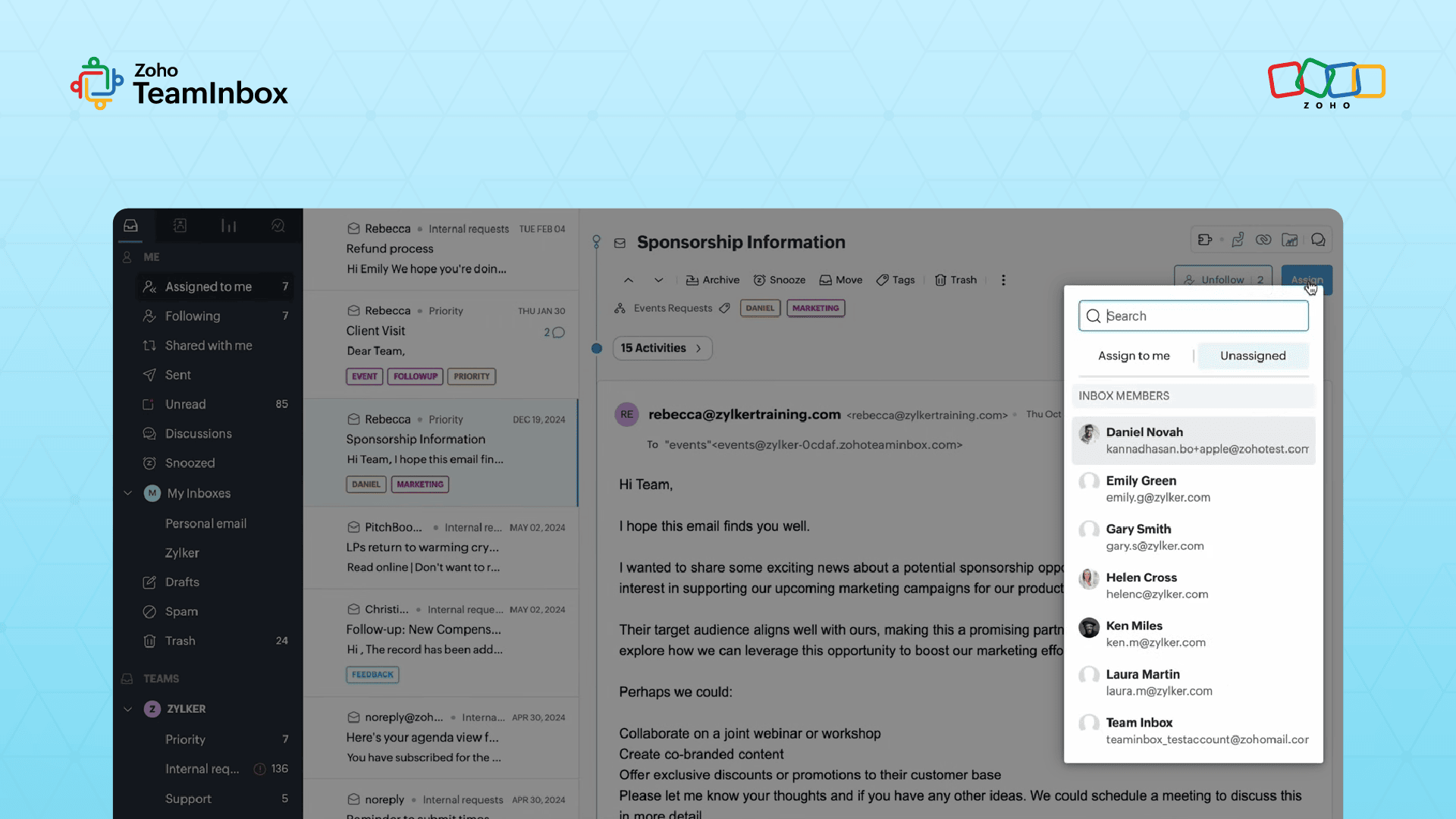
1. Clear conversation ownership
Teams need a way to indicate who’s responsible for replying to a customer or handling a request. This prevents duplicate responses and ensures accountability.
In a shared inbox, you can add team members when creating the shared workspace. When a task requires action from any of the team members, you can delegate or assign thread owners, making it immediately visible who’s handling each conversation.
2. Organized conversation management
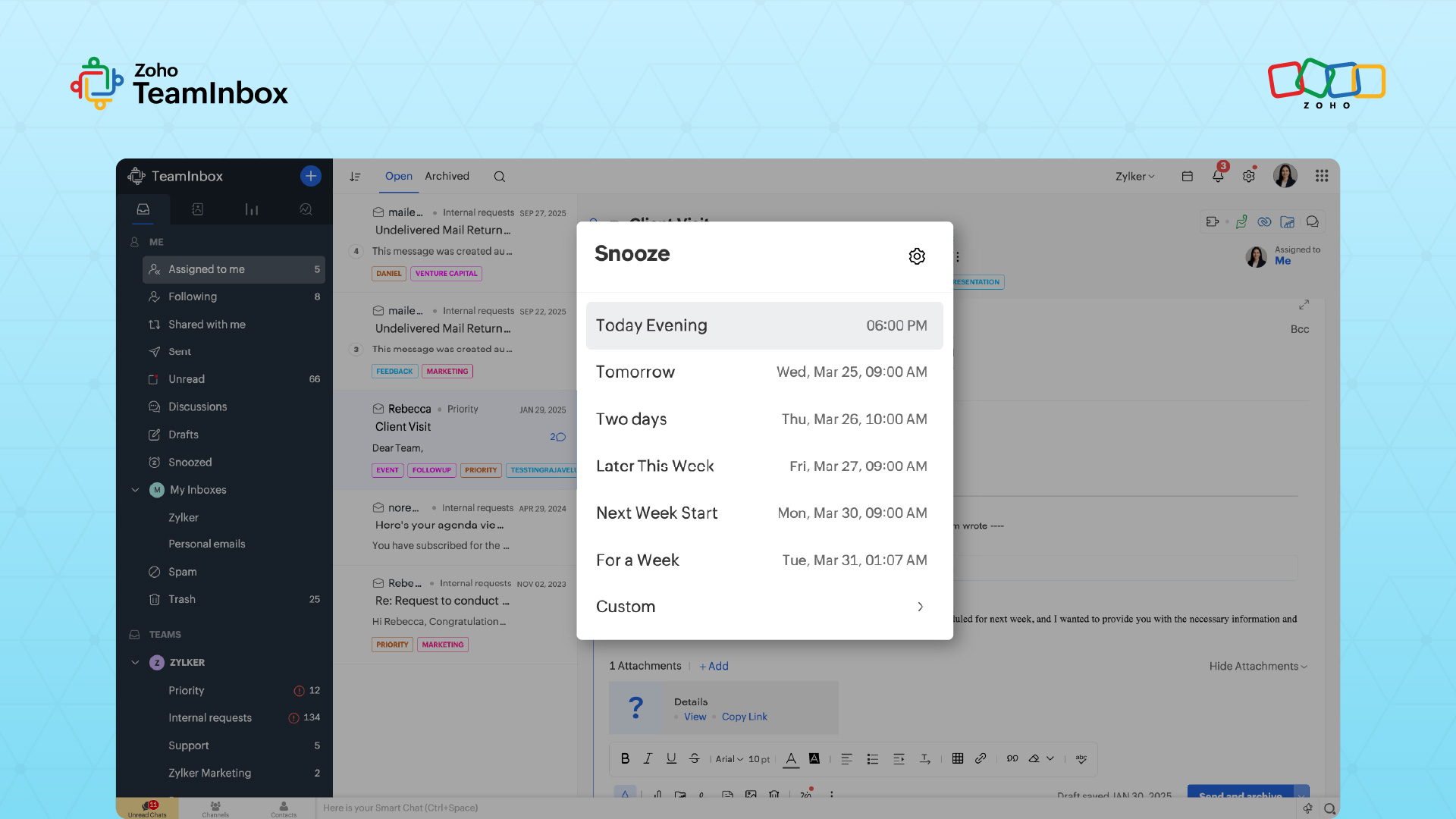
Shared inbox tools typically include ways to categorize and prioritize conversations so teams can quickly locate relevant messages.
Zoho TeamInbox supports this through shared tags that group related conversations together, along with options to archive completed threads and snooze messages that require attention later. These features help keep the inbox focused on active work and the conversations don’t pile up.
3. Contextual internal discussions
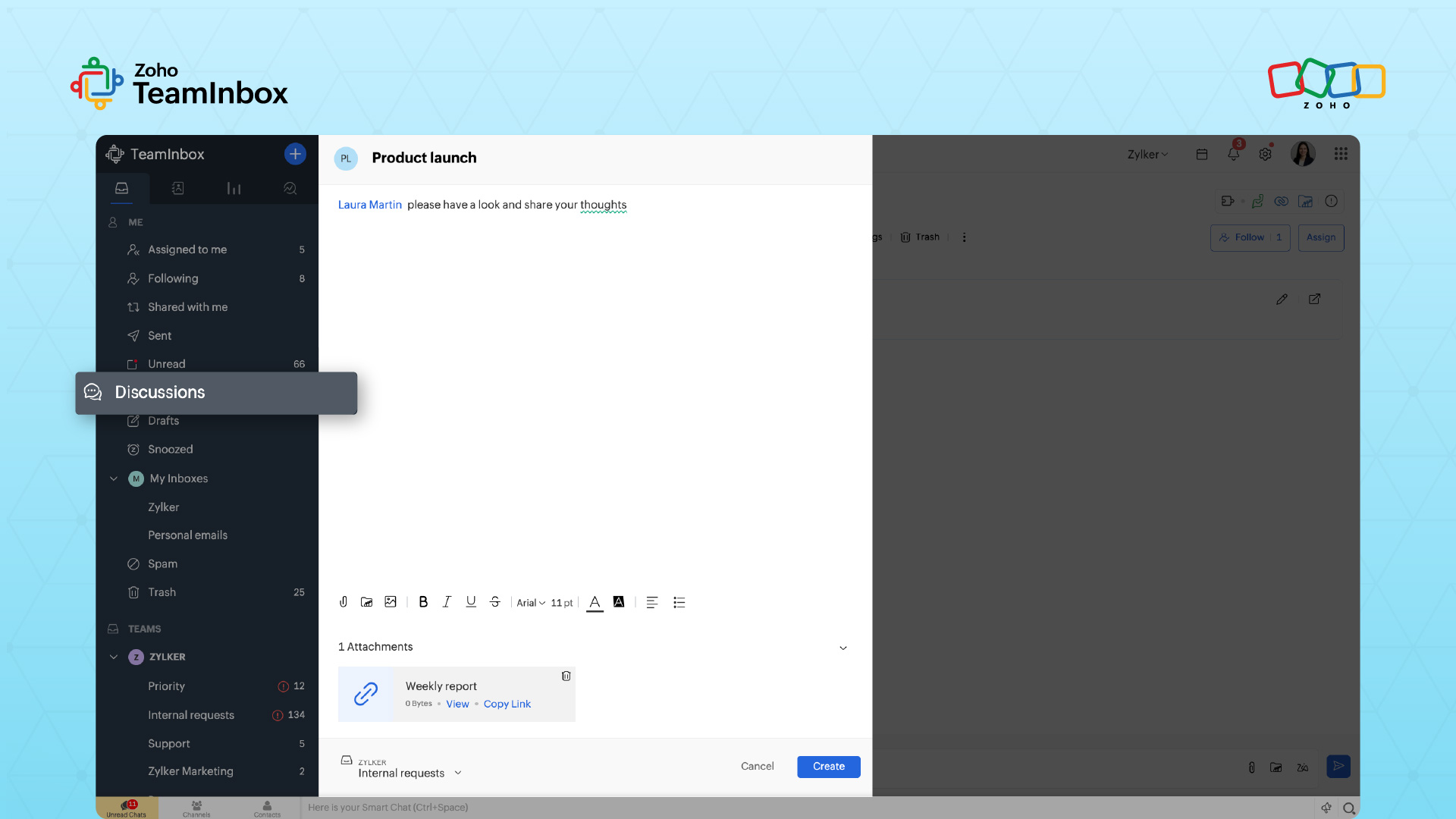
Sometimes, teams need to communicate internally without disrupting the customer conversation. Many tools support internal discussions for this purpose.
In TeamInbox, teams can have these discussions directly within email threads. They can clarify issues, ask questions, or coordinate responses without forwarding emails or creating separate discussion chains.
TeamInbox also supports collaborative drafting of replies. Before sending a response to a customer, teammates can share drafts within the conversation and gather feedback internally.
4. Automated email handling
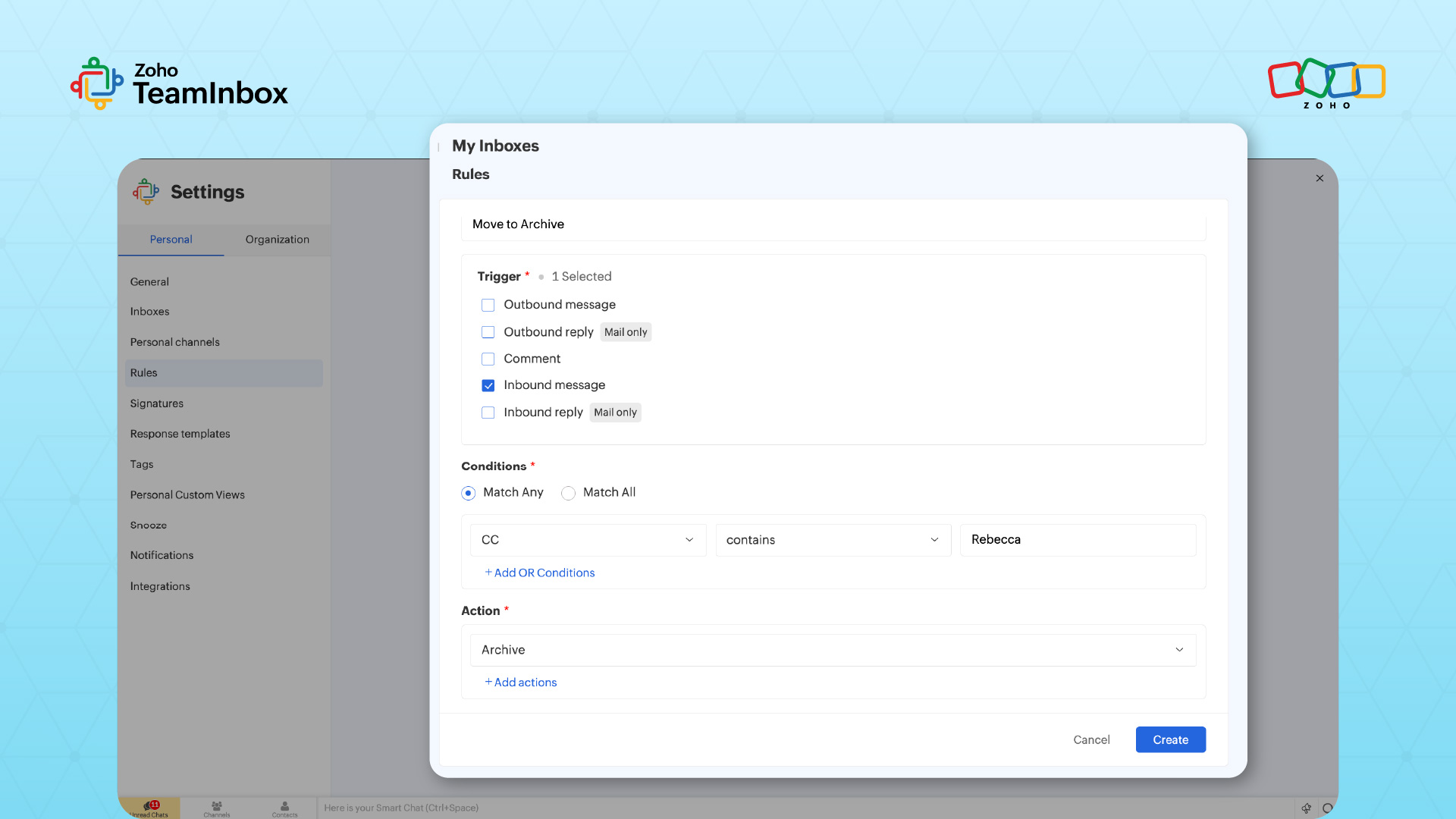
Shared inboxes also help create condition-based rules to automate certain repetitive operations.
These rule-based workflows can automate actions such as assigning incoming emails or triggering predefined responses, reducing manual effort and helping messages reach the right team member faster.
5. Transparent activity tracking
As several people work on the same inbox, it’s important for the team to have visibility into their actions. That’s why shared inbox tools often include activity logs that show what has happened within a conversation.
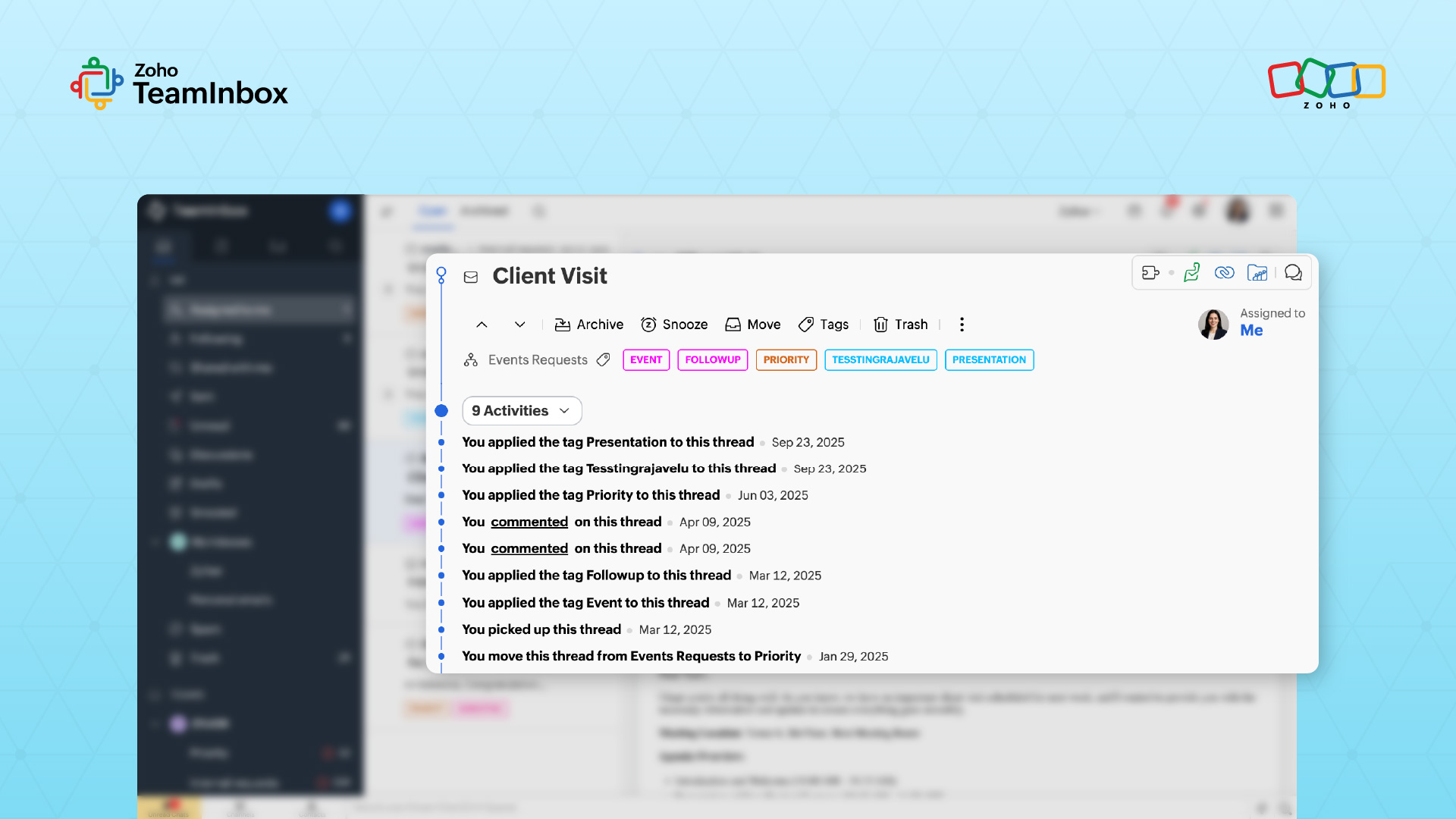
Zoho TeamInbox provides an activity timeline that records key actions such as replies, assignments, and archives, allowing anyone involved in the thread to understand its progress and history.
6. Secure and controlled inbox access
Security and access control are essential when multiple users share an inbox. These inboxes allow organizations to control who can access messages and maintain visibility over user activity.
Zoho TeamInbox supports this through admin-controlled inbox sharing, encrypted email data, two-factor authentication, and activity logs, ensuring that collaboration doesn’t compromise the privacy or security of team communication.
Best practices for implementing a shared inbox
With the right shared inbox tool, your teams can organize and manage internal as well as customer communications with ease. You’ll need to set up a few protocols for tags and responses to ensure consistency. Here are a few ways you can make the most of your inbox:
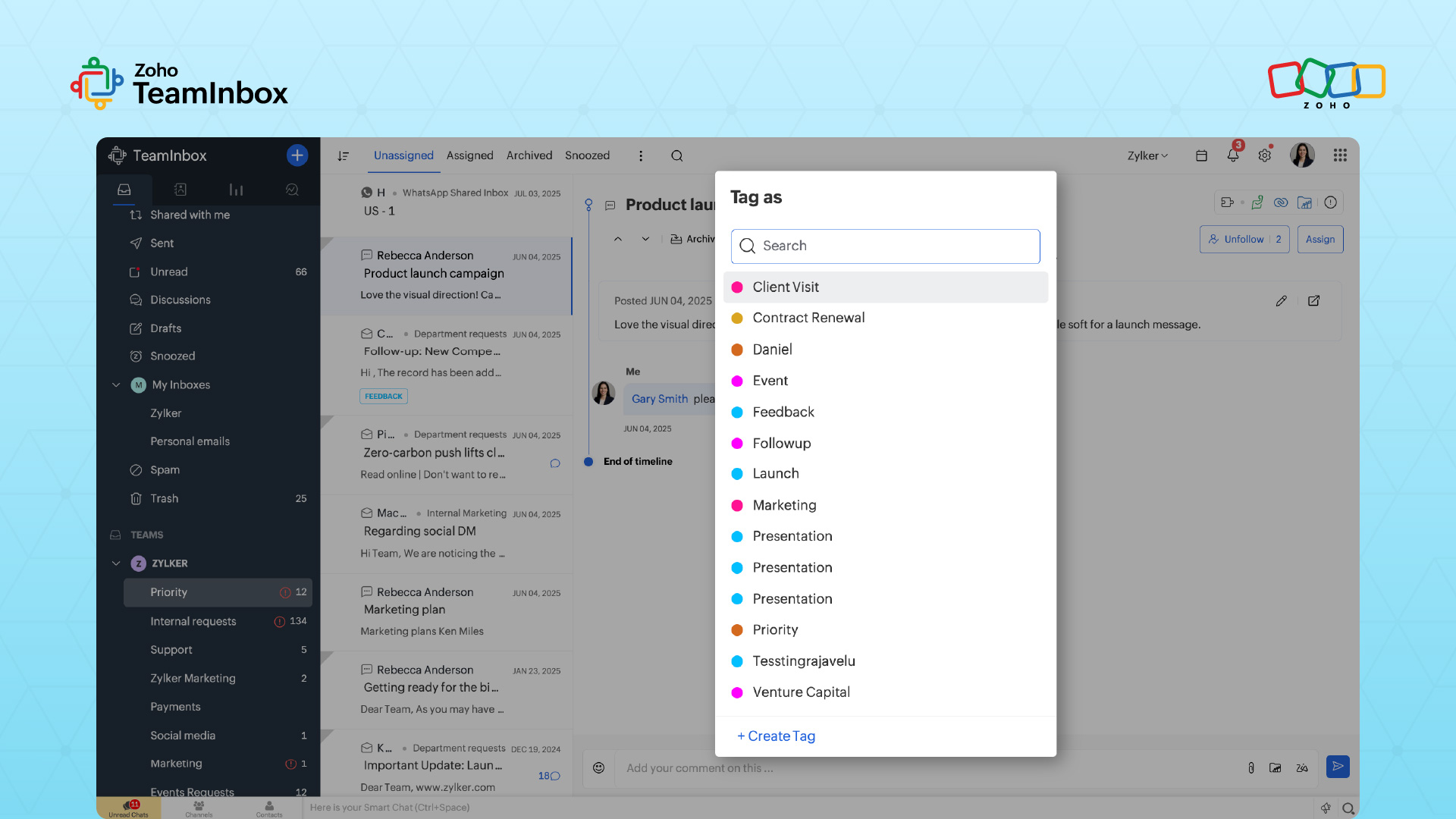
Establish naming conventions and tagging standards: Agree on simple, consistent tags and resolution status labels such as “feedback” or “follow up” so everyone organizes messages the same way.
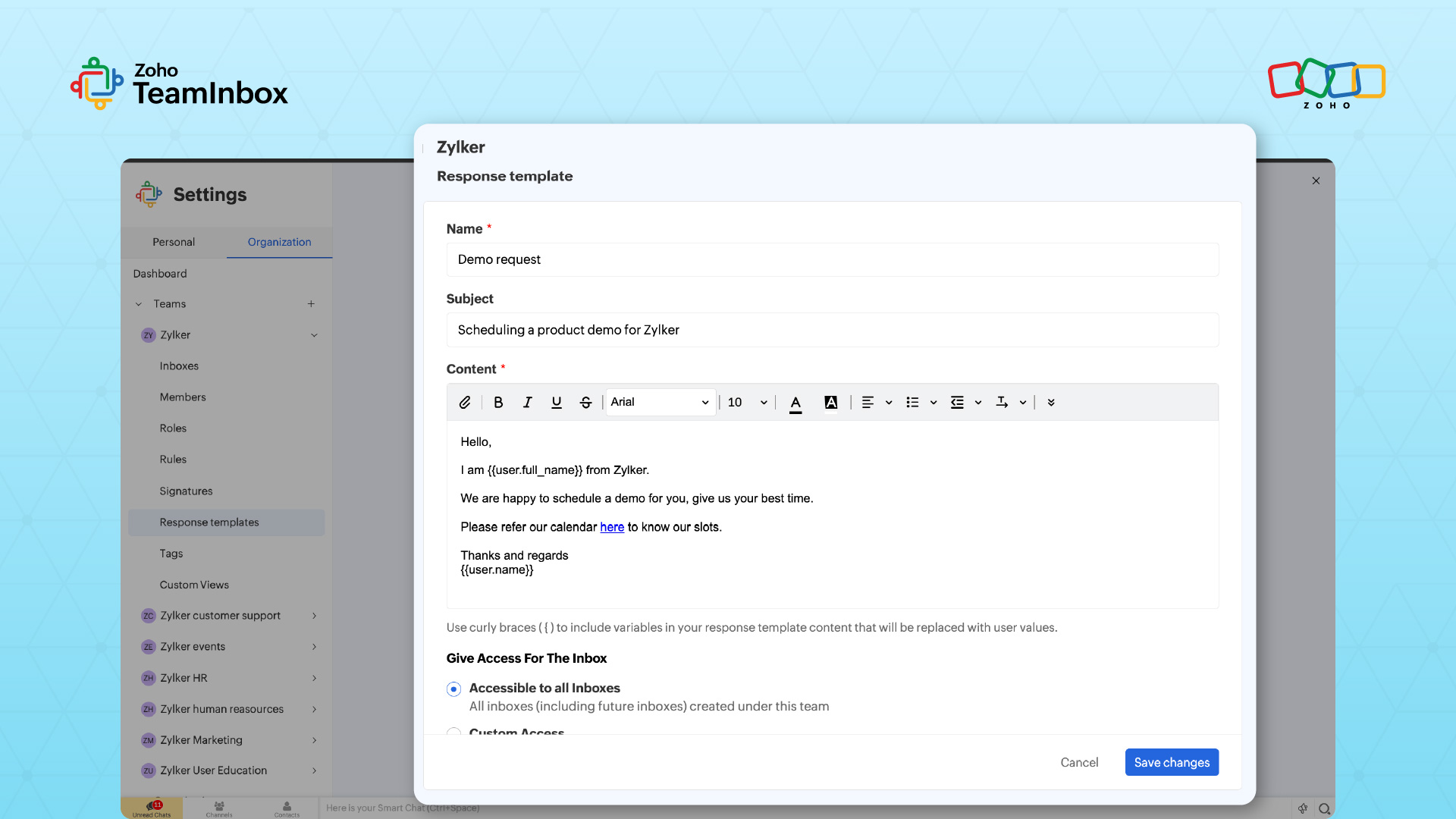
Build your canned response library early: Create templates for common questions to help agents reply faster while keeping communication consistent.
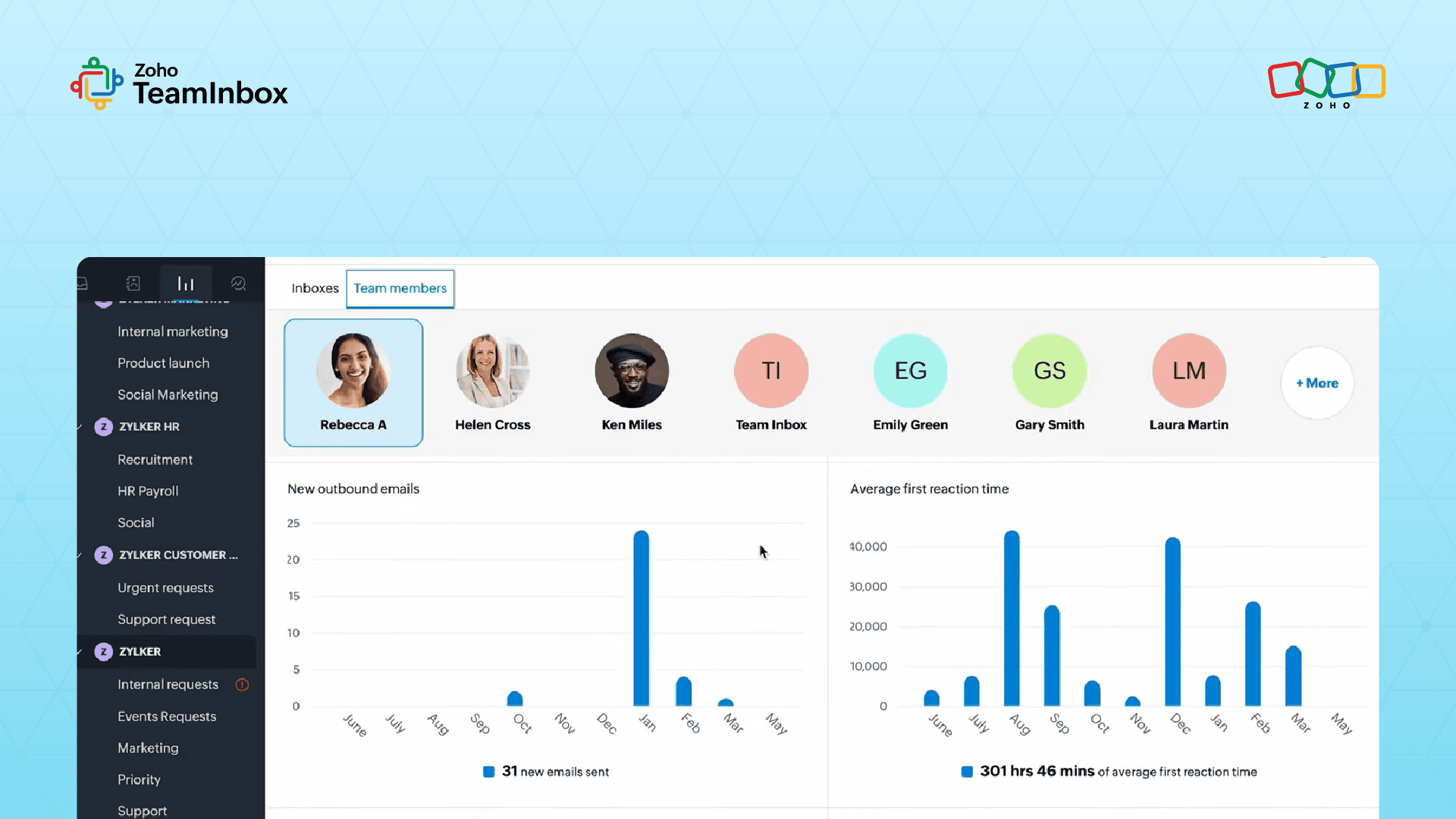
Review performance data weekly: Track metrics regularly to improve workflows and balance workloads.
Common mistakes to avoid when using a shared inbox
Even with a well-designed platform, certain practices can reduce the effectiveness of a shared inbox. Recognizing these common challenges can help teams maintain smooth operations and consistent customer service.
Treating the inbox like a personal email: Picking only familiar messages or ignoring assignments undermines team collaboration.
Jumping to external replies without team input: For complex issues, leave internal notes and coordinate with teammates before responding to avoid errors. This is especially important in customer support scenarios where escalations involve multiple departments.
Letting conversations become stale: Regularly triage the inbox to ensure unresolved messages don’t pile up.
Failing to close the loop on conversations: Mark resolved conversations properly to keep the queue clear and maintain accurate reporting, ensuring nothing is overlooked.
Shared inbox in action with Zoho TeamInbox
Zoho TeamInbox is a shared inbox for teams that includes collaboration features.
While most shared inboxes help teams coordinate email conversations, Zoho TeamInbox extends this idea by bringing several communication channels and collaboration tools into one workspace.
Teams can connect multiple channels to a shared inbox, including group email addresses as well as messaging platforms such as WhatsApp, Instagram, Telegram, and Messenger.
Instead of switching between separate apps to monitor customer messages, teams can review and respond to conversations from these channels within the same interface.
When a conversation requires help from another department, messages can be moved between inboxes so the appropriate team can take over. For example, if a customer message initially reaches the support inbox but requires input from the sales or billing team, the thread can be transferred to the relevant inbox without losing the conversation history.
To speed up routine responses, teams can create reusable email templates for common questions and inquiries. These templates allow agents to reply quickly while maintaining consistent messaging across the team. Team signatures can also be configured so that outgoing emails automatically include the appropriate team identity.
As teams grow and customer conversations increase across channels, having a shared workspace like Zoho TeamInbox helps maintain coordination without losing visibility into conversations.
Explore Zoho TeamInbox to see how a shared inbox can help your teams manage customer communication more efficiently as they scale.
FAQ
1. Can a shared inbox integrate with CRM or help desk tools?
Many shared inbox platforms integrate with CRM, support, or billing systems to provide additional context during conversations. This allows agents to view customer history, orders, or account information directly within the inbox, reducing the need to switch between applications while responding.
2. How does a shared inbox help reduce response time?
A shared inbox improves response time by assigning conversations to the right team members, enabling internal discussions within threads, and automating routine actions like routing or tagging. This helps teams respond quickly without confusion about who should handle the message.
3. Is a shared inbox suitable for small teams or only large organizations?
Shared inboxes can benefit teams of any size. Small teams gain visibility into conversations and avoid duplicate replies, while larger teams use assignment rules, automation, and reporting features to manage higher message volumes and maintain consistent response processes.
4. How does a shared inbox maintain conversation context across teams?
Shared inbox tools keep the entire conversation history within a single thread, including internal notes, assignments, and activity logs. When a message moves between teams, everyone involved can review previous interactions and continue the discussion without losing context.
5. What metrics can teams track in a shared inbox?
Most shared inbox platforms provide analytics such as response time, conversation volume, resolution rates, and team activity. These insights help managers identify workflow bottlenecks, balance workloads, and improve how teams handle customer communication over time.
 Ganeshkiran Arasu
Ganeshkiran is a Growth and Digital Marketing manager at Zoho. He's passionate about writing content that actually helps — breaking down how products solve real, complex problems and what genuine collaboration looks like in practice. When he's not crafting strategies with his team, he's keeping tabs on the latest industry trends — always with a cup of tea in hand.