- HOME
- Product Spotlight
- How to manage digital assets using Zoho Tables
How to manage digital assets using Zoho Tables
- Last Updated : March 17, 2026
- 269 Views
- 4 Min Read
Does your team work with a lot of digital assets, like product images, marketing videos, presentations, PDFs, documents, graphic assets, or audio files? If this is you or your team, then you already know how tricky it is to keep all of your assets organized and accessible. That’s where digital asset management (DAM) comes in.
What is digital asset management?
DAM is the practice of organizing, storing, tracking, and managing all your digital assets in one central place. It ensures that the right people can find and use the right version of files when they need them. It also helps track usage rights, manage approvals, and avoid duplicate work.
A digital asset manager is a tool that helps teams stay on top of all this. In short, a DAM system brings order to the growing chaos of digital content.
Benefits of a DAM system
Once your team starts dealing with more than a handful of files, things can quickly spiral out of control. Here are some of the key benefits of having a proper DAM system:
- Centralized storage: All your digital assets live in one place—not across ten different folders on five cloud accounts or external storage devices.
- Quick search and retrieval: Find exactly what you need in seconds. No more digging through folders for that one image from last year’s campaign!
- Brand consistency: Everyone on the team uses the correct, approved versions of files. This keeps your brand and messaging consistent across channels.
- Rights and licensing tracking: Keep track of usage rights, licensing terms, and expiration dates. This is especially useful when dealing with stock photos, purchased artwork, or third-party content.
- Collaboration support: Designers, marketers, agencies, and content writers can now work from the same system with visibility into what’s available and what’s new.
- Time savings: Having a DAM system reduces time spent hunting for assets, recreating work, or clarifying file versions.
How can Zoho Tables help manage digital assets?
Zoho Tables is easy to set up and customize. It combines the simplicity of a spreadsheet with the power of a database, so you can create a system that works for your team without needing technical expertise.
Here’s how to manage your digital assets using Zoho Tables:
- Store your assets
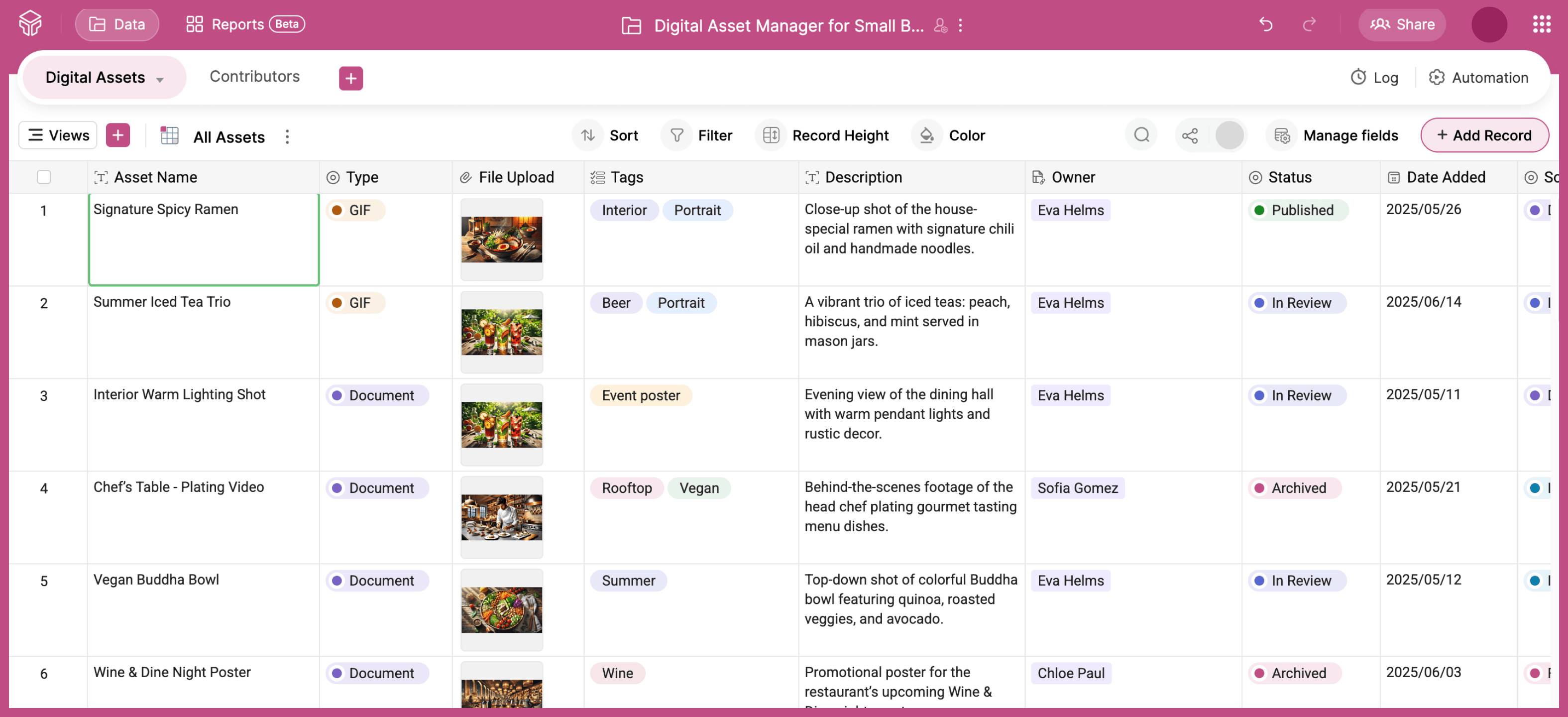
List every asset with key details, like name, type, preview image, usage rights, source, and approval status. Zoho Tables has 25+ field types to store every kind of data you may have, be it simple text or attachments. - Track projects and campaigns
You can list projects or marketing campaigns to track which asset was used where. - Manage requests
Create a form to receive asset requests from your team so the creative team can plan and prioritize. - List contributors
Maintain a list of designers, vendors, writers, and other contributors, which is useful for tracking who created what. - Use linked records
Connect tables together so it’s easy to navigate the relationships between assets, projects, contributors, and requests. - Create custom views
Set up filtered views by status or individual owners so your team can have access to the right data. - Collaborate as a team
Everyone works from the same shared system, with clear visibility and up-to-date info. - Manage on the go
With powerful iOS and Android apps, you can stay updated even when you're on the move.
In short, you can turn Zoho Tables into a lightweight but effective DAM solution for your team.
Ready-to-use DAM solutions from Zoho Tables
If you’re looking for a place to get started, here are a couple of pre-defined templates that can help you figure out a system for your team:
Digital asset manager for small businesses
Digital asset manager for publishers
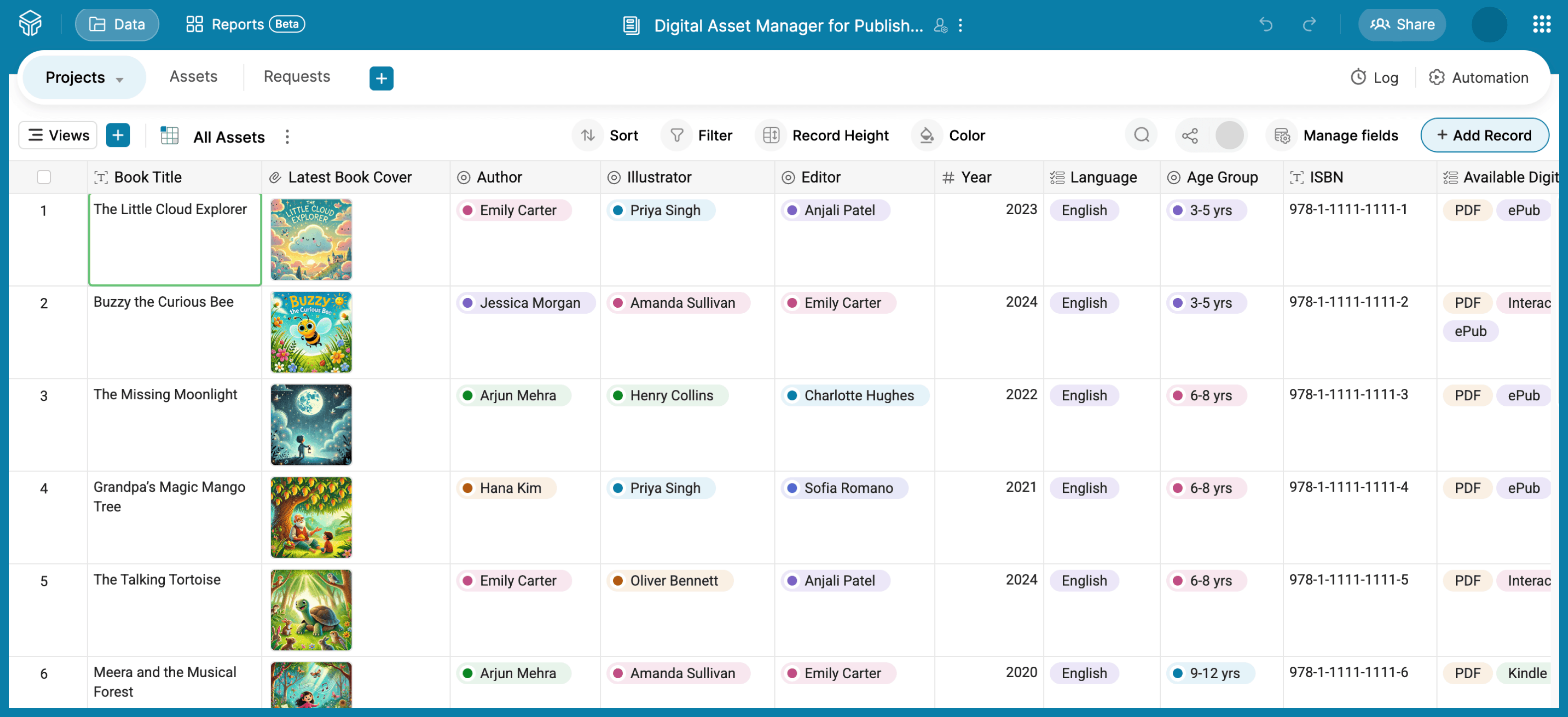
Here's what these templates offer:
- One place for all your assets
- Customizable ready-to-use solution
- Ease of a spreadsheet with the power of database
- Improved version control
- Automations to reduce manual work
- Easy for non-technical users
How KaReFo built their DAM system using Zoho Tables
A real-world example of how Zoho Tables can be an efficient DAM system comes from Karky Research Foundation (KaReFo), founded by the popular Tamil lyricist and dialogue writer, Madhan Karky.
KaReFo maintains a large and growing collection of digital assets. They manage their assets and their process—from creating and reviewing assets to final publishing—using Zoho Tables. With Zoho Tables, KaReFo has replaced 5-6 different tools they previously used to handle storage, communication, and workflow tracking.
Read about how KaReFo leverages Zoho Tables to manage their digital assets.
On a final note...
As your team’s library of digital assets grows, having a well-structured system in place becomes essential. A good DAM setup can save time, avoid version chaos, and help you stay on top of every piece of content you create.
With Zoho Tables, you can build a flexible, easy-to-use digital asset manager without needing a complex or expensive tool. Get started with Zoho Tables now!
 Sruthi Selvaraj
Product marketing during the week, serious digital art in the weekends.