Categories
- What is a Digital asset management for publishers
- Common digital assets in the publishing industry
- What should small publishing agencies look for when choosing a digital asset management tool?
- Why is this digital asset management template ideal for small publishers?
- Features to explore after importing your template
Digital asset management for publishers
Whether it's traditional publishing houses or e-publishing agencies, the digital assets they generate are the same. While well-established publishers that operate at scale rely on sophisticated digital asset management software, small-scale publishing agencies often switch between multiple cloud services, email folders, and local devices. This often leads to confusion and wasted labor.
This article is meant to help small and mid-size publishers choose the right tool to manage their assets.
Common digital assets in the publishing industry
Manuscripts
Book cover designs
Illustrations
Marketing collateral
Author headshots
Book launch data
Contracts
What should small publishing agencies look for when choosing a digital asset management tool?
Simplicity
Flexibility to adapt to unique publishing workflows
Real-time collaboration between authors, editors, designers, and marketers
Easy automation
Straightforward pricing
Why is this digital asset management template ideal for small publishers?
1. Quick setup
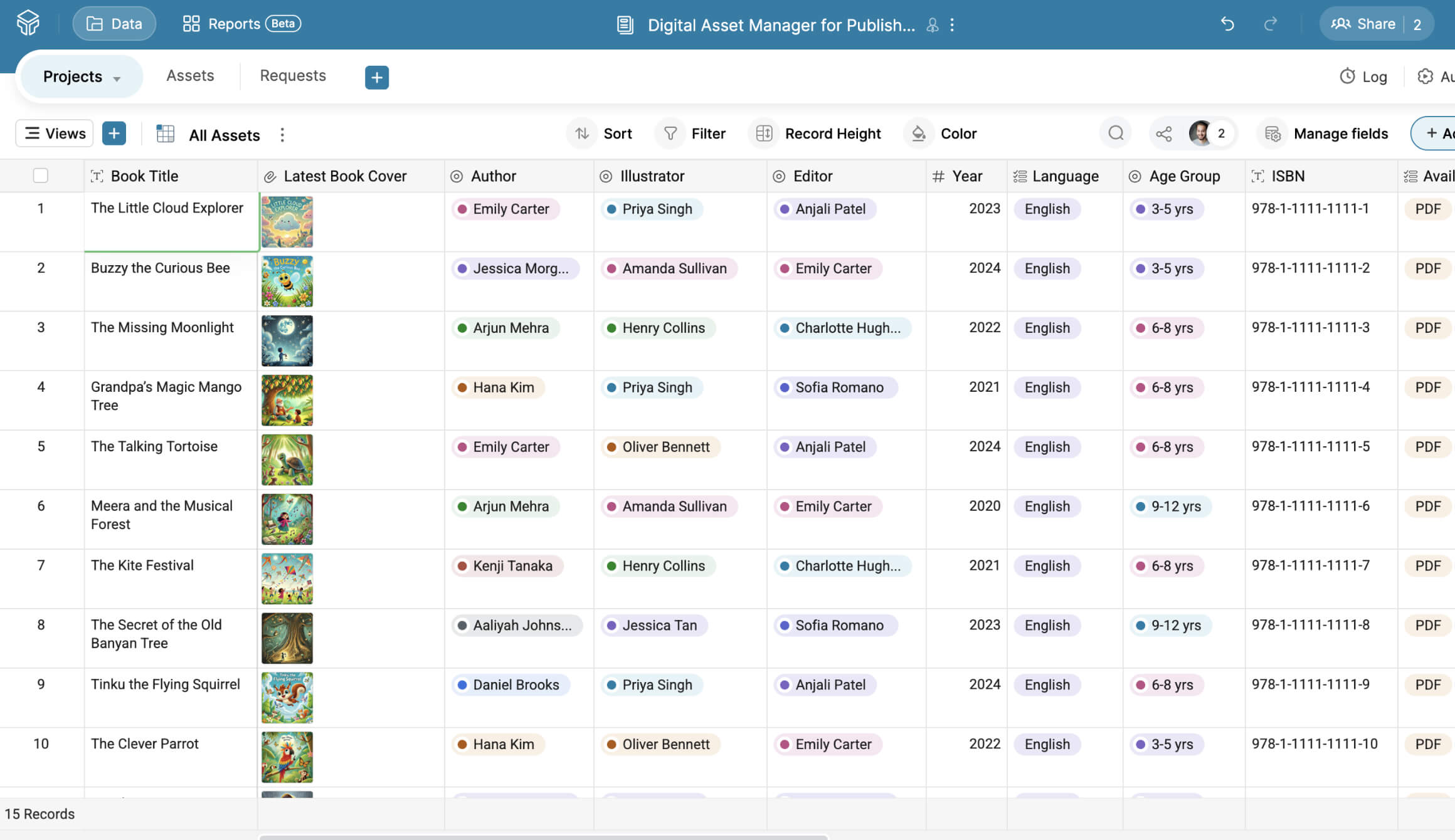
Prebuilt sample fields, such as book title, cover, ISBN, author, illustrator, language, publishing status, and more, give you an instant idea of how the various field types in Zoho Tables work.
2. Versatile views
Grid view gives a holistic overview of all the digital assets, their owners, important dates, approval status, and more.
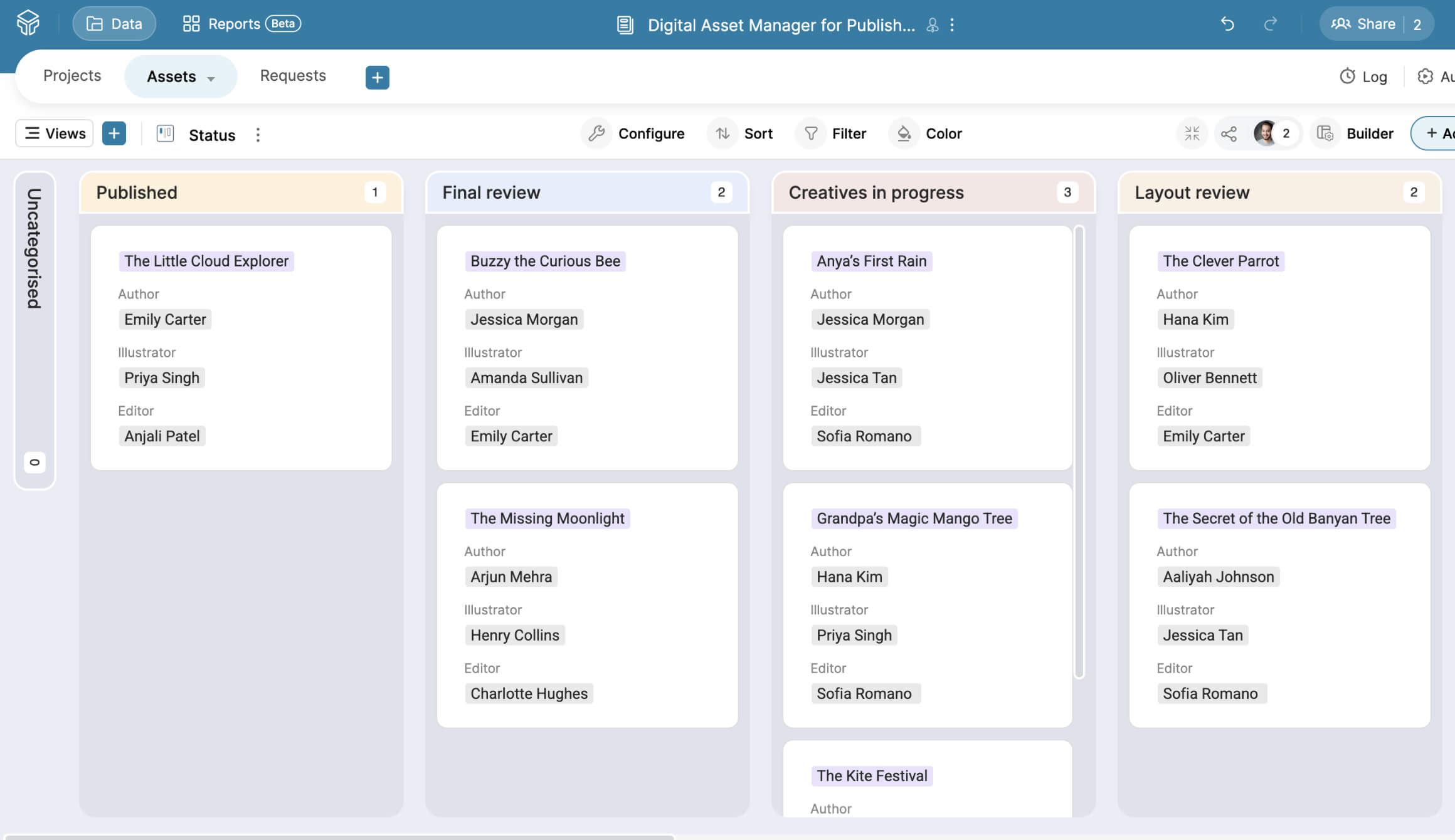
Kanban cards give a high-level view of the publishing process, from initial discussion to publication.
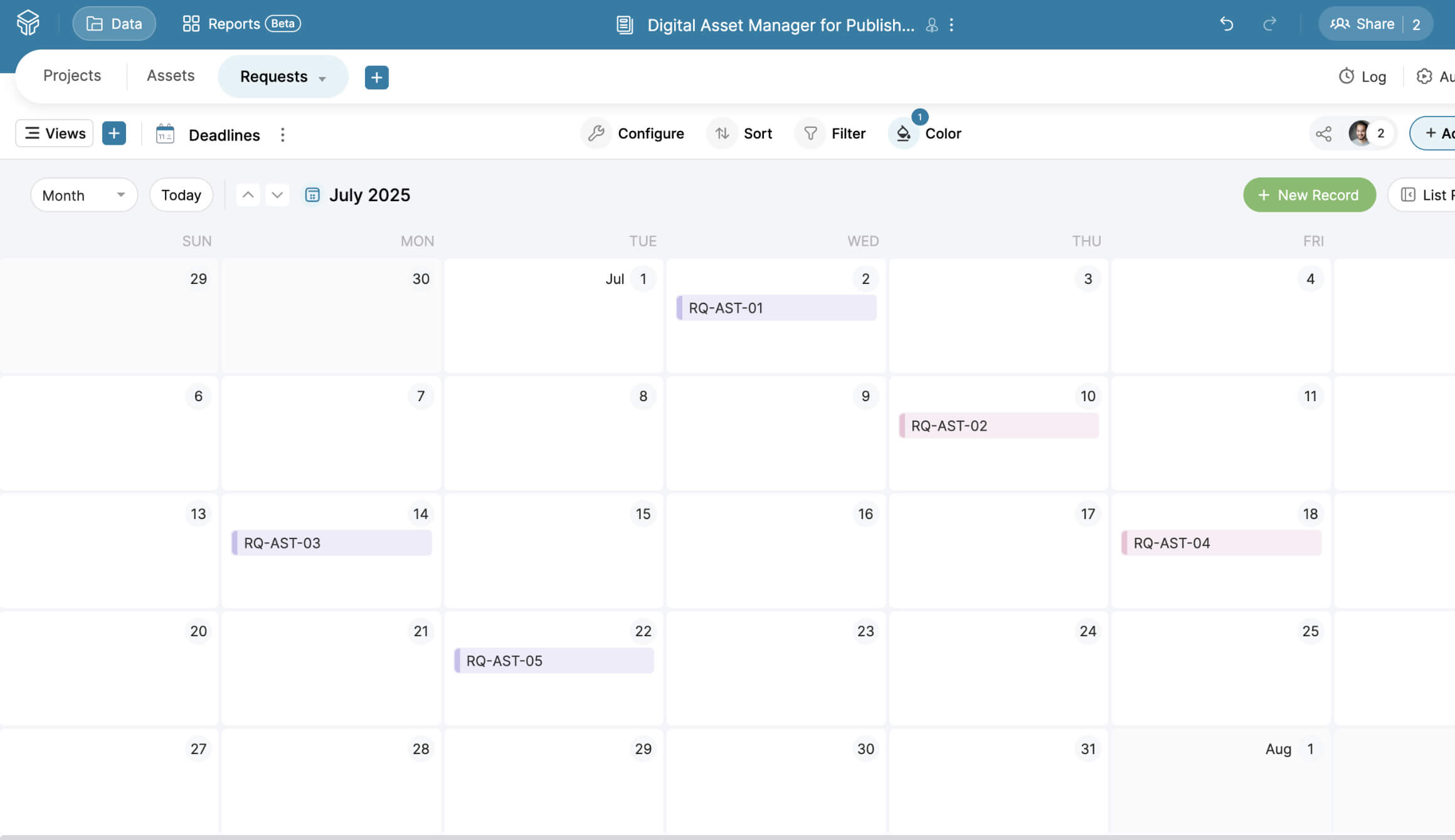
Calendar view helps track important dates, such as deadlines for creatives, book launch dates, promotion campaign dates, and more.
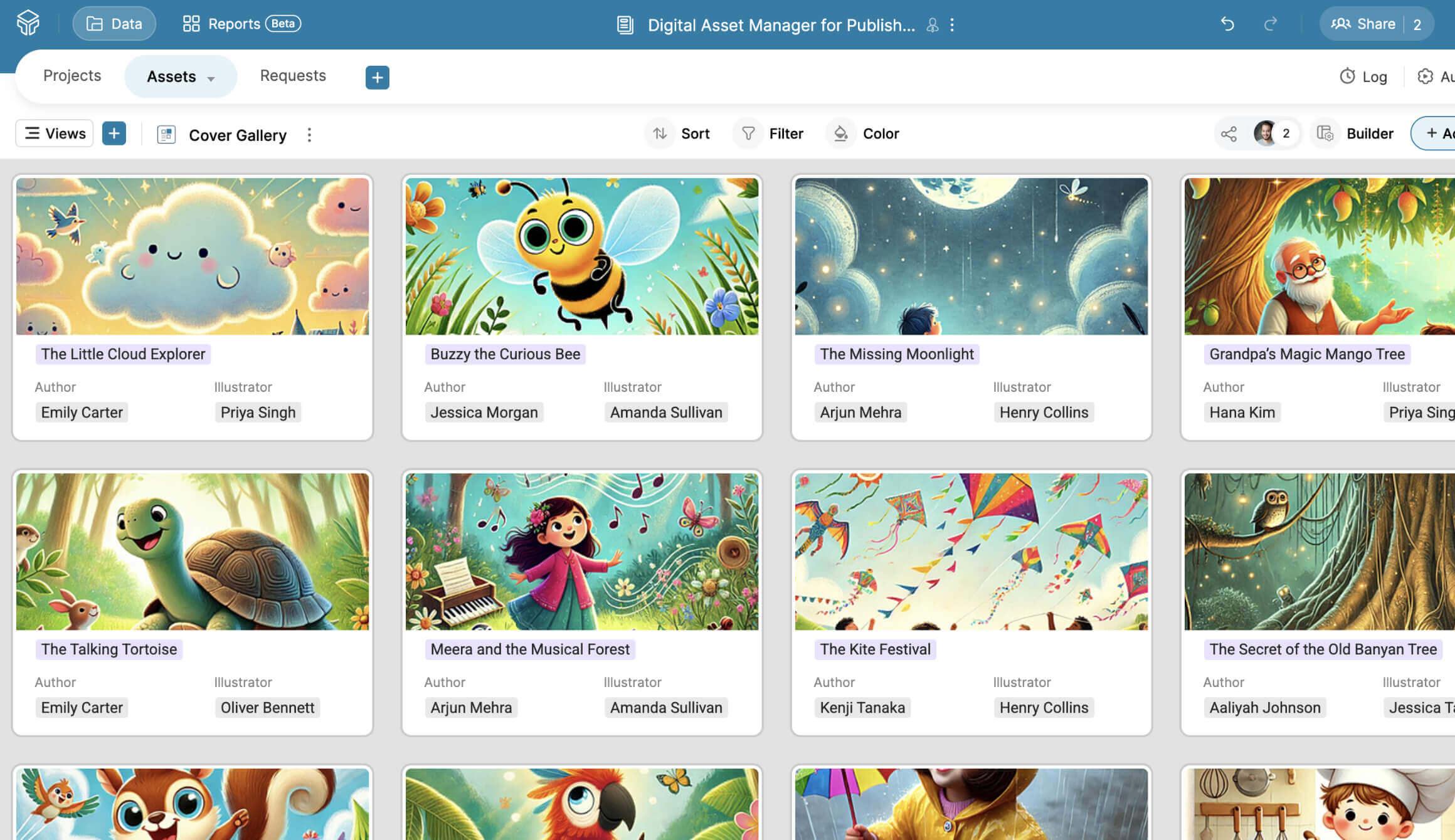
Gallery view puts a spotlight on attachments like book covers, author headshots, social media promotion posts, and more.
User-specific views help managers share a particular table or view with collaborators instead of sharing the entire base. This protects sensitive information without disrupting collaboration.
3. Real-time collaboration
Teammates can assign tasks, track each other's work, leave feedback on designs, and check activity logs. They can also set up automation rules to trigger emails when a record is created or updated. For instance, editors can notify their managers when the status of a manuscript changes from in review to completed, or designers can notify authors once they design book covers.
4. Bidirectional relationships
The template also comes with prebuilt relationships between projects, books, and asset requests. Once a book title is selected, relevant fields, like title, author, illustrator, editor, review status, etc, are shown.
5. Quick sort and filter
Users can sort and filter data by language, publication year, age group, and more. They can also save the filtered data as separate grid views for easy access and tracking.
Features to explore after importing your template
Dashboards
Users can create dashboards with text, KPIs, graphs such as pie, line, bar, and column, and grid views. It helps track real-time metrics such as books published per quarter, manuscript distribution across genres, summaries of marketing effort, and more.
Mobile app
The Zoho Tables app lets iPad and tablet users annotate images and add them to the base, write on grids, and draw images and add them to the base. This is useful for illustrators when brainstorming design ideas.
Third-party integrations
Zoho Tables can be connected with hundreds of apps using Zapier, which helps in centralizing data from multiple sources and automating cross-platform workflows.
Try Zoho Tables today
Sign up for a 15-day free trial to explore all the features in the Professional plan. Use this template or create your own within seconds, and start managing your digital assets efficiently today!
Start Your Free Trial