- HOME
- Product Spotlight
- How to import data from Smartsheet into Zoho Tables
How to import data from Smartsheet into Zoho Tables
- Last Updated : December 26, 2025
- 492 Views
- 3 Min Read
Migrating your data from one tool to another should be hassle-free. Planning your import carefully helps you avoid mistakes and saves time as you get set up. In this article, you'll learn how to import your data from Smartsheet into Zoho Tables.
What is Smartsheet?
Smartsheet started as a spreadsheet-style project management tool. Now, it has moved to being a tool that helps enterprises manage projects and portfolios, maintain digital assets, track operations, and collaborate with teams.
How is data structured in Smartsheet?
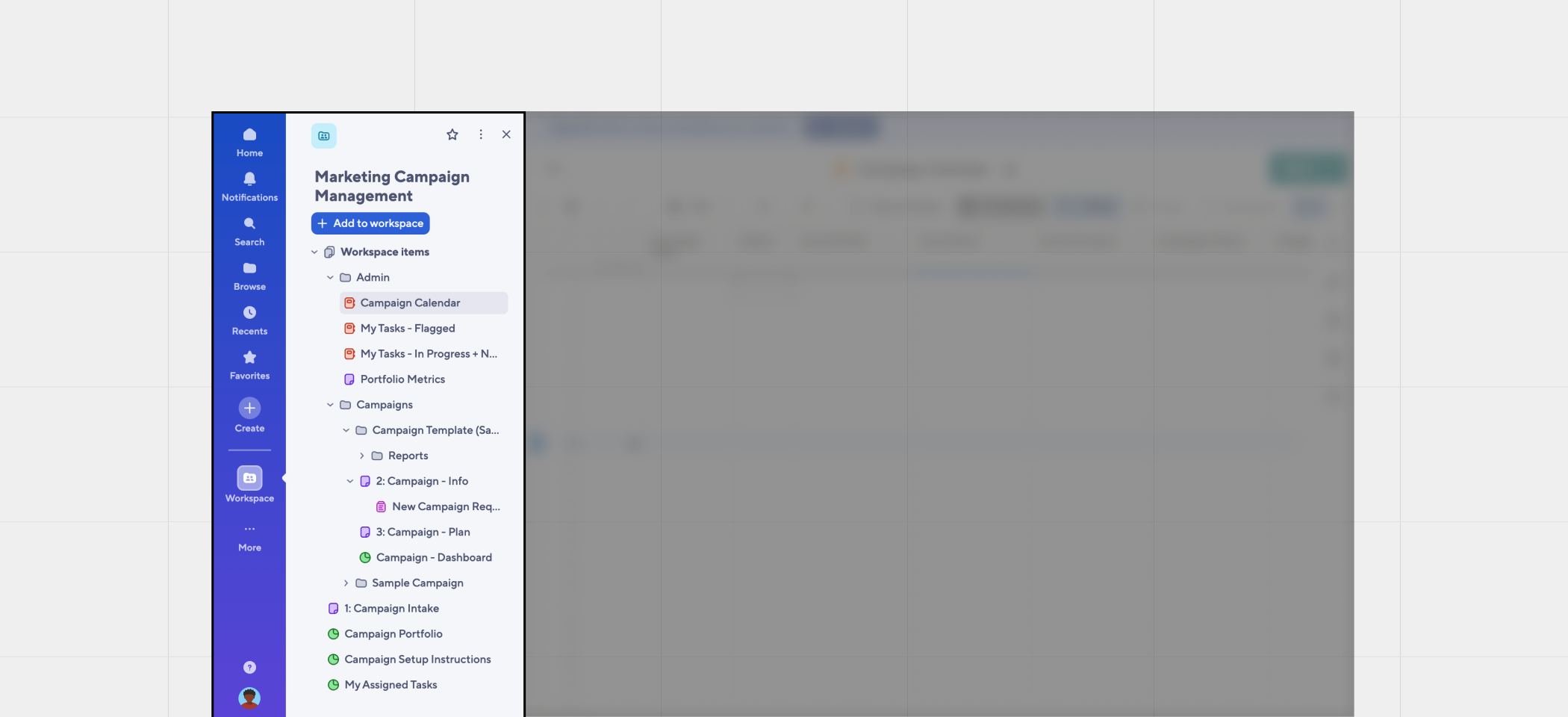
In Smartsheet, data is stored inside workspaces. Inside each workspace, you can create folders. Inside those folders, you can create sheets, reports, dashboards, and forms. One of the prominent drawbacks of this structure is that you are limited to a single tab. Unlike a regular spreadsheet, you cannot have multiple tabs on the same sheet. This makes it slightly challenging for spreadsheet users to switch to Smartsheet easily.
How is the data hierarchy in Zoho Tables different from Smartsheet?
- Portals are the gateway to your data in Zoho Tables.
- Inside each portal, you can create multiple workspaces for each function in your business.
- The workspaces can have multiple bases for various teams to work on.
- Each base can have multiple tables with bidirectional relationships.
- You can create multiple views, such as Grid, Gallery, Kanban, Calendar, Form, and Gantt, in each table to visualize your data.
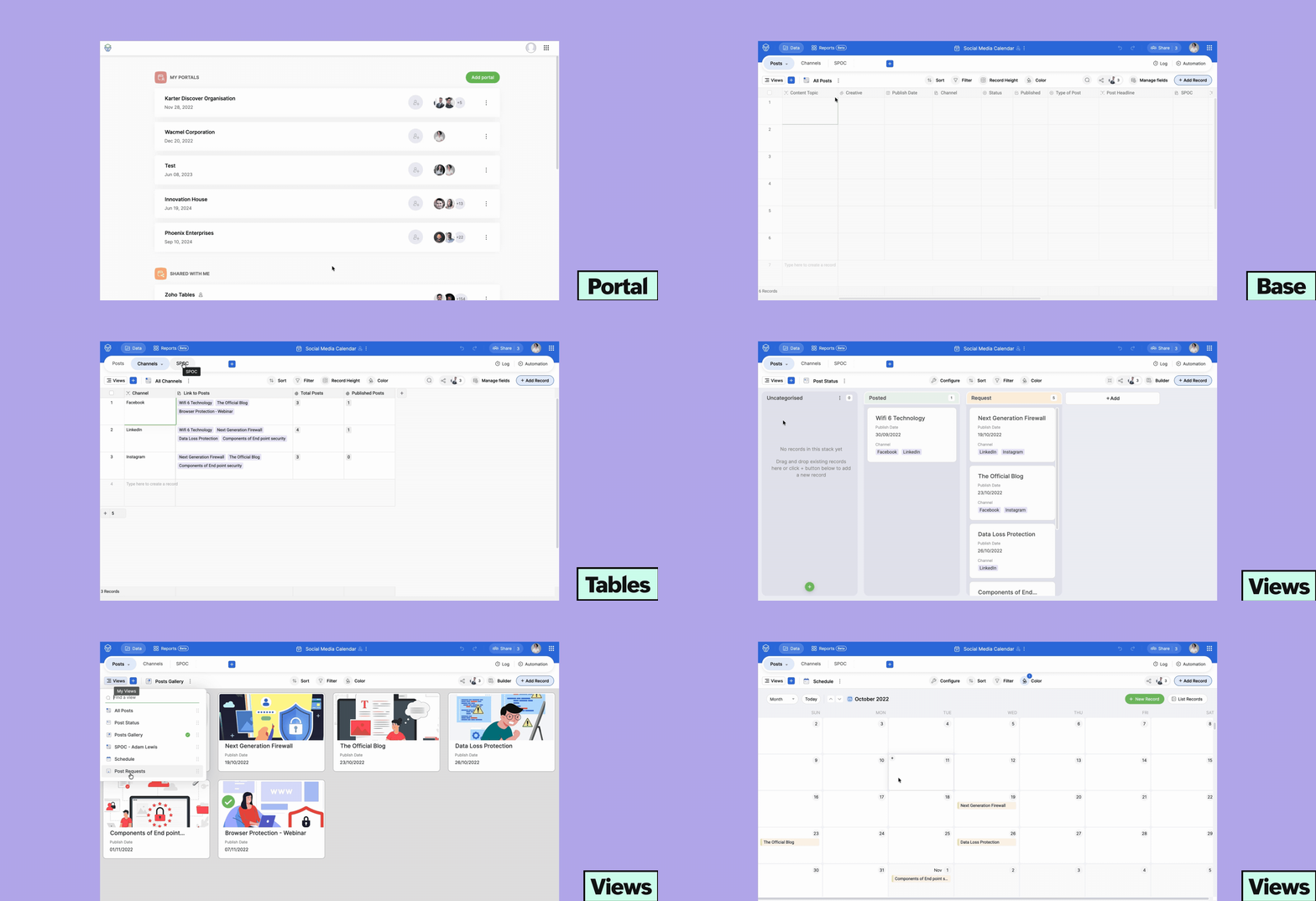
TL;DR: Portal → Workspace → Base → Tables → Views
This straightforward data hierarchy helps teams manage their data efficiently without frequent context switching.
Learn the key comparisons between Zoho Tables and Smartsheet.
Why are businesses moving away from Smartsheet?
Learning curve
Smartsheet comes with a steep learning curve for new users. It has limited spreadsheet familiarity despite its grid-based layout, and its single-sheet structure increases navigation effort and context switching.
Pricing
Smartsheet doesn't offer a forever-free plan. It offers three pricing tiers: Pro, Business, and Enterprise. Pro starts at $9 per user per month and has limited features. Business starts at $19 per user per month. Only Enterprise has features like AI formulas, charts, and data analysis, and its price varies by business.
Not suitable for SMBs
Smartsheet is not suitable for SMBs looking for a single tool to manage multiple functions of their business. It's mostly suited for enterprise-grade project management use cases.
Step-by-step instructions to migrate your data from Smartsheet into Zoho Tables
Step 1: Connect your Smartsheet account
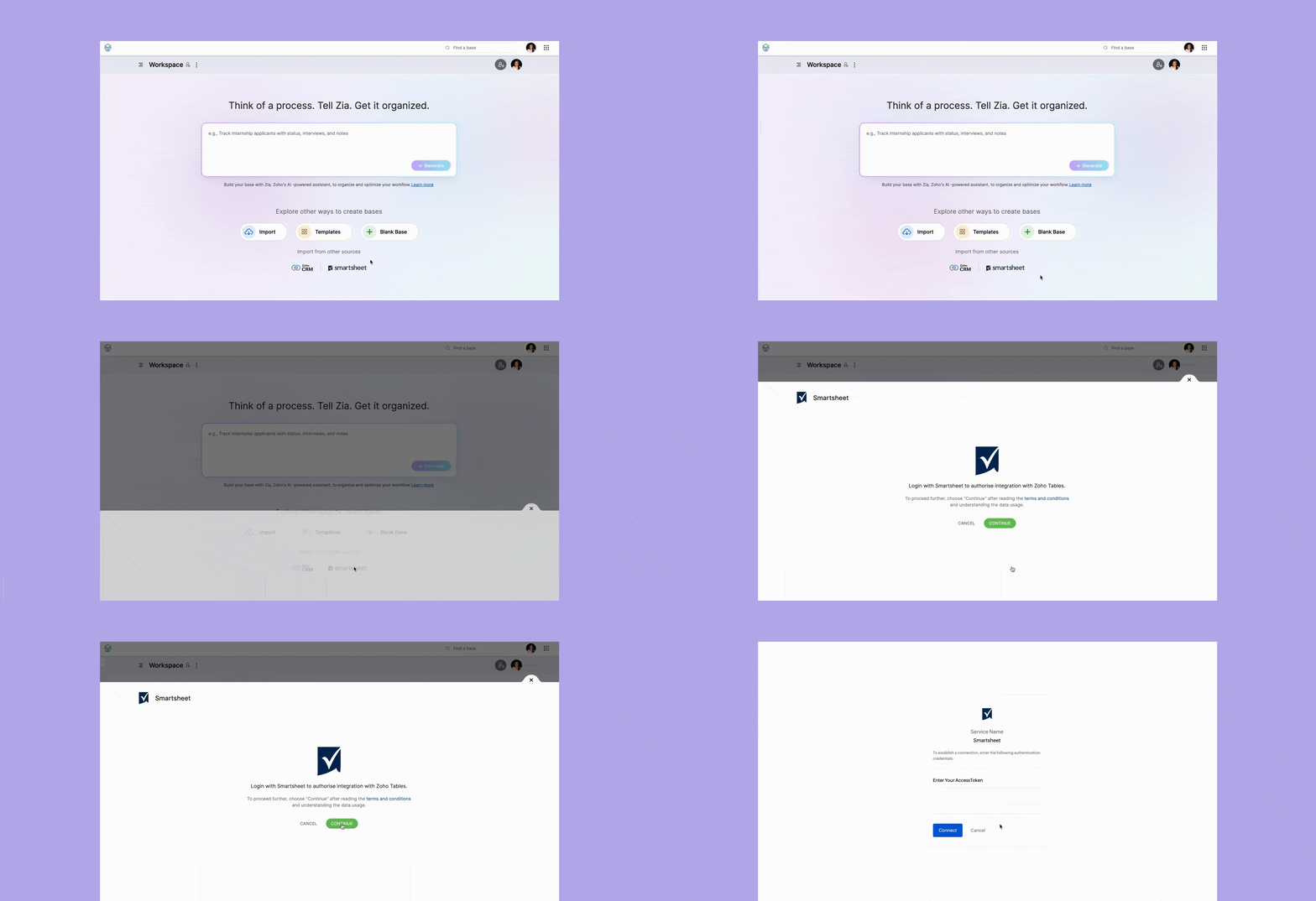
Go to your workspace in Zoho Tables and choose Smartsheet from the import options. Click Continue to log in to your Smartsheet account to authorize the integration with Zoho Tables.
Step 2: Generate access token
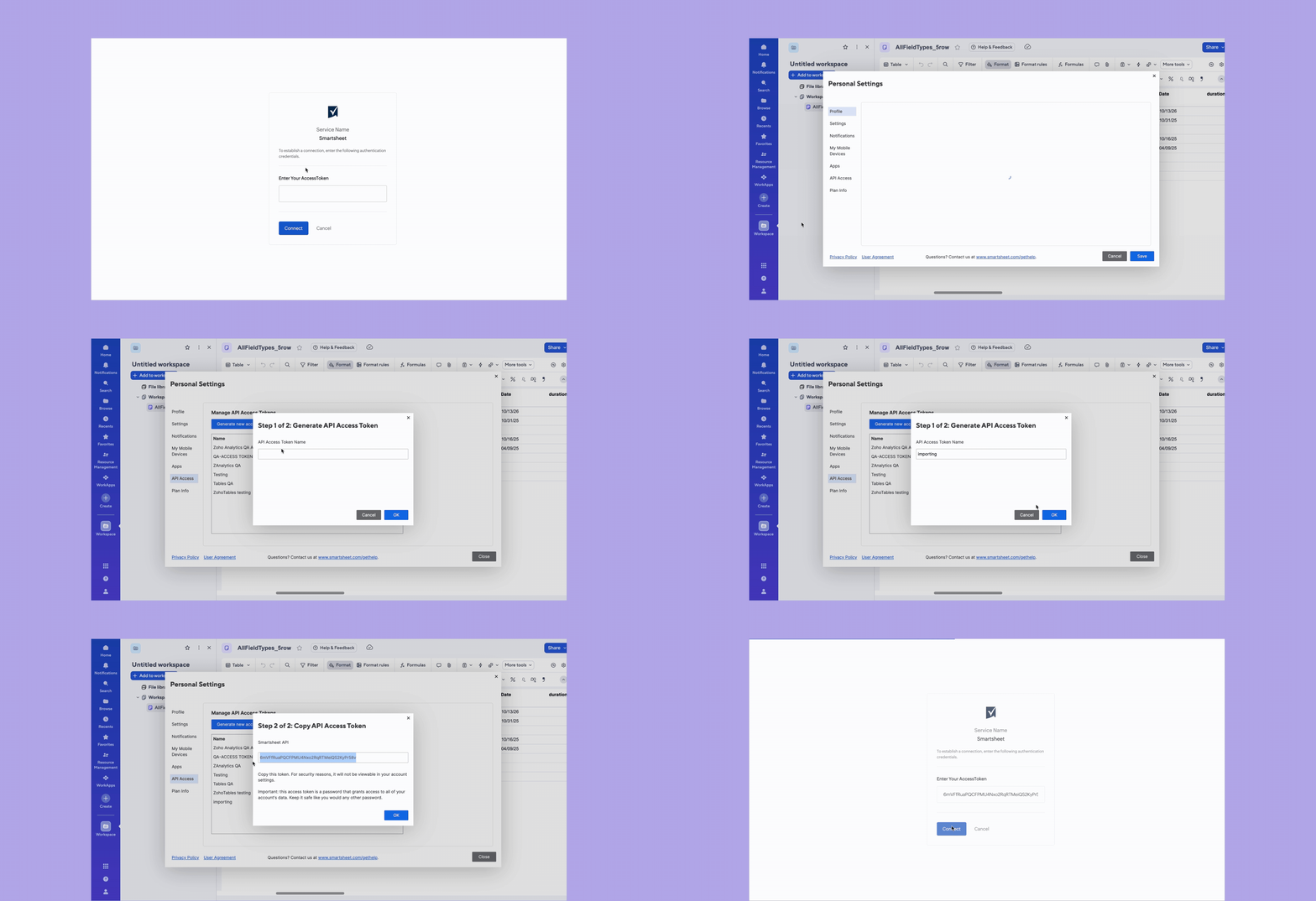
Click your profile icon in the left corner in Smartsheet. Select Personal Settings. A pop-up window will appear. Click API Access to generate a new access token. Give an appropriate name to your token and copy it to your clipboard. Then paste the token in the API token dialog box in Zoho Tables to integrate your Smartsheet account.
Step 3: Select modules
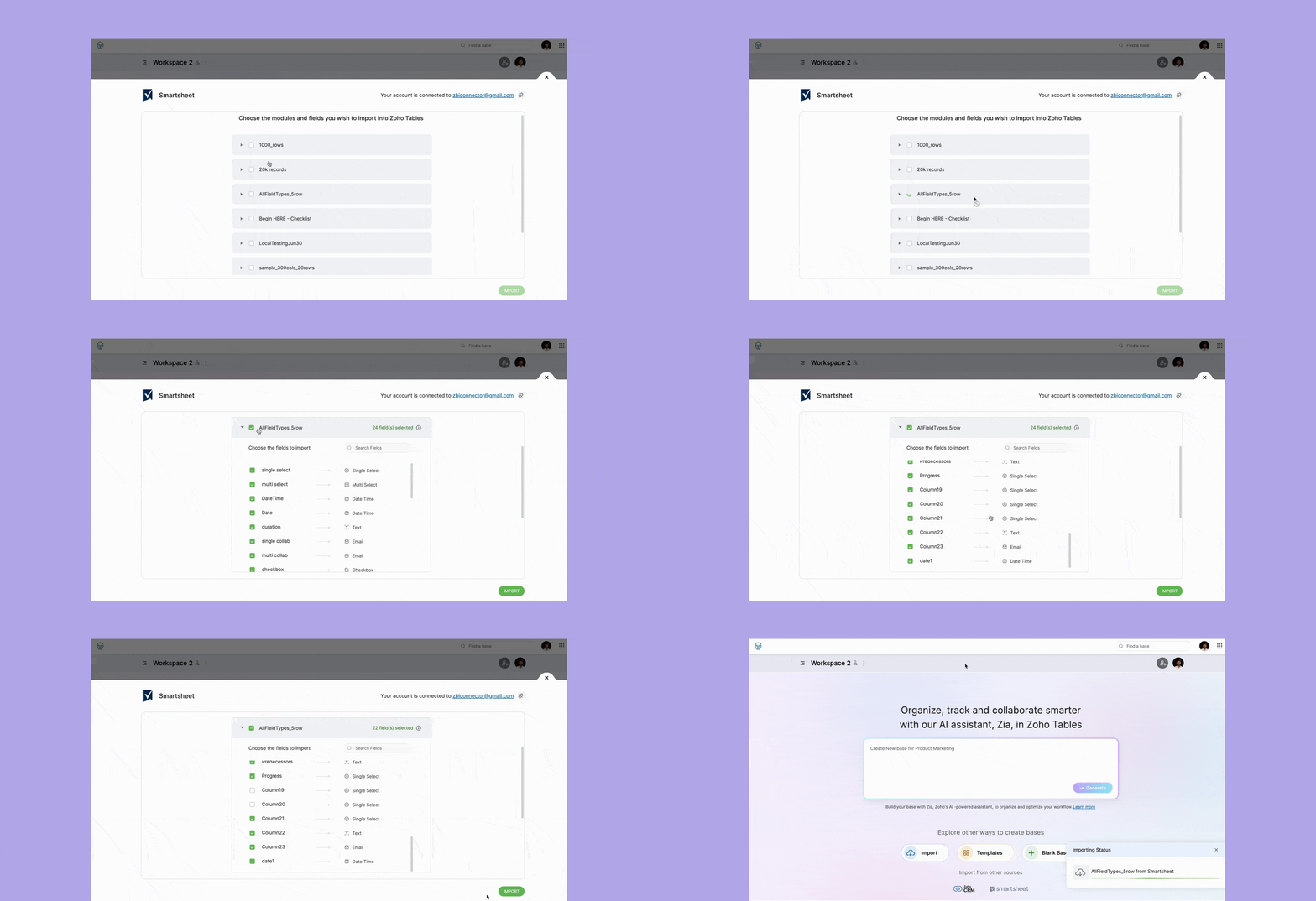
Once you integrate your account, you'll find a dropdown menu of all the workspaces and sheets in your Smartsheet account. Choose the modules and fields you wish to import into Zoho Tables. Click Import and your data will be migrated into a new base in Zoho Tables.
Step 4: Open your base
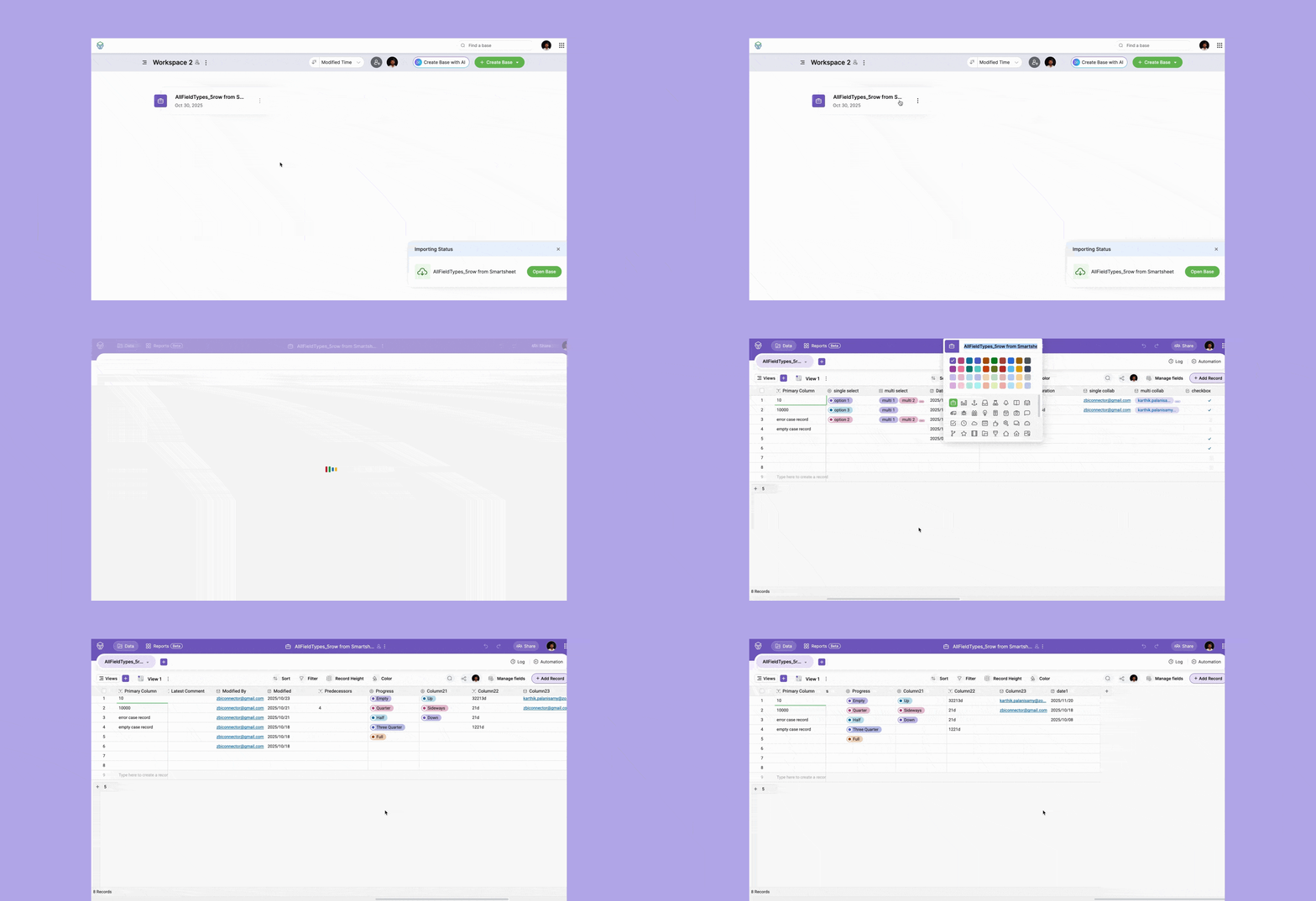
Once the import is successful, you'll find the Open Base option in the right corner of your screen. It will also be listed as a tile in your workspace. Open the base and voila. Your new base is ready to use!
Next steps after importing your data
- Once your workspaces are imported, you can create views like Grid, Gallery, Calendar, Form, and Gantt to visualize your data.
- Set automation rules for mundane tasks like sending emails, creating data, and updating data when a condition is met.
- Create dashboards with pie, line, column, and bar graphs to monitor your data in real time.
Switch to Zoho Tables today
 Archanaa
A fantasy writer who found a home in product marketing.