What are digital assets?
Digital assets are items of value that exist virtually. They have clear ownership, permission, and discoverability. Efficient digital asset management helps businesses organize, distribute, review, and streamline digital workflows.
Types of digital assets
There is a wide range of digital assets, from traditional ones like images and documents to newer assets like NFTs and cryptocurrencies.
As Zoho Tables isn’t a crypto wallet, we’ll focus on the traditional digital assets that are commonly managed by small businesses, including:
Brand logos
Product descriptions, mock-ups, and data sheets
Social media designs, posters, email headers, and banners
Spreadsheets, PDFs, and source codes
Audio and video files
Legal and technical data
Where do small businesses store digital assets?
Traditional tools:
Local devices
Pen drives
External hard disks
SSD cards
Modern tools:
Digital asset management software
Cloud storage such as Dropbox, Google Drive, and OneDrive
What’s the best tool for small businesses to manage their digital assets?
Digital assets stored in traditional tools are harder to track, retrieve, and scale. On the other hand, modern cloud storage tools are often expensive and don’t focus on workflow automation and collaboration. Small businesses need a tool that’s simple, flexible, and offers all the features they need to manage their digital assets effectively.
Zoho Tables is a spreadsheet-database hybrid that helps small businesses manage assets and streamline digital workflows with a shared and collaborative workspace to track and update assets.
Why Zoho Tables is the ideal tool for small businesses to manage their digital assets
- 1
Quick setup
Setting up a digital asset manager takes just a couple of seconds. Users can create a base with just an AI prompt using Zoho's native AI, Zia, which can understand the prompt and suggest relevant tables. Once they select the required tables, it creates a base with sample data and linked tables to work on.
Alternatively, users can also use this template or migrate their data from existing CSV files to create a new base.
- 2
Bidirectional relationships
Users can establish bidirectional relationships between tables with just a click. They can also map owners to assets, assets to products, products to legal information, and more. By clicking on a single record, they can retrieve all related information without jumping between tables.
- 3
Versatile views
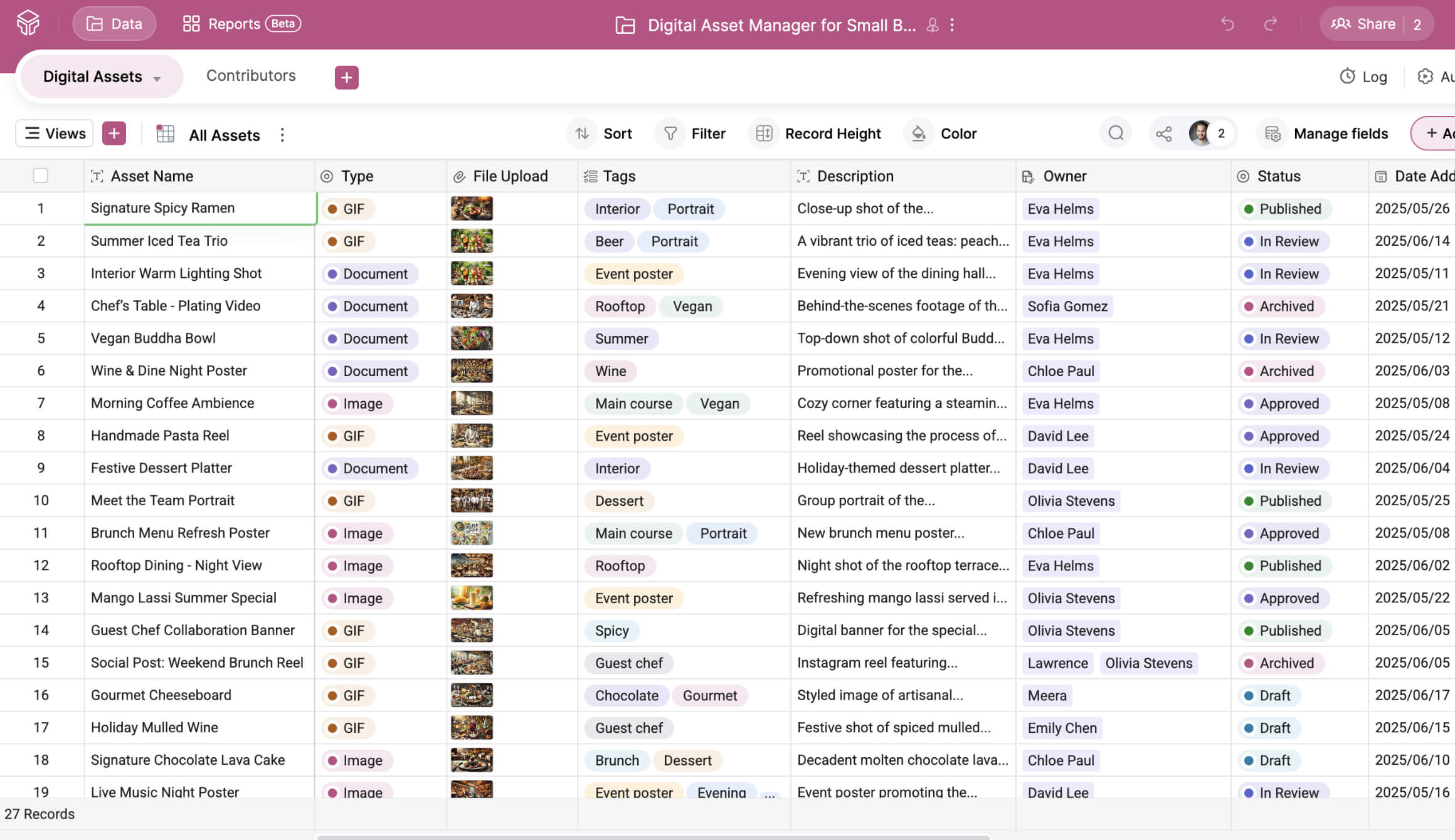
Grid view gives a holistic view of all the digital assets and related information.
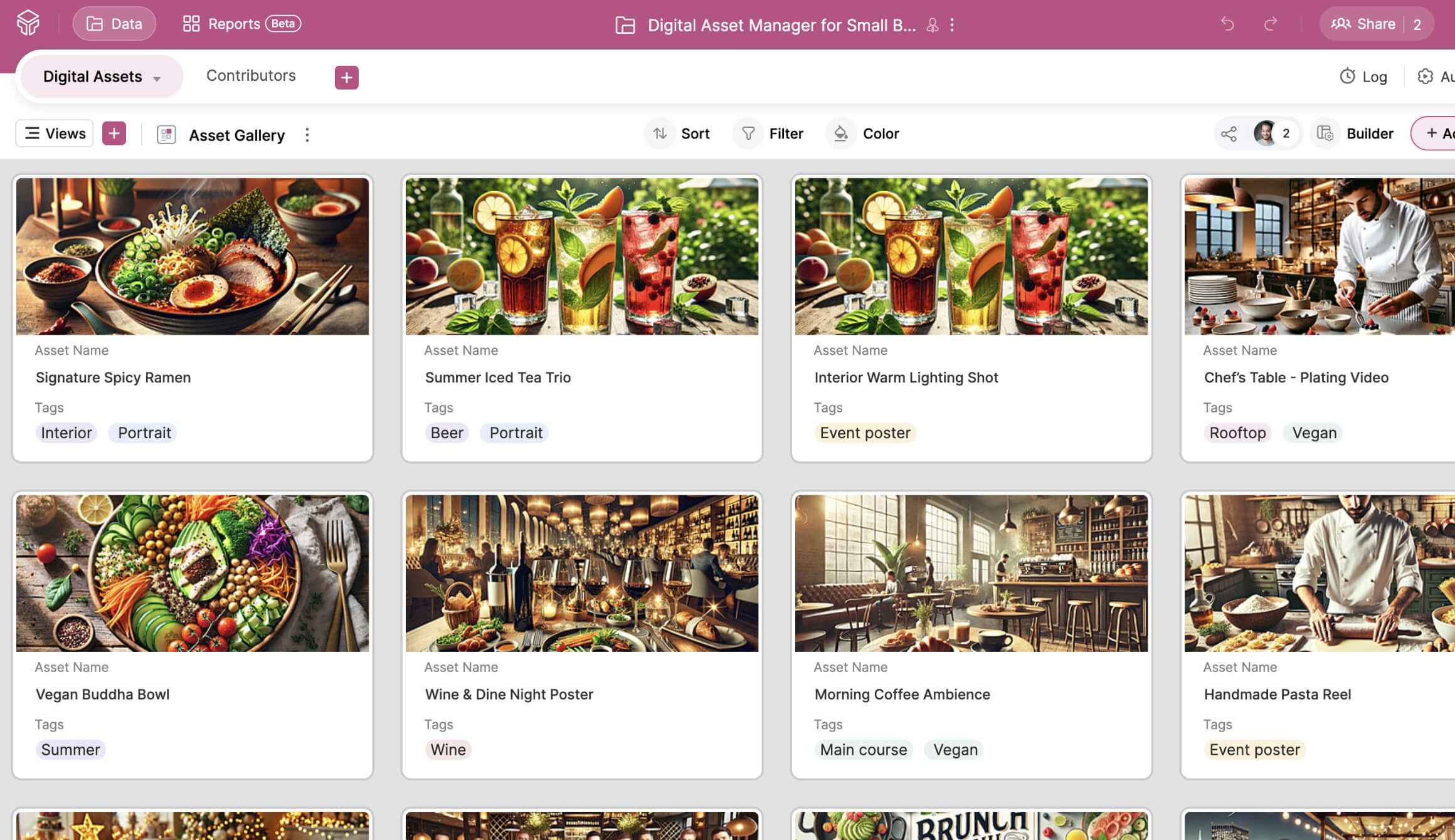
Gallery view highlights visual data, such as product mock-ups, social media designs, banners, and logos.
Kanban cards help track the status of assets.
Calendar view helps track deadlines and important dates.
- 4
Automation
Users can automate routine tasks, like sending emails, creating data, and updating data based on simple triggers and actions. For instance, they can set a rule to notify their manager when a visual asset changes from design to review, or move assets to the central repository table once they’re marked as final.
- 5
Modern mobile app
Zoho Tables is built with a mobile-first design. Users can access their assets on the go with the Zoho Tables mobile app. They can scan tabular data and watch video attachments in picture-in-picture mode, and use Siri voice control to create and open bases.
- 6
Straightforward pricing
Zoho Tables offers a forever-free plan for up to two users.
And the Professional plan starts at just per user, per month when billed annually.
Start your free trial today!
Switch to Zoho Tables to centralize your business's digital assets efficiently.
Try this template now