
Managing Virtual Accounts
Sometimes, you may need to modify or close a previously created virtual account.. This could be due to reasons such as updating the amount limits or extending the expiration date.
Edit Virtual Accounts
You can modify details such as Description, Expiration Date, Minimum and Maximum Amounts, and Reference. This allows you to make necessary adjustments before the payment is completed.
Note: Since a virtual account is mapped to a customer and payments are tracked accordingly, customer details cannot be edited.
To edit a virtual account:
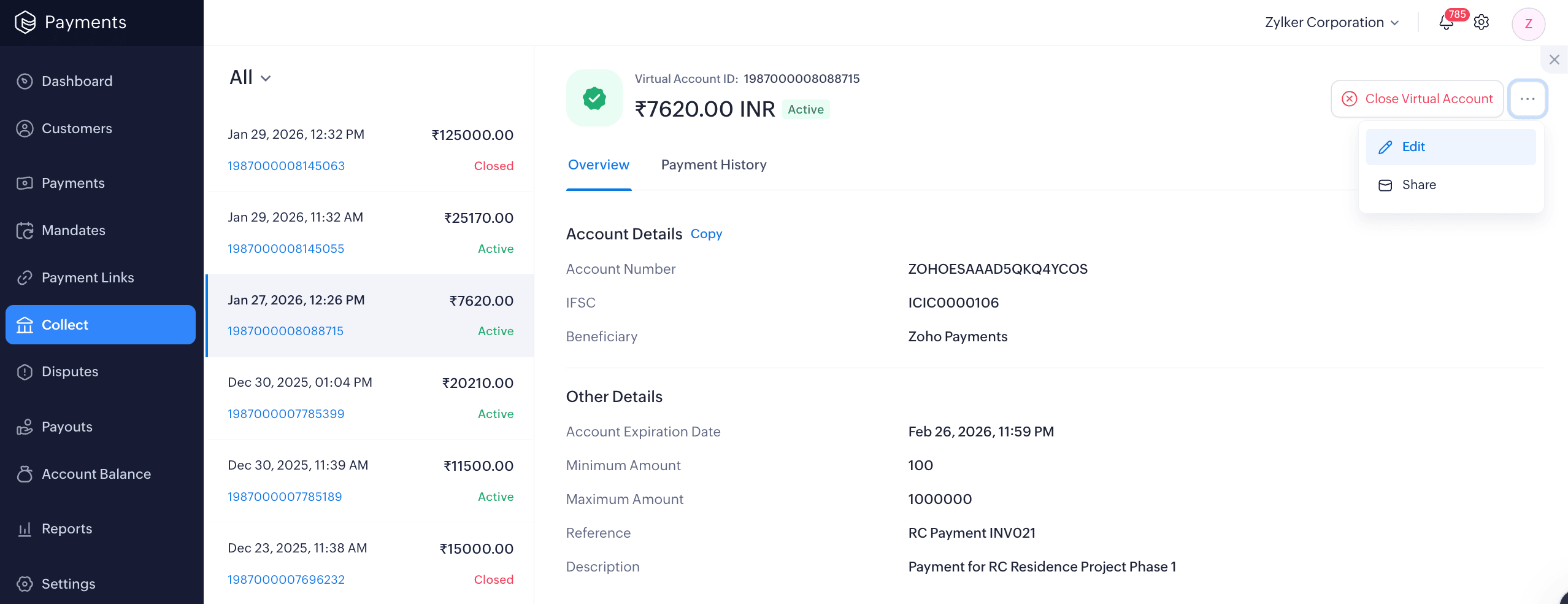
- Go to the Collect module and select the virtual account.
- Click More and select Edit from the dropdown.
- Make the necessary changes and click Update Virtual Account.
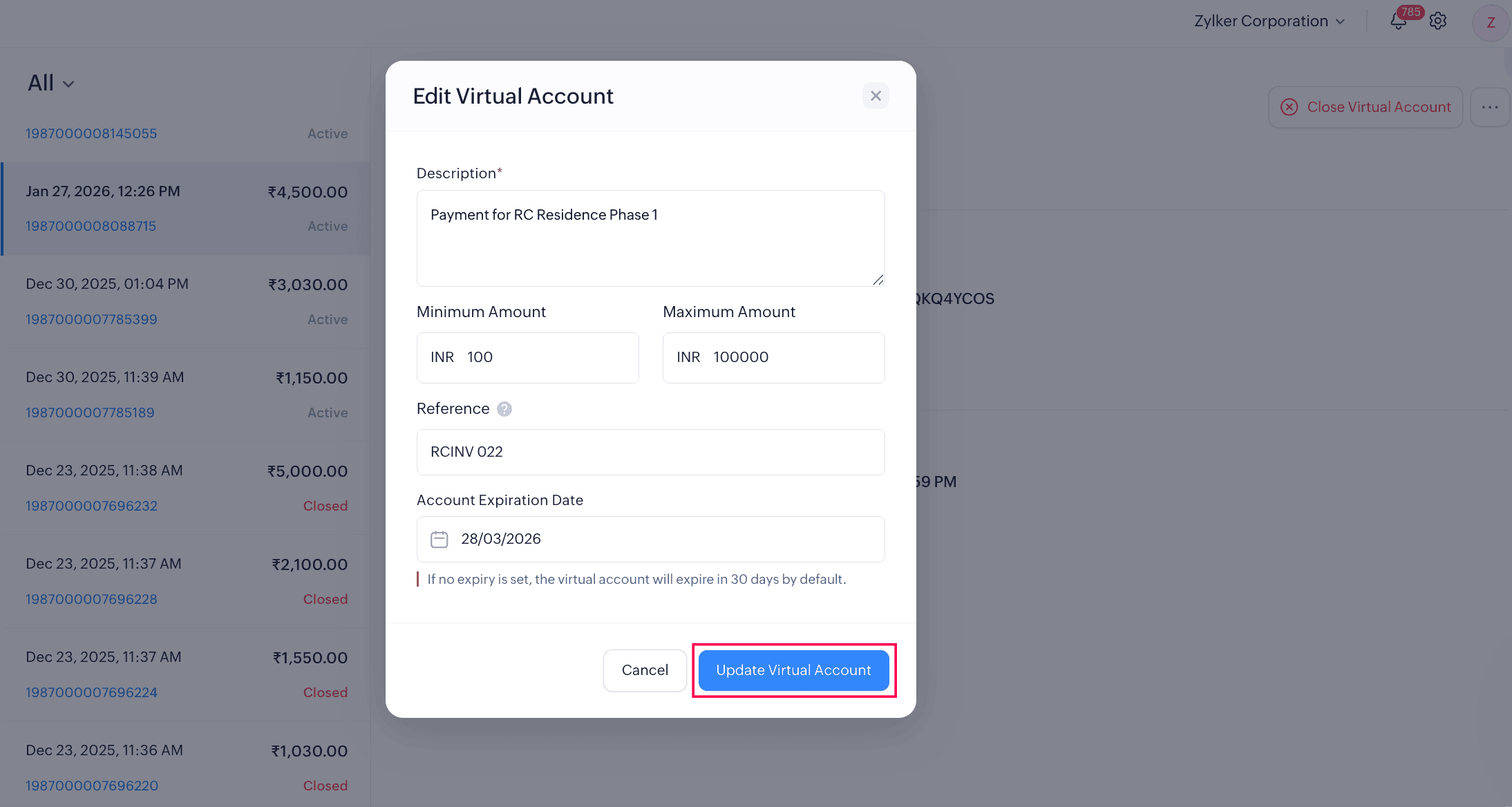
Your virtual account will be updated, and you can share the revised account details with your customers.
Insight: If you’ve already shared the virtual account, there’s no need to close or resend it. The changes will be automatically applied to the existing account details.
Configure Webhooks for Virtual Account
Set up webhooks to receive real-time notifications for events related to virtual accounts in Zoho Payments. By configuring webhooks, you can automatically track updates such as account status changes, and payments received without manually checking every time.
To configure webhooks:
- Go to Settings and select Developer Space.
- Switch to the Webhooks tab and click + Configure Webhook.
- Enter the Name and Description of the webhook.
- Enter the URL to notify.
- Check the boxes for the events for Virtual Accounts.
- Click Submit.
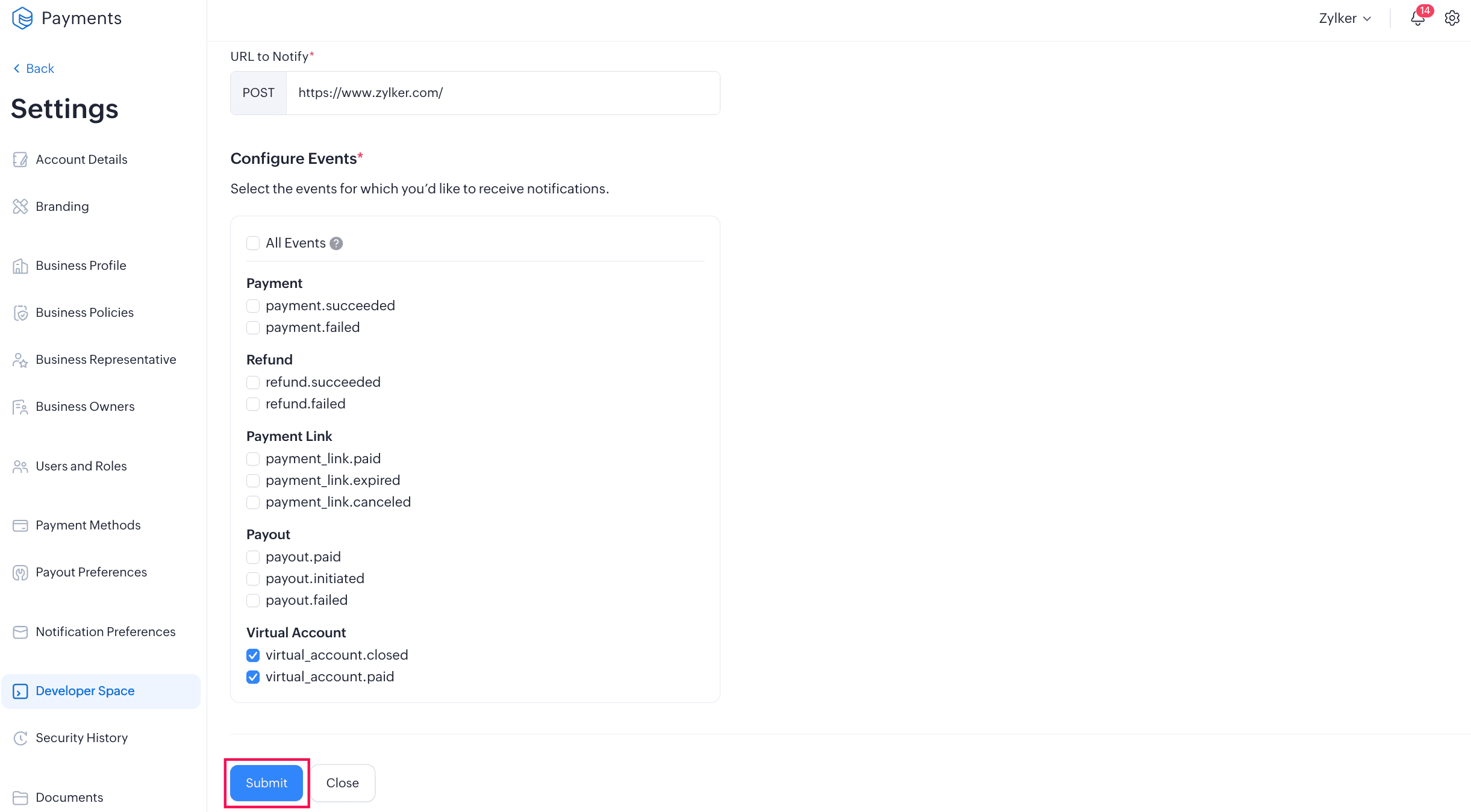
Once the webhook is configured, a signing key will be provided. Keep the signing key safe to ensure secure verification of webhook events.
Close Virtual Account
You can close a virtual account if you no longer want to collect payments via the account, or if the service linked to the account is no longer valid.
Warning: Once you close a virtual account, it cannot be reopened or reactivated. Ensure that no further payments are expected before proceeding.
To close a virtual account:
- Go to the Collect module and select the virtual account.
- Click Close Virtual Account on the top-left corner.
- Click Close Virtual Account in the pop-up to confirm.
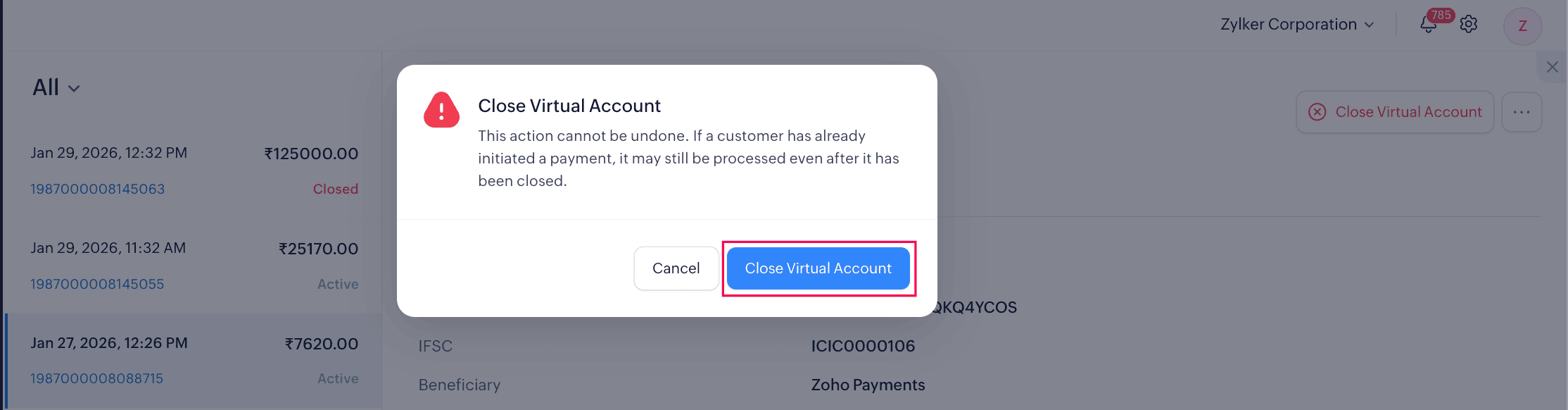
The virtual account will be closed, and customers will no longer be able to make payments to it.
Insight: If a customer initiates a payment before you close the account, the payment may still be processed and marked as paid.

 Walkthrough of Zoho Payments personalized to your business needs