
Creating Virtual Accounts and Getting Paid
Zoho Payments allows you to generate virtual accounts to collect payments from your customers and track payment status in real time from the Collect module.
Create Virtual Accounts
You can create a virtual account and start collecting payments immediately. When a virtual account is created, it is automatically marked as Active.
To create a virtual account:
- Go to the Collect module and click + New Virtual Account.
- Enter a Description* for the payment. This field is mandatory to create the virtual account. To add more details, follow the steps below.
- Search for and select a Customer to collect payment from a specific individual.
- Click Show Advanced Options.
- Enter a Reference, such as an order number or any unique identifier, for easy tracking.
- Set a Minimum and Maximum payment amount.
- Set an Account Expiration Date.
Notes:
- Payments outside the allowed amount or after expiry will fail. Ensure customers pay within limits and before the virtual account expires.
- If no expiry is set, virtual accounts expire automatically after 1 year of inactivity.
- Click Create Virtual Account.
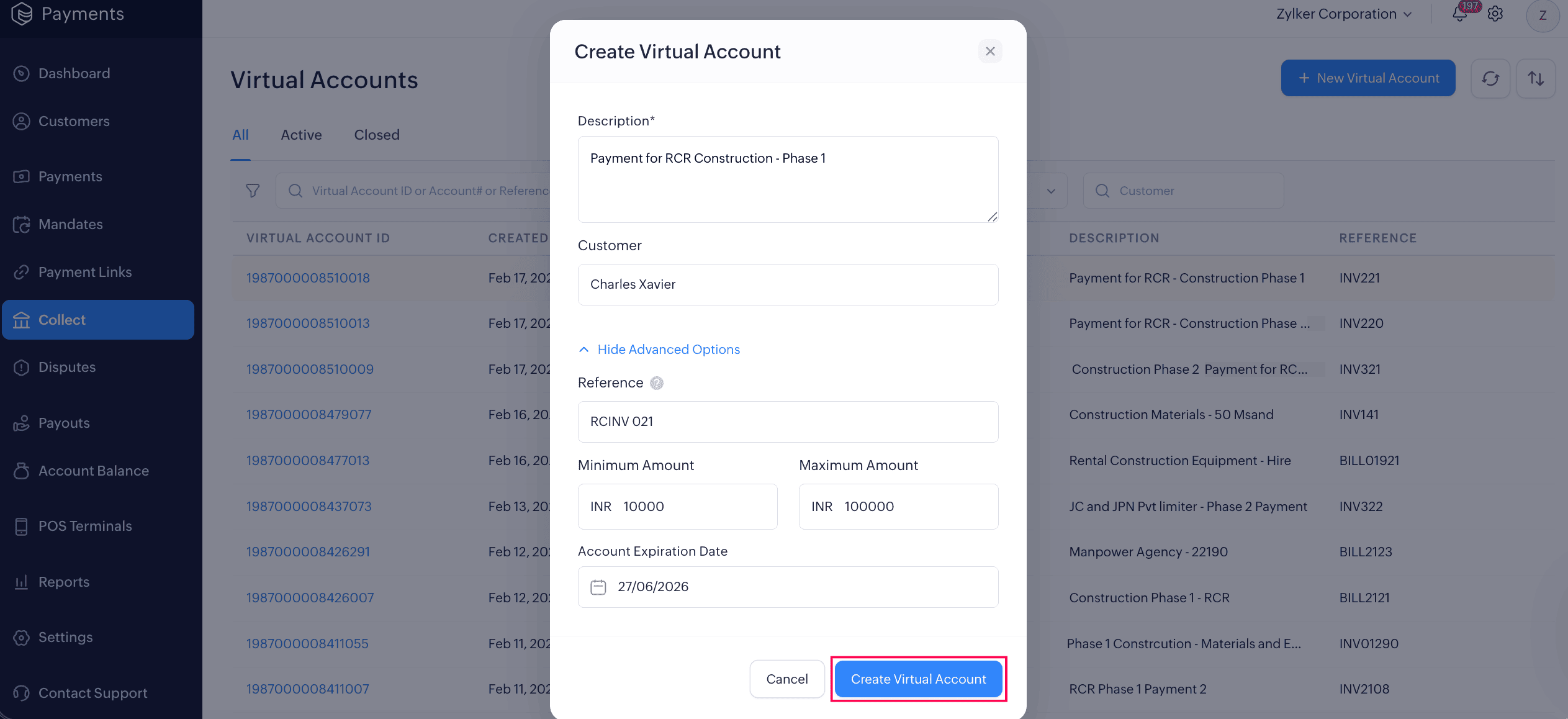
Your virtual account will be created and you can share it with your customers to receive payments.
Share Virtual Accounts
Once a virtual account is generated, you can share it with your customers and collect payments in two ways:
-
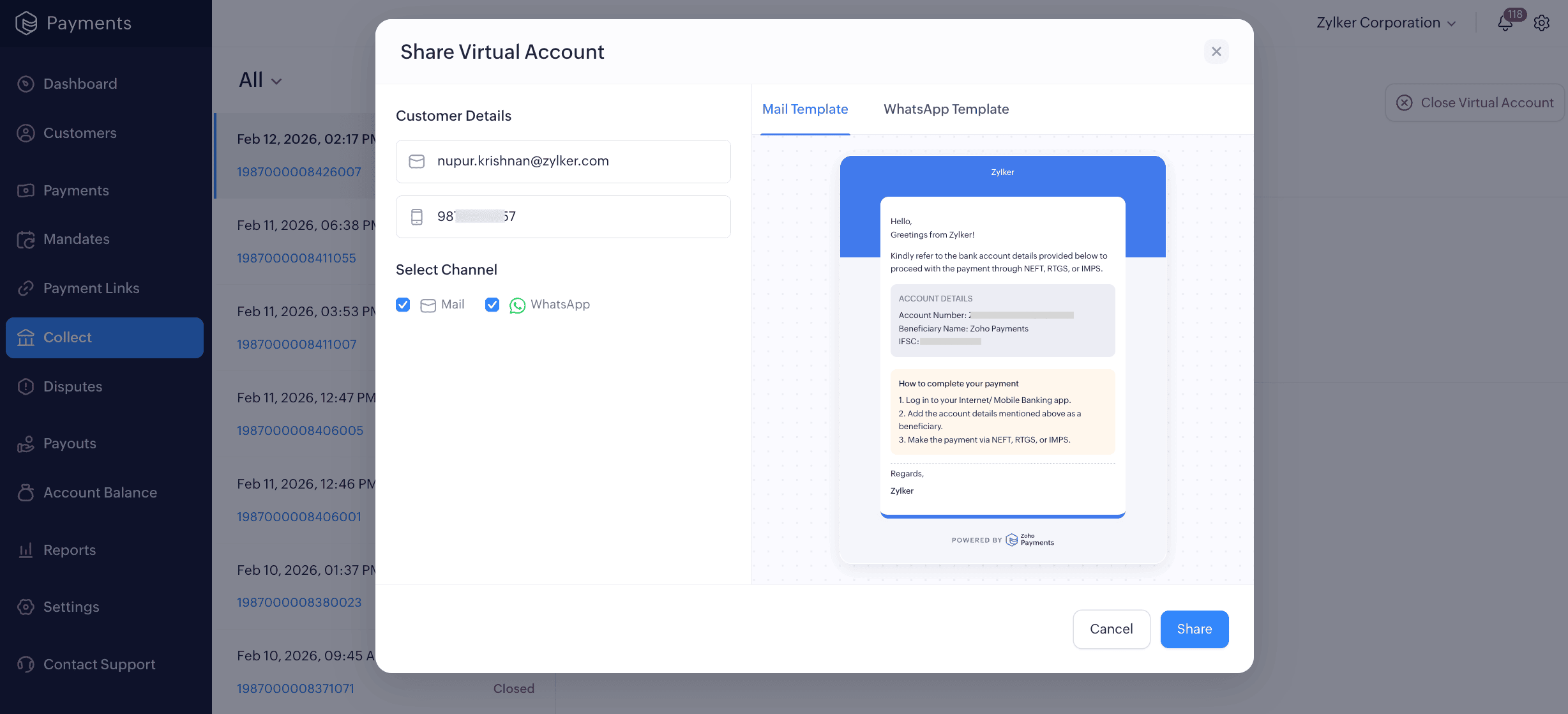
Share via Email or WhatsApp: Select the virtual account, click the More icon on the top-left corner, and select Share from the dropdown. Enter the customer’s Email ID or Phone, then preview the template from the right panel. Select the channel and then click Share. The account details will be sent to your customer via email.
For WhatsApp, you’ll be redirected to the app to share account details directly with your customers.
-
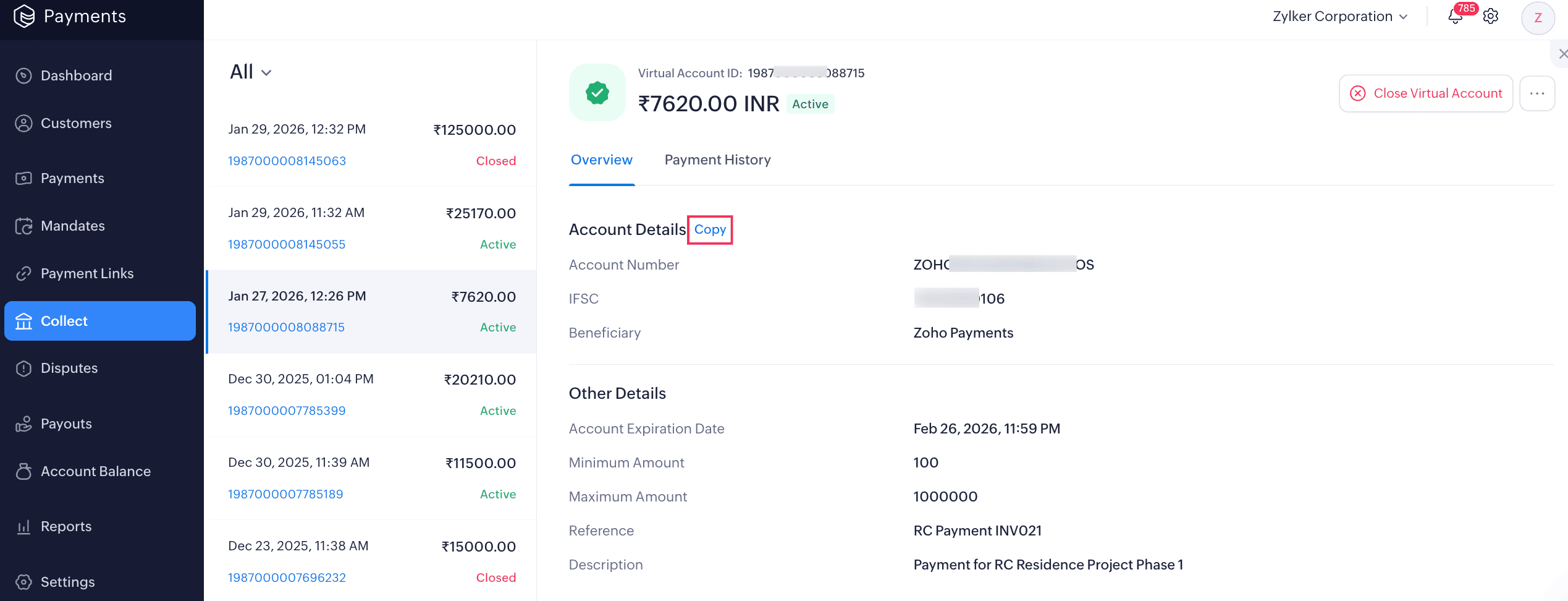
Copy and Share Account Details: Select the virtual account, click the Copy button next to the account number, and share it with your customer through any messaging platform you prefer.
Getting Paid via Virtual Accounts
Once you share a virtual account with your customers, they can make bank transfers using NEFT, RTGS, or IMPS.
To make a bank transfer, your customer should:
- Log in to their online banking portal using their credentials.
- Add the account as a Beneficiary.
Note: Payments to a new beneficiary are subject to bank cooling-period guidelines.
- Select their preferred transaction type, NEFT, RTGS, or IMPS, and complete the payment.
Note: Refunds are not supported for payments received via virtual accounts. You will need to process refunds offline for your customers.
Once the payment is completed, it may take 3–4 hours for the transaction to reflect in Zoho Payments, depending on your bank’s processing time. You can view the payment in the Payment History tab of the virtual account or in the Payments module.

 Walkthrough of Zoho Payments personalized to your business needs