
Funnel
A funnel segregates the data based on different stages involved in your business process. For instance, a sales funnel can give you details like particular sales stages that you should concentrate on, stage-wise drop rate in lead conversion process, number of leads/prospects at each stage, etc. Information like this can help you readily plan your upcoming sales activities.
Create a Funnel
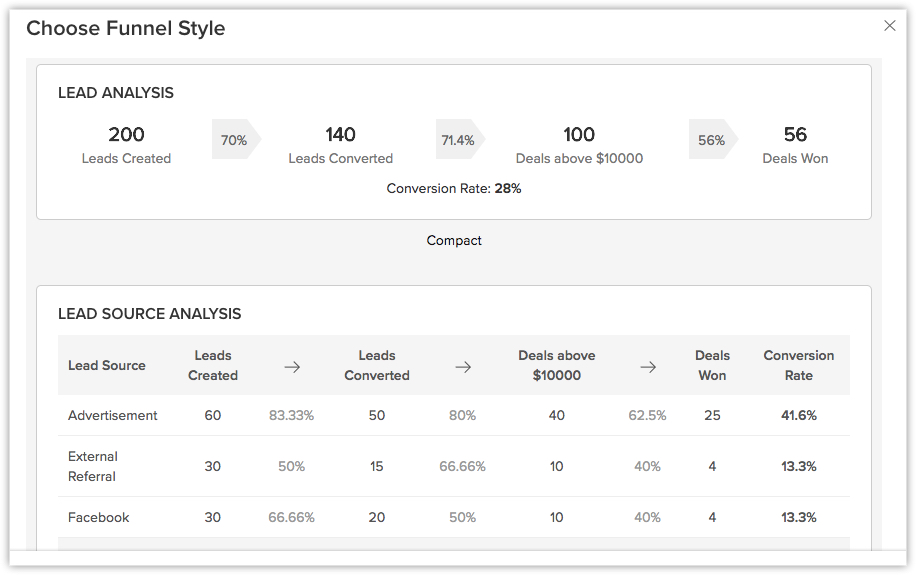
Based on your business requirement, you can choose from 5 different types of funnels:
- Standard
- Compact
- Segment
- Classic
- Path
To create a funnel
- Click the Dashboards tab.
- In the Dashboard Builder page, select the dashboard in which the Funnel has to be added.
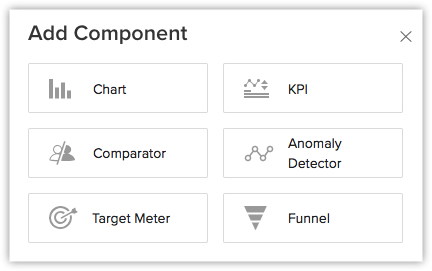
- Click Add Component.
- In the Add Component page, click the Funnel.
- In the Choose Funnel style page, click the desired funnel style.
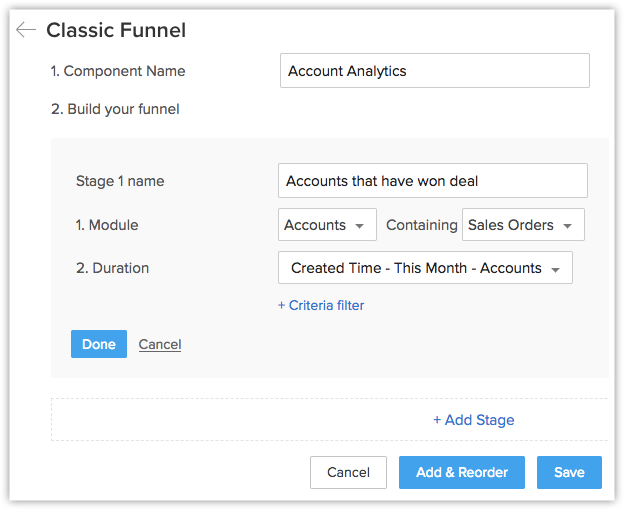
- In the next page, do the following:
- Enter the Component name.
- In Build Your Funnel click Stage 1.
- Enter the Stage name.
- Select a Module and Duration from the drop-down list.
Click + Criteria filter, to remove particular data. - Click Done.
- Click Add Stage, to add the subsequent stages.
- Click Save.
Note:
- You can Edit, Delete, Print, Add to Home, Embed URL or Add a chart to favourite by clicking on the More icon in the component.
- You can select "This Quarter" as the filter while defining the duration of a metric.