- HOME
- Know Your Tech
- AI-assisted enterprise app development: A 2026 guide
AI-assisted enterprise app development: A 2026 guide
- Last Updated : March 24, 2026
- 1.0K Views
- 9 Min Read
Building enterprise applications takes months with traditional development methods. Development teams face long backlogs, businesses wait for critical tools, and the gap between application demand and delivery capacity continues growing.
Highlights
- AI-assisted enterprise app development uses machine learning, natural language processing, and generative AI to accelerate delivery while reducing technical complexity.
- The three main approaches are AI coding assistants, prompt-to-app builders, and AI-powered low-code platforms that combine visual development with intelligent automation.
- Enterprise-grade AI platforms provide governance controls, security features, and scalability that consumer-focused AI tools lack.
- Successful adoption starts with high-value use cases, moves through test projects, and expands gradually as teams gain experience.
- AI handles routine development tasks like form building, database setup, and basic workflows, freeing developers for complex business logic.
AI-enhanced app building for businesses addresses this challenge directly. In fact, data shows that by 2028, nearly 3 in 4 enterprise software engineers (75%) will use AI assistance.
This guide explains how AI-assisted enterprise app development works, compares different approaches, and provides effective implementation strategies.
What is AI-assisted enterprise app development?
AI-assisted enterprise app development uses artificial intelligence technologies like machine learning (ML), natural language processing (NLP), and genAI to speed up application creation. These systems automate repetitive tasks, suggest optimal approaches, and handle routine development work that traditionally required manual coding.
For instance, when building a customer portal, an AI-powered platform can generate the entire database structure, user interface, and basic workflows from a simple description like "customer portal with order tracking and support tickets." Developers then customize this foundation for specific business rules and integrations.
Enterprises face unique challenges like complex integrations, strict security requirements, and governance needs that consumer-focused AI tools can't handle. AI-assisted enterprise app development combines the speed of AI automation with enterprise-grade features like role-based access, audit trails, and scalable architecture.
Different approaches to AI-assisted app development
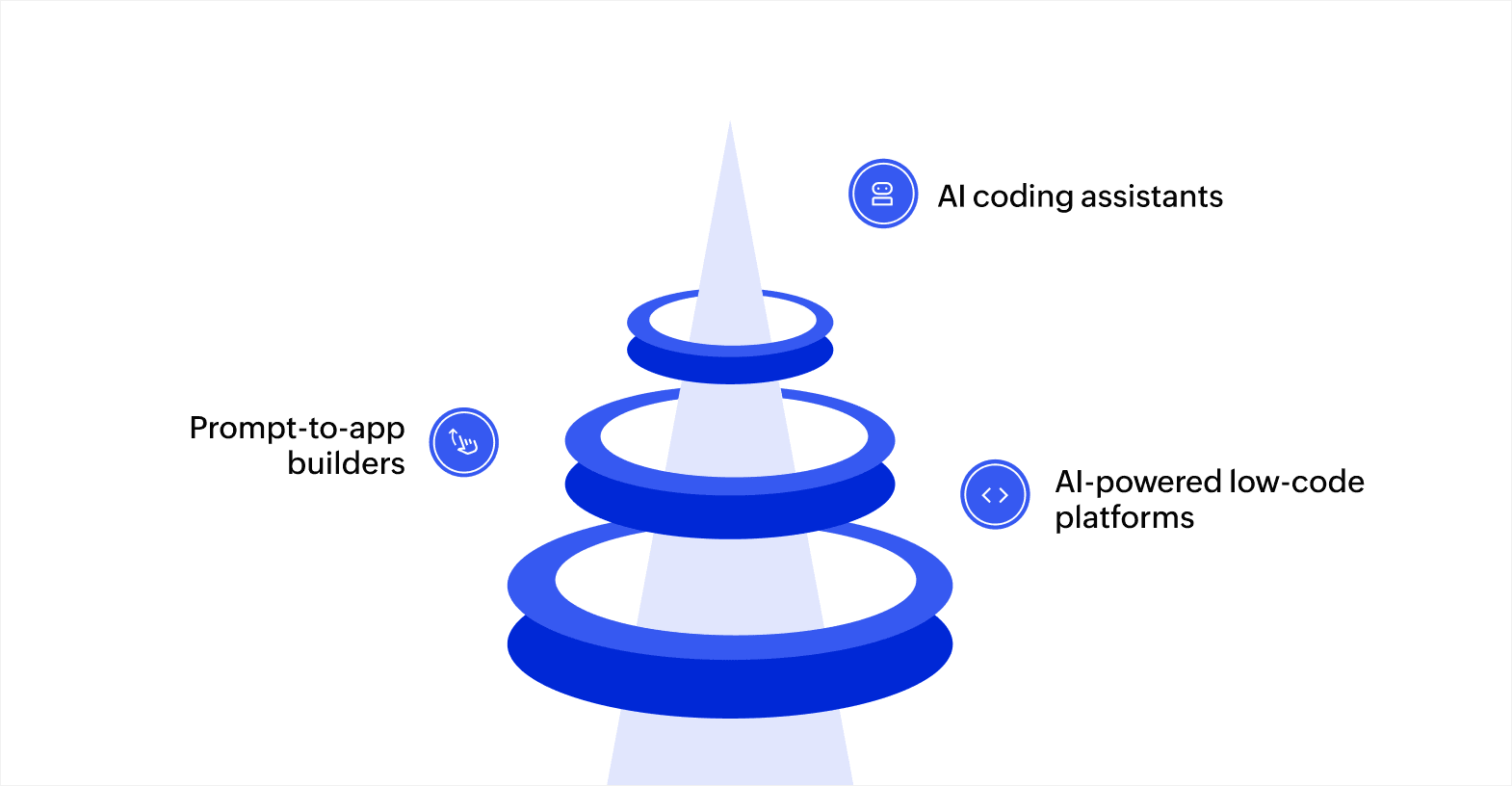
Various approaches to AI-assisted enterprise app development have emerged, each with different strengths. Here's how these approaches compare for enterprise use:
| Approach | Best for | Learning curve | Enterprise features | Development speed |
| AI coding assistants | Experienced developers writing custom code | Low for developers | Requires manual implementation | Accelerates coding tasks |
| Prompt-to-app builders | Simple prototypes and proofs of concept | Very low initially | Limited governance and security | Fast prototyping, slow refinement |
| AI-powered low-code | Enterprise apps requiring governance and scale | Low to moderate | Built-in security, compliance, and scalability | Faster end-to-end delivery |
1. AI coding assistants
AI coding assistants like GitHub Copilot work inside traditional development environments, suggesting code as developers type. These tools use large language models (LLMs) trained on millions of code examples to predict what you want to write next, autocomplete functions, and generate entire code blocks from comments.
This approach works well when you have experienced developers who want to write code faster. For example, a developer building an API integration can describe the required endpoint in a comment, and the AI generates the HTTP request code, error handling, and response parsing automatically.
2. Prompt-to-app builders
Prompt-to-app platforms generate complete applications from text descriptions. You describe what you want in plain language, and the AI creates the interface, database, and basic logic.
While impressive for demos, these tools often struggle with complex business logic, enterprise integrations, and governance requirements. Applications may need significant rework to meet production standards, and generated code can be hard to maintain or modify without AI assistance.
3. AI-powered low-code platforms
AI-powered low-code platforms combine visual development interfaces with AI assistance. You build applications through drag-and-drop components while AI suggests optimal database structures, automates workflow creation, generates reports, and handles repetitive configuration tasks.
This approach balances speed with control, governance, and scalability. For instance, when building a procurement system, the platform provides prebuilt components for approvals, notifications, and reporting, while AI handles data model optimization and suggests workflow improvements based on your requirements.
Knowing these approaches helps you select the right tool for your needs. However, enterprise applications require specific features that determine whether a platform can handle the workload while maintaining security standards.
Key features that make AI app builders different for enterprise operations
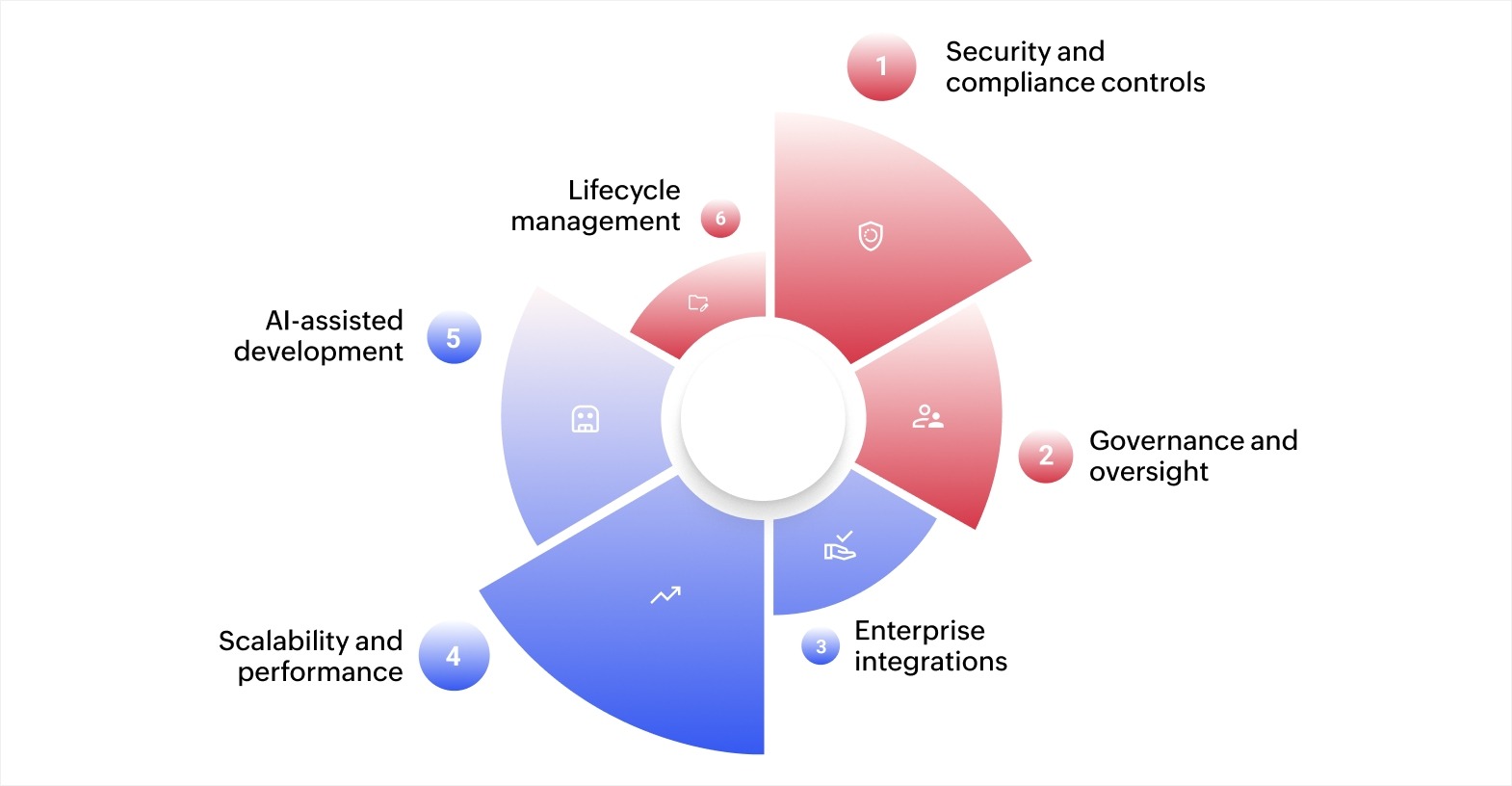
AI app builders designed for enterprise operations offer features that ensure applications meet security standards, scale appropriately, and integrate with existing systems. Here's what sets enterprise-grade AI platforms apart:
- Security and compliance controls: Built-in role-based access, data encryption, audit trails, and compliance frameworks that meet industry standards without custom development work
- Governance and oversight: Centralized management of users, applications, and data with policies that prevent shadow IT while enabling business teams to build solutions within approved guardrails
- Enterprise integrations: Prebuilt connectors to systems like ERP, CRM, and databases along with APIs that let applications work with existing infrastructure rather than requiring replacement
- Scalability and performance: Architecture that handles growing data volumes and user counts without performance degradation, using cloud infrastructure that scales automatically as demand increases
- AI-assisted development: Intelligent suggestions for database design, workflow optimization, and report creation that guide builders toward best practices without requiring deep technical knowledge
- Lifecycle management: Version control, testing environments, deployment automation, and rollback capabilities that support professional development practices and reduce deployment risks
These features ensure applications built with AI assistance meet the same standards as traditionally developed enterprise software while delivering them significantly faster.
Benefits of AI-assisted enterprise app development
Organizations adopting AI-assisted development see measurable improvements in delivery speed, development costs, and application quality. These benefits compound as teams gain experience with AI-powered tools.
- Faster time-to-market: AI handles routine development tasks, letting developers focus on complex business logic and unique requirements.
- Example: A financial services company building a loan application system can use AI to generate the application form structure, validation rules, and database schema automatically. Developers then focus on credit scoring algorithms and integration with underwriting systems rather than building basic data collection interfaces.
- Lower development costs: Organizations need fewer specialized developers, reduce consultant expenses, and minimize maintenance costs.
- Example: When you add a customer data field, AI can suggest the appropriate data type, validation rules, and privacy controls based on industry best practices, preventing future security issues or performance problems.
- Increased developer productivity: AI-powered platforms handle routine activities automatically, letting developers focus their expertise on solving unique business problems.
- Example: When building a customer relationship management system, developers can skip weeks of work setting up contact forms, search functionality, and basic dashboards. The platform generates these components automatically.
- Empowered business users: Low-code platforms with AI assistance let business analysts and department leads build applications without depending entirely on IT resources.
- Example: A marketing team can build a campaign tracking application without submitting IT requests and waiting months for development resources. Developers review these applications for security and integration needs but don't build them from scratch.
- Greater agility and innovation: Organizations can experiment with new processes, respond to market changes, and adapt to customer needs without long development cycles that make innovation risky and expensive.
- Example: When customer feedback suggests a new self-service feature, you can prototype it in days, test with a small user group, and refine based on actual usage patterns.
Types of intelligent app development tools for enterprises
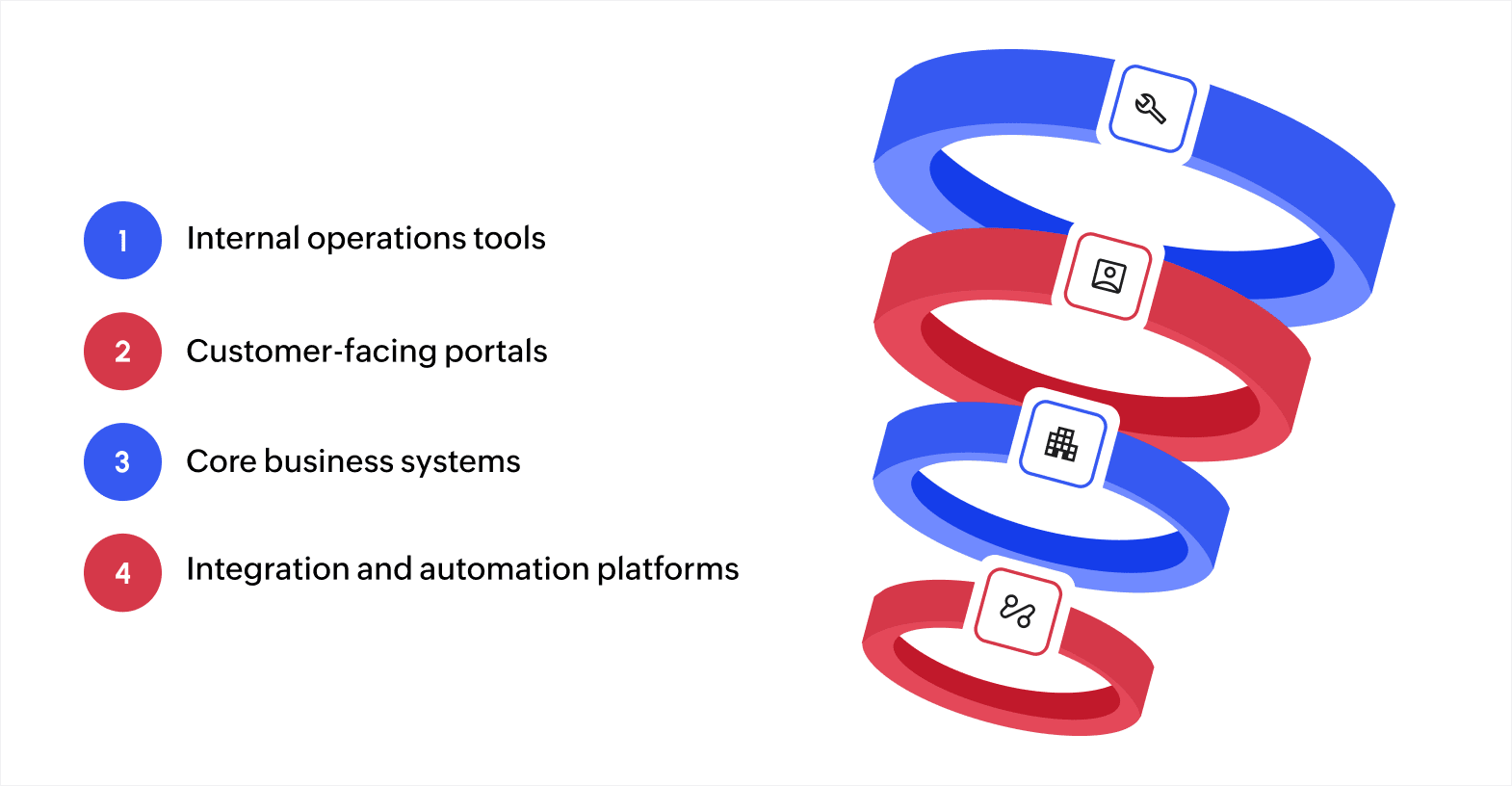
Different intelligent app development tools serve distinct purposes in enterprise environments. Knowing these categories helps you select the right tools for specific projects rather than trying to force one platform to handle every use case.
- Internal operations tools: Platforms optimized for internal business applications handle workflows, approvals, data collection, and reporting. These tools excel at connecting to enterprise data sources, creating dashboards, and automating routine processes.
- Customer-facing portals: Specialized platforms for external stakeholders provide self-service capabilities, real-time information access, and transaction processing. These tools prioritize user experience, performance under load, and integration with customer data systems.
- Core business systems: Enterprise-grade platforms that support mission-critical applications with complex business logic, high transaction volumes, and strict reliability requirements. These tools provide advanced workflow engines, sophisticated data models, and enterprise integrations.
- Integration and automation platforms: Tools focused on connecting systems, moving data, and orchestrating processes across multiple applications. These platforms excel at API management, data transformation, and workflow coordination between existing enterprise systems without replacing them.
Overcoming challenges in AI-assisted app building
AI-assisted app building brings significant benefits, but transitioning to these tools can present several challenges. Awareness of these hurdles helps you prepare and ensure a smoother adoption process.
- Integration with existing systems: Ensure the new AI platforms work seamlessly with existing software and infrastructure. Update old programs if necessary.
- Data quality and management: Dedicate time to data cleaning, validation, and organization.
- Skill gaps and training: Invest in training or bring in new talent with expertise in AI. (This may not be necessary with low-code platforms.)
- Overcoming resistance to change: Communicate clearly about the benefits of AI tools, train your team, and demonstrate AI's value to help ease this transition.
- Cost of implementation: Carefully consider the cost and the ROI. (The long-term benefits, such as time saved and improved efficiency, often outweigh the upfront costs.)
How to implement AI-assisted enterprise app development
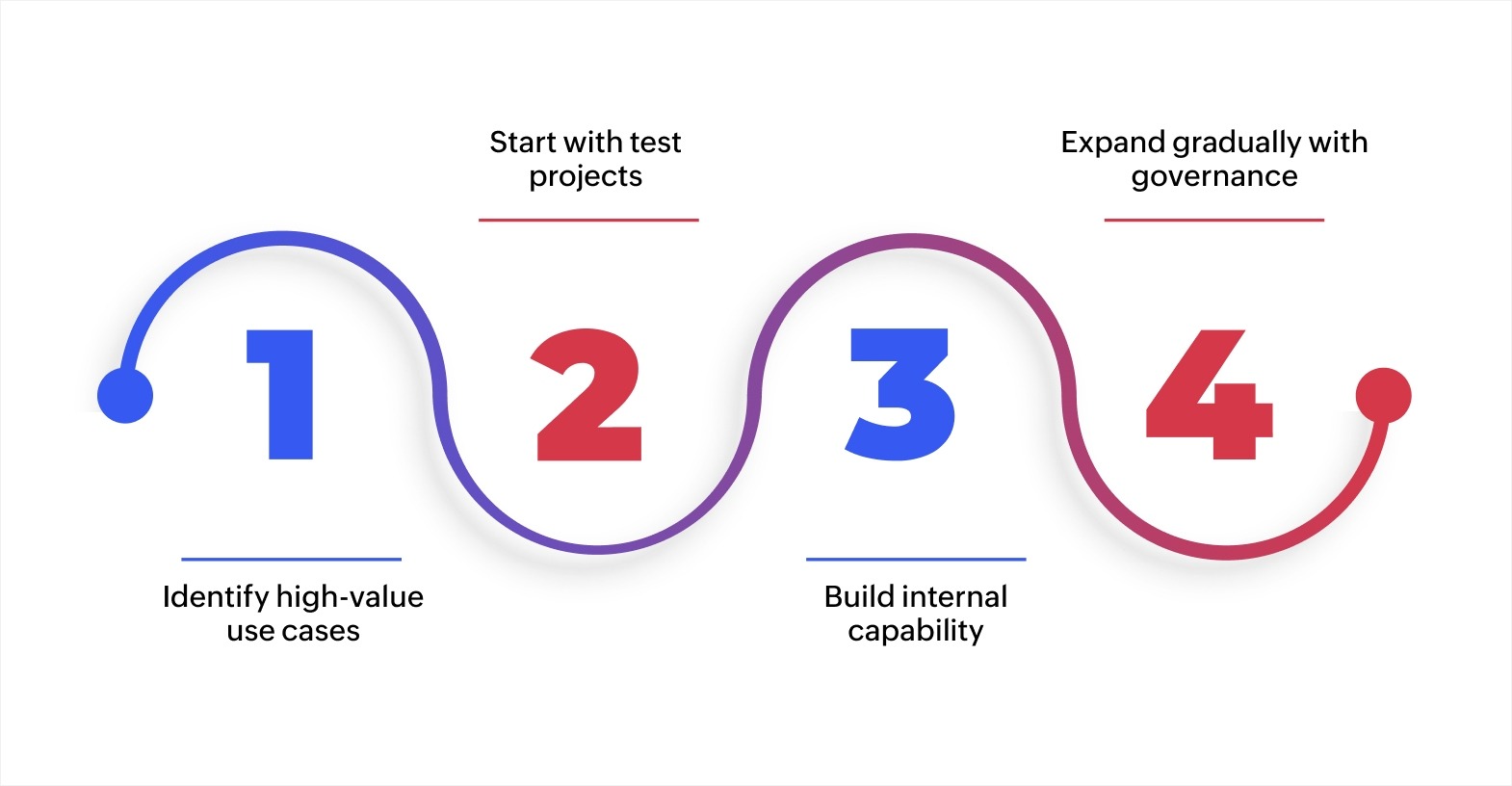
Successful implementation of AI-assisted development requires proper planning rather than jumping straight to production applications. Organizations that follow structured approaches see better results with lower risk. Here’s how to implement it:
1. Identify high-value use cases
Start with applications that deliver clear business value but don't involve critical systems or sensitive data. Look for manual processes creating bottlenecks, spreadsheet-based workflows limiting collaboration, or requests backlogged in IT queues. These projects provide learning opportunities with manageable risk.
For example, a procurement team might build an approval workflow to replace email chains, operations might create an equipment maintenance tracker, or customer service could develop a support ticket system. Each delivers immediate value while teaching your team how AI-assisted development works.
2. Start with test projects
Select two or three test projects involving different departments and use cases. Assemble small teams with business knowledge and some technical skills. Set clear timelines, typically four to eight weeks, and define success metrics like time saved, error reduction, or user satisfaction.
Testing helps you understand your organization's specific needs and constraints. You'll learn which processes respond well to AI assistance, what governance controls your organization requires, and how much training different team members need.
These insights guide broader adoption while minimizing expensive mistakes on large-scale projects.
3. Build internal capability
Invest in training programs that teach your chosen platform's capabilities and best practices. Focus on business analysts, process owners, and developers.
Establish centers of excellence or internal communities where builders share knowledge, review each other's work, and develop reusable components. This prevents everyone from solving the same problems independently and ensures applications follow organizational standards. Regular knowledge-sharing sessions help teams learn from early successes and mistakes.
4. Expand gradually with governance
After successful pilots, expand to more use cases while implementing governance frameworks. Define application standards, security requirements, and approval processes. Balance enablement with control so business teams can build solutions within appropriate guardrails.
Track metrics like development time reduction, applications delivered, IT request backlog changes, and cost savings. Share success stories across the organization to build momentum and encourage adoption in additional departments. Regular reviews help identify common challenges and refine your governance approach based on actual experience.
Start building enterprise applications with Zoho Creator
Traditional enterprise development methods create month-long delays, require scarce technical resources, and struggle to keep pace with business demands. Many organizations face backlogs of dozens or hundreds of application requests while IT teams work at capacity.
Zoho Creator is an AI-powered low-code application development platform that lets you build enterprise applications matching your exact requirements. You can design custom business applications, automated workflows, dashboards, and integrated systems without extensive coding knowledge.
The platform supports AI-assisted development that suggests database structures and generates workflows, enterprise integrations connecting to existing systems, and multi-device deployment for web and mobile access. Built-in security controls provide role-based access, audit trails, and compliance features that meet enterprise standards.
Start your 15-day free trial to see how quickly you can build your application.
FAQ
1. What skills do teams need to adopt AI-assisted app development?
Business analysts and process owners can build applications with minimal technical training. Developers adapt quickly to AI-assisted platforms, though they may need to shift from pure coding to configuration and customization approaches.
2. How do AI app builders handle complex business logic?
AI platforms excel at standard workflows and data operations but still require human input for unique business rules. Developers write custom code for complex calculations, integrations, and specialized processes while AI handles routine application structure.
3. What security risks does AI-assisted development create?
The main concerns include data privacy in AI training, generated code vulnerabilities, and access control in low-code platforms. Choose enterprise platforms with data residency guarantees, security testing, and strong governance features to address these risks.
4. Can AI-assisted platforms integrate with existing enterprise systems?
Modern platforms provide templates for common enterprise systems plus APIs for custom integrations. However, integration complexity depends on your existing systems' APIs, data formats, and security requirements.
5. What metrics should you track to measure AI-assisted development success?
Monitor development time reduction, applications delivered per quarter, IT backlog changes, and developer productivity. Track application quality using user satisfaction scores and the maintenance effort required post-deployment.
 Bharathi Monika Venkatesan
Bharathi Monika Venkatesan is a content writer at Zoho Creator. Outside of work, she enjoys exploring history, reading short novels, and cherishing moments of personal introspection.