- HOME
- Know Your Tech
- Deploy apps faster: A step-by-step guide to go live
Deploy apps faster: A step-by-step guide to go live
- Last Updated : May 4, 2026
- 365 Views
- 8 Min Read
Your app works perfectly in development. Then you push it to production, and suddenly everything breaks. Sound familiar? Deployment issues like these are one of the most common reasons apps miss their launch dates.
Highlights
- App deployment is the process of moving your application from a development environment to a live production setup where users can access it.
- Planning for deployment during the build phase helps you avoid last-minute configuration errors and launch delays.
- Choosing the right deployment method depends on your app type, team size, infrastructure, and how frequently you plan to release updates.
- Automated testing and monitoring after launch helps you catch bugs quickly and keep your app performing well over time.
- Scaling an app requires load balancing, performance monitoring, and workflow automation to handle growing user demand.
But the good news is that with a reliable deployment process, you can go from finished code to a live, stable application without last-minute delays. When you plan each step clearly, you can reduce errors, save time, and ensure a better user experience.
This article will show you how to deploy apps easily. You'll get a complete guide for building deployment-ready applications, launching them reliably, and scaling them as your business grows.
What does it mean to deploy an app?
Deploying an app means moving it from your development environment to a live setup where users can access it. For web apps, this usually involves pushing code to a cloud server and connecting your domain. For mobile apps, it means submitting a build to the App Store or Google Play.
Deployment doesn't end at launch, though. Every feature update, bug fix, or security patch follows the same process. That's why building a reliable, repeatable deployment workflow matters from your very first release.
Why a smooth deployment process matters
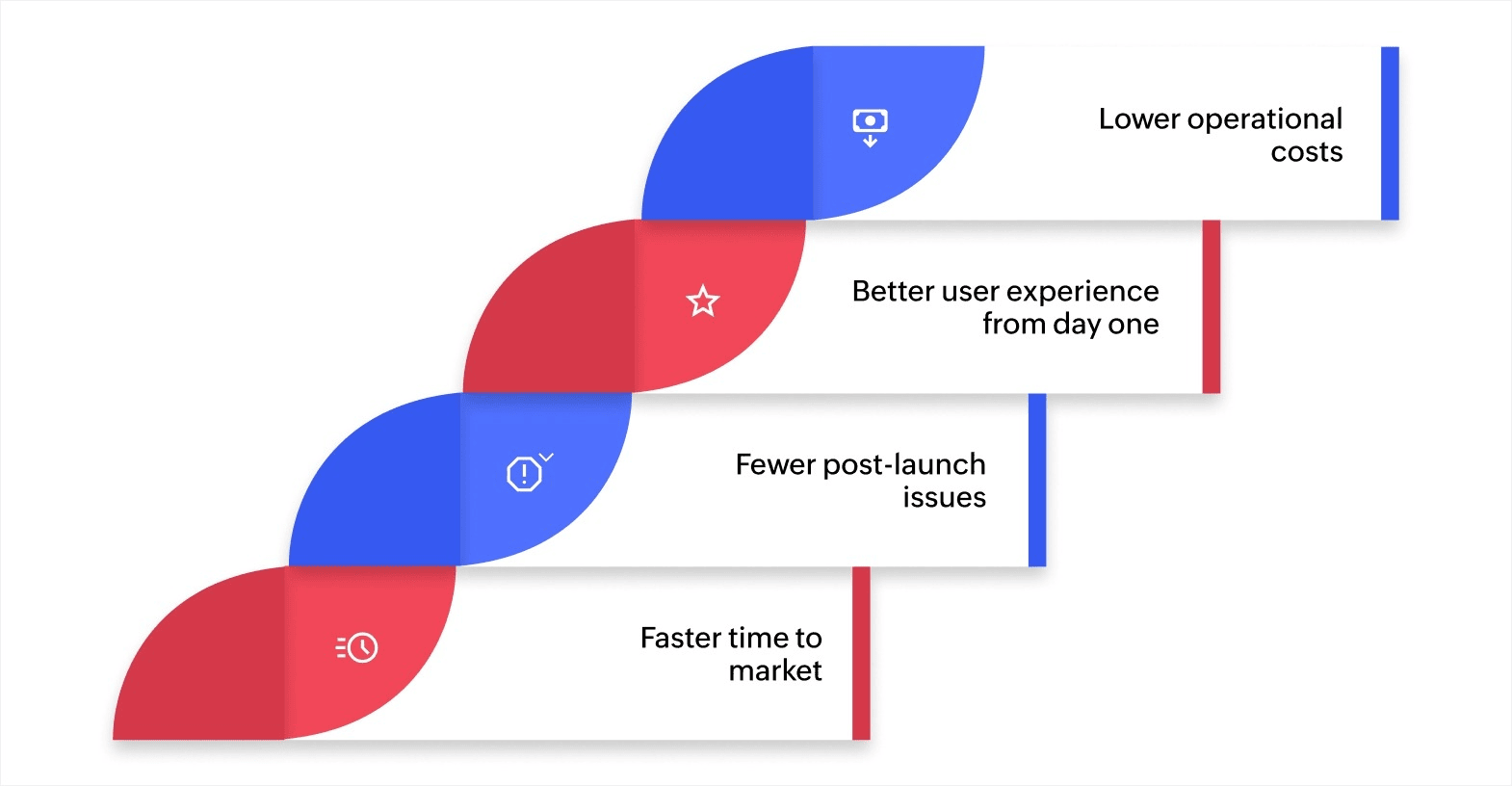
Teams that deploy well ship faster and fix less. Here's what a structured deployment process gives you:
- Faster time to market: A clear deployment workflow shortens the time between finishing a feature and getting it live, so you respond to user needs and market changes quickly.
- Fewer post-launch issues: Proper staging, automated checks, and environment parity help you catch bugs before users do, not after.
- Better user experience from day one: Users judge your app in the first few minutes. A clean launch means your app works the way it should from the first interaction.
- Lower operational costs: Structured deployments with automation reduce the hours your team spends on repeated fixes and manual coordination, freeing them up for higher-value work.
Getting deployment right isn't a one-time effort. It's a practice your team builds over time, and the payoff compounds with every release.
How to build apps that are ready for deployment
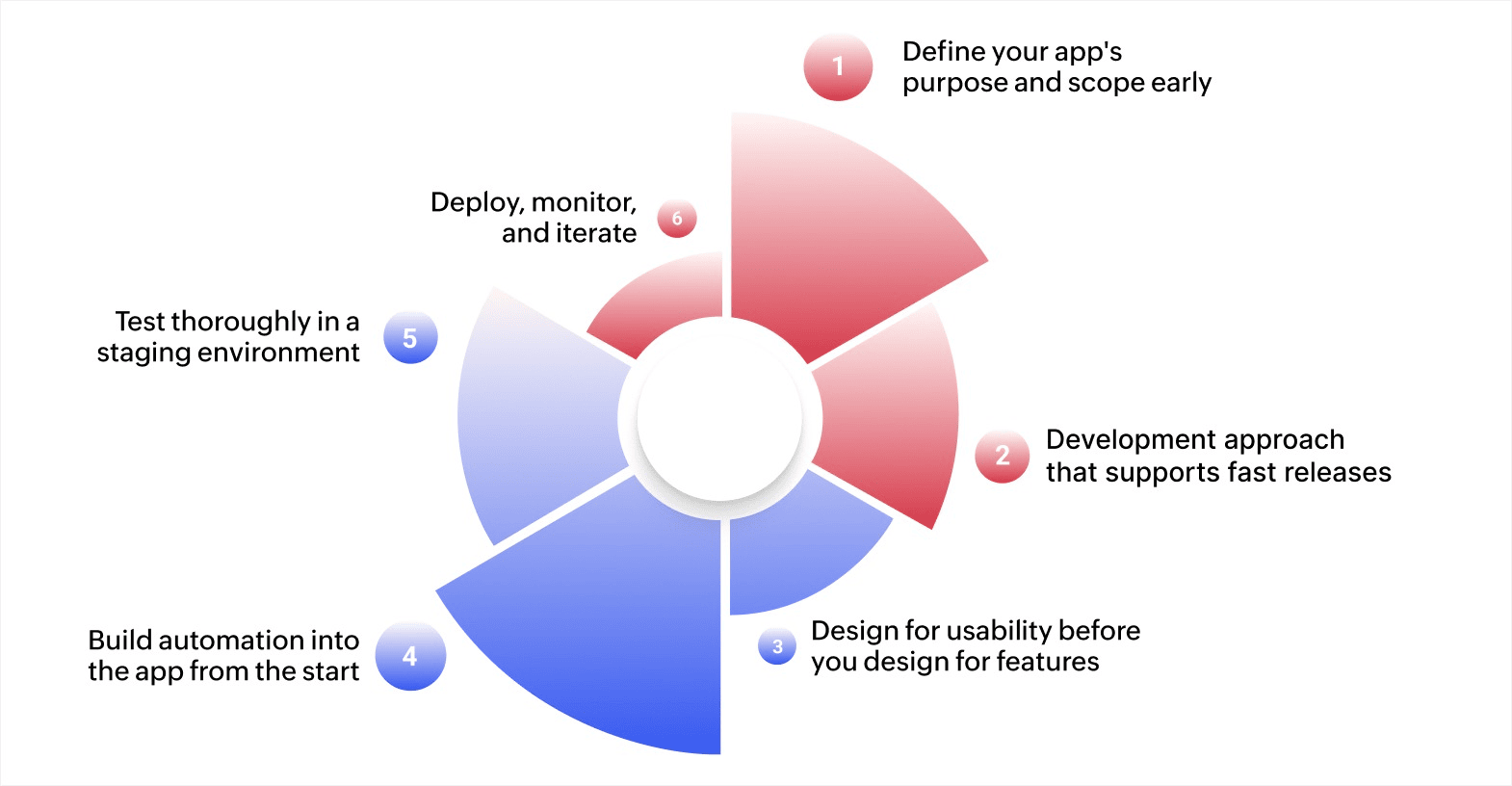
Every choice you make during the development process affects how smoothly your app goes live. Here’s a step-by-step guide that will help you build and deploy apps faster:
1. Define your app's purpose and scope early
Start by identifying the exact problem your app solves and who will use it. List the features your app needs on day one and separate them from additions you can release later. A focused scope keeps your build lean and your deployment timeline short.
For example, a logistics company building a delivery tracking app might limit its first release to real-time location updates and proof-of-delivery capture. Features like route optimization and driver performance reports can come in version two. This approach gets the app into the field faster and lets you gather user feedback before building more.
2. Choose a development approach that supports fast releases
Your development platform determines how quickly you can move from build to deployment. Traditional coding gives you full control, but it often requires dedicated infrastructure setup, manual testing pipelines, and longer release cycles.
AI-powered low-code app development platforms like Zoho Creator offer a faster path. You get drag-and-drop builders, prebuilt templates, and built-in automation that handle much of the backend work for you.
For instance, Fristine Infotech, an IT services company based in Australia, reduced their app deployment time by 70% after switching to a low-code approach for building SaaS products for their clients.
3. Design for usability before you design for features
A clean, intuitive interface is faster to test and less likely to cause problems after deployment. Focus on clear layouts, consistent navigation patterns, and simple workflows that guide users through each task without confusion.
For instance, if you're building an internal tool for processing purchase orders, make sure the submission form follows a logical sequence: select vendor, enter items, attach documents, submit for approval. Every extra click or unclear label increases the chance of user errors and support requests after launch.
4. Build automation into the app from the start
Identify repetitive tasks your app needs to handle and configure automation during development, not after launch. This includes sending notifications, routing approvals, updating records, and generating reports.
For example, a procurement team processing 200 requests a month can save hours each week by setting up automated approval routing based on request value. Requests under a set threshold go straight to the department head, while larger ones route to finance first. Building these rules in early means your app is ready to handle real workloads from the moment it goes live.
5. Test in a staging environment that mirrors production
Before deploying, run your app through a staging setup that matches your live environment as closely as possible. Test across devices, check data flows, verify integrations, and simulate real user behavior.
For instance, if your app handles customer onboarding, walk through the full cycle in staging: account creation, document upload, verification, and welcome notification. Catching a broken integration or a failed notification trigger in staging is a five-minute fix. Catching it in production is a customer experience problem.
6. Deploy, monitor, and iterate
Once testing is complete, push your app to production. Choose a deployment method that fits your team's workflow, whether that's a one-click deploy from your platform, a push through a continuous delivery pipeline, or a manual release to your hosting environment.
After going live, set up monitoring to track load times, error rates, and user activity. For instance, if your app processes form submissions, monitor how long each submission takes to complete and whether any steps are failing silently. Catching a slow database query or a broken email trigger in the first 48 hours is far easier than diagnosing it after hundreds of users have been affected.
Plan a review cycle after each deployment. Look at what went smoothly, what caused friction, and what you can automate for next time. Teams that treat every release as a chance to improve their process deploy faster and more reliably over time.
Best practices for deploying apps
Following proven deployment practices helps you avoid common pitfalls and ensures your app performs well from the moment it goes live. Here are the key practices to build in to your deployment workflow:
- Use version control for every change: Track all code changes with a system like Git. Version control lets you collaborate safely, review updates before they go live, and roll back to a previous stable version if something goes wrong.
- Automate your testing pipeline: Set up automated tests that run every time code is pushed. Unit tests check individual features, integration tests verify how components work together, and end-to-end tests simulate real user behavior. Catching errors before deployment keeps your releases clean.
- Keep development and production environments consistent: Many deployment failures happen because the staging setup doesn't match production. Use the same configurations, dependencies, and data structures in both environments to avoid surprises at launch.
- Deploy in small, frequent releases: Shipping smaller updates more often is safer than pushing large, complex releases. Smaller deployments are easier to test, faster to roll back, and less likely to introduce widespread issues.
- Set up real-time monitoring and alerts: After every deployment, monitor key metrics like uptime, response times, and error rates. Configure alerts so your team knows immediately when something needs attention, instead of waiting for user complaints.
- Document your deployment process: Write down every step, from pre-deployment checks to post-launch verification. A documented process keeps your team aligned and makes it easy for new team members to follow the same reliable workflow.
How to scale your app after deployment
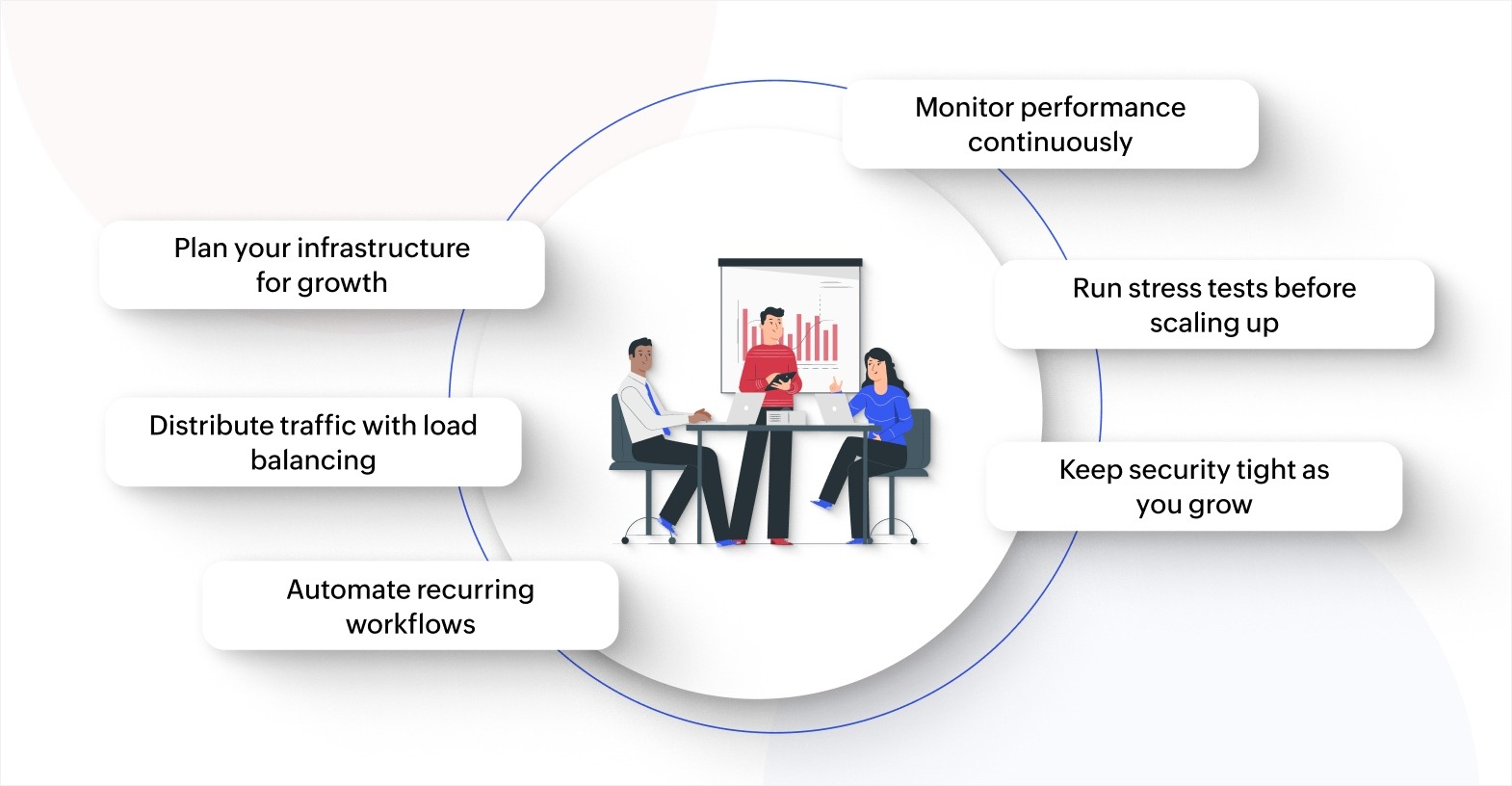
Launching your app is just the beginning. As more users come on board and your business grows, your app needs to keep up without slowing down or breaking. Here's how to prepare for that growth.
Plan your infrastructure for growth
Choose hosting and infrastructure that can expand with your needs. Cloud-based platforms let you add server capacity on demand, so you're not paying for resources you don't need yet, but you can scale up quickly when traffic increases.
Distribute traffic with load balancing
As user numbers grow, a single server can become a bottleneck. Load balancing spreads incoming requests across multiple servers, preventing any one server from getting overwhelmed. This keeps your app responsive even during peak usage periods.
Automate recurring workflows
Manual processes that work for 50 users can break down at 500. Automate tasks like data entry, approval routing, notifications, and report generation so your operations scale without adding headcount. For example, an app processing purchase requests can automatically route each request to the right approver based on the amount, instead of requiring someone to assign it manually.
Monitor performance continuously
Set up dashboards that track response times, server health, and error rates in real time. Performance monitoring lets you spot issues like slow queries or memory leaks before they affect users. Regular performance reviews also help you identify which parts of your app need improvement as usage patterns change.
Run stress tests before scaling up
Before expanding your app to new teams or regions, simulate high-traffic scenarios to find breaking points. Stress testing shows you exactly where your app struggles under load, so you can fix those areas proactively instead of reacting to outages.
Keep security tight as you grow
More users mean more data, and more data means higher security stakes. Review access controls, update encryption settings, and audit user permissions regularly. Scaling without keeping security in check puts your users and your business at risk.
Deploy and scale business apps with Zoho Creator
Building an app is one thing. But getting it deployed across web and mobile, keeping it running reliably, and scaling it as demand grows can be challenging as well. Most teams hit roadblocks because deployment involves managing servers, configuring environments, and coordinating across platforms manually.
Zoho Creator is an AI-powered, low-code application development platform that handles the entire build-deploy-scale cycle from a single environment. You can design your app visually, configure business workflows, and go live without setting up or maintaining your own servers.
Every app you build on Zoho Creator works natively on the web, iOS, and Android with one-click deployment. You can also publish directly to the App Store or Play Store, so your users get access on the device they prefer.
As your business grows, Zoho Creator's serverless architecture scales automatically with demand. Sign up for free today and start deploying apps that work across every device and grow with your business.
FAQ
1. What's the difference between deploying and publishing an app?
Deploying refers to moving your app to a server or hosting platform. Publishing specifically means making it available on an app store or marketplace. Deployment covers a broader set of steps, including server setup and configuration.
2. How long does it typically take to deploy an app?
Deployment time depends on the app's complexity, the platform you use, and your team's workflow. Simple apps on low-code platforms can go live in minutes, while complex applications with custom infrastructure may take hours or days.
3. How often should you deploy updates to a live app?
Frequent, smaller deployments are safer and easier to manage than large, infrequent releases. Many teams deploy weekly or even daily, depending on the pace of development and the nature of the changes.
4. What are the most common reasons app deployments fail?
Deployment failures often result from mismatched environments, untested code, missing dependencies, or skipped configuration steps. Following a documented deployment checklist helps prevent most of these issues.
5. Can you deploy apps without managing your own servers?
Yes. Many cloud platforms and low-code tools handle hosting, scaling, and server maintenance for you. This lets your team focus on building and improving the app instead of managing infrastructure.
 Bharathi Monika Venkatesan
Bharathi Monika Venkatesan is a content writer at Zoho Creator. Outside of work, she enjoys exploring history, reading short novels, and cherishing moments of personal introspection.