- HOME
- Know Your Tech
- Natural language processing: Key techniques and uses
Natural language processing: Key techniques and uses
- Last Updated : June 21, 2026
- 296 Views
- 9 Min Read
Businesses collect massive amounts of text every day. Emails, support tickets, feedback forms, social media comments, and much more. Most of it goes unread because manually reviewing it all takes too long.
Highlights
- Natural language processing (NLP) is the branch of AI that helps computers read, interpret, and generate human language.
- NLP works through a series of steps, including text preprocessing, feature extraction, language analysis, and model training.
- Key NLP techniques include tokenization, sentiment analysis, named entity recognition, and machine translation.
- Businesses use NLP for customer support automation, document processing, feedback analysis, and resume screening.
- Key challenges in NLP include language ambiguity, sarcasm detection, training data bias, and multilingual complexity.
Natural language processing solves this by giving software the ability to read, sort, and make sense of human language at scale. The NLP market is estimated to reach $193.4 billion by 2034, and that growth reflects how critical this technology has become.
This blog post breaks down how NLP works, the techniques that power it, and how businesses across industries are putting it to use. You'll also learn how to start building NLP-driven apps on your own.
What is natural language processing?
Natural language processing (NLP) is a branch of artificial intelligence (AI) that focuses on the interaction between computers and human language. It gives software the ability to read text, understand its meaning, and generate responses that feel natural.
NLP sits at the intersection of computer science, linguistics, and machine learning. It's the reason your phone can transcribe a voicemail, a chatbot can answer a product question, and a search engine can interpret what you actually mean when you type a query.
For example, when you type "best pizza near me" into a search bar, NLP helps the system understand that you want location-based restaurant recommendations, not a definition of pizza.
At a high level, NLP covers two main capabilities. Natural language understanding (NLU) focuses on interpreting meaning from text or speech. Natural language generation (NLG) focuses on producing human-like text as output. Most real-world NLP applications combine both.
How does natural language processing work?
NLP systems process language through a series of structured steps. Each step breaks down raw text into something a machine can analyze, learn from, and act on. Here's how the process typically flows:
- Text input: The system receives raw text or speech. If speech, it gets converted to text first through automatic speech recognition.
- Preprocessing: The text is cleaned and standardized. This includes removing punctuation, converting everything to lowercase, and fixing typos or abbreviations.
- Tokenization: The cleaned text is split into smaller units called tokens. These can be individual words, subwords, or characters, depending on the model.
- Language analysis: The system examines grammar (syntax), meaning (semantics), and context (pragmatics) to interpret the text. This is where techniques like part-of-speech tagging and dependency parsing come in.
- Feature extraction: The tokens are converted into numerical representations (vectors) that machine learning models can process. Modern models use embeddings that capture relationships between words.
- Model training and prediction: A trained model uses these representations to perform a specific task, such as classifying sentiment, translating text, or generating a reply.
Early NLP systems relied on handwritten rules. Modern NLP uses deep learning and transformer architectures, such as Bidirectional Encoder Representations from Transformers (BERT) and generative pre-trained transformer (GPT), that can understand context, handle ambiguity, and generate fluent responses.
The shift from rule-based to deep learning models is what made today's chatbots, translation tools, and voice assistants significantly more accurate and useful.
Key NLP techniques and tasks
NLP covers a wide range of techniques, each designed to handle a specific aspect of language. These techniques are the building blocks behind most AI-powered language applications.
Here are the most commonly used NLP techniques:
- Keyword extraction: Automatically identifying the most important words or phrases in a document, helping systems surface relevant topics without manual tagging
- Part-of-speech (POS) tagging: Labeling each word in a sentence as a noun, verb, adjective, or other grammatical category to help the model understand sentence structure
- Named entity recognition (NER): Identifying and classifying specific elements in text, like names of people, organizations, locations, dates, and monetary values
- Sentiment analysis: Determining the emotional tone behind text, whether it's positive, negative, or neutral; commonly used for product reviews and social media monitoring
- Machine translation: Converting text from one language to another while preserving meaning and context
- Text summarization: Condensing long documents or articles into shorter versions that capture the key points; useful for research and report generation
- Text classification: Sorting text into predefined categories; for instance, routing customer support emails to the right department based on the topic
- Speech recognition: Converting spoken language into written text; powers voice assistants, dictation tools, and real-time captioning
- Coreference resolution: Identifying when different words in text refer to the same entity, helping the model maintain accuracy across longer passages
These techniques rarely work in isolation. A customer feedback analysis system might combine keyword extraction, sentiment analysis, and NER to identify what customers are talking about, how they feel, and which products or services they're referring to.
Challenges in natural language processing
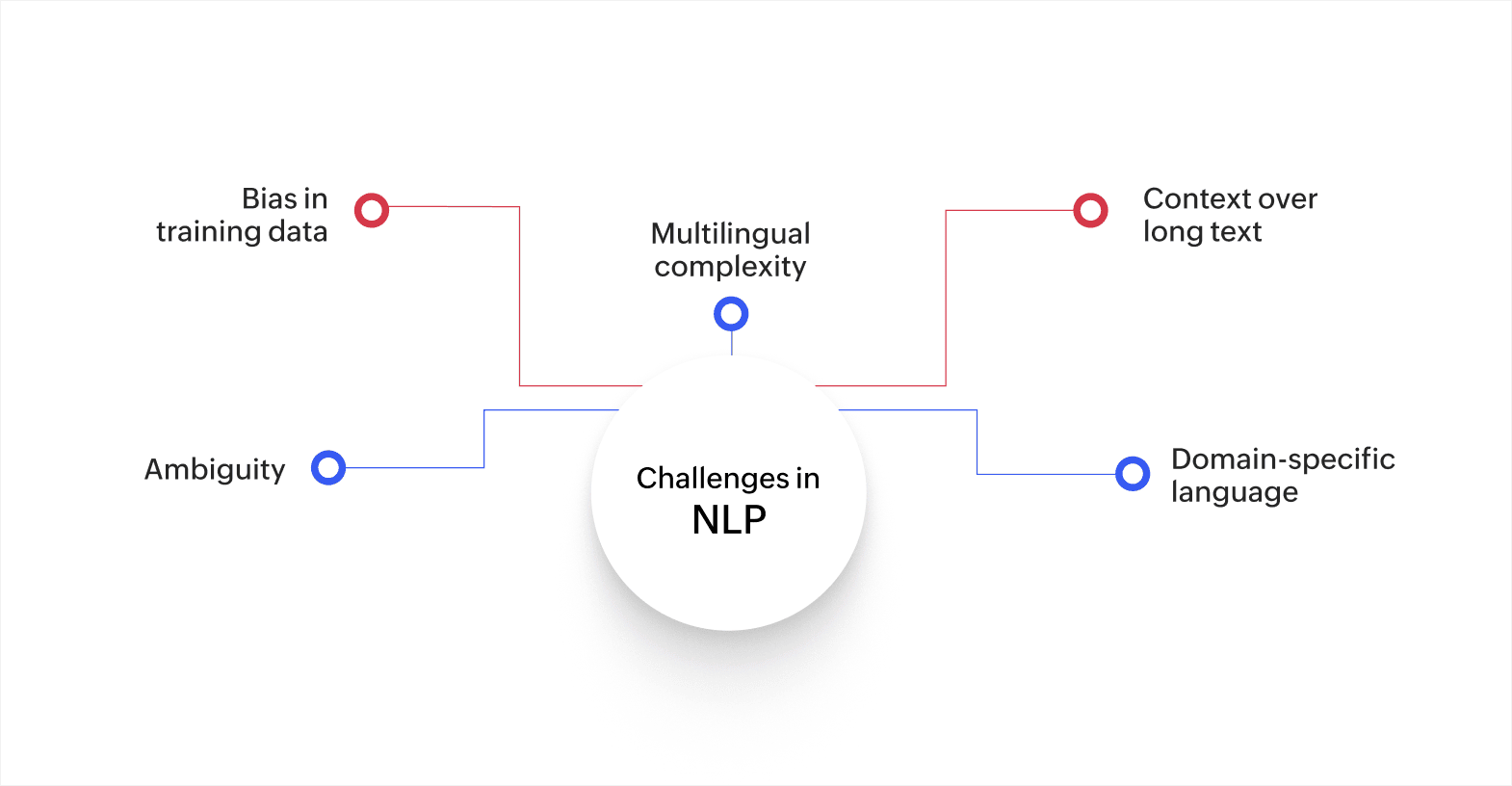
NLP has advanced rapidly, but working with human language still presents real difficulties. These challenges affect accuracy, fairness, and reliability.
- Ambiguity: Human language is full of words and phrases with more than one meaning. The word "bank" can refer to a financial institution or the side of a river. NLP models need enough context to determine the correct interpretation.
- Bias in training data: NLP models learn from existing text data. If that data contains gender, racial, or cultural biases, the model can reproduce and amplify them. This is especially concerning in applications like hiring, lending, and healthcare.
- Multilingual complexity: Languages have different grammar, syntax, scripts, and cultural nuances. Building NLP systems that work reliably across languages requires significantly more data and specialized models.
- Context over long text: While transformer models have improved contextual understanding, processing very long documents or multi-turn conversations accurately is still challenging. Important details can lose weight as the input grows.
- Domain-specific language: Medical, legal, and financial text uses specialized vocabulary and sentence structures. General NLP models often struggle with these unless fine-tuned on domain-specific data.
These challenges are real, but they're also actively being addressed through better models, more diverse training datasets, and improved evaluation methods. Businesses adopting NLP should factor these limitations into their implementation planning.
How NLP is changing the way businesses build software
AI-powered development tools use NLP to let business users describe what they need in plain English and get working app components in return. Here's how NLP is showing up in modern app development:
- Natural language prompts for app building: Instead of writing code, you type a description of what you need. The system interprets your input and generates forms, workflows, or reports automatically.
- AI-assisted data modeling: NLP helps platforms read your uploaded spreadsheets or documents and suggest the right data structure, fields, and relationships for your app.
- Plain-English analytics: You can ask questions about your data in everyday language and get charts, summaries, or filtered views without writing queries.
- Smart workflow configuration: Describe a business process in your own words, and NLP-powered tools can map it into automated steps, conditions, and notifications.
With AI-powered low-code platforms like Zoho Creator, business users can describe what they need in everyday language and get functional app components built for them. NLP combined with AI-powered low-code development makes the app creation process simpler. You can also add smart NLP features to power those apps, without relying on long development cycles.
NLP use cases in app development
NLP is showing up at every stage of the app development process. From the initial idea to deployment, here's how teams can use it to build apps faster:
Turning app ideas into working prototypes
Let’s say a sales manager needs a lead tracking app but doesn't know how to code. With NLP-powered development tools, they can type a plain-language description like "I need an app that captures lead details, assigns them to reps by region, and sends a reminder if no one follows up within 48 hours."
The platform reads that input, interprets the requirements, and generates a working prototype with forms, assignment rules, and notification logic.
Migrating unstructured data into structured apps
Teams often start with spreadsheets full of inconsistent formatting, duplicate entries, and missing fields. NLP-powered import tools can read those files, recognize patterns in the data, and suggest the right field types, categories, and relationships for the new app.
For instance, an operations team uploading a spreadsheet of vendor contacts can have the platform automatically detect names, phone numbers, email addresses, and company names, then organize them into a clean data model.
Setting up workflows through conversation
Configuring business process automation usually means mapping out conditions, triggers, and actions step by step.
Using NLP, a project manager can describe a process like "When a purchase request is submitted, send it to the department head for approval. If the amount is over $5,000, add a finance review step. Notify the requester once it's approved." The platform interprets that description and builds the workflow logic automatically.
Building reports by asking questions
Instead of learning a query language or configuring report builders manually, users can ask questions in plain English.
For example, a regional manager can type "Show me all open support tickets from the last 30 days grouped by priority" and get a visual dashboard in response. NLP translates everyday language into the right filters, groupings, and chart types.
Each of these scenarios shows NLP working as a development accelerator, helping teams go from idea to functional app with less manual configuration and fewer technical dependencies.
NLP features to look for in an app development platform
If you're planning to build apps with NLP capabilities, the platform you choose matters. Not every development tool supports AI and language processing natively, and adding it later can be complex.
Here are the key NLP-related features worth evaluating:
- Built-in AI models: The platform should offer ready-to-use models for tasks like sentiment analysis, text classification, and prediction, so you don't need to train models from scratch.
- Custom model training: For industry-specific needs, you should be able to train models on your own data and plug them directly into your app workflows.
- Natural language querying: Users should be able to ask questions about their data in plain English and get visual answers like charts or filtered reports.
- AI-assisted app creation: The platform should use NLP to simplify the building process itself, letting you describe what you need and generating app components for you.
- Workflow automation with conditions: NLP-driven insights are only useful if the app can act on them. Look for platforms that let you trigger actions, notifications, and approvals based on text analysis results.
- Integration support: Your NLP-powered app will likely need to connect with CRMs, email tools, help desks, and other systems. Strong integration options make this easier.
AI-powered low-code platforms are already combining these capabilities in one place, making it easier for business teams to build AI-powered apps.
Build smarter business apps with NLP and AI using Zoho Creator
Many businesses see the potential of NLP, both as an app feature and a development tool, but struggle to implement it. Traditional implementation requires specialized AI engineers, custom model training, and significant infrastructure investment. For most teams, that's not a realistic starting point.
Zoho Creator is an AI-powered, low-code application development platform that helps businesses build custom apps with built-in AI capabilities, including NLP, without writing complex algorithms from scratch. Its AI models let you add features like sentiment analysis, text classification, and prediction to your apps through a visual interface.
With Zoho Creator's AI-powered app builder, you can train custom models on your own data and plug them directly into your workflows. For instance, you can build a customer feedback app that automatically classifies responses by sentiment and routes negative feedback to your support team through automated workflows. You can also set up real-time dashboards that track trends across feedback categories, giving your team immediate visibility into what customers are saying.
The platform supports 1,000+ integrations so you can connect your NLP-powered apps to the tools your teams already use. Every app you build runs natively on web, iOS, and Android through Zoho Creator's mobile app builder, keeping your team connected from anywhere.
Start turning your text data into actionable insights. Sign up for free today and see how quickly you can build apps that actually understand language.
FAQ
1. What is the difference between NLP and NLU?
NLP is the broader field covering all interactions between computers and human language. NLU is a subset focused specifically on understanding the meaning and intent behind text or speech.
2. Can NLP work with languages other than English?
Yes. Modern NLP models support dozens of languages, though accuracy varies. Languages with large training datasets perform better, while lower-resource languages may produce less reliable results.
3. What is tokenization in NLP?
Tokenization is the process of breaking text into smaller units called tokens. These can be words, subwords, or characters. It's usually the first step in any NLP pipeline.
4. How is sentiment analysis used in business?
Businesses use sentiment analysis to monitor product reviews, social media mentions, and survey responses. It helps identify customer satisfaction trends and flag urgent issues quickly.
5. What are transformer models in NLP?
Transformers are a type of deep learning architecture designed to process text by analyzing relationships between all words in a sentence simultaneously. Models like BERT and GPT are built on transformer architecture.
 Bharathi Monika Venkatesan
Bharathi Monika Venkatesan is a content writer at Zoho Creator. Outside of work, she enjoys exploring history, reading short novels, and cherishing moments of personal introspection.